

 Easy to Manage
 Dedicated Support















 Scan to email sales


Account Parent & Child Hierarchy | Chart Of Account Hierarchy

This module helps to set the hierarchy of parent-child accounts in chart of accounts. You can set accounts in one hierarchy to manage multiple chart of accounts in one chart of account. You can see hierarchy in folded-unfolded view. You can generate chart of account hierarchy based on any dates,fold/unfold, account/account type & target moves.

Features
Hierarchical Structure Creation
Create and manage a structured hierarchy of Chart of Accounts for better organization.
Date-wise Hierarchy Generation
Filter and generate account hierarchy based on a specific date range.

Account & Type-based Creation
View hierarchy filtered by specific accounts and account types.
Fold/Unfold View Option
Generate and view account hierarchy with expandable (unfolded) or collapsed (folded) levels.
Target Moves Filtering
Generate hierarchy based on target moves such as all entries or only posted entries.

Zero Transaction Handling
Generate hierarchy with the option to include or exclude accounts with zero transactions.
Hierarchy View in
Chart of Accounts 
View accounts in a simple parent-child structure for easy navigation.

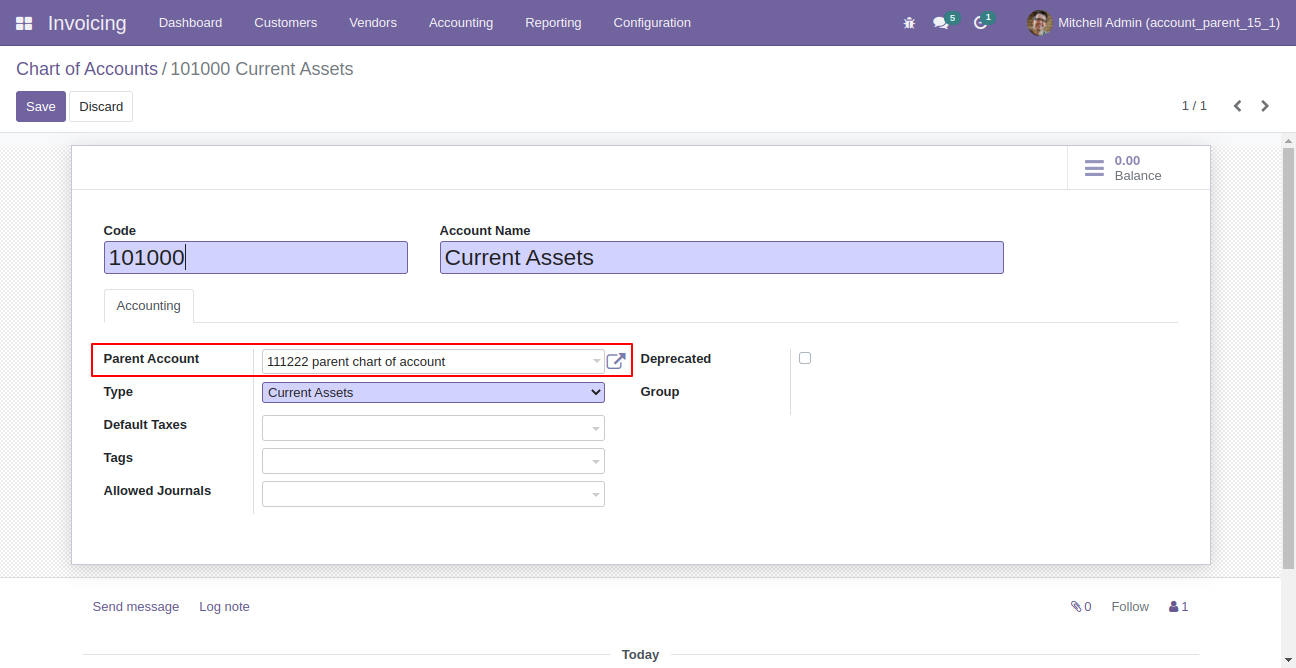
Select parent account in chart of accounts.
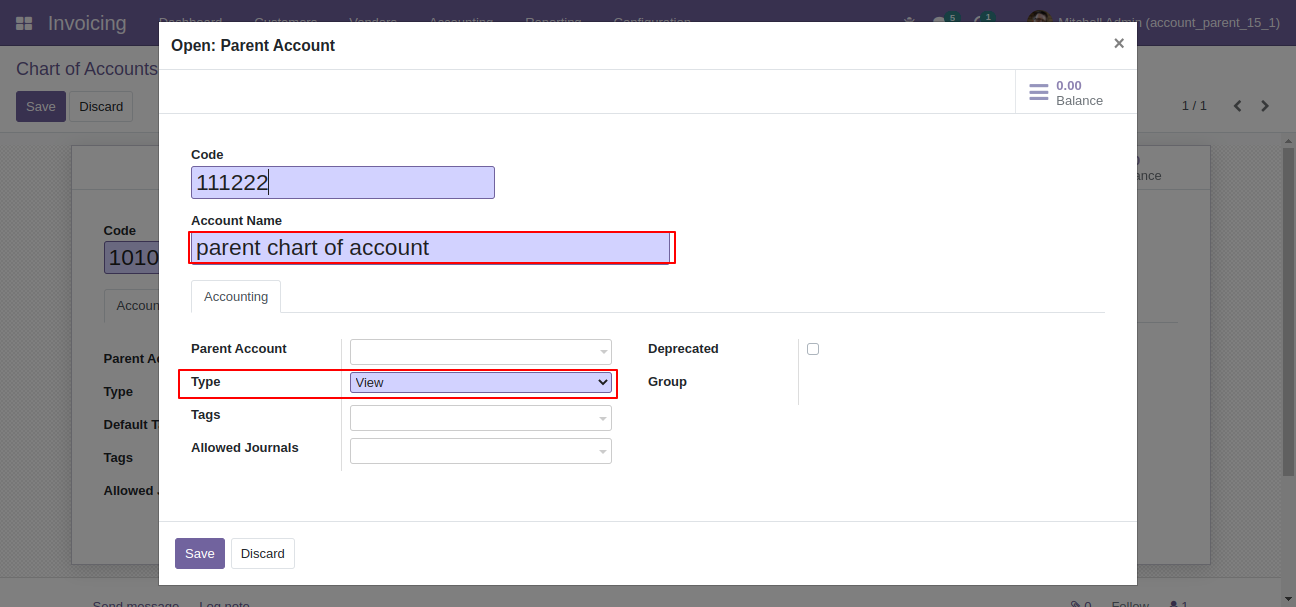
Parent account wizard looks like this, enter details and save it.
Go to the "Chart Of Account Hierarchy" menu.
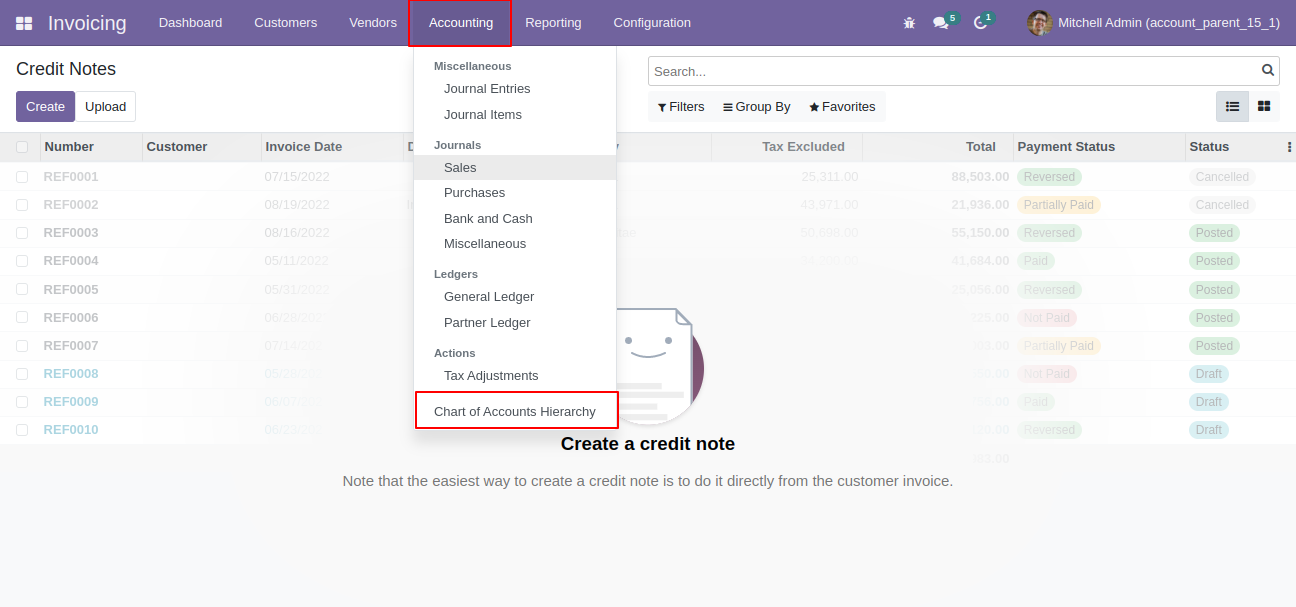
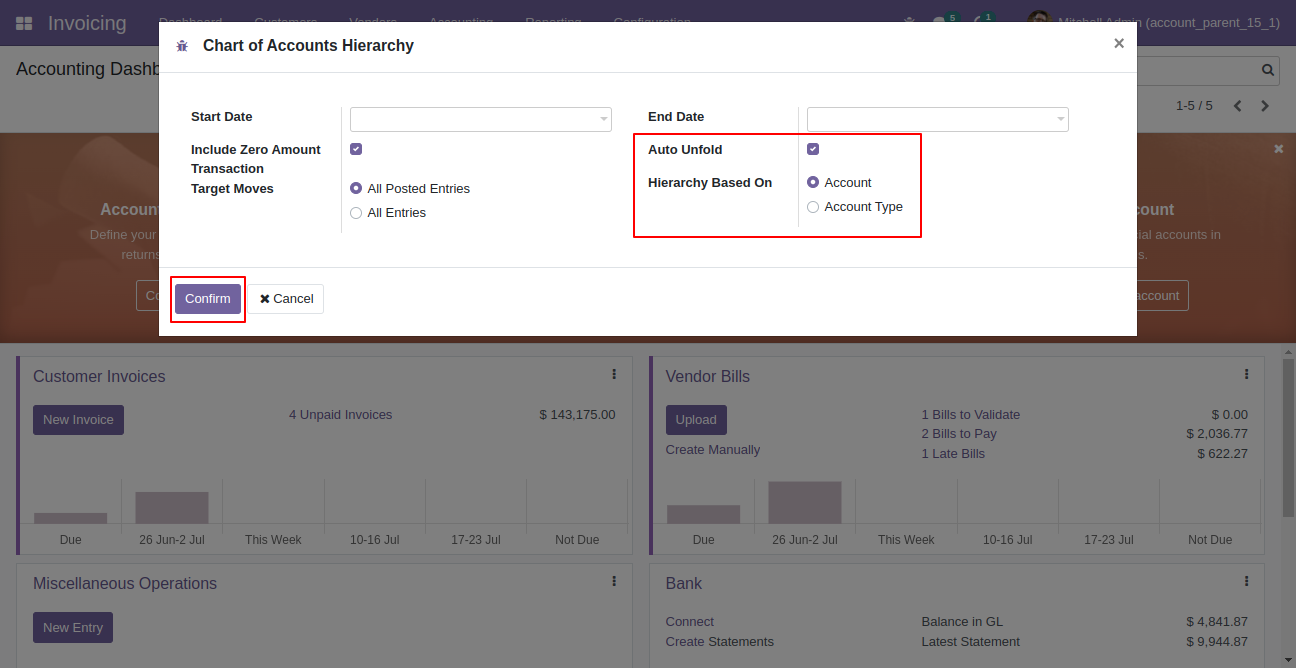
You can generate hierarchy based on account & account type as well folded/unfolded view.
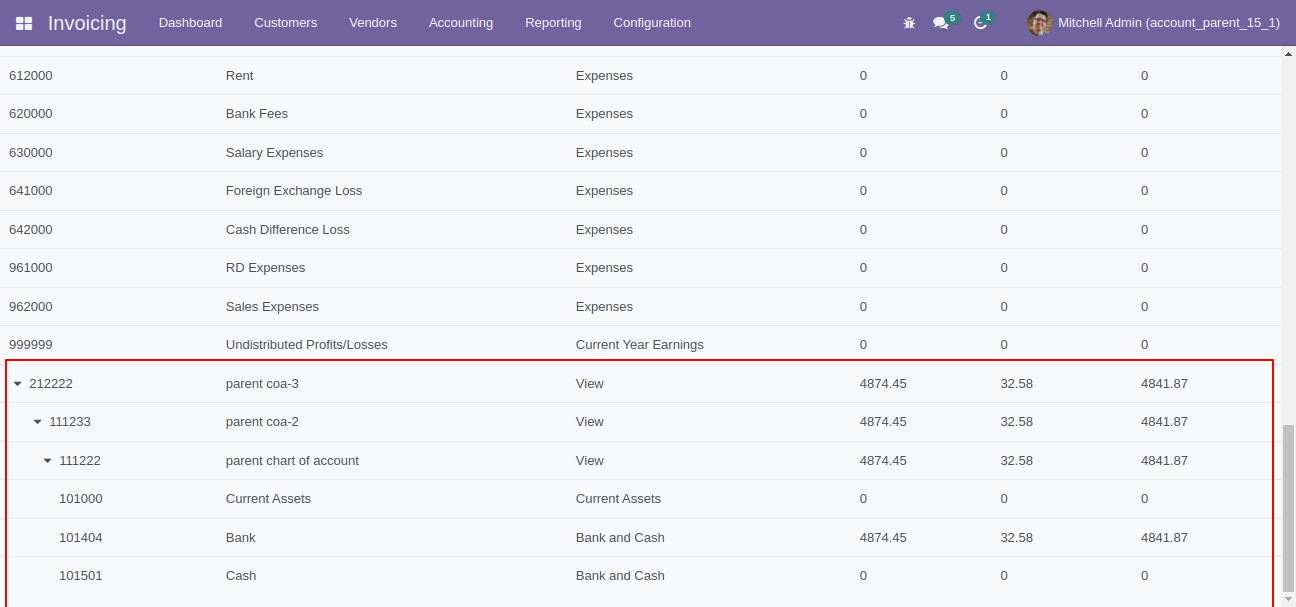
"Chart Of Account Hierarchy" looks like this.
You can generate hierarchy with or without include zero amount transaction.
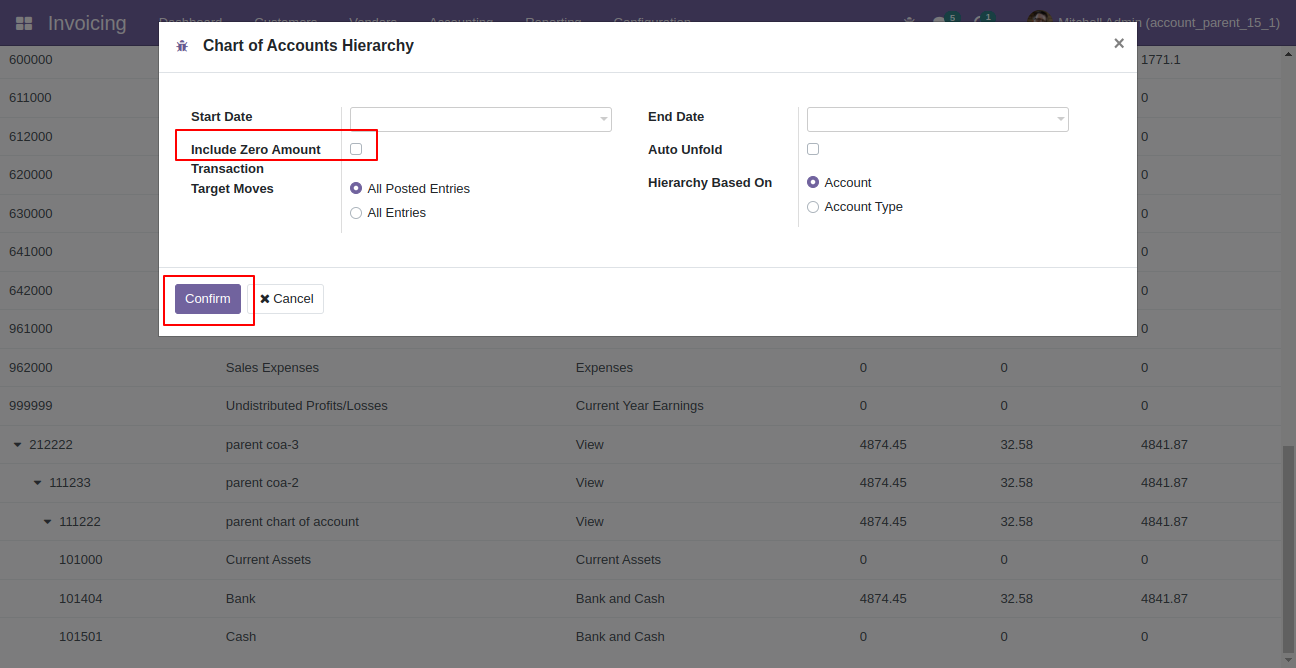
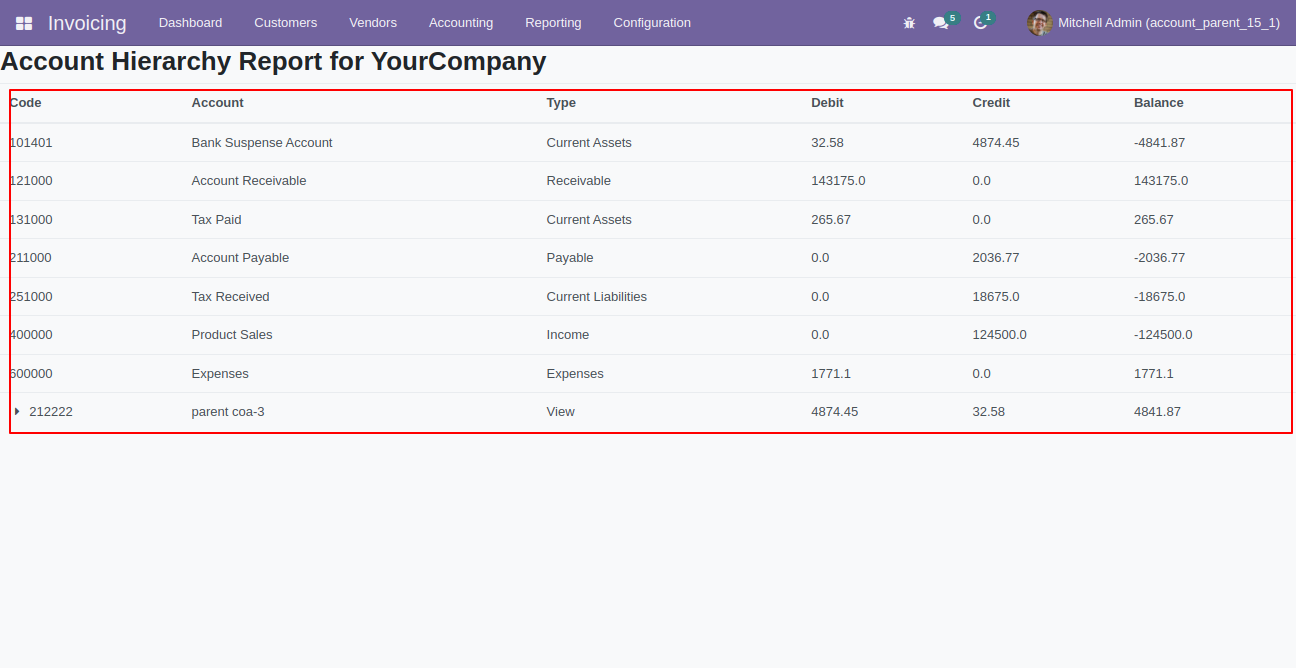
"Chart Of Account Hierarchy" without include zero amount transaction.
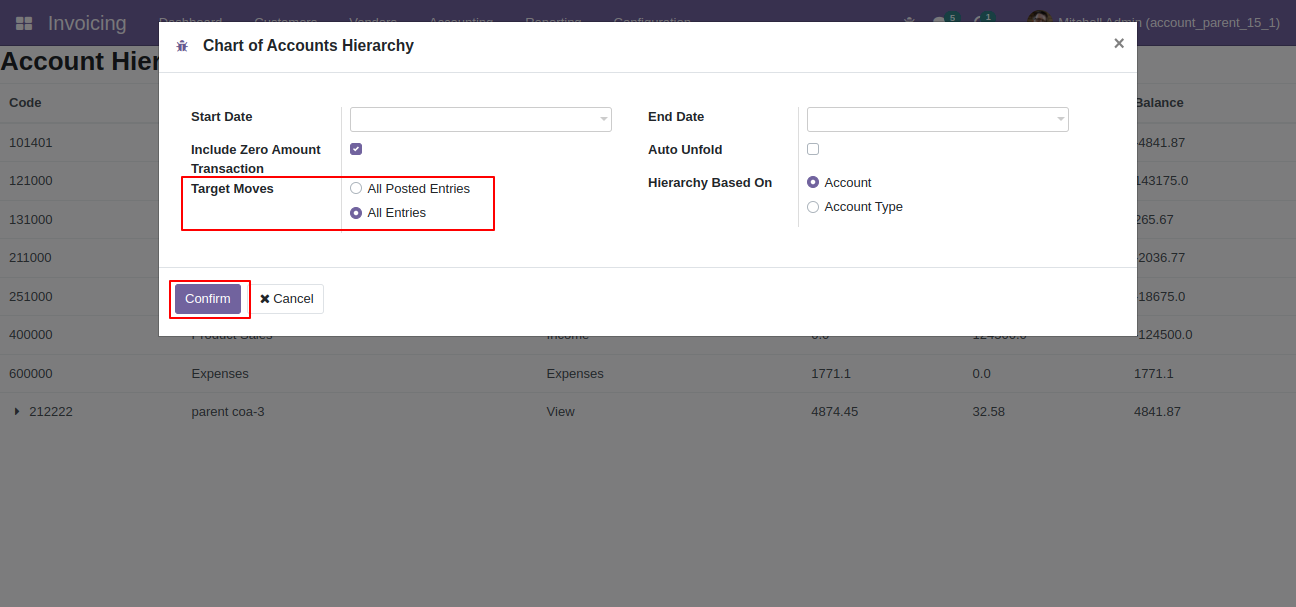
You can generate hierarchy based on target moves.
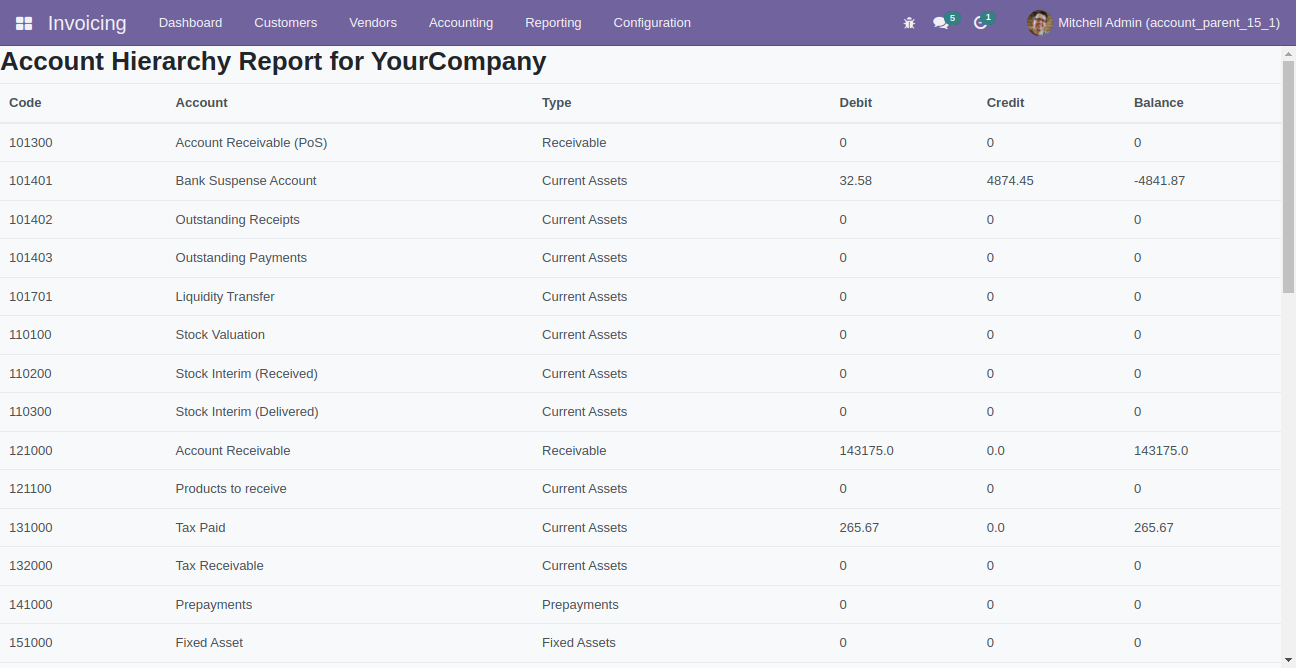
It will show you account hierarchy based on target moves.
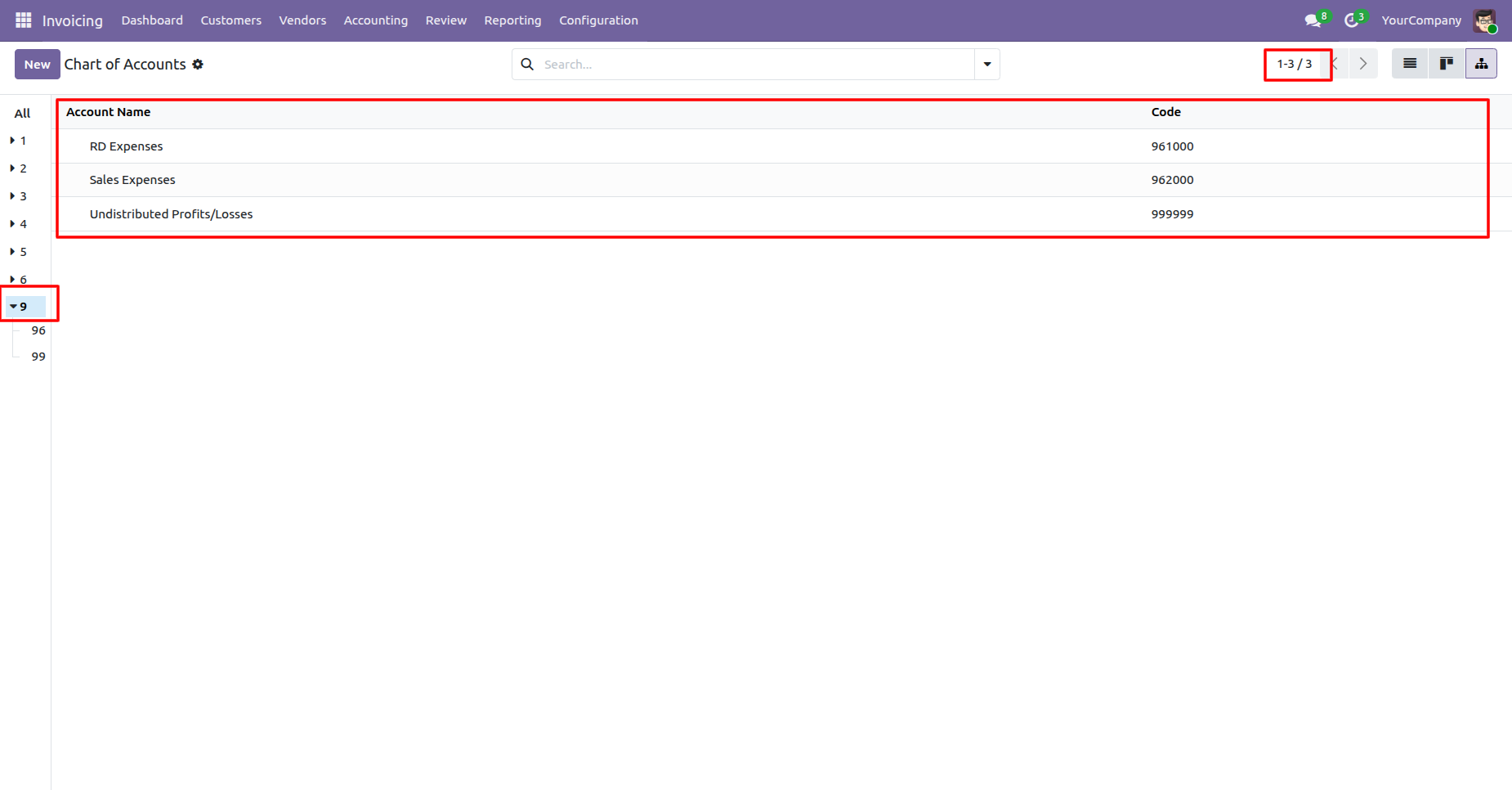
We have added a parent view to the Chart of Accounts to organize and display accounts in a structured hierarchy.
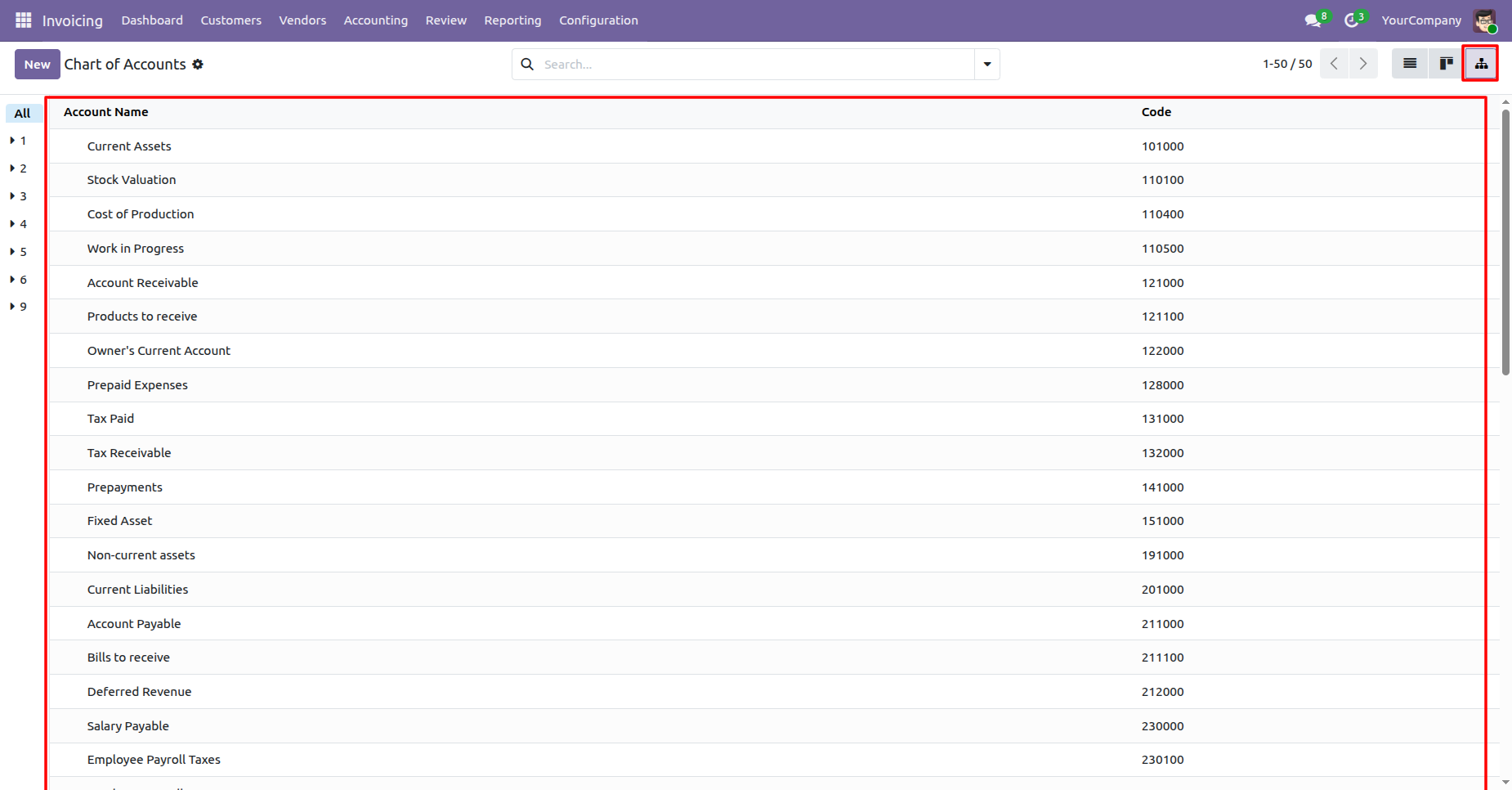
The Chart of Accounts now allows users to view filtered records based on selected criteria.
Version 18.0.2.0.0 | Released on : 11th May 2026
Version 18.0.1.0.0 | Released on : 9thJuly 2025
- Yes, this app works perfectly with Odoo Enterprise (Odoo.sh & Premise) as well as Community.
- No, this application is not compatible with odoo.com(odoo saas/Odoo Online)
- Yes, to test this module, please contact us at sales@softhealer.com.
- Please contact us at sales@softhealer.comto request customization.
- Yes, we provide free support for 365 days from the date of purchase.
- Yes, you will receive lifetime free updates for the version of the module you purchased.
- No, there is no need to install any additional libraries.
- Yes, for version 12 and above, you need to purchase the module separately for each version you intend to use.
- No, exchanges or refunds are not allowed. Please make sure to select the correct version before purchasing.
- You can contact us at support@softhealer.com for language translation support. We use Google Translator tools to provide translations in multiple languages, so the accuracy may vary. We welcome your suggestions to help improve translations.
Discover Our Latest Apps