












Complete Access Rights Management

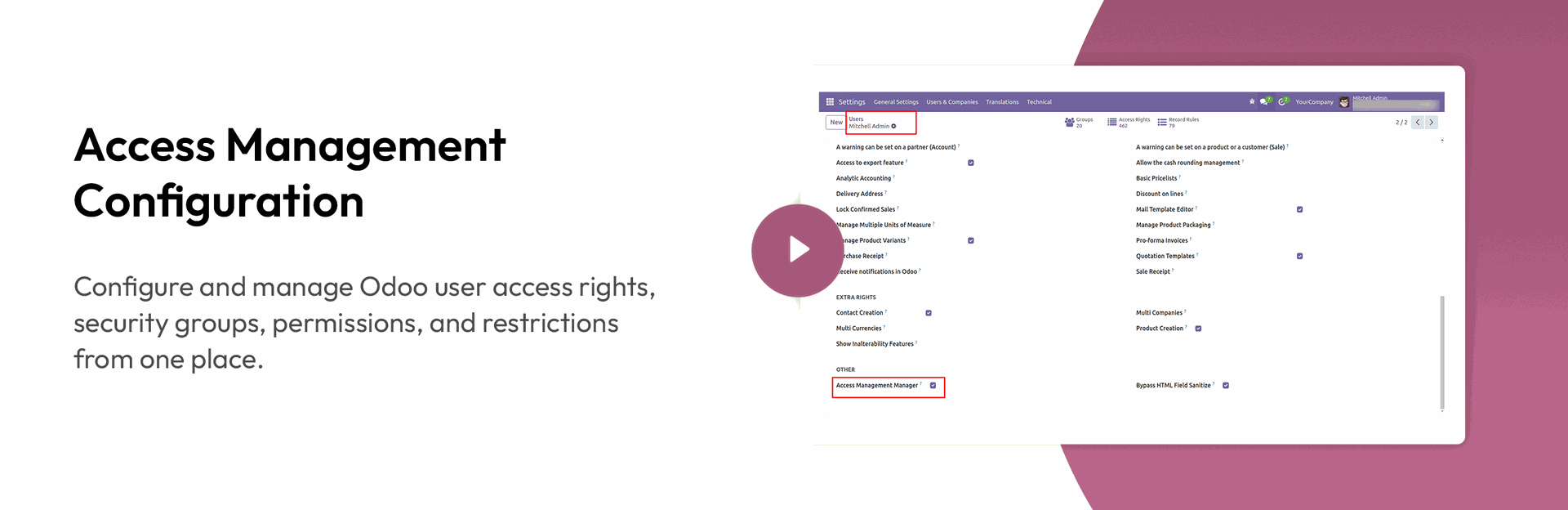
Our Access Management System helps businesses simplify user permissions and secure user access in Odoo.
This Access Management Software provides a complete Access Management Solution for controlling users,
roles, permissions, menus, fields, navbar buttons, chatter, report actions, and multiaction views.
With flexible User Access Management and Odoo User Access Control, administrators can define exactly what each user can
view, create, edit, delete, or access.
Simplify User Permissions in Odoo with flexible access rules designed for different users, groups, and companies.
The module provides Odoo Access Rights Management and Odoo Role-Based Access Control Module capabilities to help
administrators manage secure, role-based access across Odoo ERP.
Higher Efficiency



Features

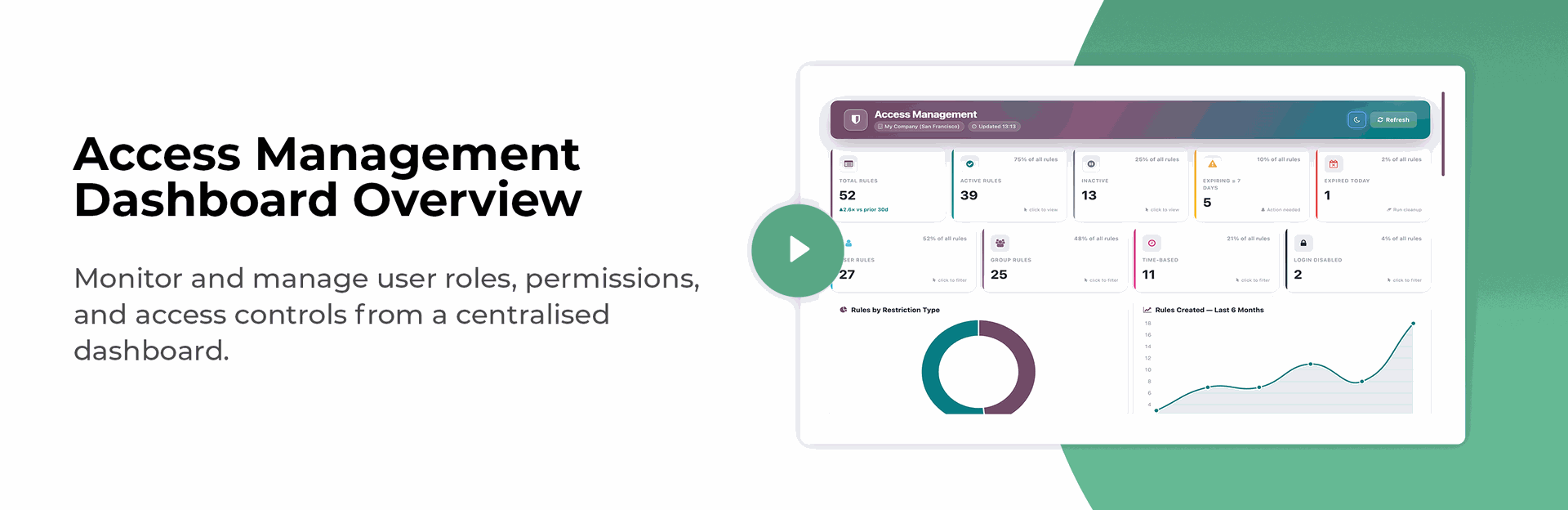
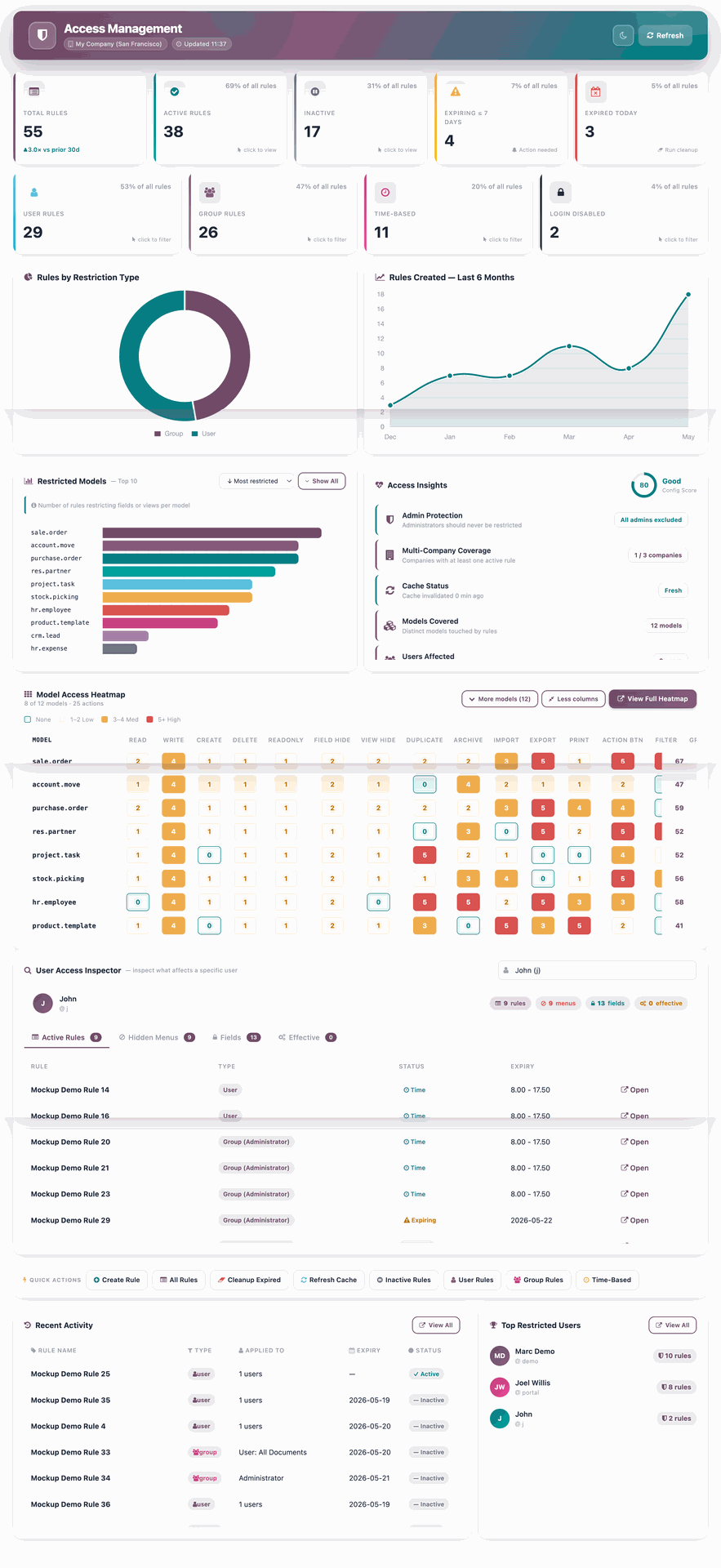
Access Management Dashboard & Odoo Role & Permission Management
- Monitor and manage user roles, permissions, and access controls from a centralized dashboard, making Odoo Role & Permission Management easier.
Odoo Access Rights & Access Rights for Odoo ERP
| - Hide Any Action | - Hide Reports |
| - Hide Any View | - Hide Create/Edit/Delete |
| - Hide Duplicate Button | - Hide Export Button |
| - Hide Import Button | - Hide Spreadsheet Button |
| - Hide Print Button | |
Hide Filters and Group By
- Hide Any Filter
- Hide Any Group By
- Hide Search Pannel
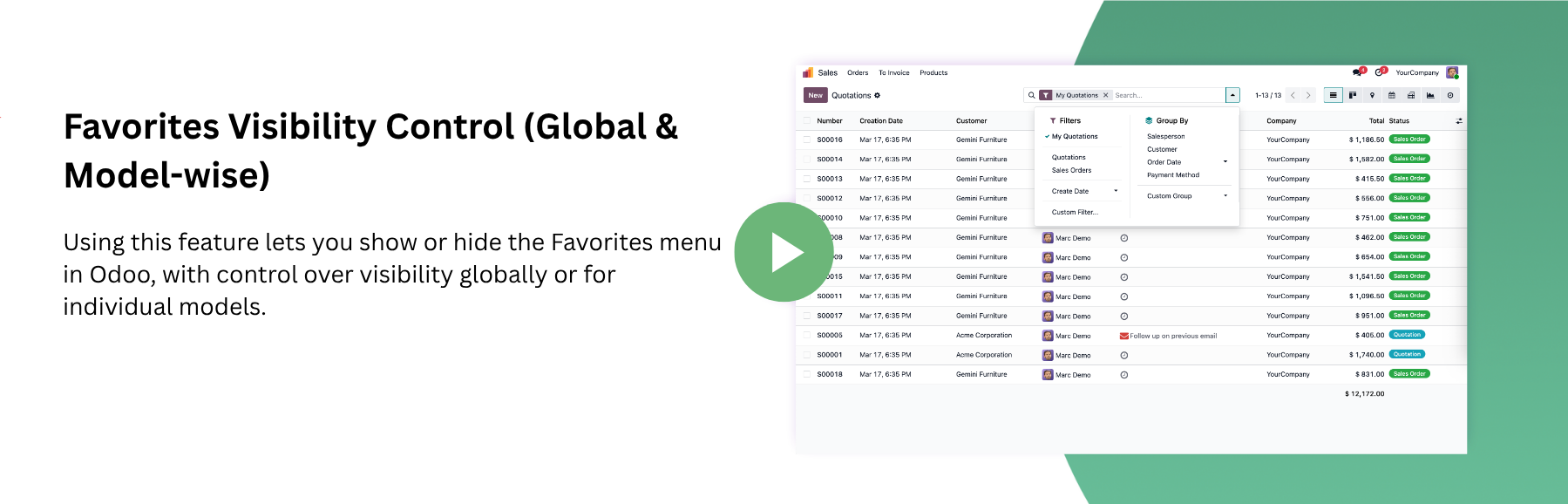
- Hide Favourite
Odoo Menu Access Control - Hide Menu / Sub Menu
- Hide Any Menu or Sub Menu
- Hide Main App Menu
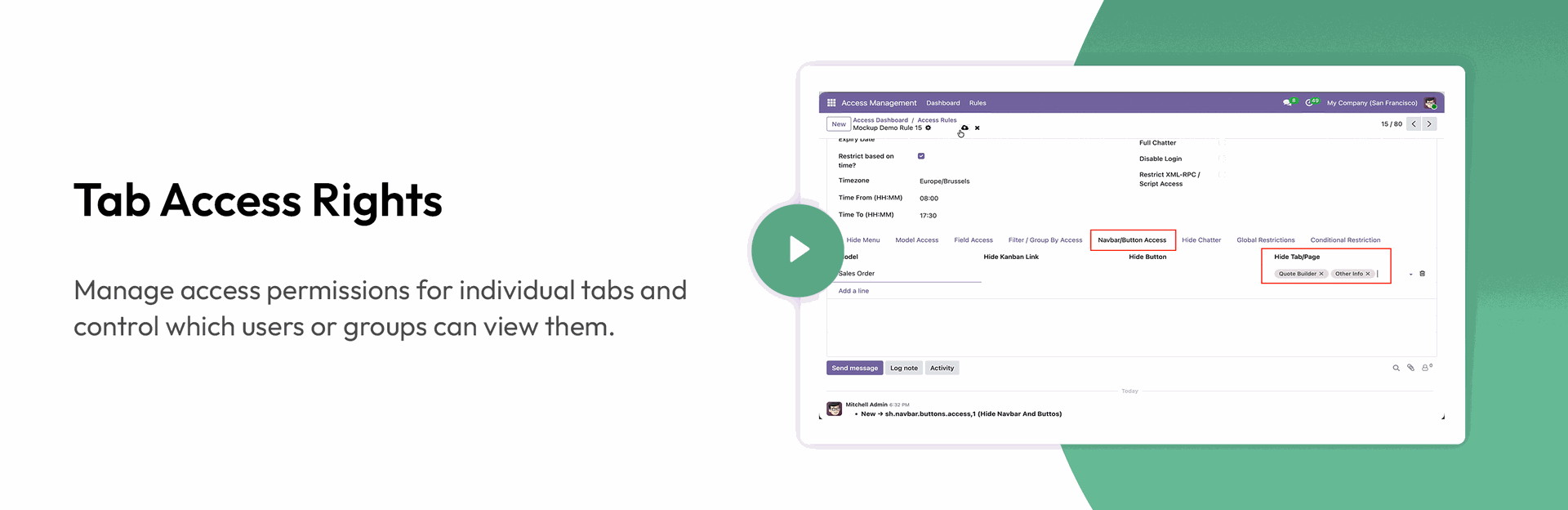
Tab Access Right / Other
- Hide Any Tab
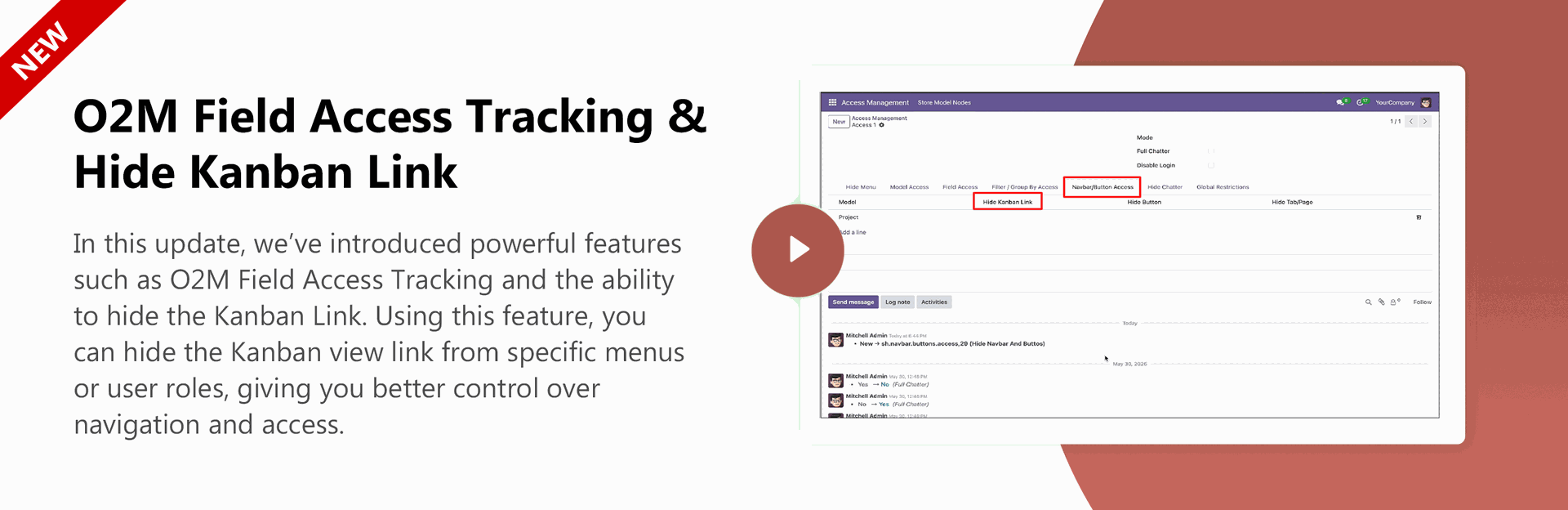
- Hide Kanban Link

Multi Company Support
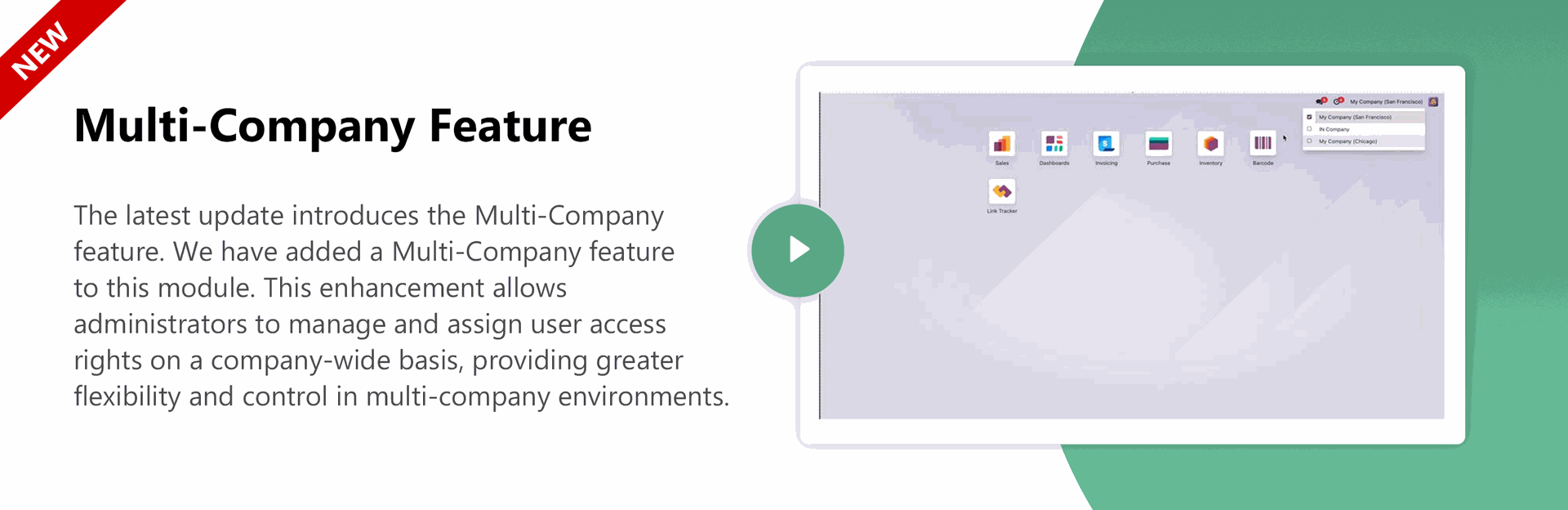
- Manage and apply separate access rules for each company within the system.

Enhanced Conditional Domain Restrictions
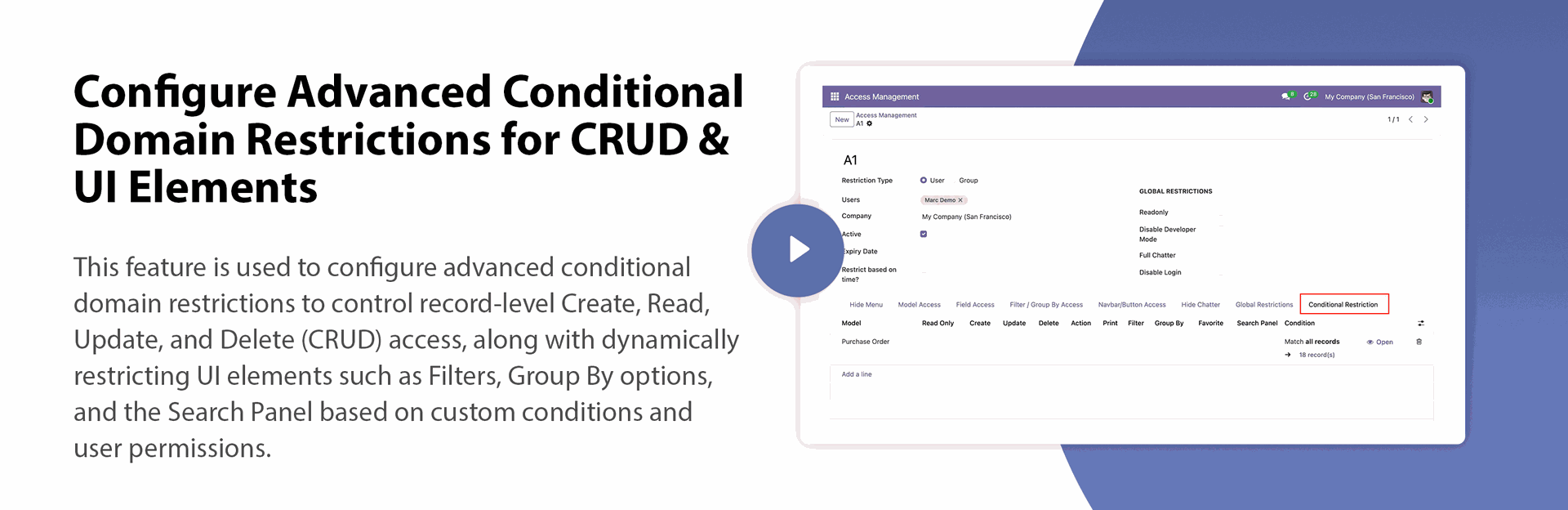
- Advanced conditional domain restrictions for record-level CRUD operations and UI elements like Filters, Group By, and Search Panel.
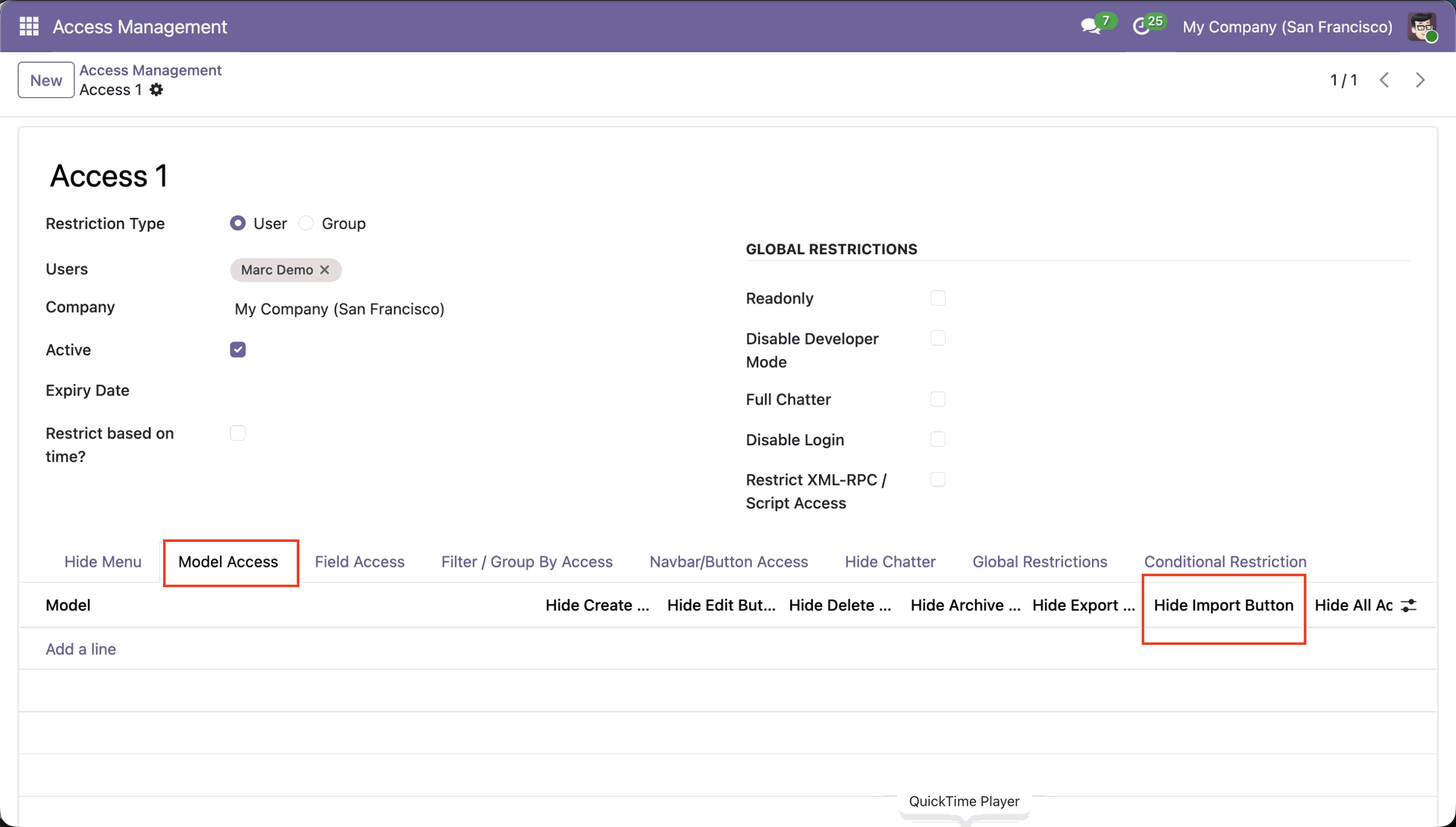
Model-Wise Import Button Restriction
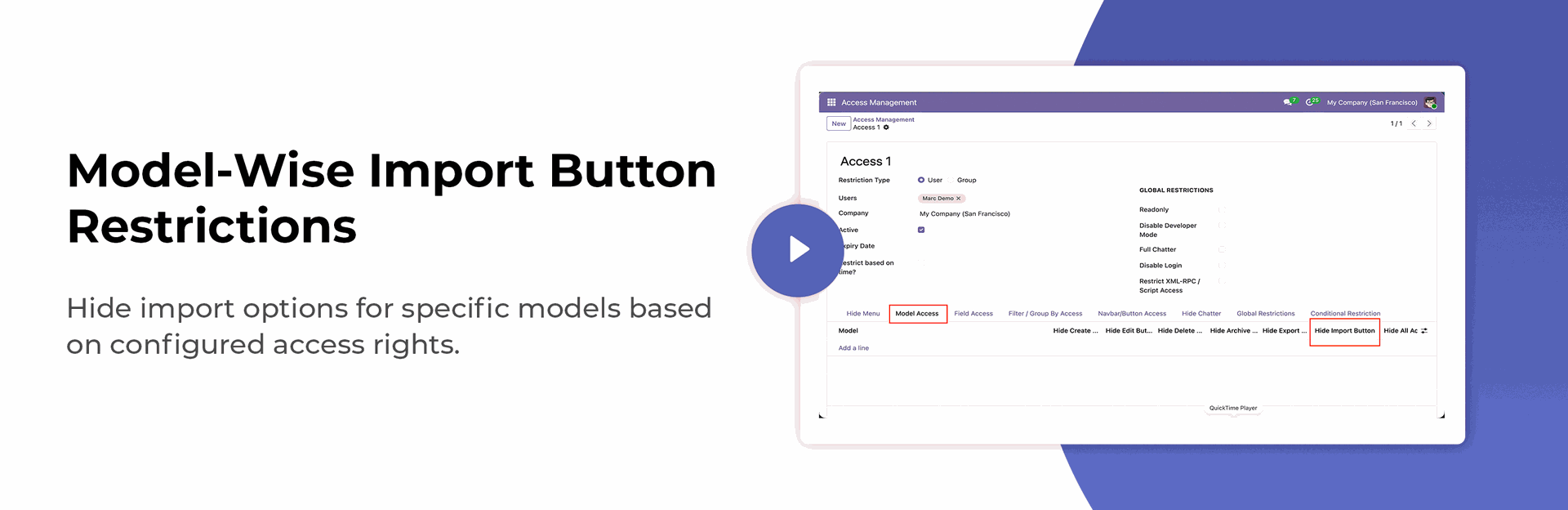
- Hide import options for specific models based on configured access rights.
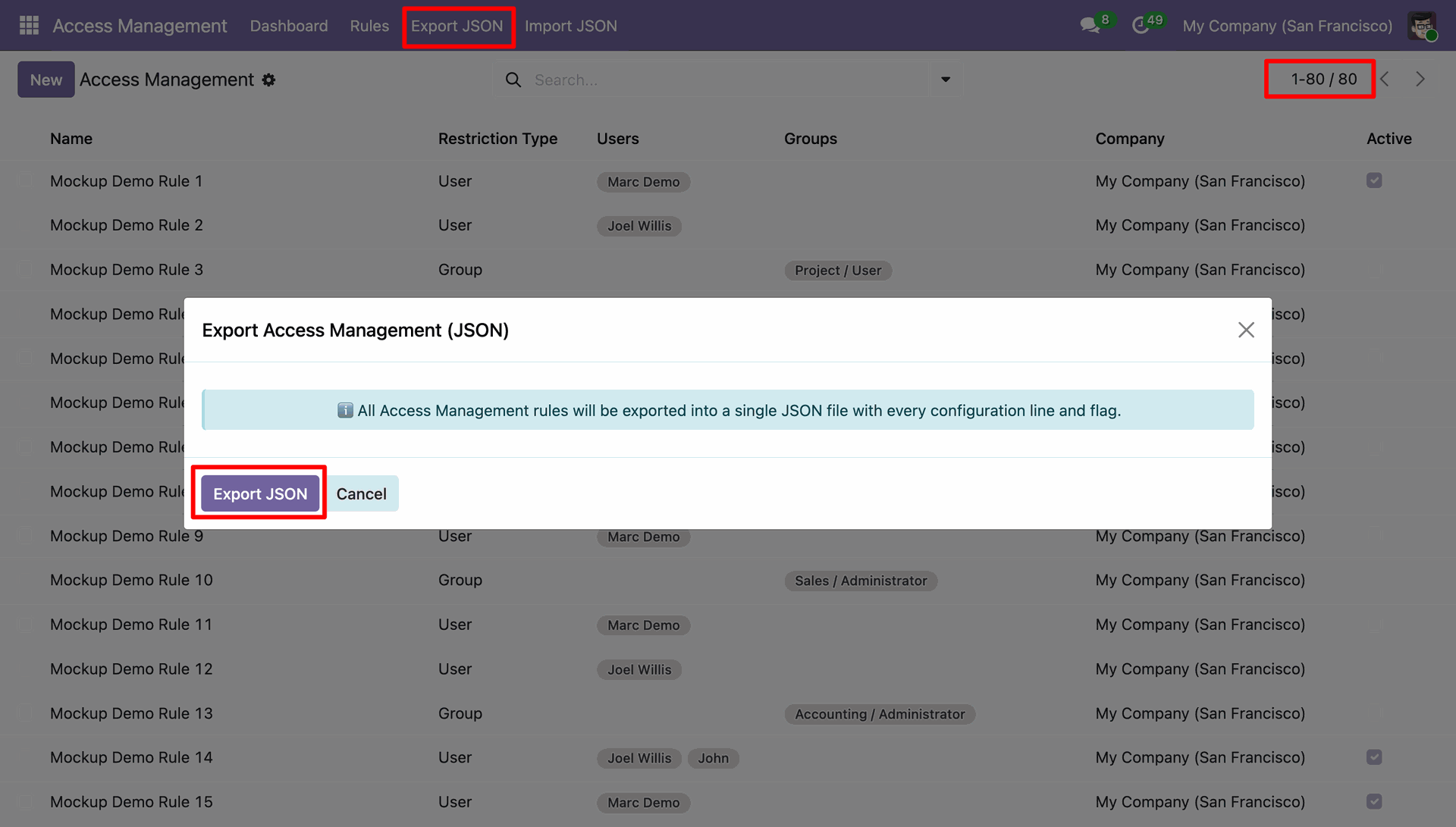
Access Rules Import & Export
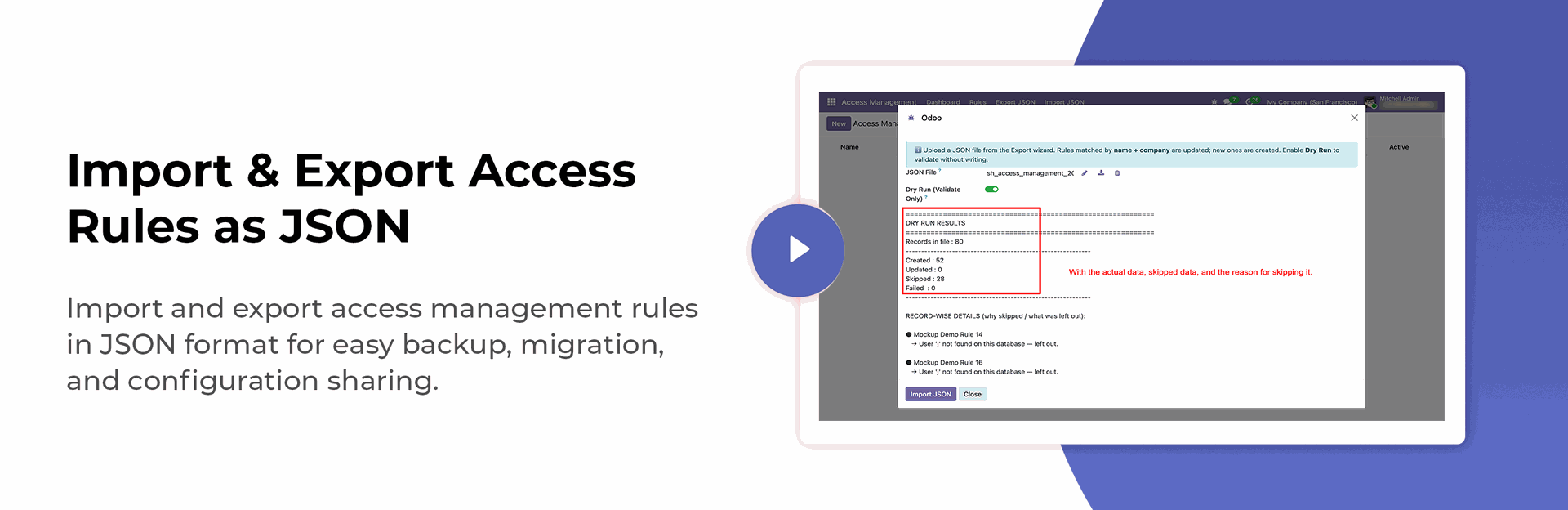
- Import and export access management rules in JSON format for easy backup, migration, and configuration sharing.
Odoo User Access Control - Field Access
| - Hide Any filed | - Restrict Quick Create |
| - Make Any Field Read Only | - Restrict Quick Edit |
| - Make Any Field Required | |
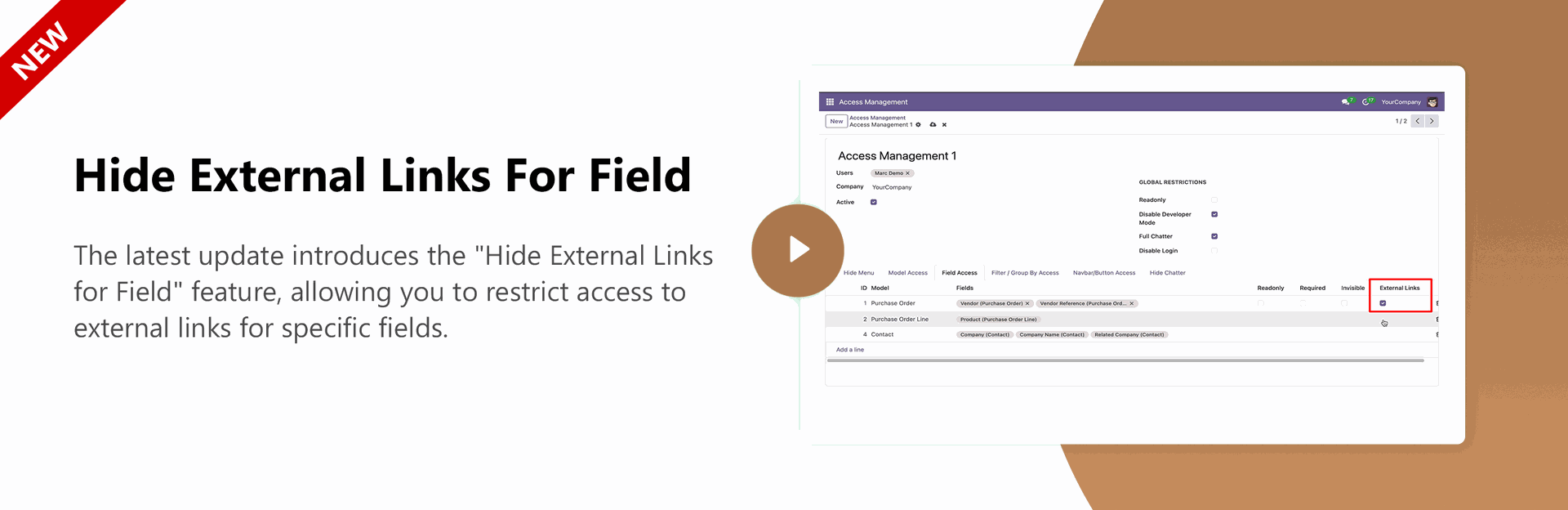
| - Remove External Link | |
Model-Wise Chatter Access Rights
- You can hide chatter of chatter from any model.
- Hide chatter
- Hide Send Msg
- Hide Log Notes
- Hide Activity
Odoo Role-Based Access Control - Button Access Rights
- Hide Any Button
Automatic Access Revocation
- Automatically remove or disable access after a defined time or expiration condition
Access Restriction by Time and Timezone
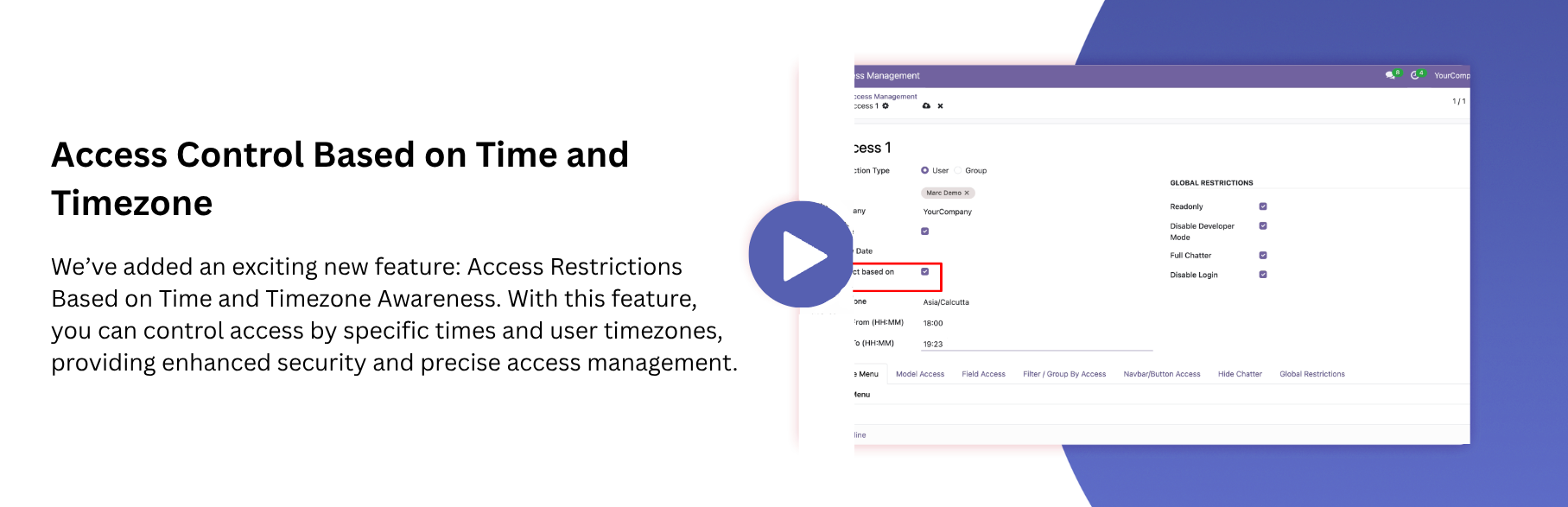
- Control user access based on specific time schedules and their timezone.
XML-RPC / Script Access Restriction
- Restrict XML-RPC and external script access to enhance system security and control unauthorized operations.

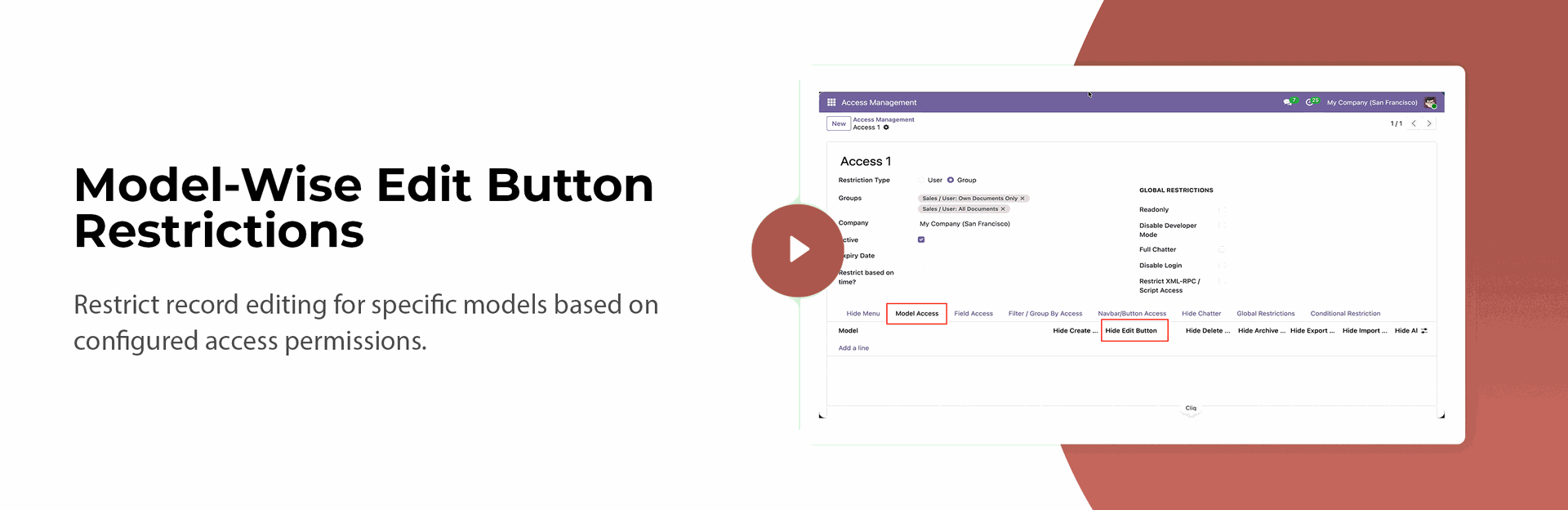
Model-Wise Edit Button Restriction
- Restrict record editing for specific models based on configured access permissions.
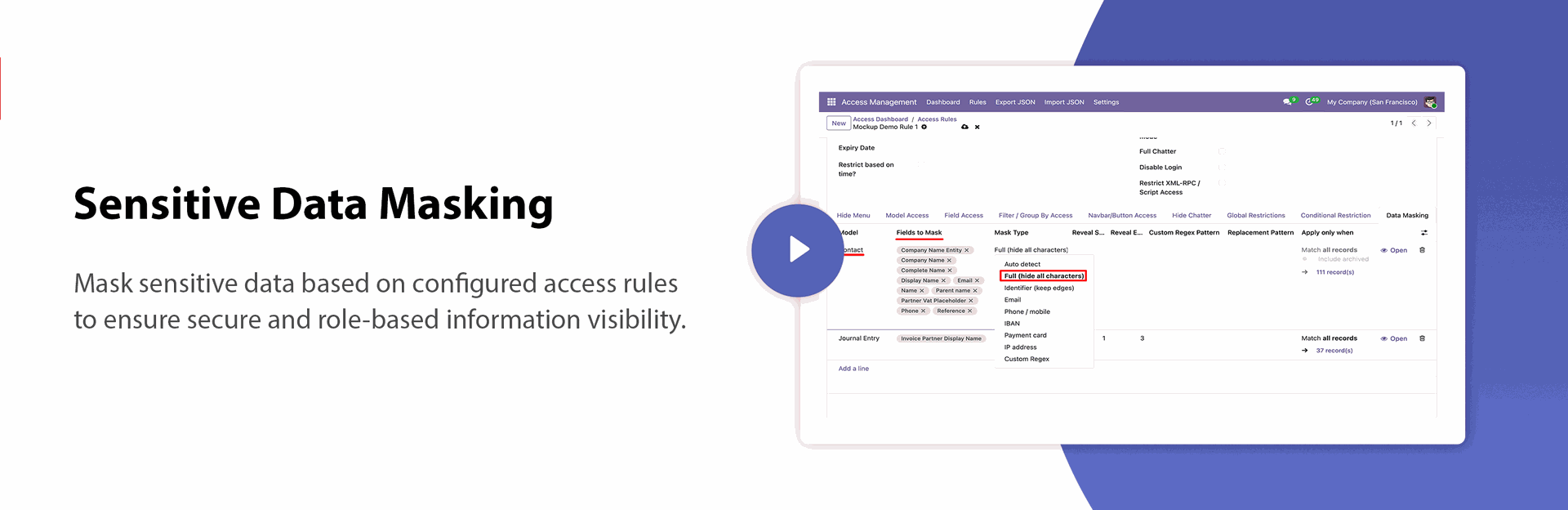
Sensitive Data Masking
- Mask sensitive data based on configured access rules to ensure secure and role-based information visibility.

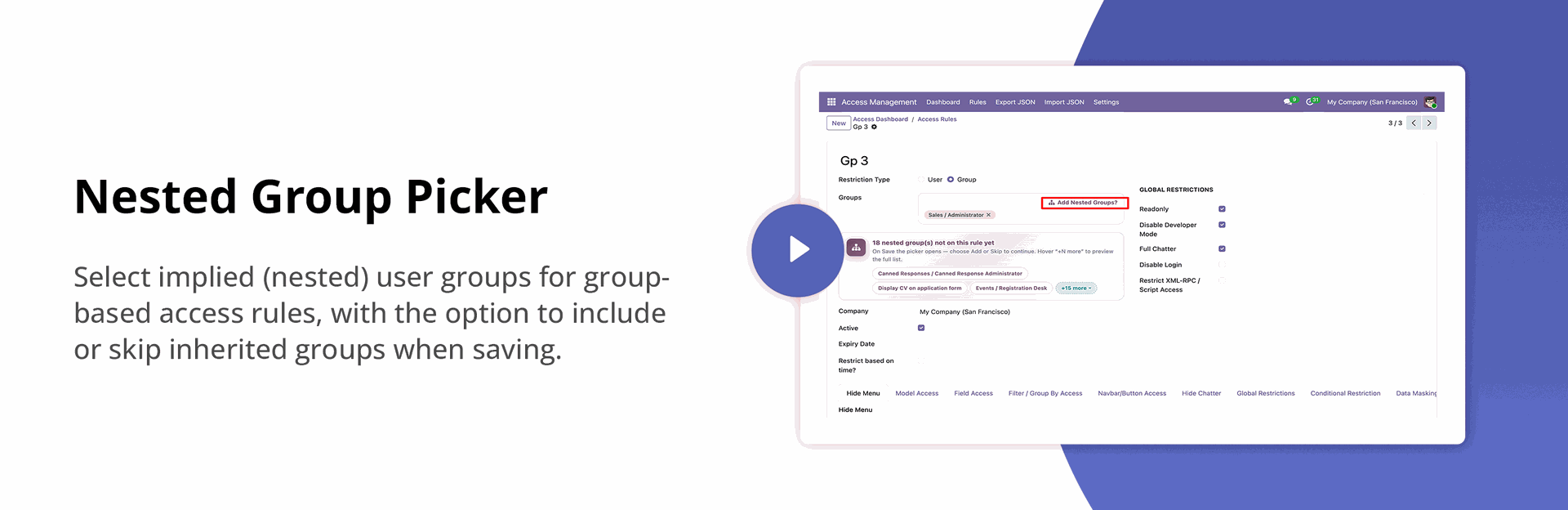
Nested Group Selection for Group - Based Access Rules
- Lets you see and choose exactly which linked (nested) groups get included when setting up a group-based access rule, instead of them being added automatically.

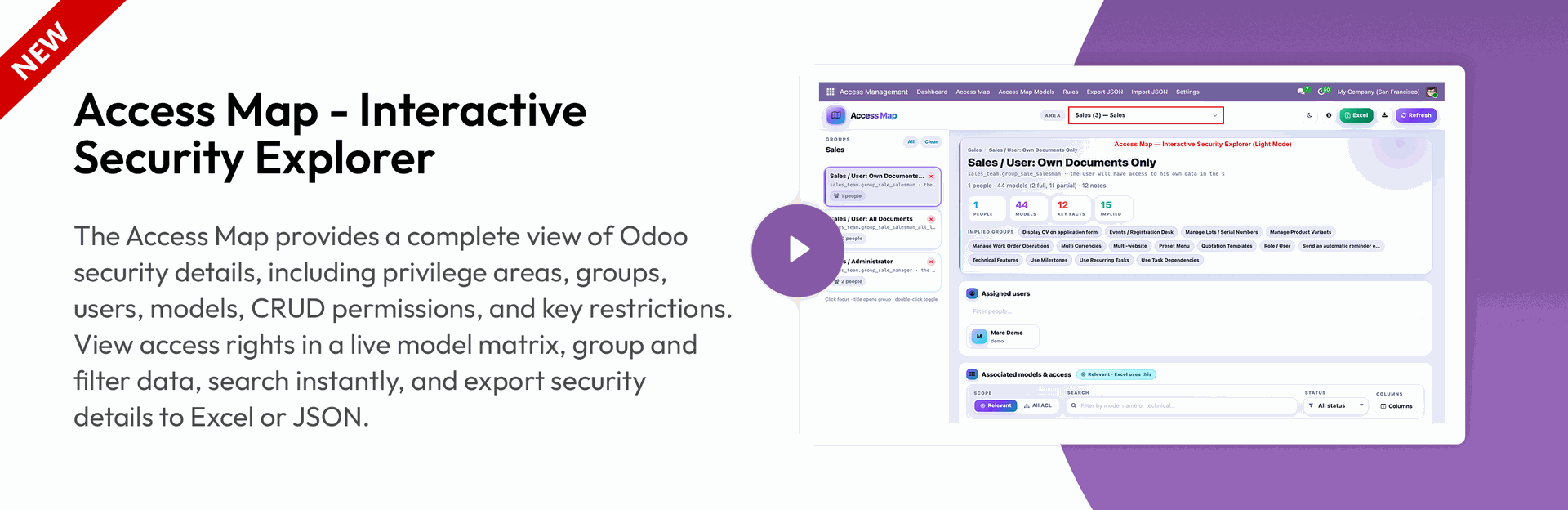
Access Map - Interactive Security Explorer
| - Themes & Filters | - Hide Models by Area |
| - Live Access Map Export | - Access Map Model Management |
| - Excel Export | |
| - Custom Access Map Columns | |
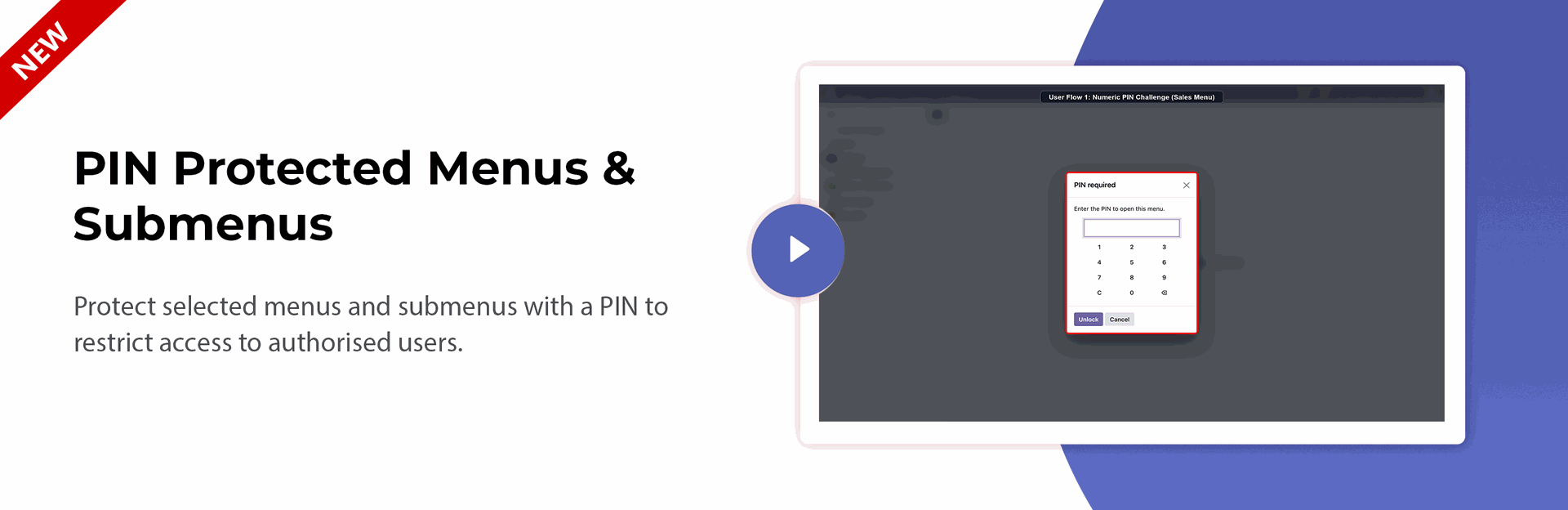
PIN-Protected Menus & Submenus
- Protect selected menus and submenus with a PIN to restrict access to authorized users.
Secure User Access in Odoo - Global Access Rights
| - Make Readonly User | - Button / Actions | - Chatter | - Group / Filter |
| - Disable Developer Mode | - Hide Add a Property | - Whole Chatter | - Hide Filter |
| - Disable User Login | - Hide Import | - Hide Send Message | - Hide Group By |
| - Hide Export | - Hide Lognote | - Hide Custom Filter | |
| - Hide Print Button | - Hide Activity | - Hide Custom Group by | |
| - Hide Action Button | - Hide Search Panner | ||
| - Hide Favourite | |||
Key Features
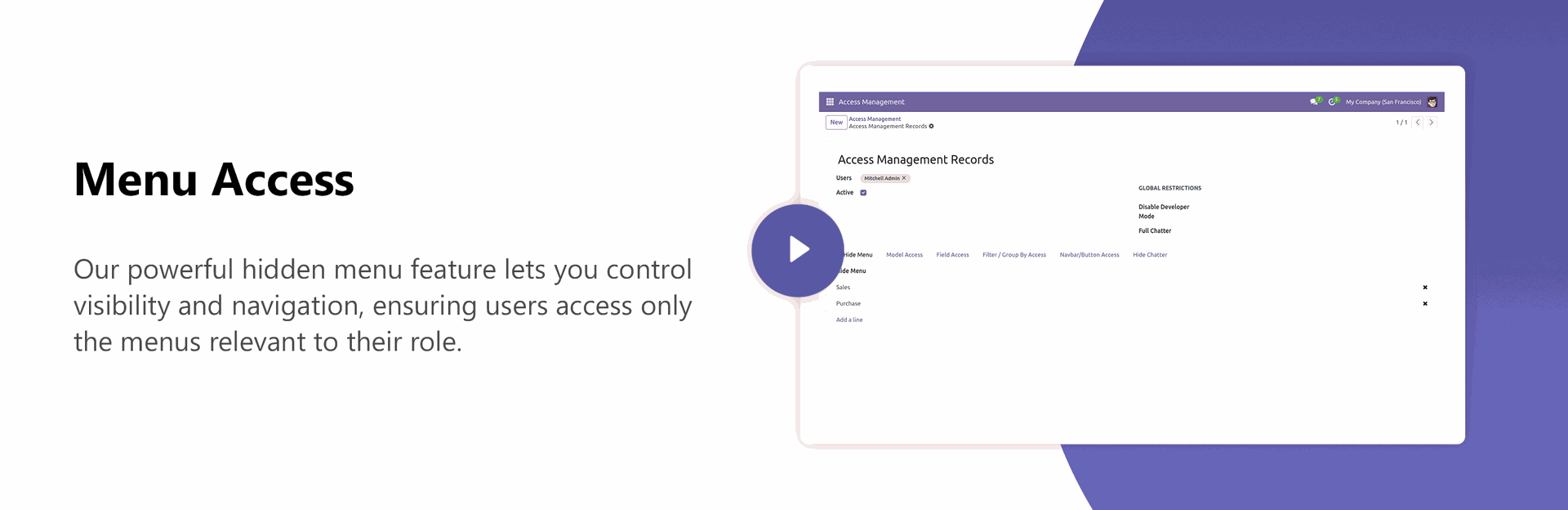
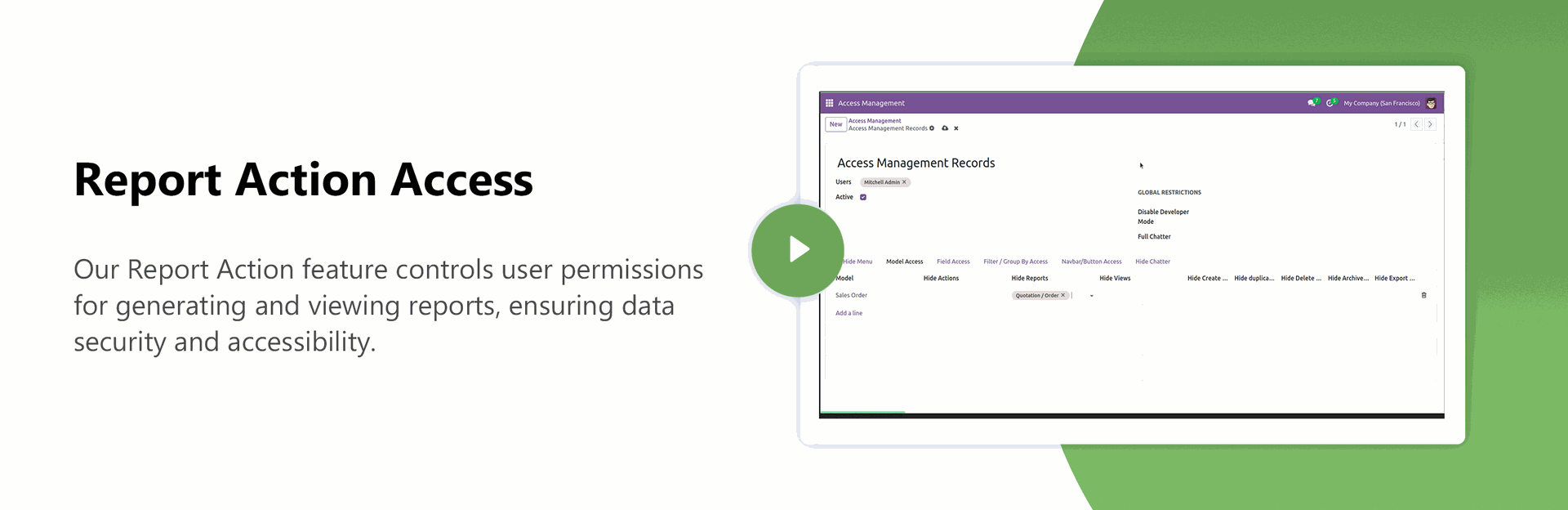
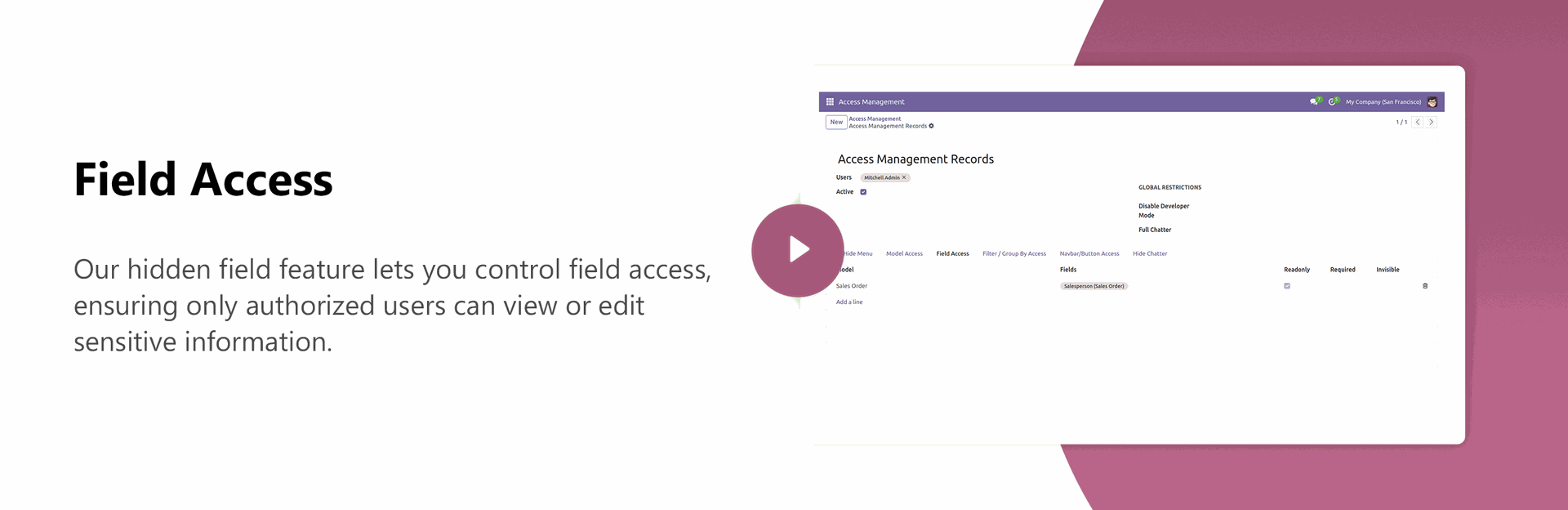
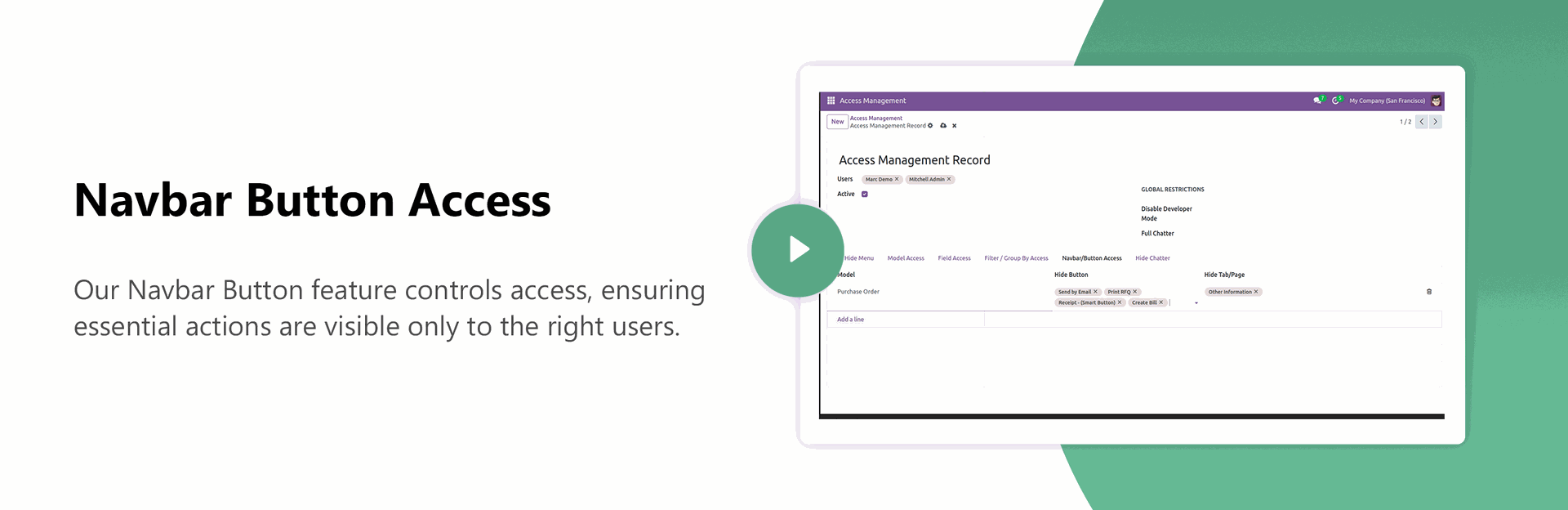
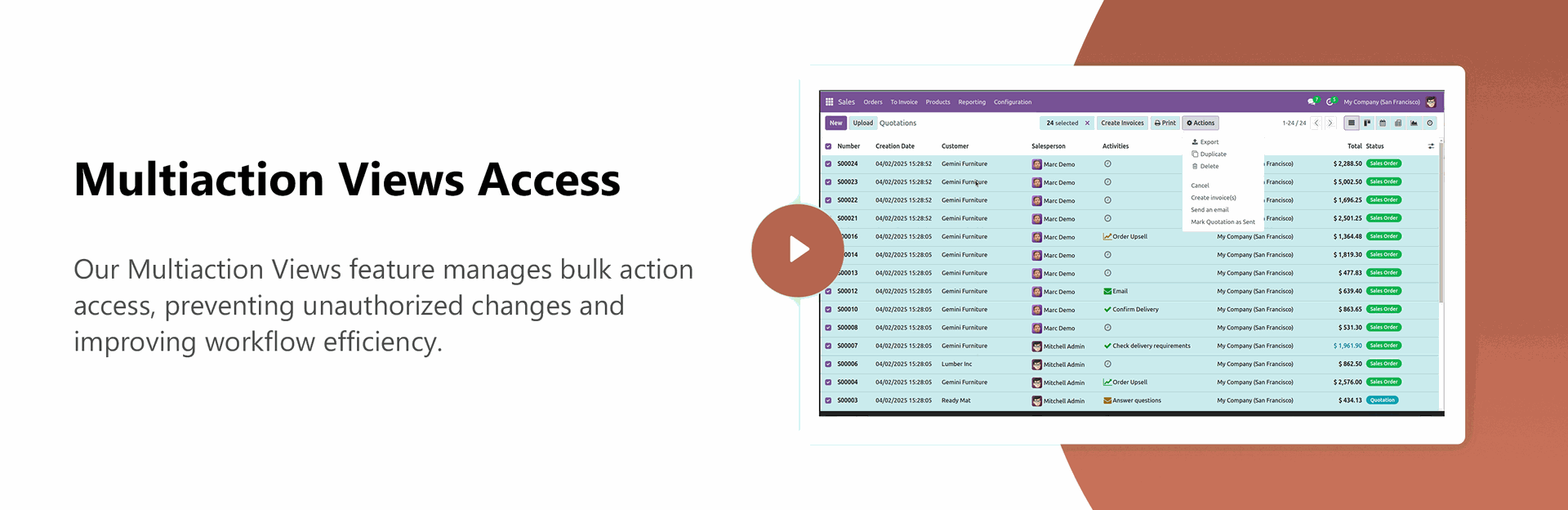
Customer ratings visible to only manager & team leader.
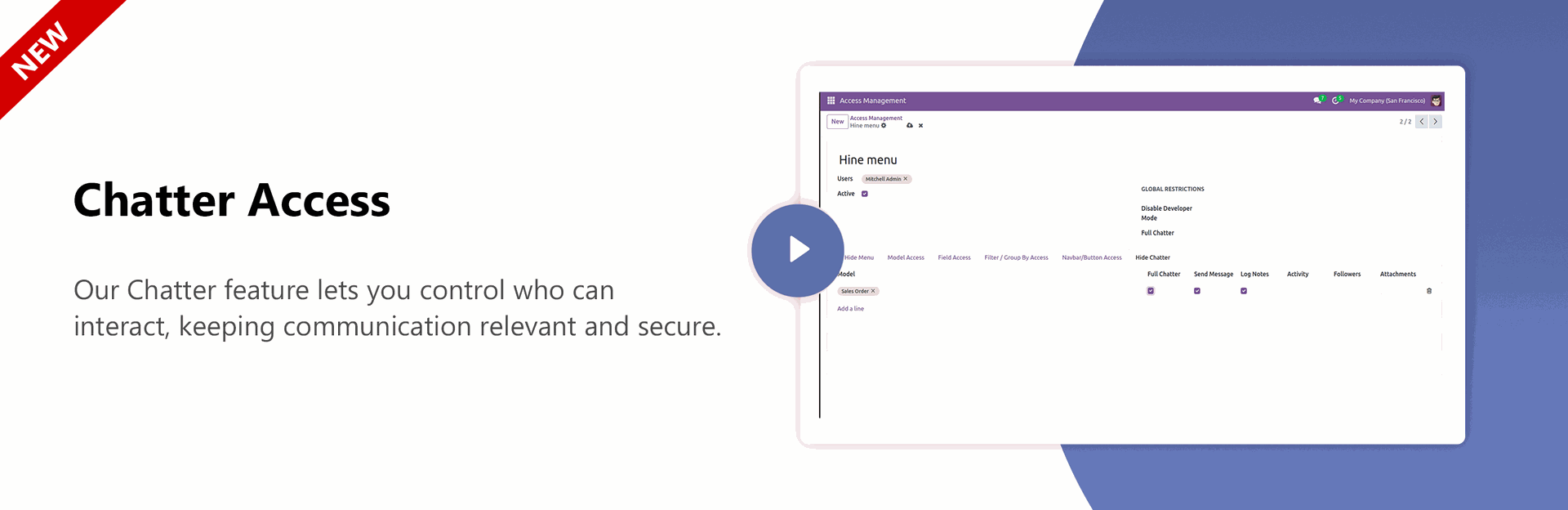
Chatter Access
Report Action Access.
Monitor and manage user roles, permissions, and access controls from a centralized dashboard.
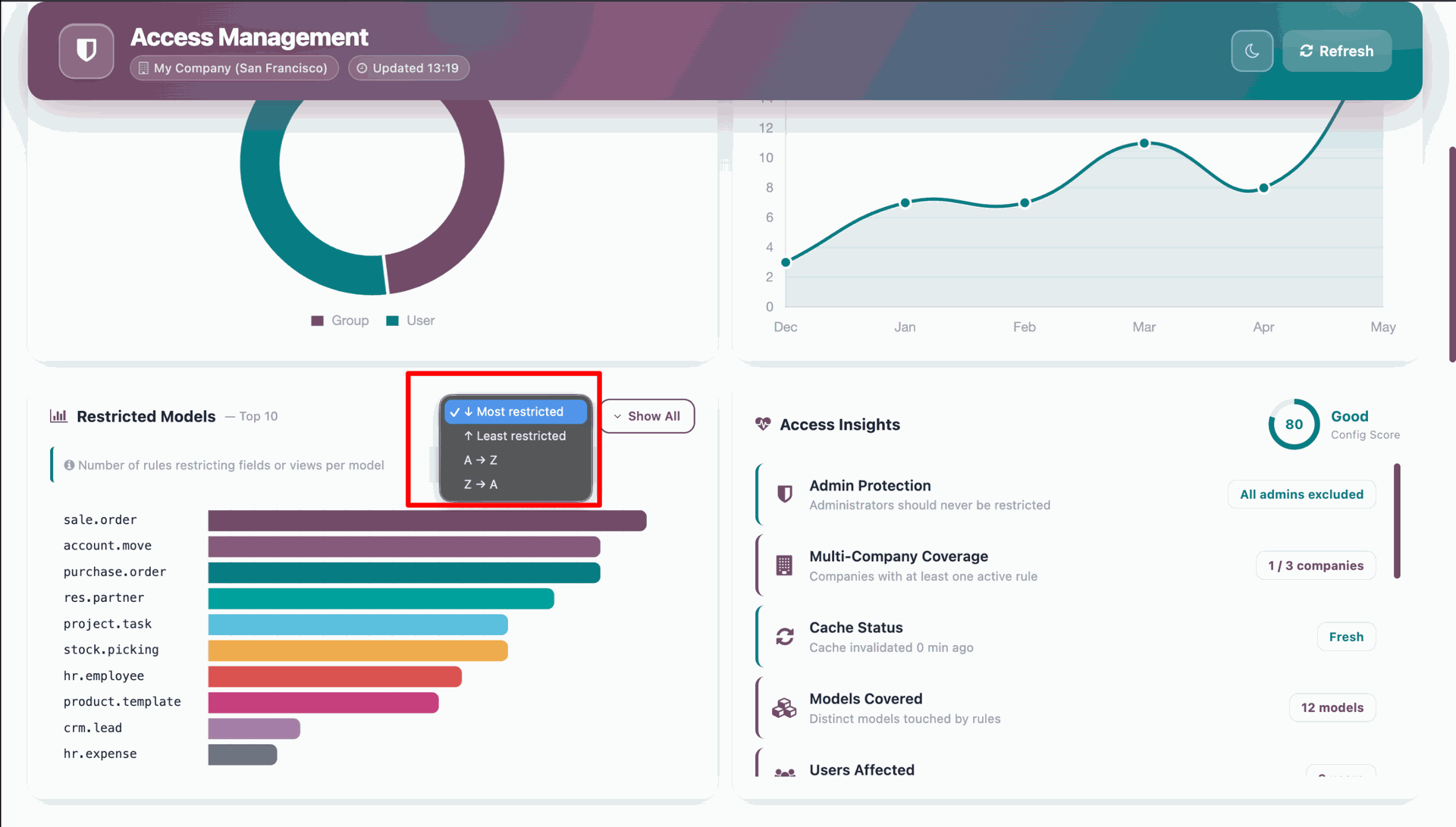
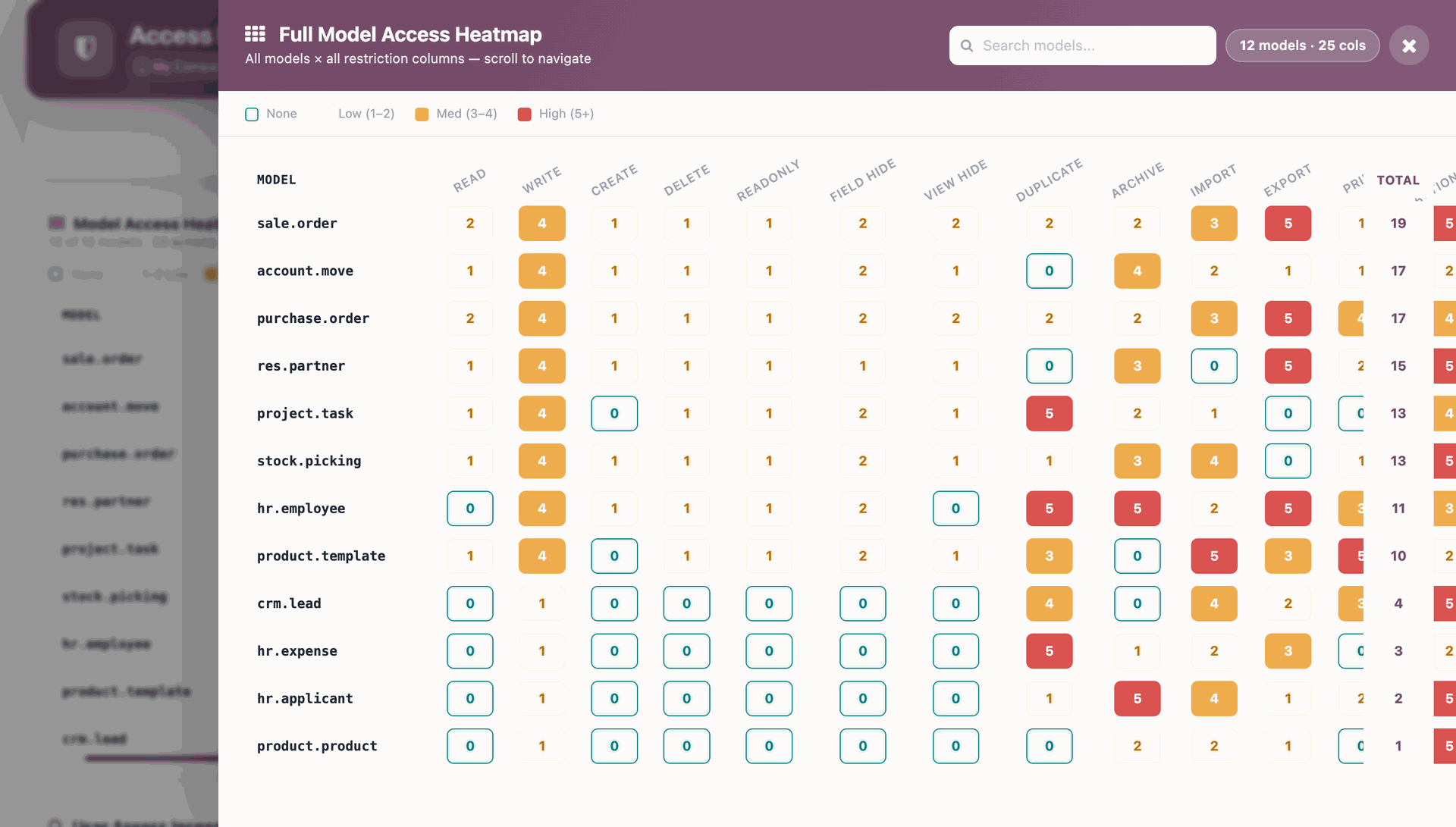
Restricted models can be viewed from the dashboard using filter options such as Most Restricted, Least Restricted, A to Z, and Z to A orders.
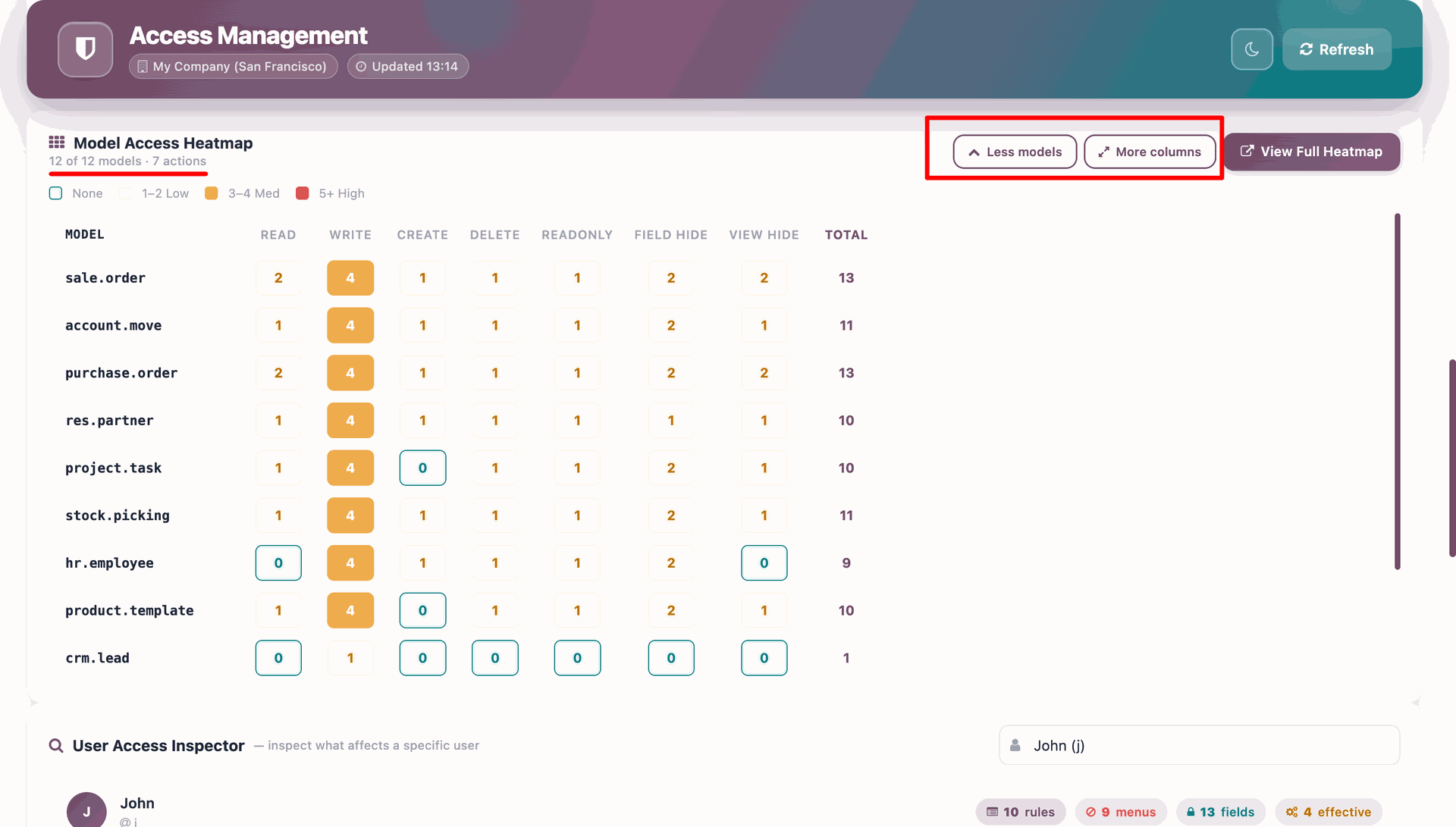
The Model Access heatmap can be displayed on the dashboard with configurable options to show more or fewer models and columns.
Users can use the search functionality in the full-screen heatmap view to quickly find specific models.
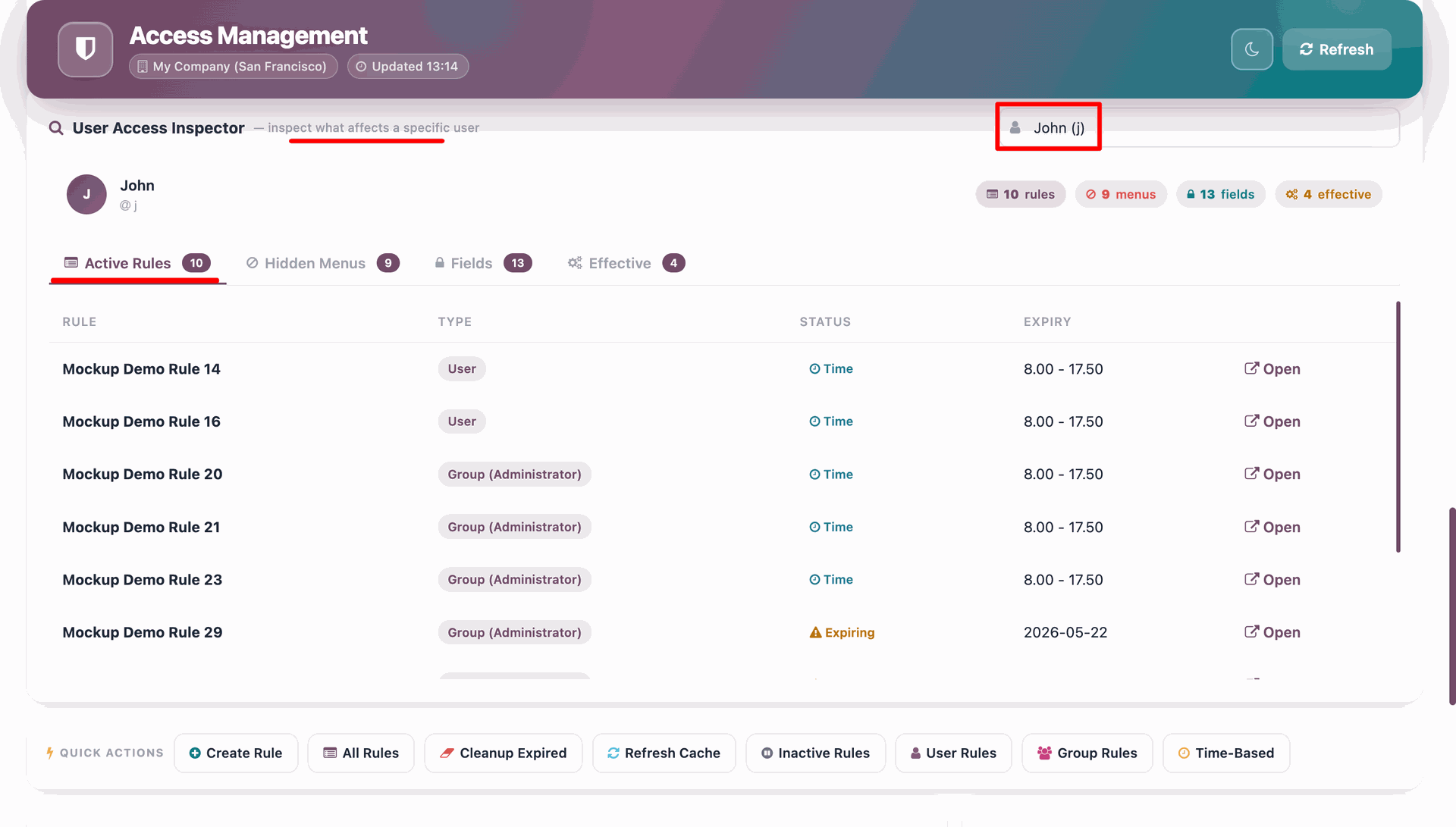
Users can view the active rules, Hidden Menus, Hidden Fields and effective dates for a specific user directly from the dashboard as shown in the screenshot.
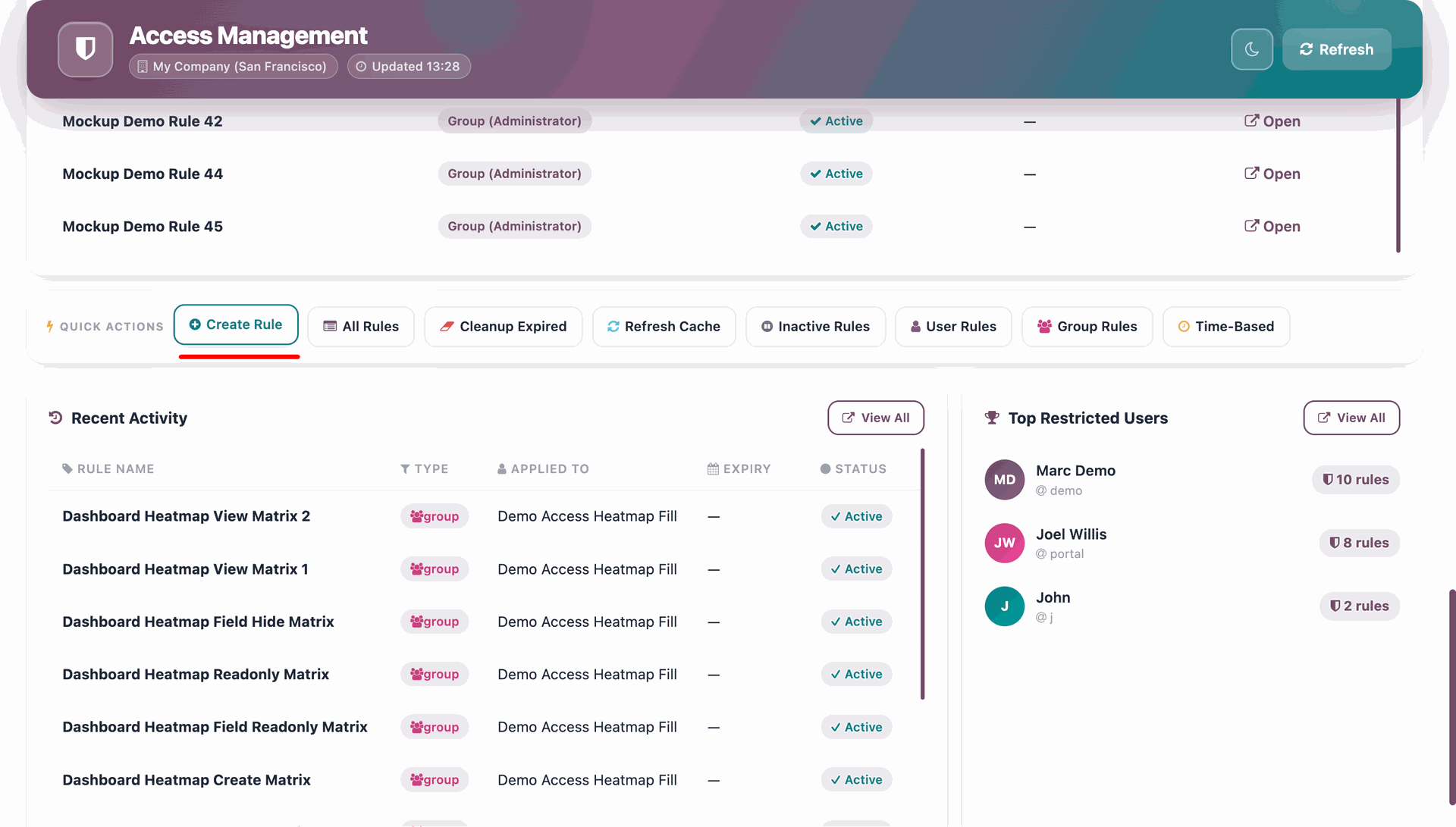
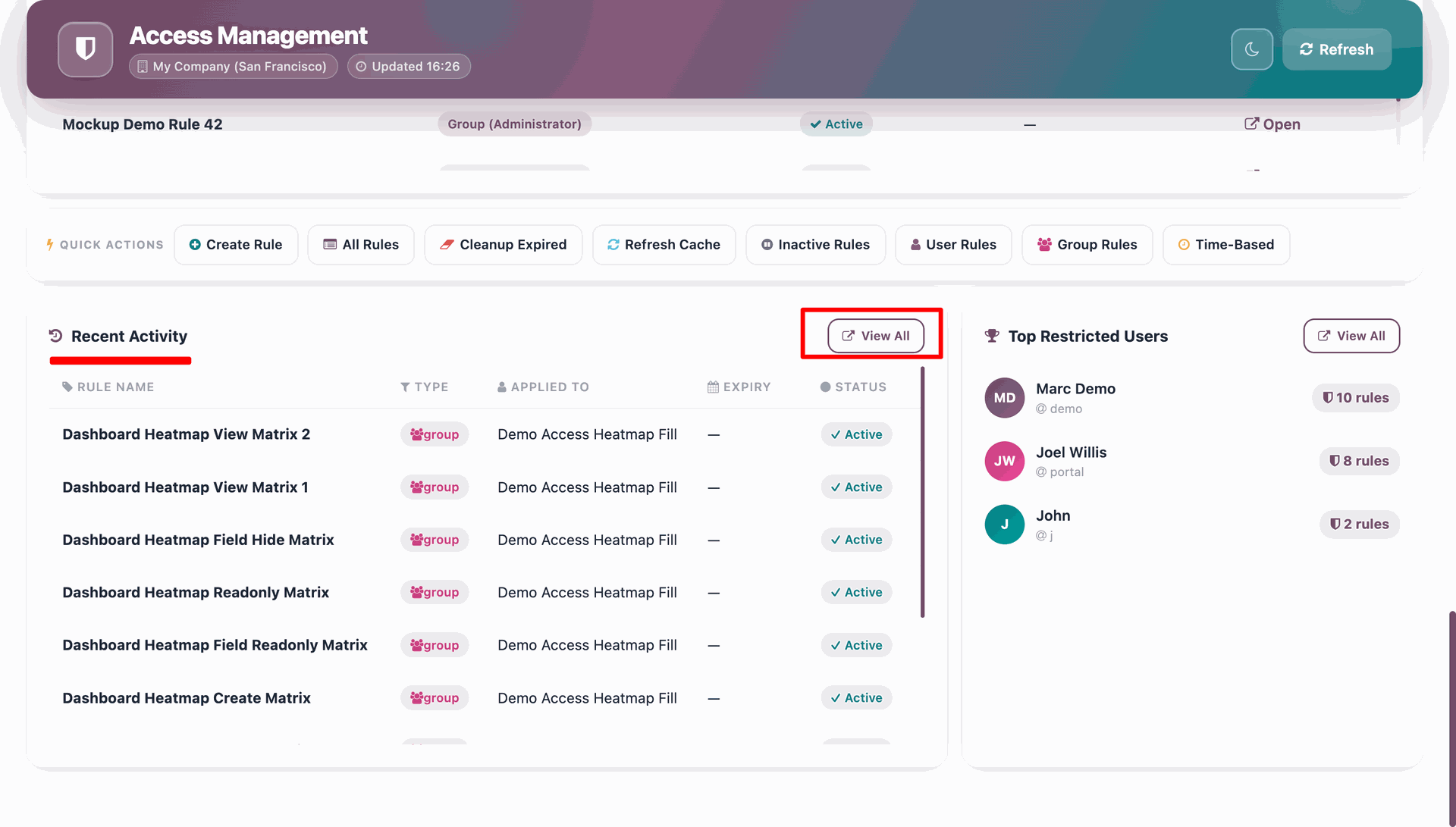
Quick Actions on the Dashboard (Create Rule, All Rules, Cleanup Expired, Refresh Cache) allow users to perform these actions directly from the dashboard.
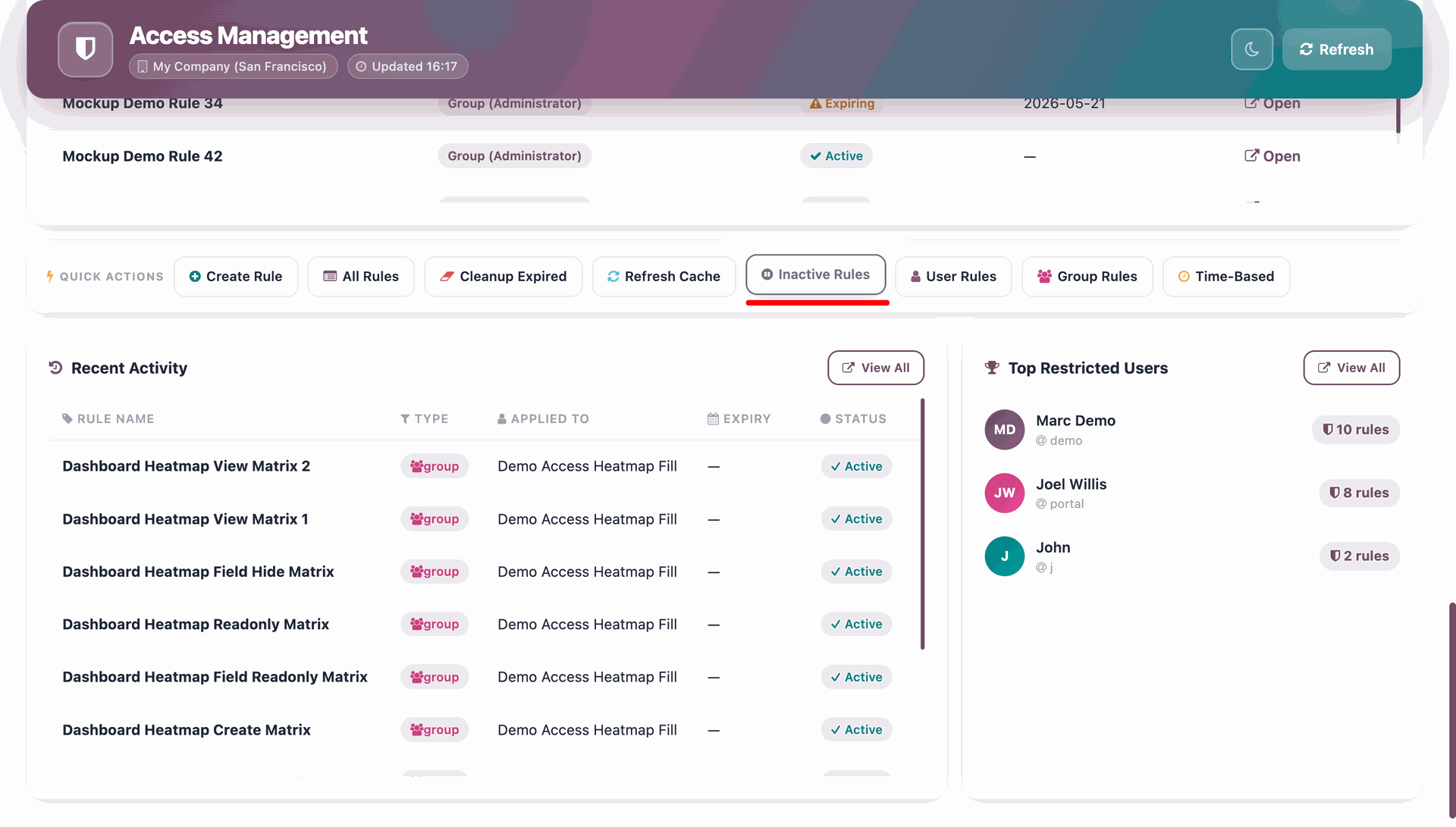
Inactive Rules, User Rules, Group Rules, and Time-Based Rules can be viewed directly from the dashboard. Clicking on any of these sections will redirect you to the respective view page.
Recent Activity section displaying View All button.
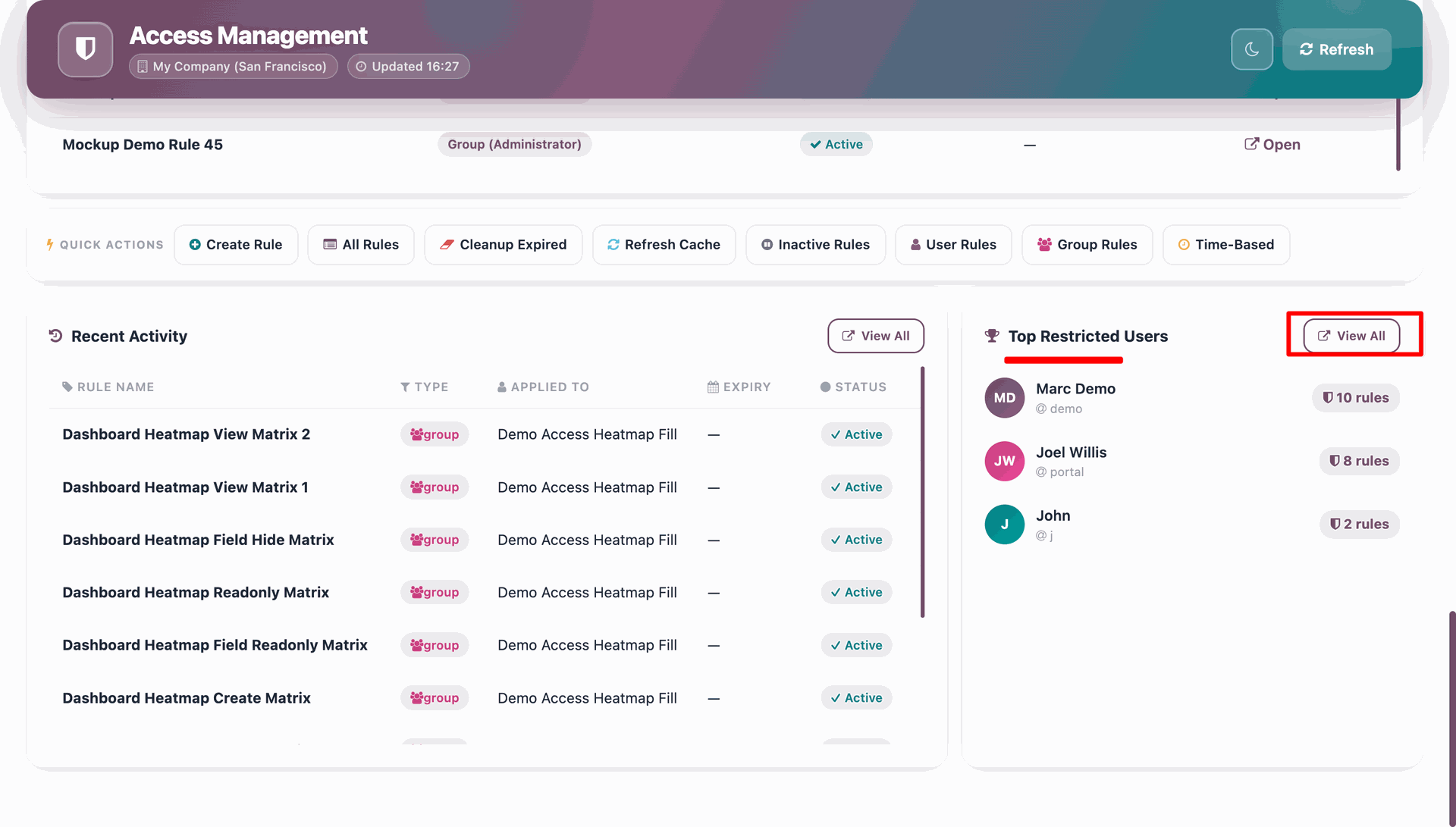
Top Restricted Users section displaying View All button.
Dashboard screenshot: description.
Multiaction Views Access .
Field Access.
Menu Access.
Navbar Button Access.
In 'User', enable the 'Helpdesk Whatsapp Feature' option.
Restriction features for chatter.
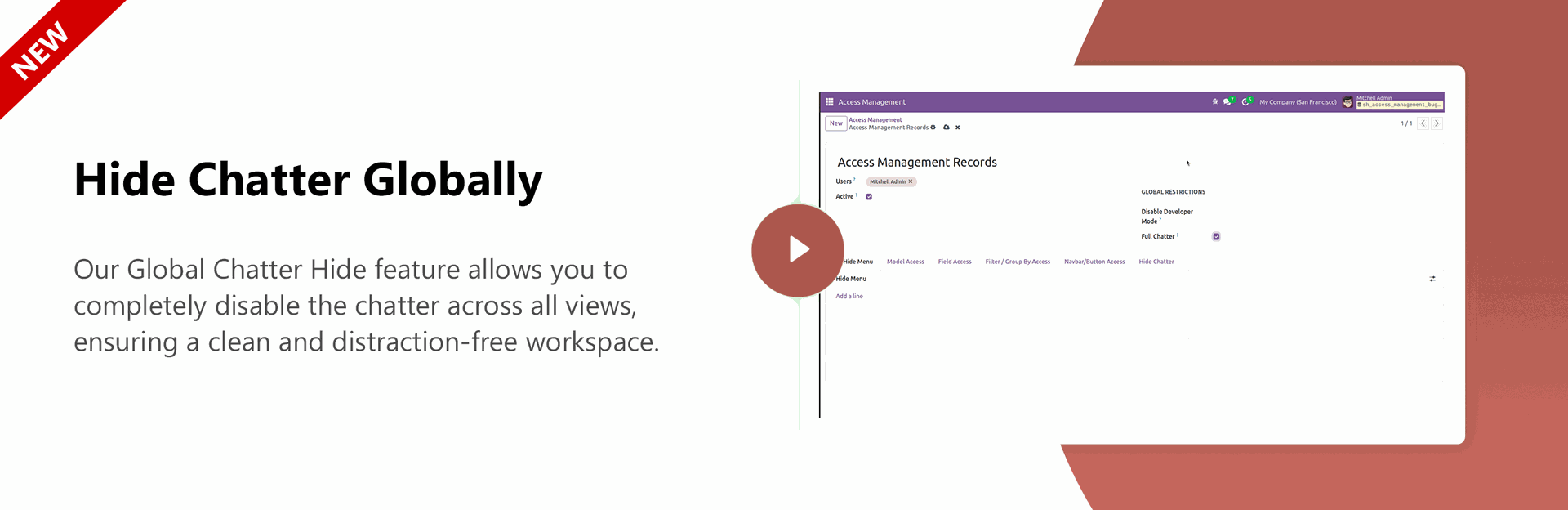
Hide Chatter Globally.
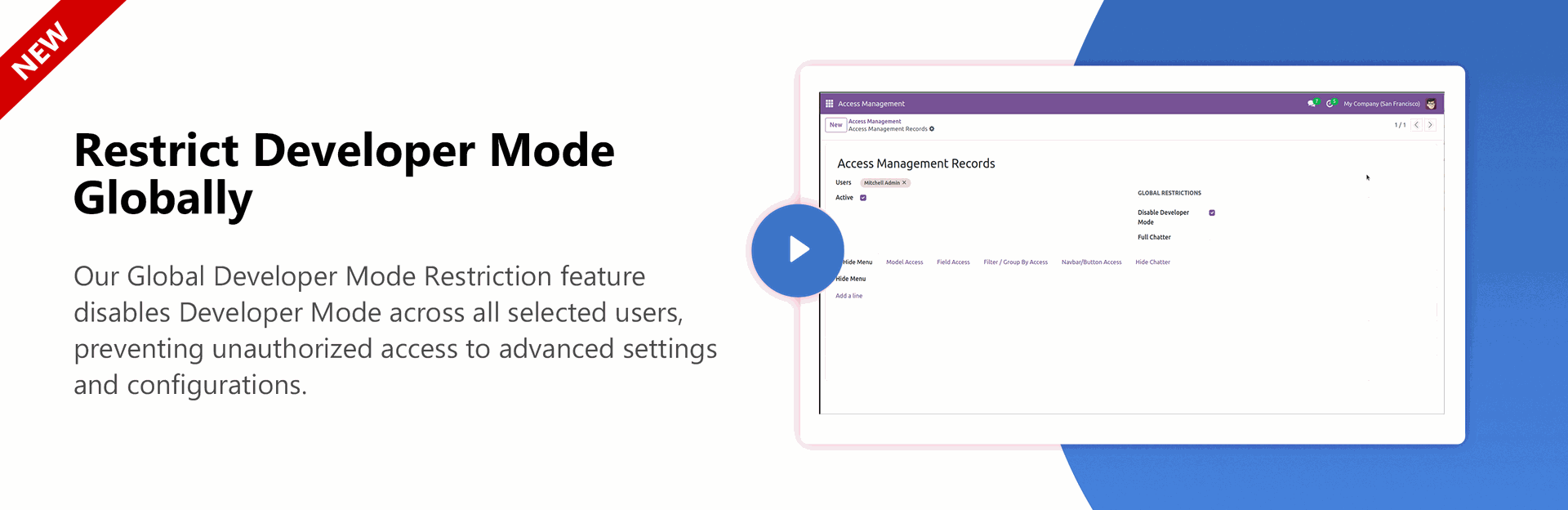
Restrict Developer Mode Globally.
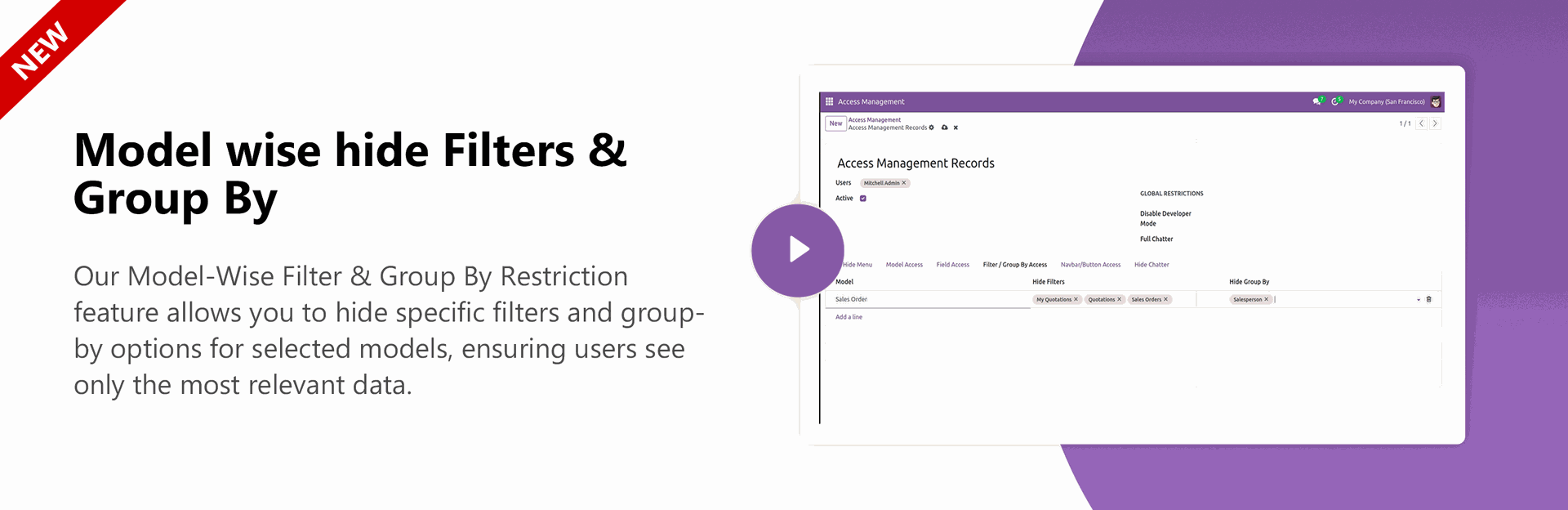
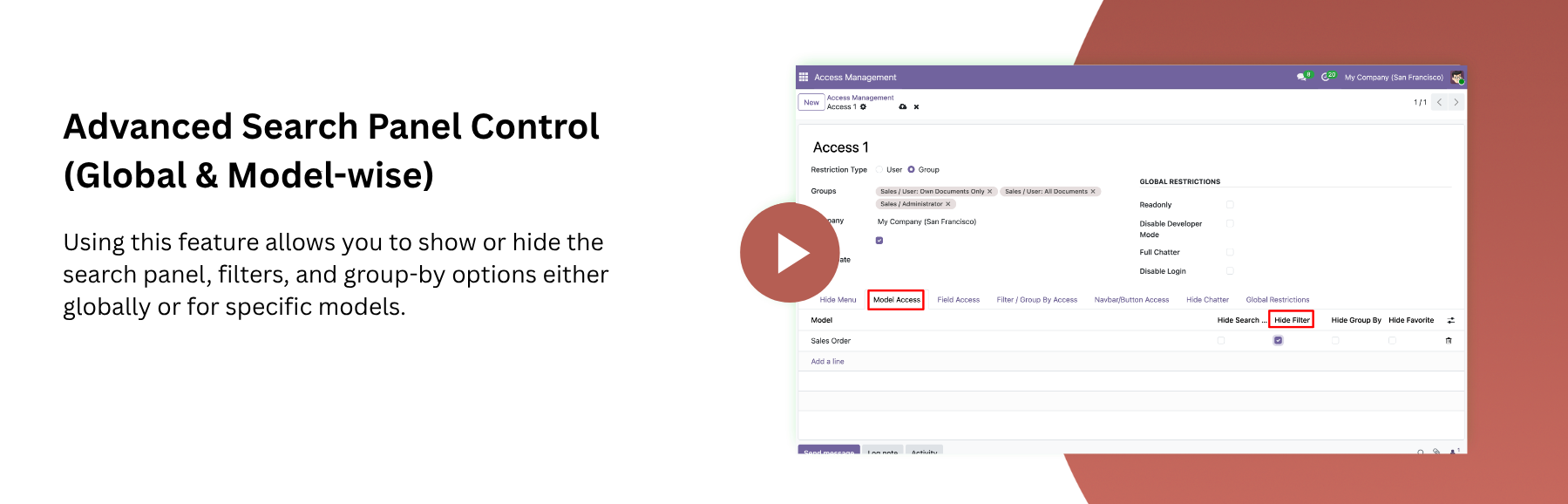
Model wise hide Filters & Group By.
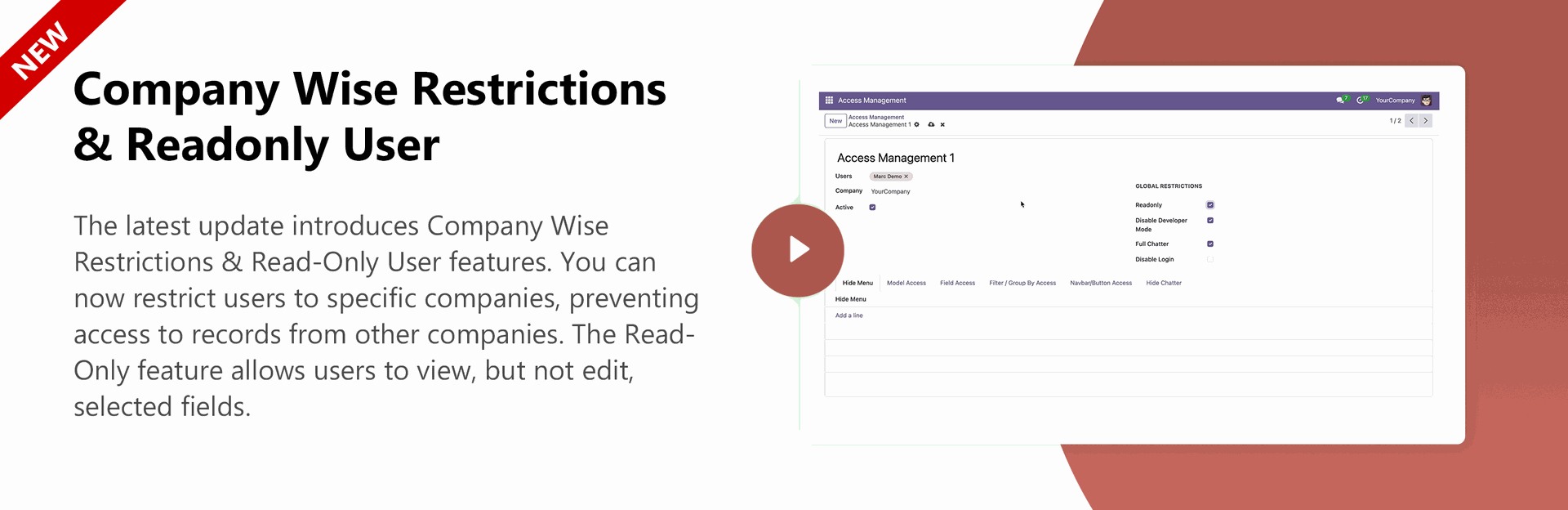
Company Wise Restrictions & Readonly User
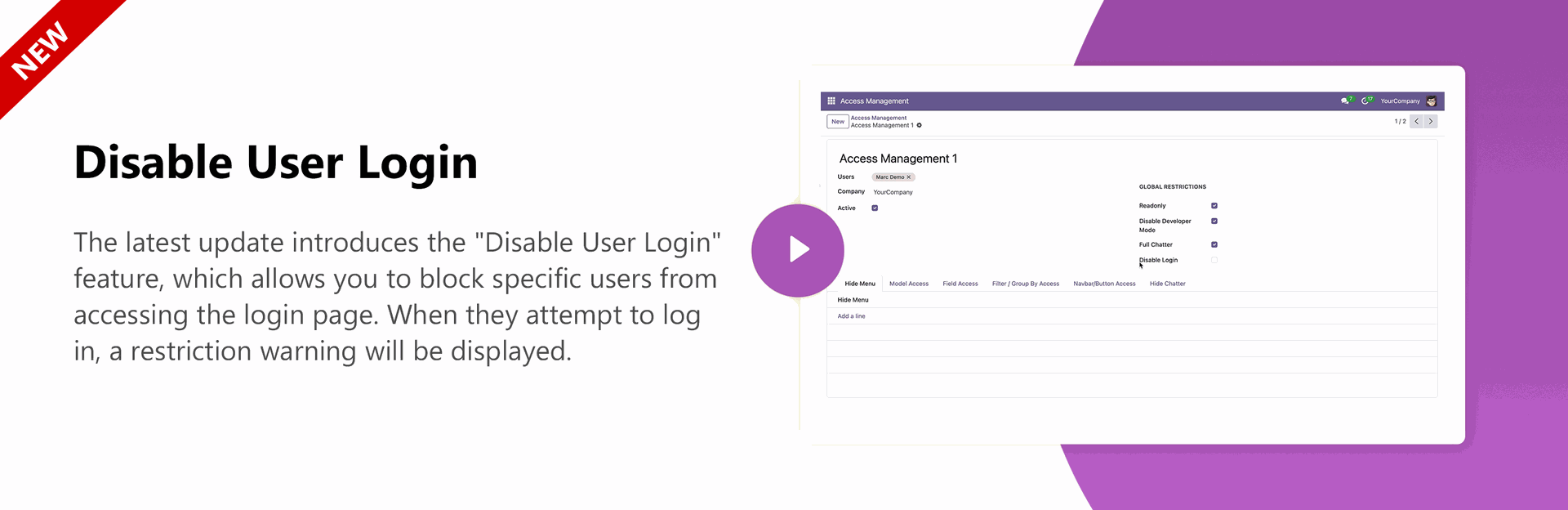
Disable User Login
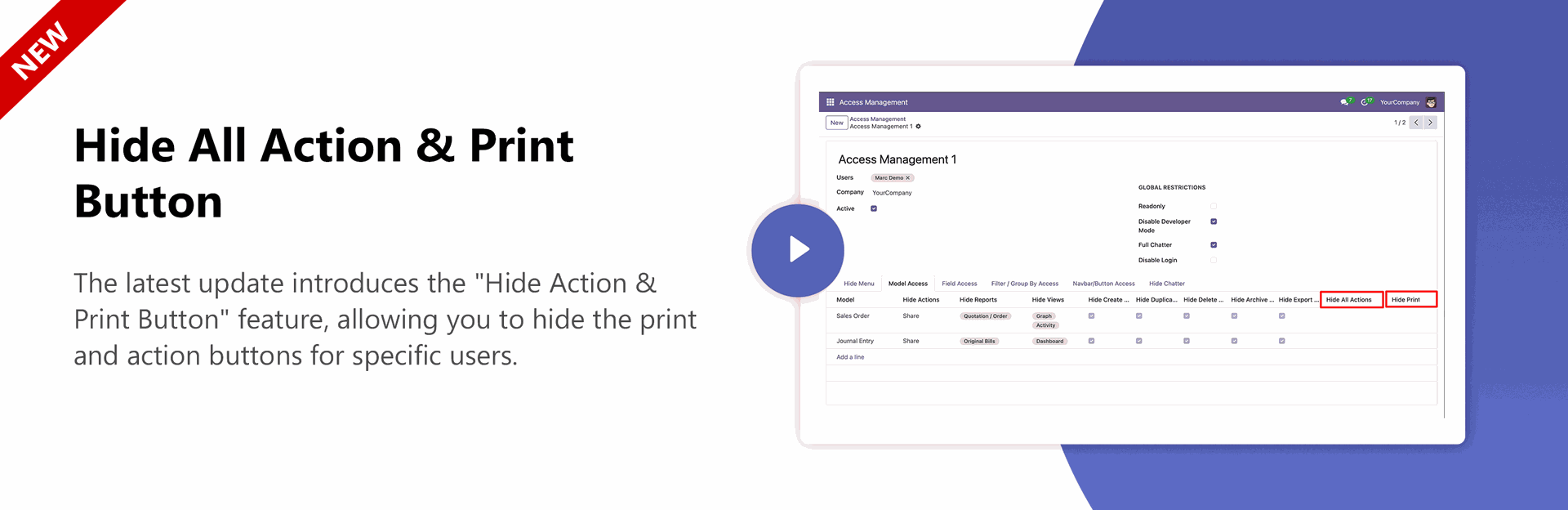
Hide Action & Print Button
Hide External Links For Field
O2M Field Access Tracking & Hide Kanban Link
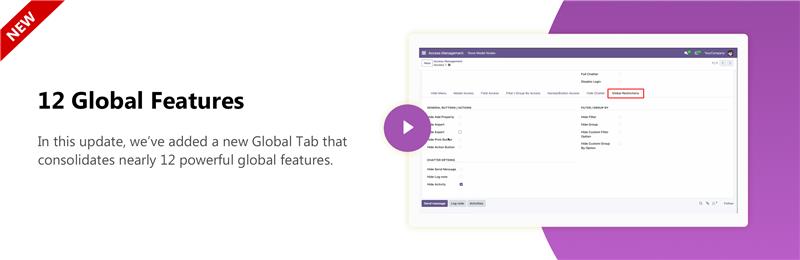
12 Global Features
Multi Company Feature
Hide Spreadsheet Model-Wise
Hide Spreadsheets at Global Level.
Hide Quick Create, Create and Edit for specific fields.
Hide quick create at Global Level.
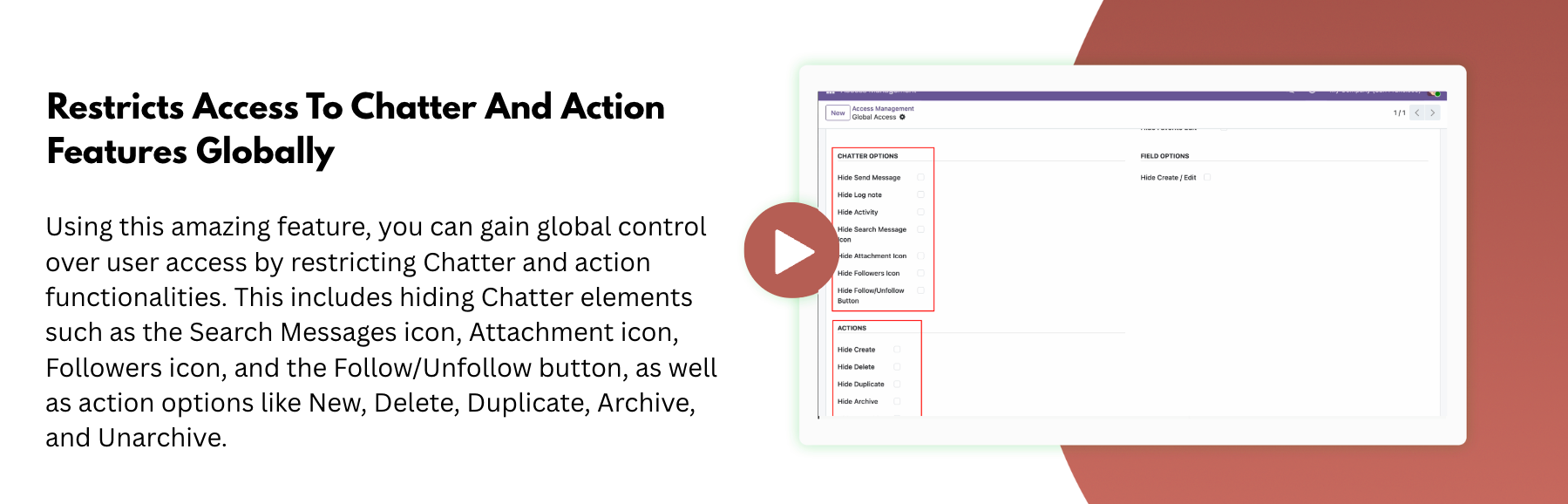
Restricts Access To Chatter & Its Features Globally, Including Hide Search Messages Icon, Attachment Icon, Followers Icon, Follow/Unfollow Button.
Restricts Access To Actions & Their Features Globally, Including Hiding New, Delete, Duplicate, Archive, Unarchive Options.
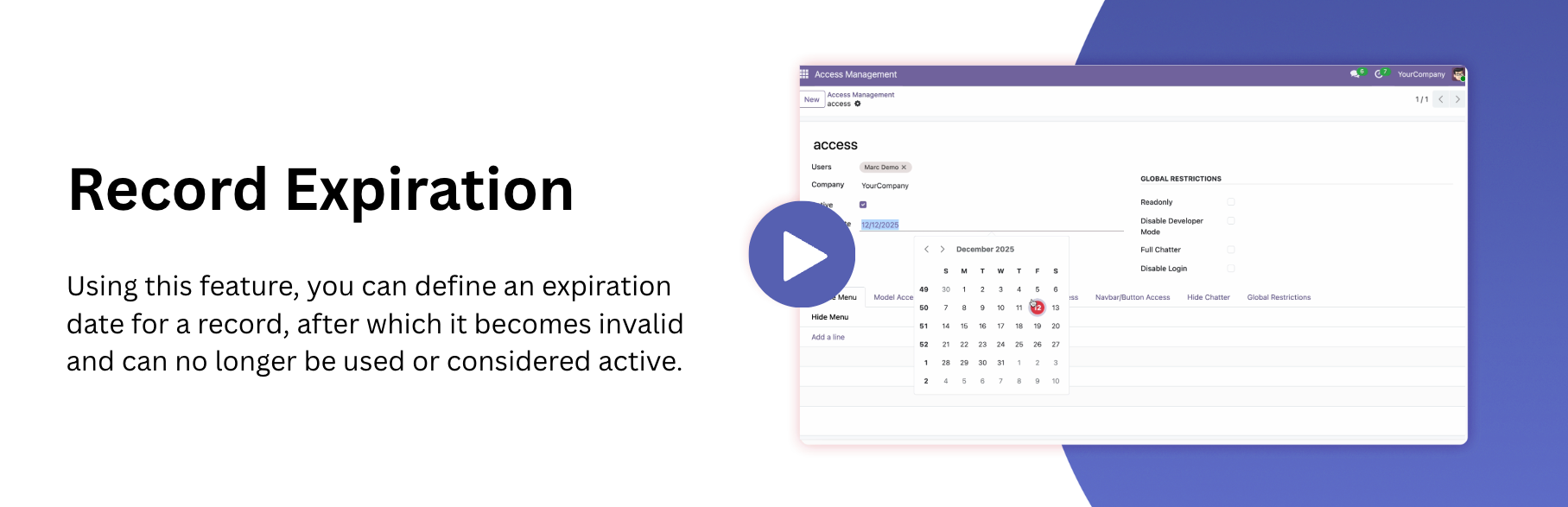
Defines the date on which the record becomes expires, after which it can no longer be used or considered active.
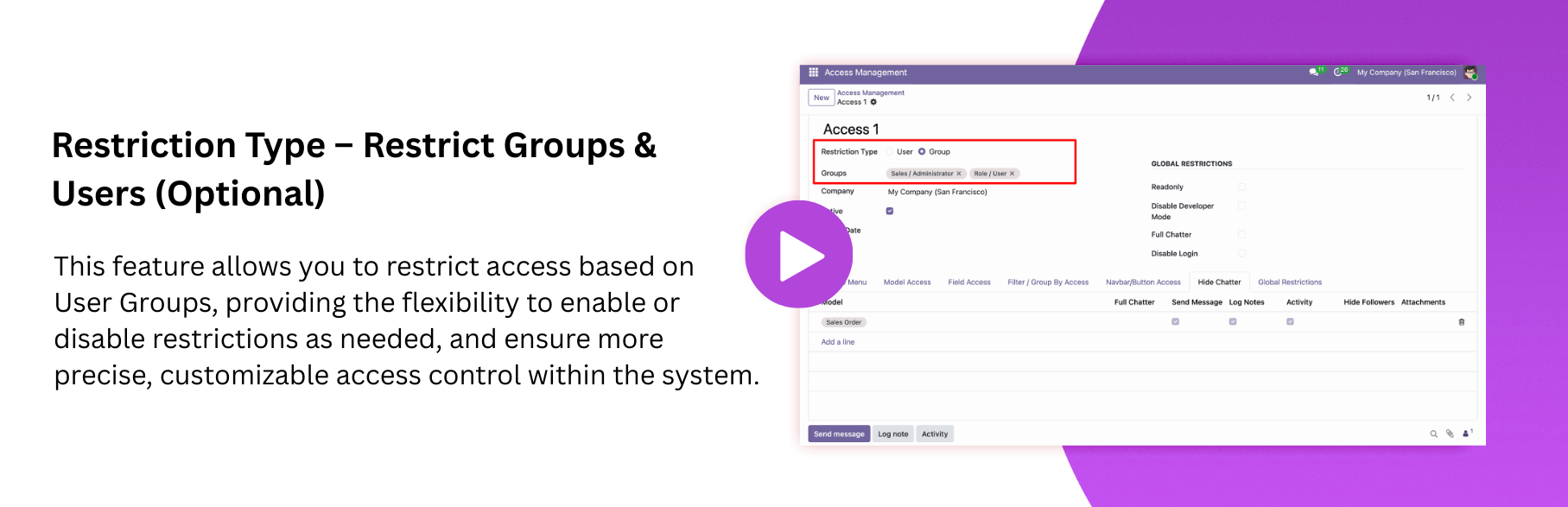
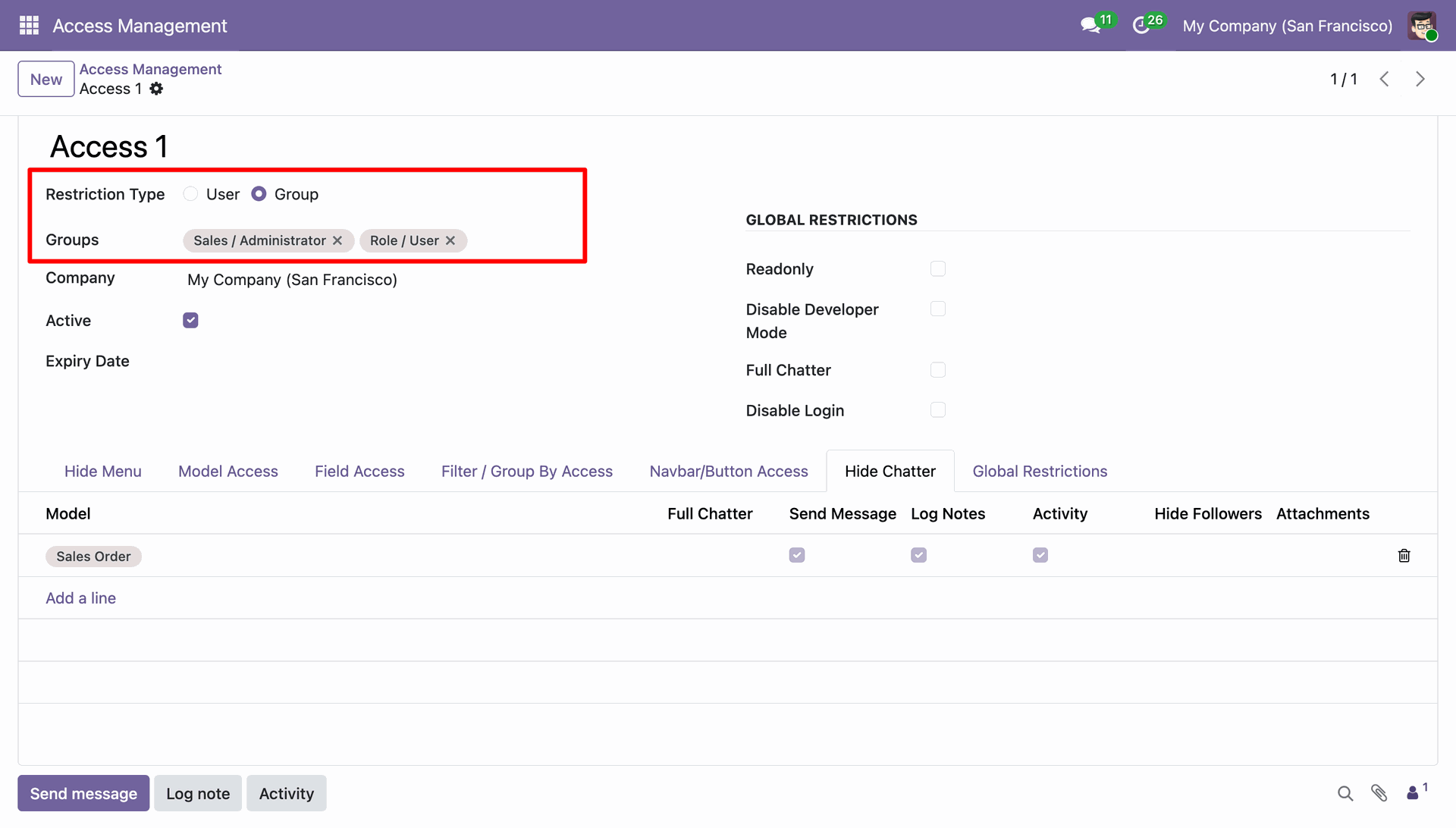
You can restrict access by groups, where the Restriction Type: Groups and Users fields are displayed, with the User field being optional.
Access Control Based on Time and Timezone Awareness
Define precise conditional rules within Access Management to filter records for specific models.
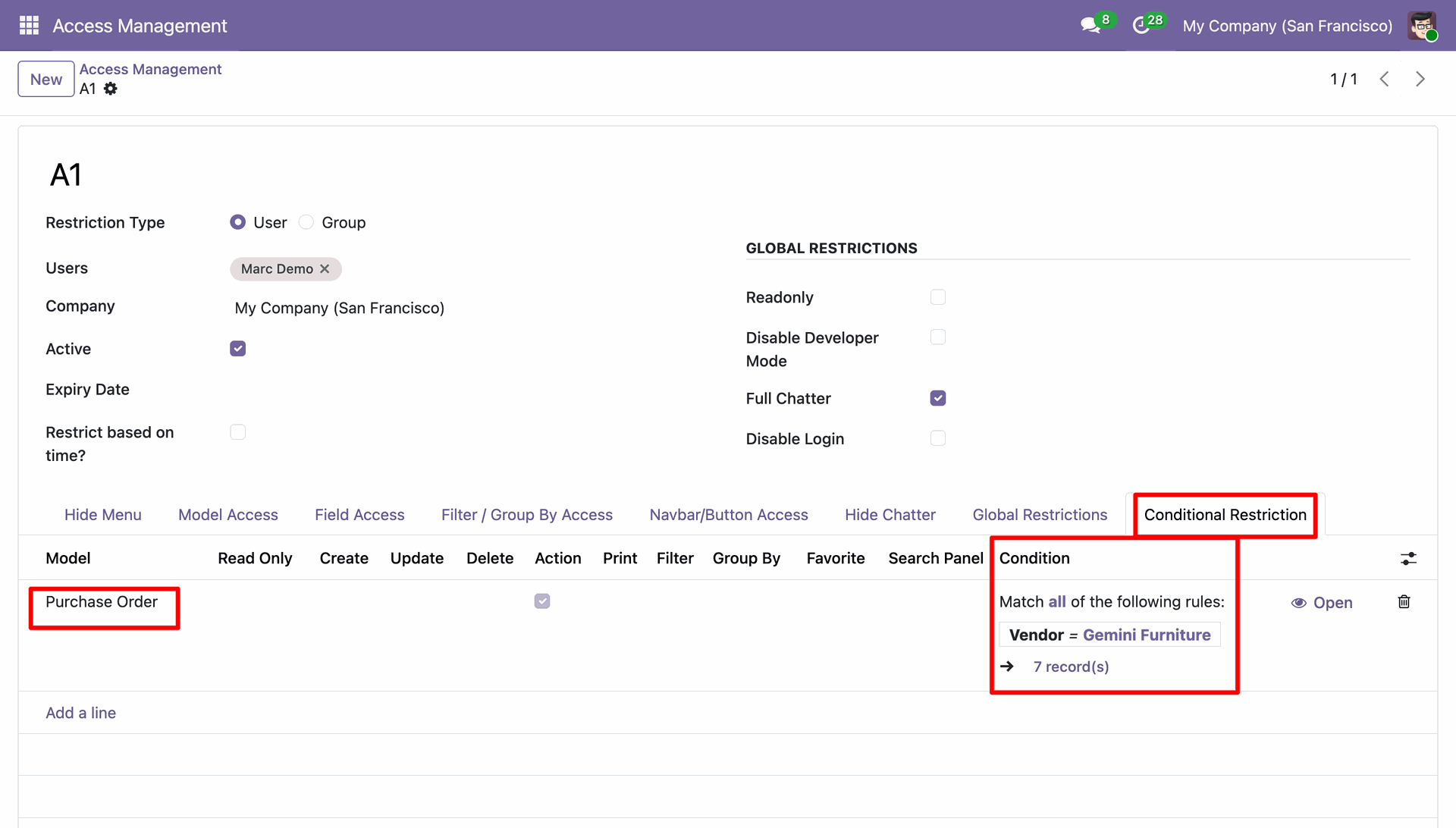
Once configured, the module filters the data automatically, displaying only the records that match the defined conditions to the target users.
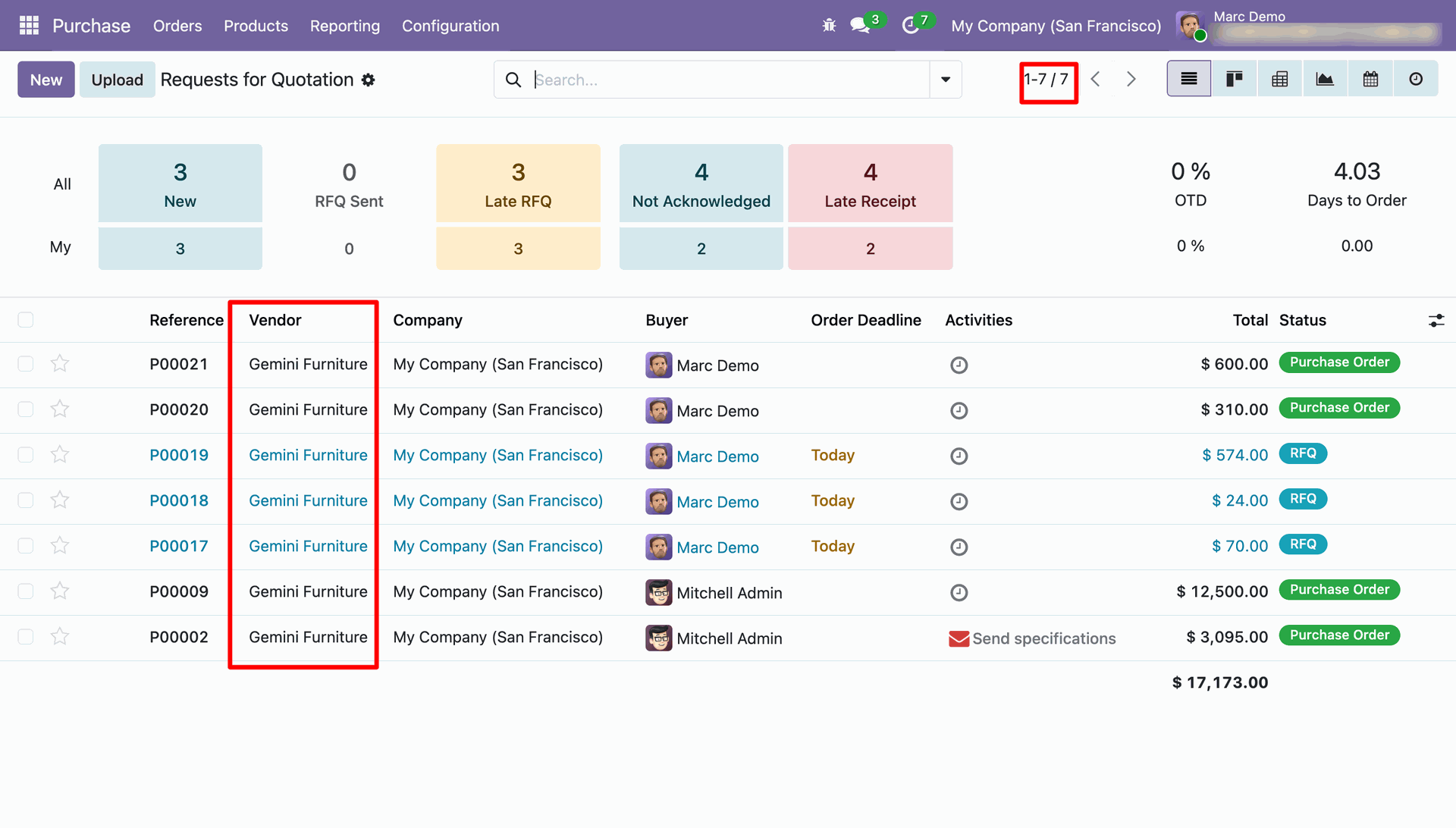
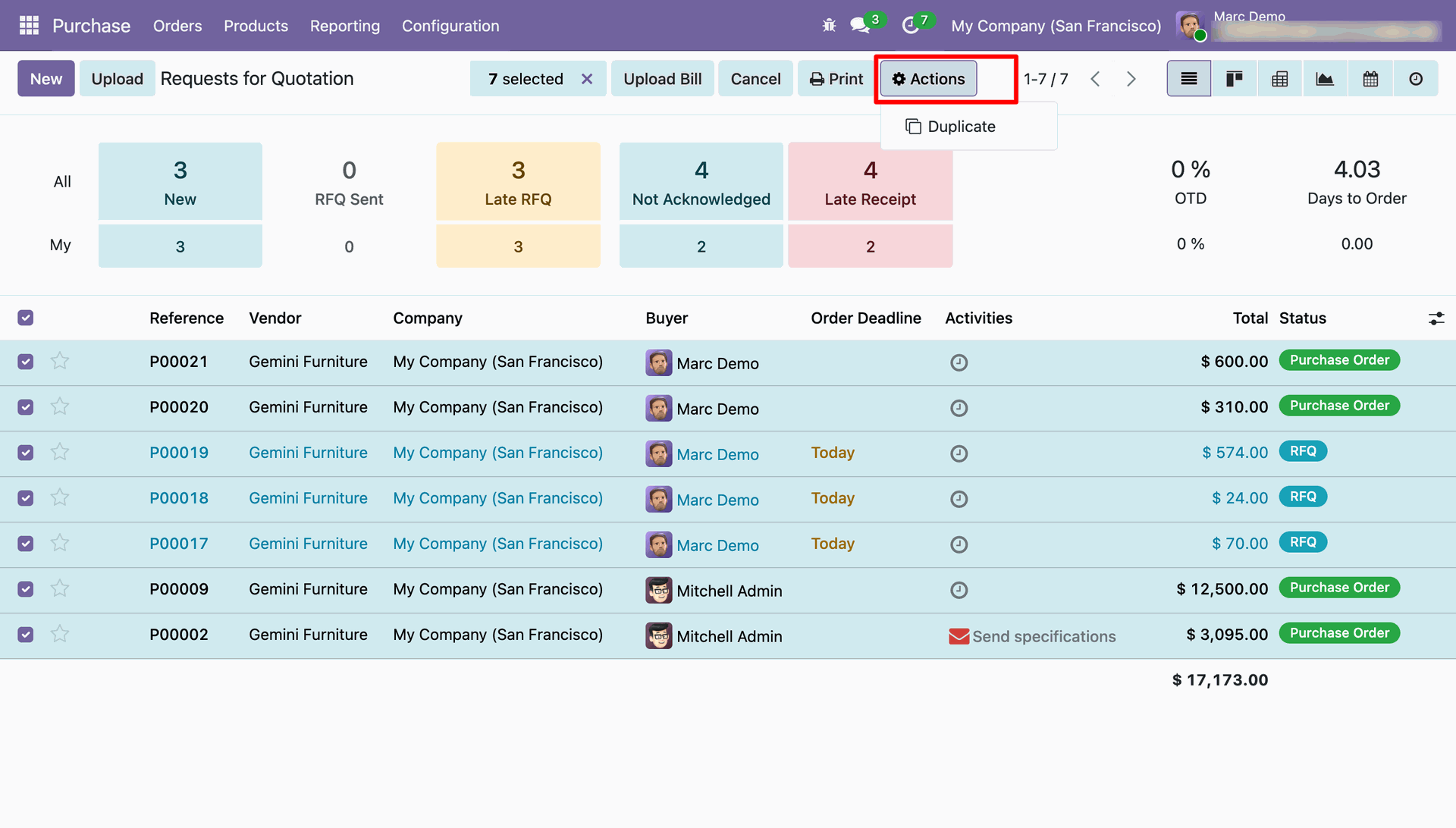
Effortlessly manage record-level access and operations, ensuring that users interact only with the data they are authorized to see.
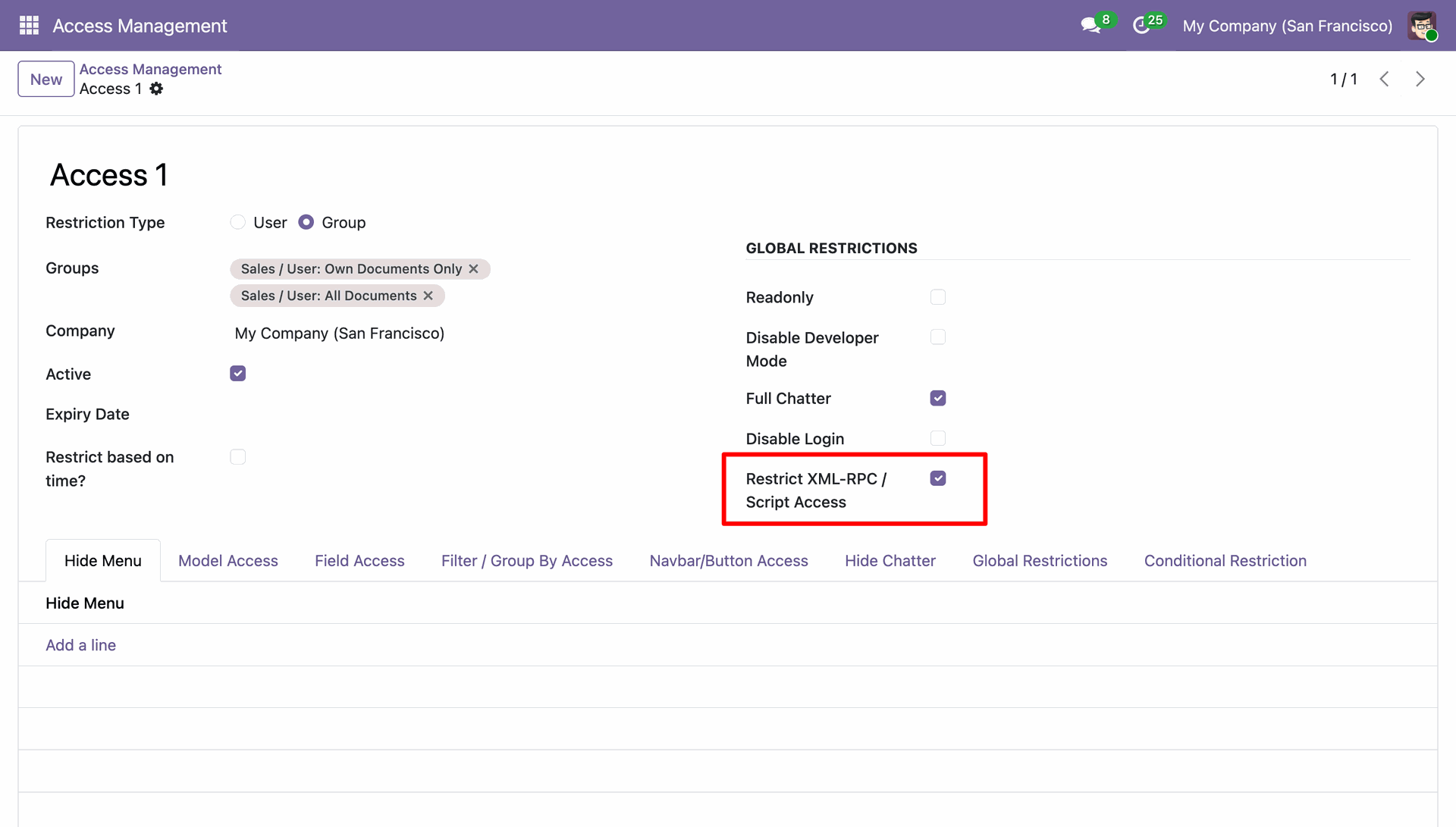
Control programmatic API and external script access per-user to prevent unauthorised automation.
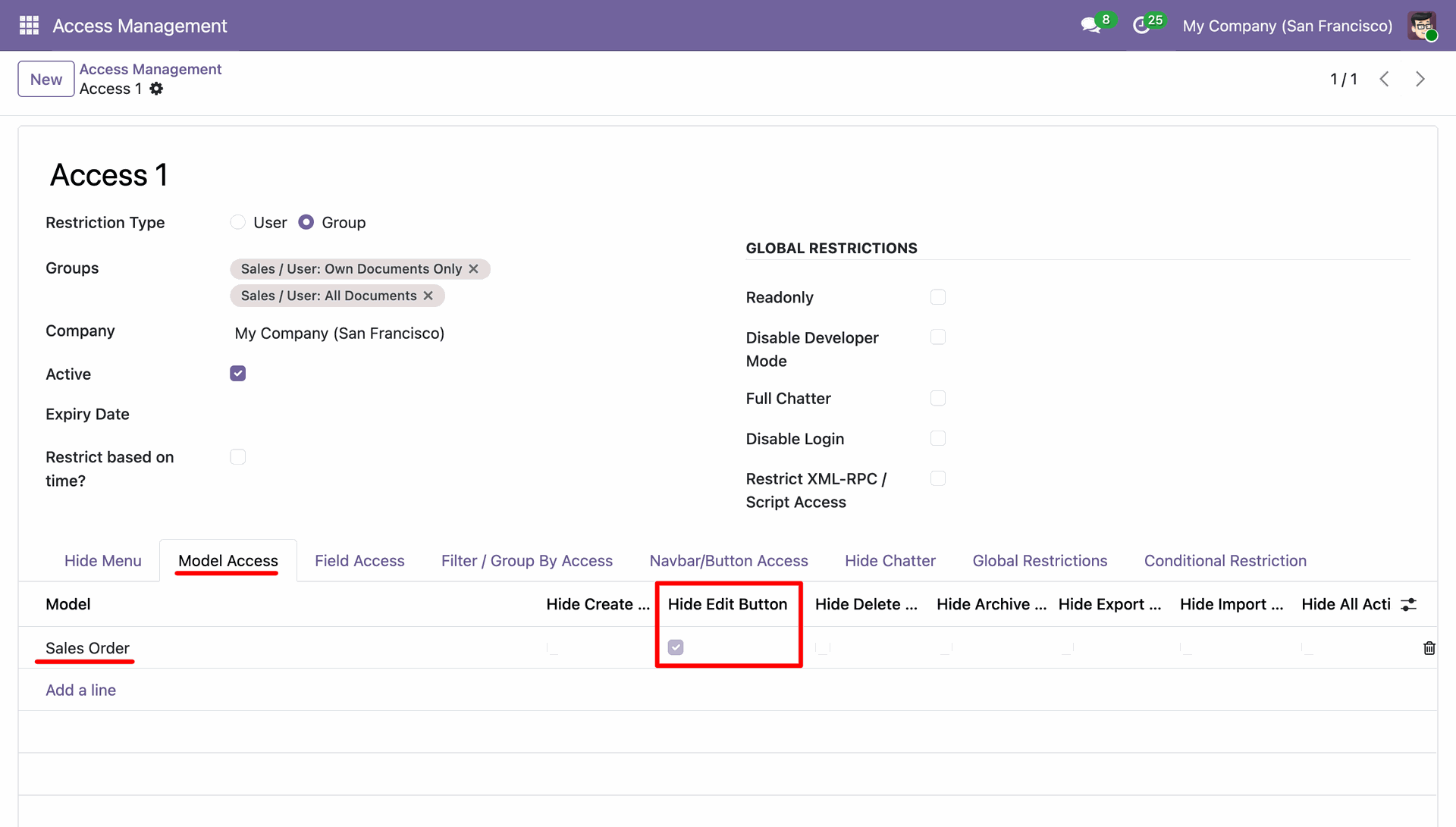
Hide or disable the edit button per model for specific users/groups to prevent unauthorised modifications.
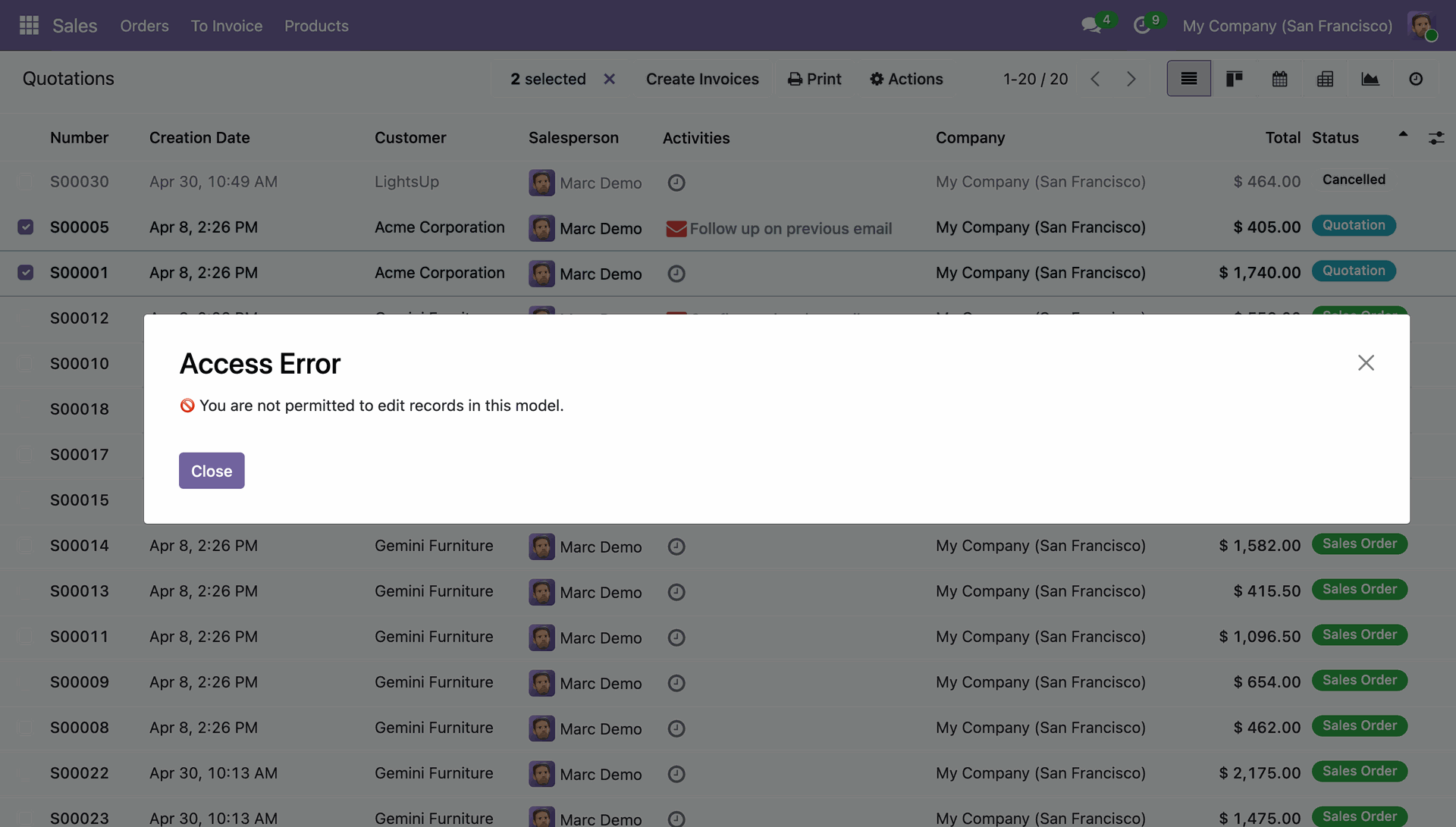
Once configured, the Edit button will be hidden for restricted users. Users will also be restricted from editing records through mass actions in the list view.
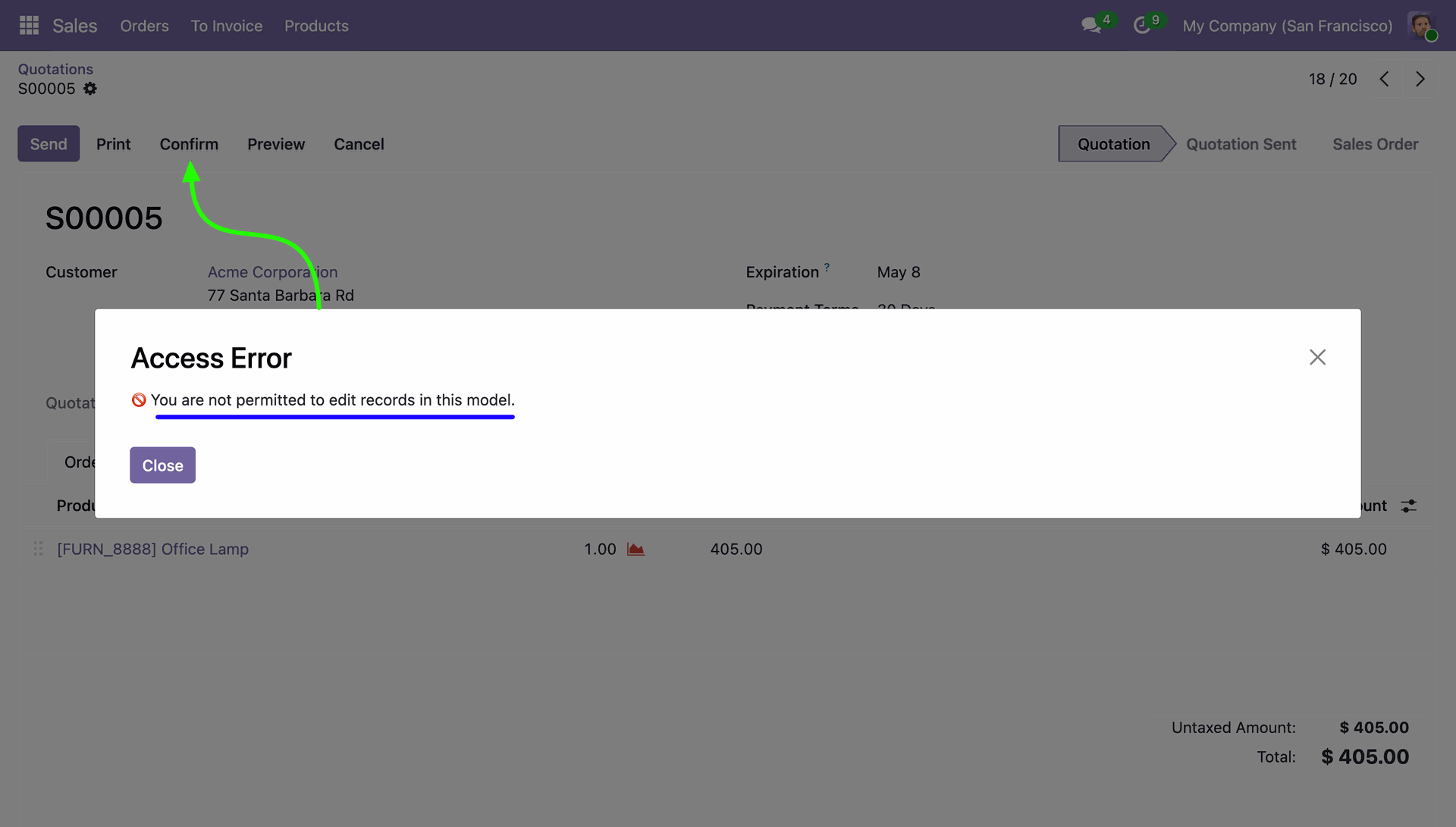
Once configured, the Edit button will be hidden for restricted users. Users will not be able to edit records in the form view, and a warning message will be displayed if they attempt to do so.
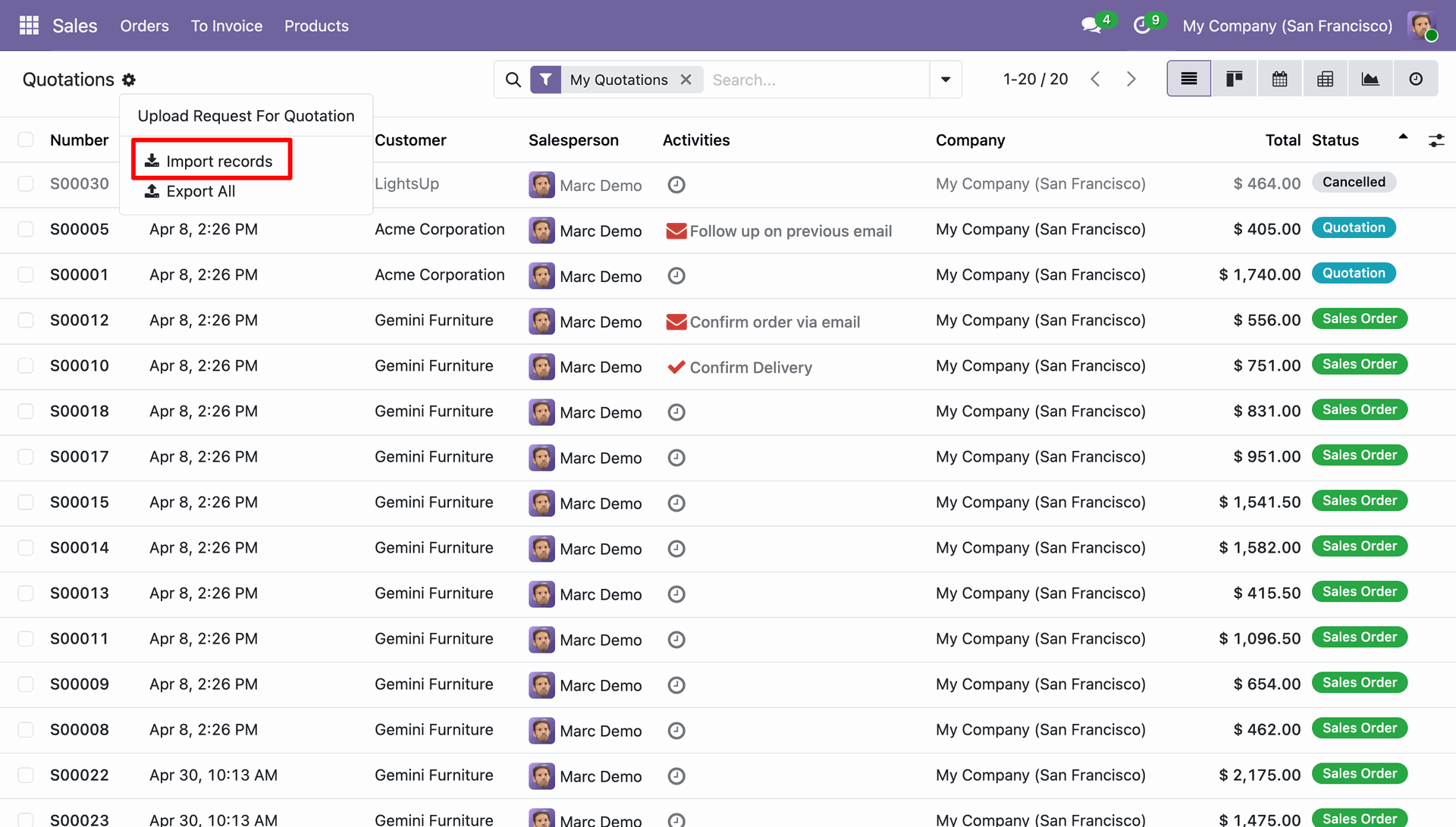
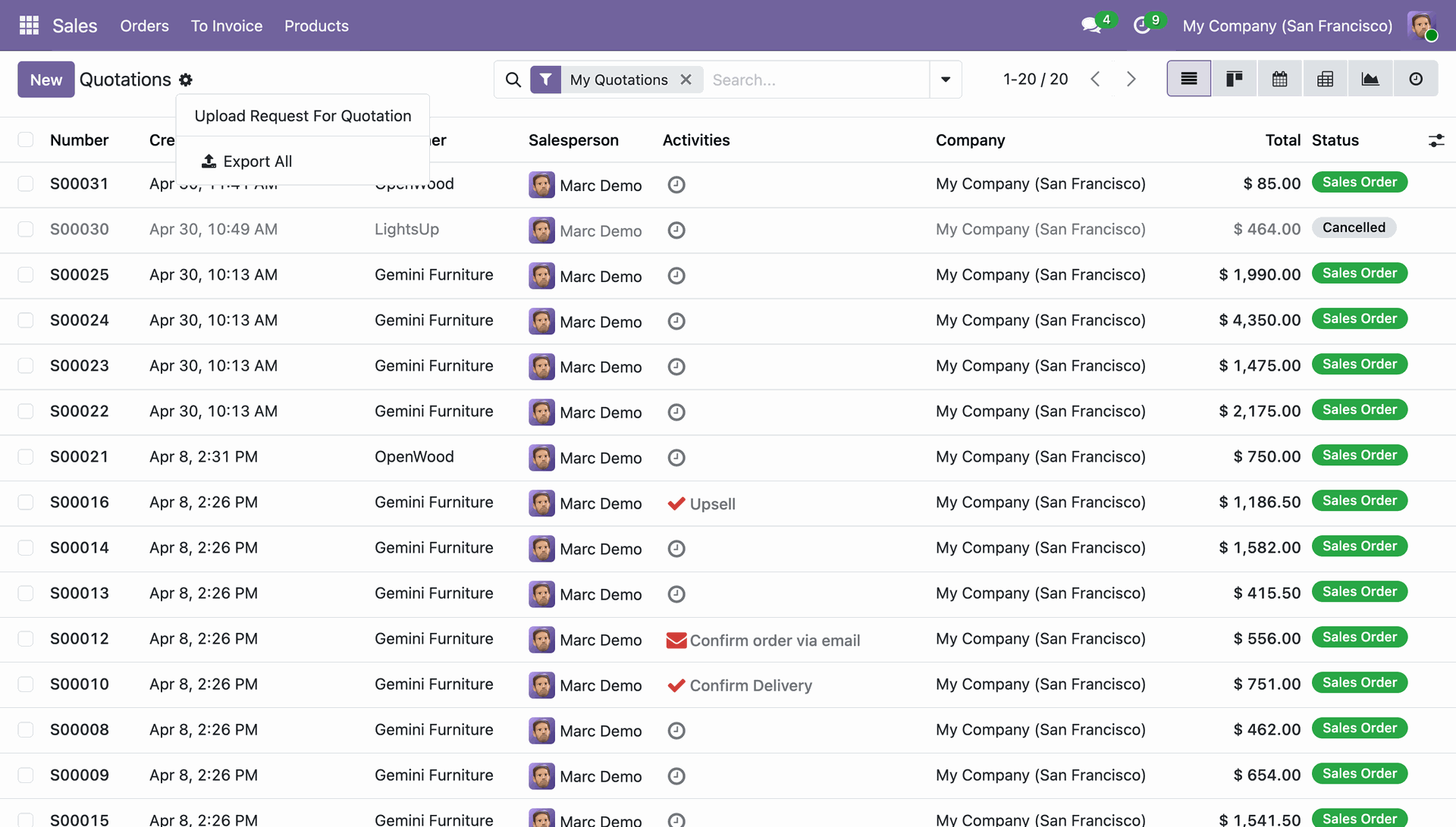
Hide the import option for selected models/users to prevent bulk data import.
Before: Import option visible to users with access to the model, allowing them to import data in bulk.
After: Import option hidden from users without access to the model, preventing bulk data import.
Click the Export JSON menu from the Access Management app to export the configured access rules in JSON format
The Exported JSON File contains all configured access rules and permissions.
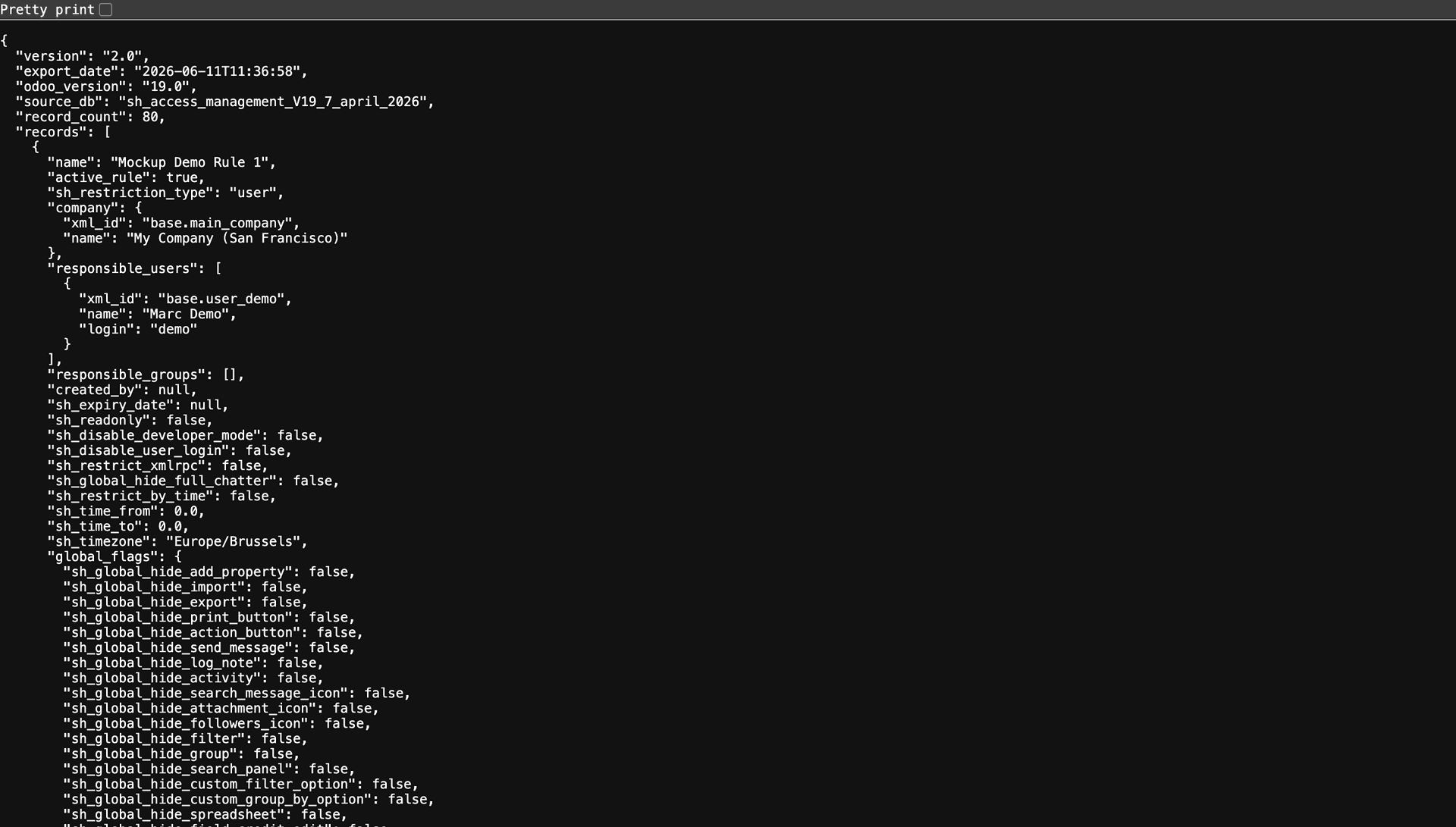
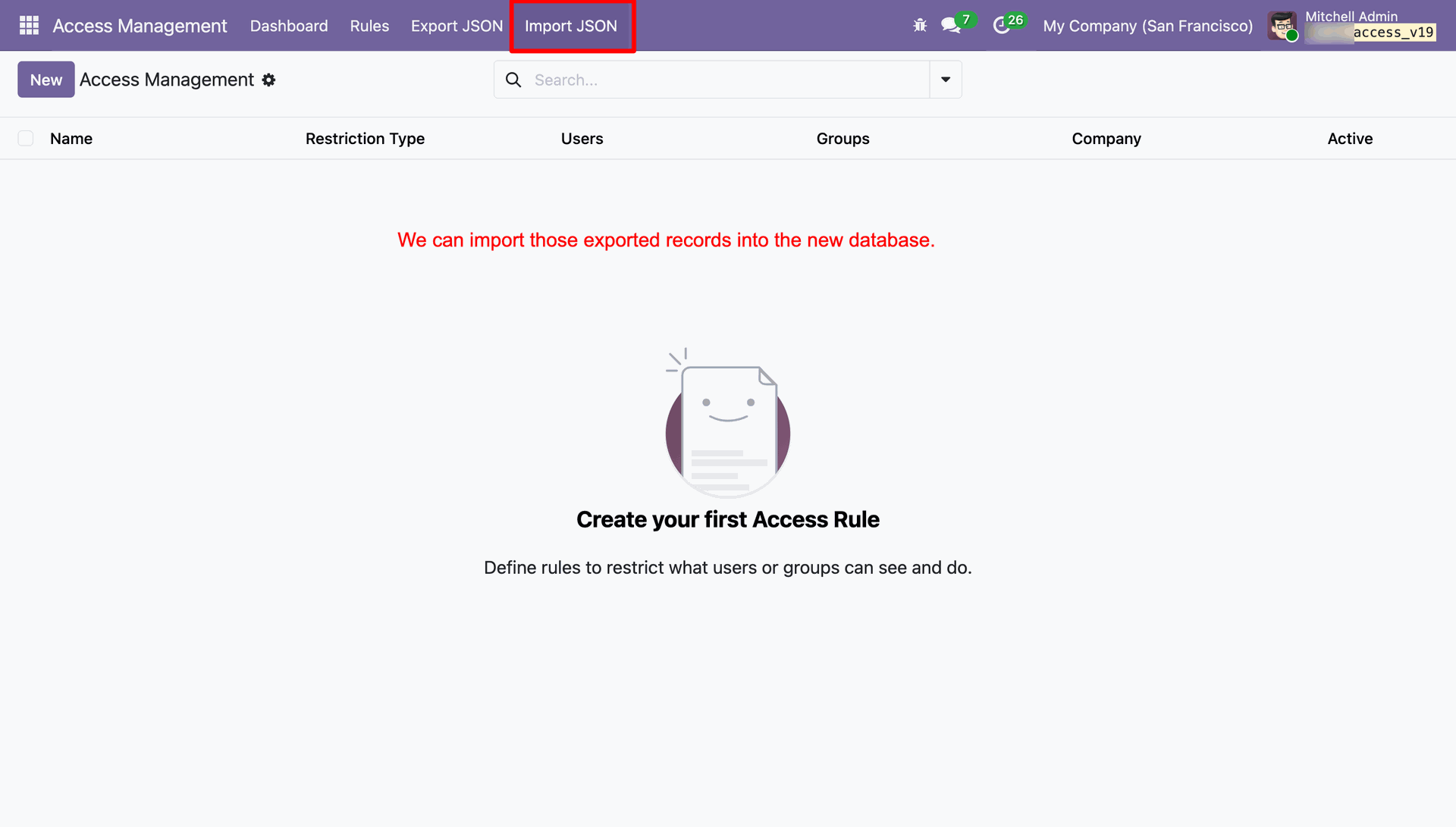
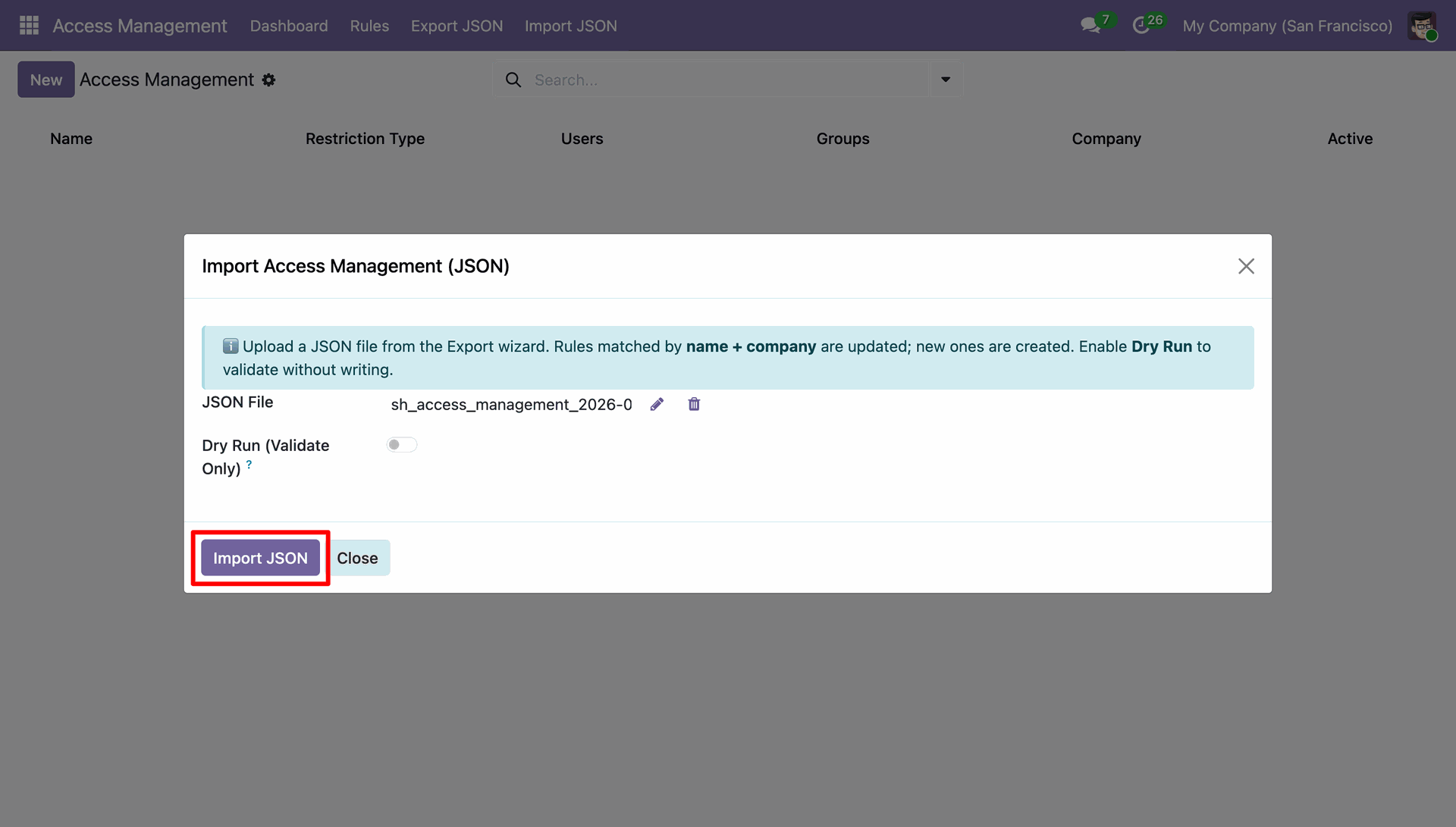
Click the Import JSON menu from the Access Management app to import configured access rules from a JSON file and apply them to the system.
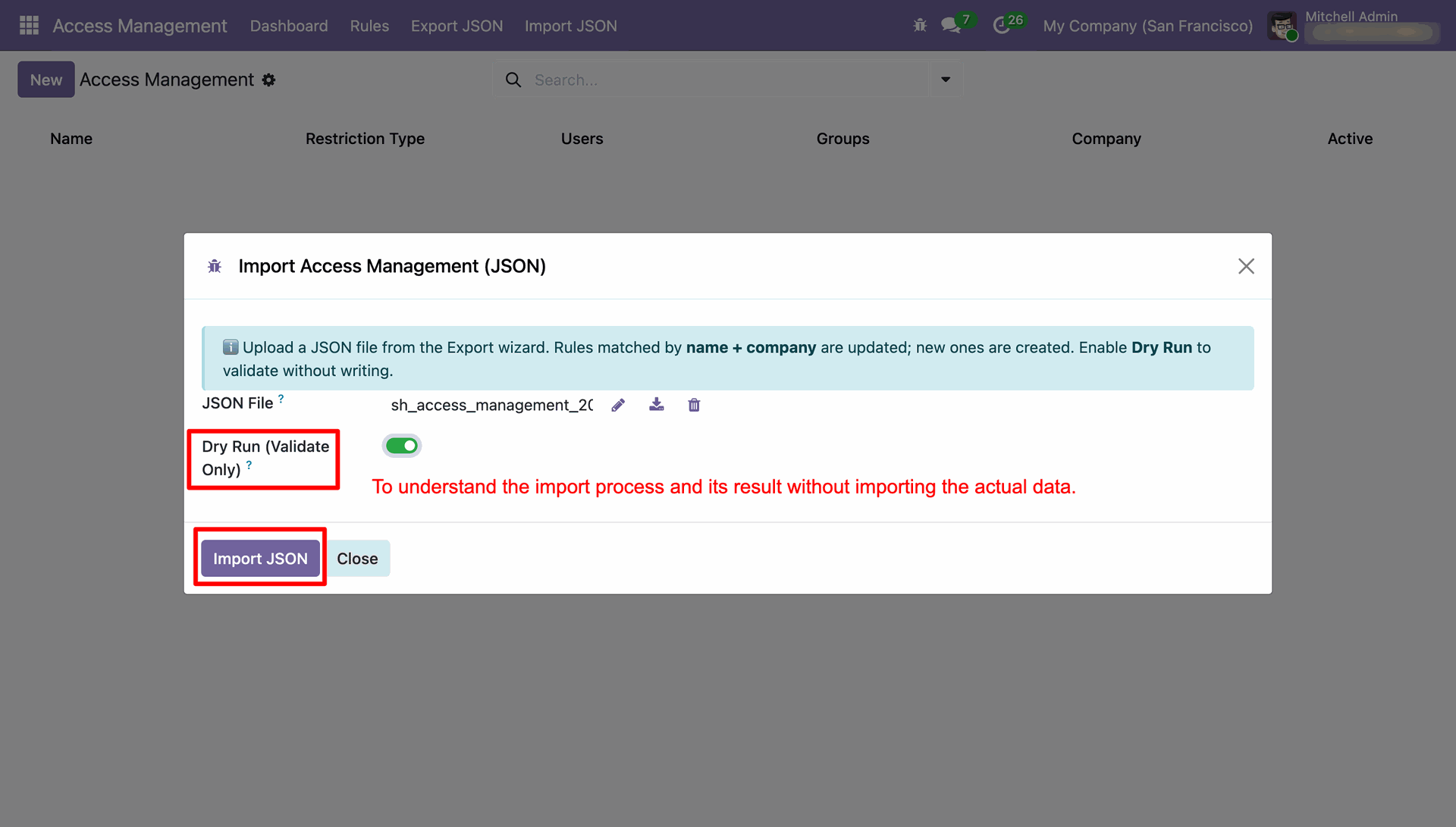
By clicking Import JSON, an import wizard will open, allowing users to upload the JSON file, enable the Dry Run toggle for validation, and then click the Import JSON button to proceed with the import process.
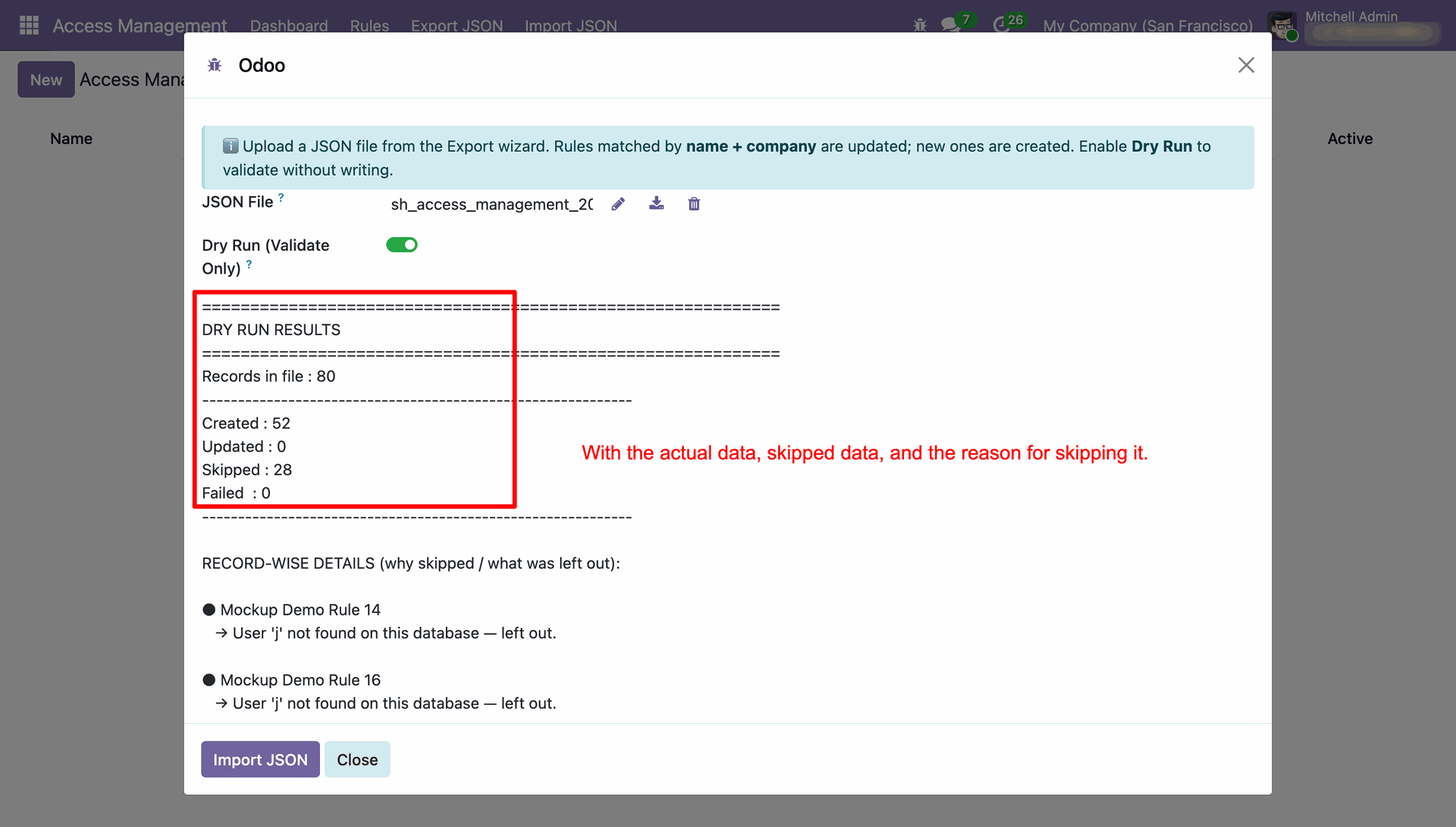
The Dry Run option will display the status of records as Created, Updated, Skipped, or Failed, along with detailed information, allowing users to review the results before executing the actual import process.
Disable the Dry Run toggle and click the Import JSON button to import the uploaded file and apply the access rules to the system.
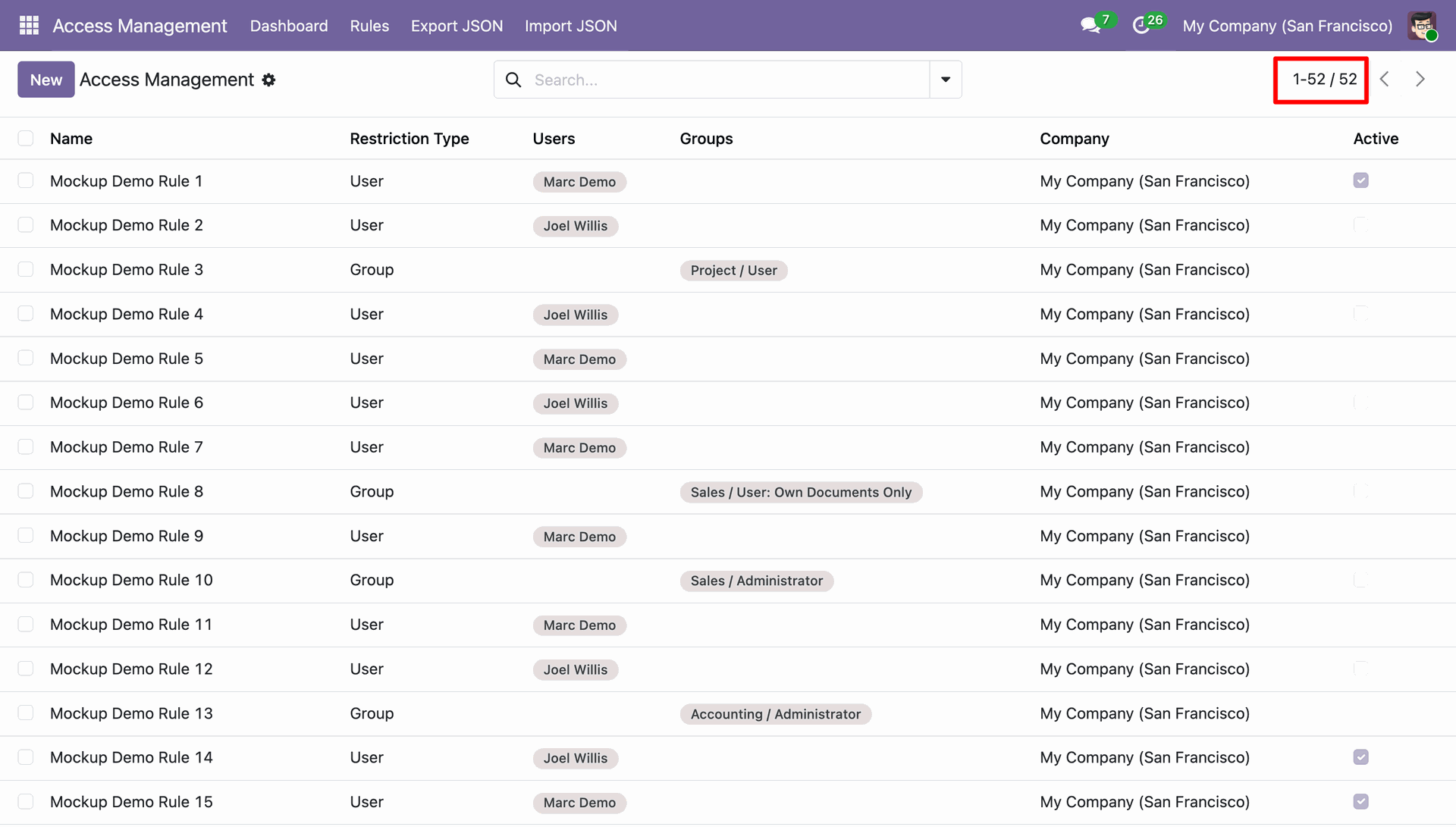
The access rules have been successfully imported from the JSON file and applied to the system according to the configuration defined in the uploaded file.
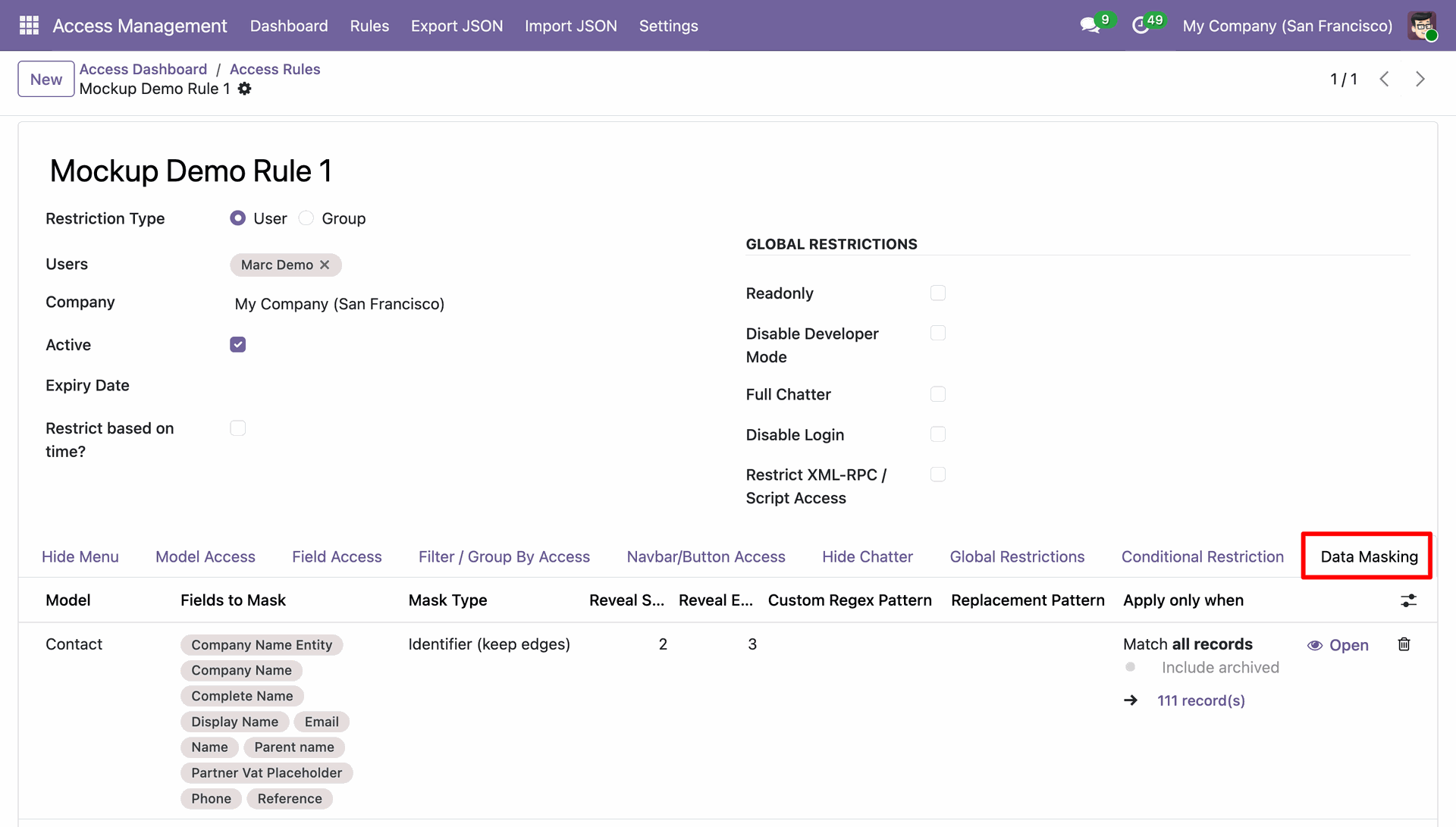
Go to Access Rules, then open the Data Masking tab to configure field masking rules and control the visibility of sensitive data based on user access rights.
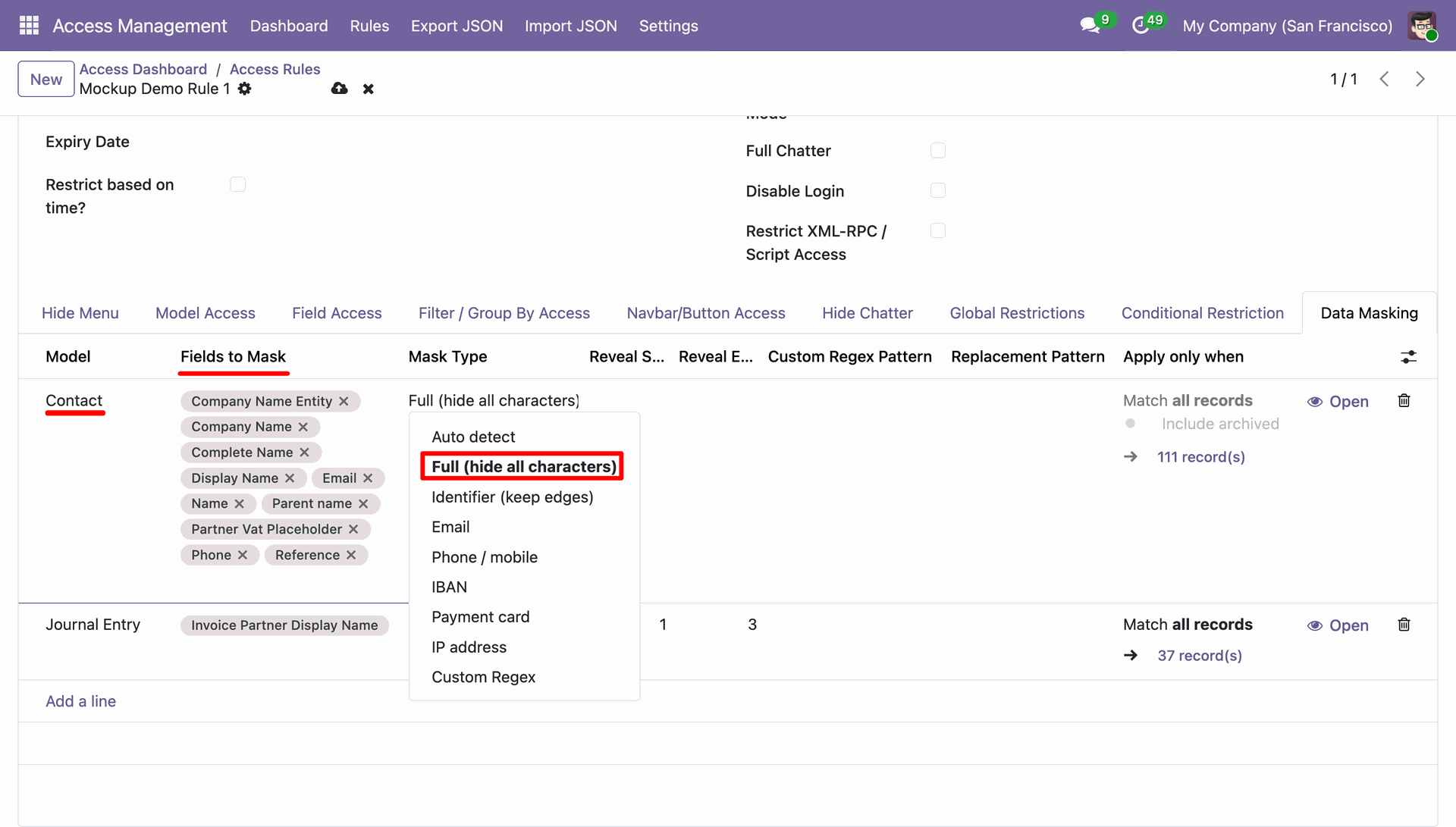
From the Access Rule, go to the Data Masking tab and Select the Model, Choose the fields to mask and Select the desired Mask Type.
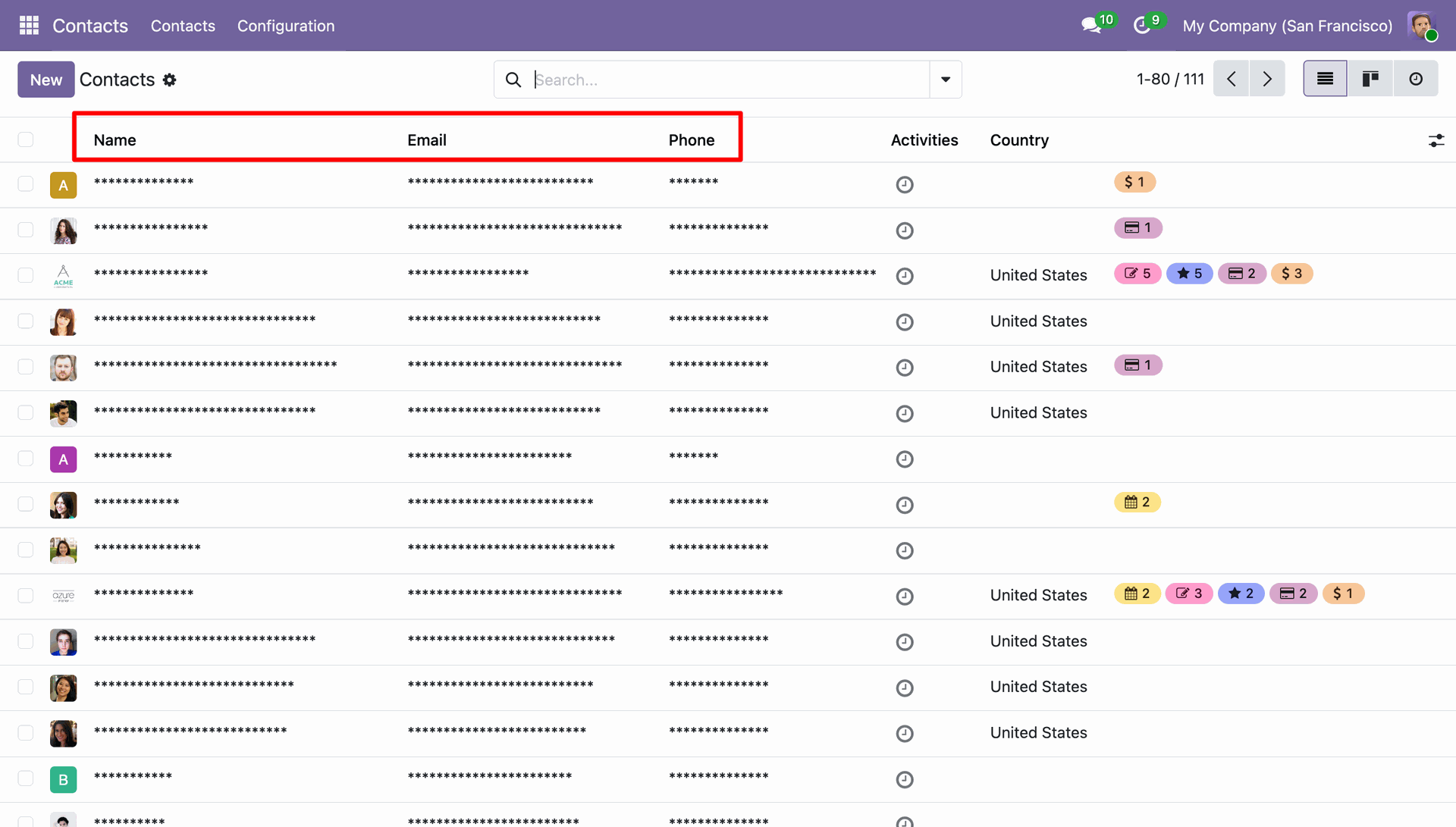
The selected fields in the configured model are masked or hidden in the List View according to the Data Masking rules defined in the Access Rule.
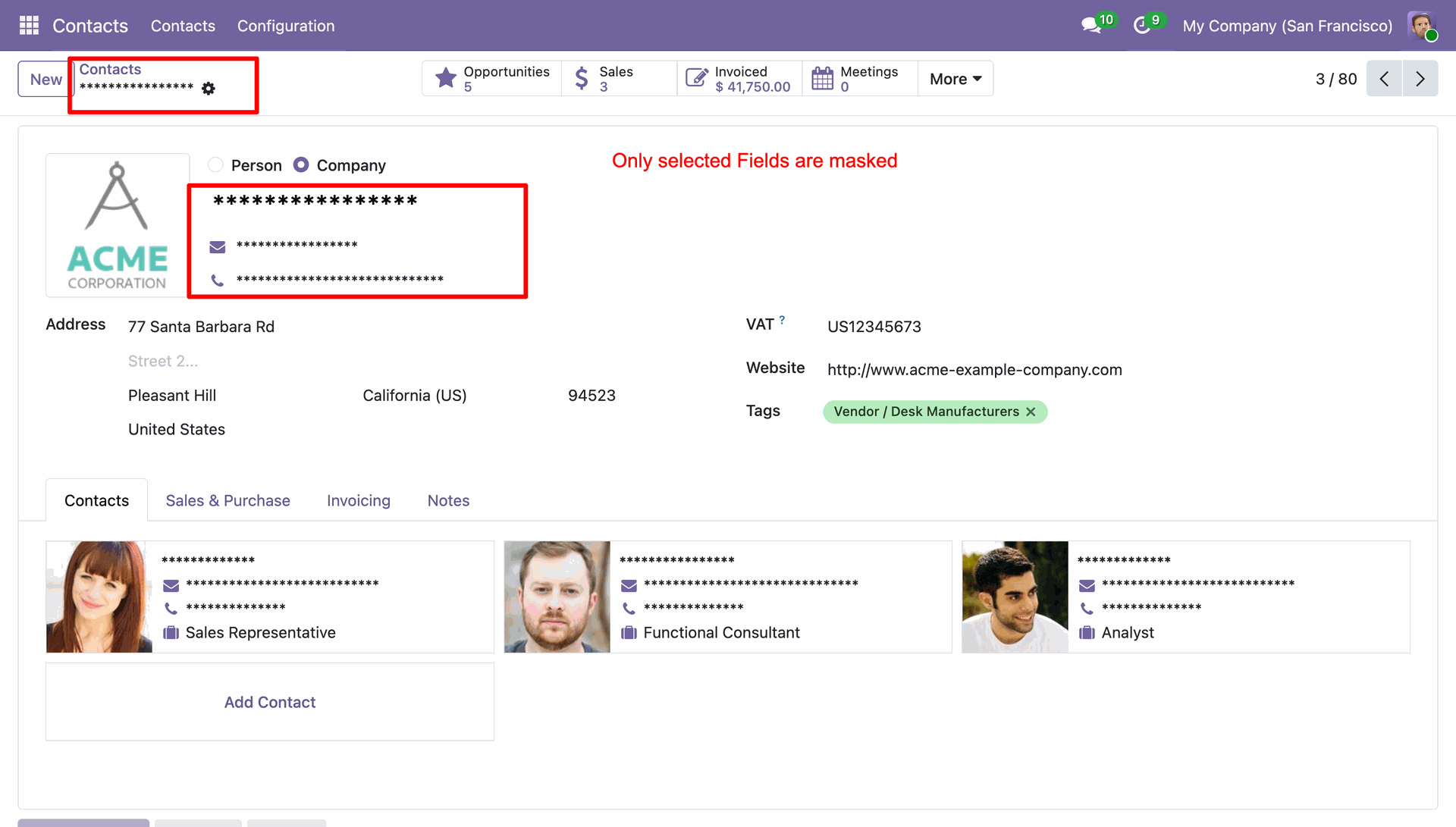
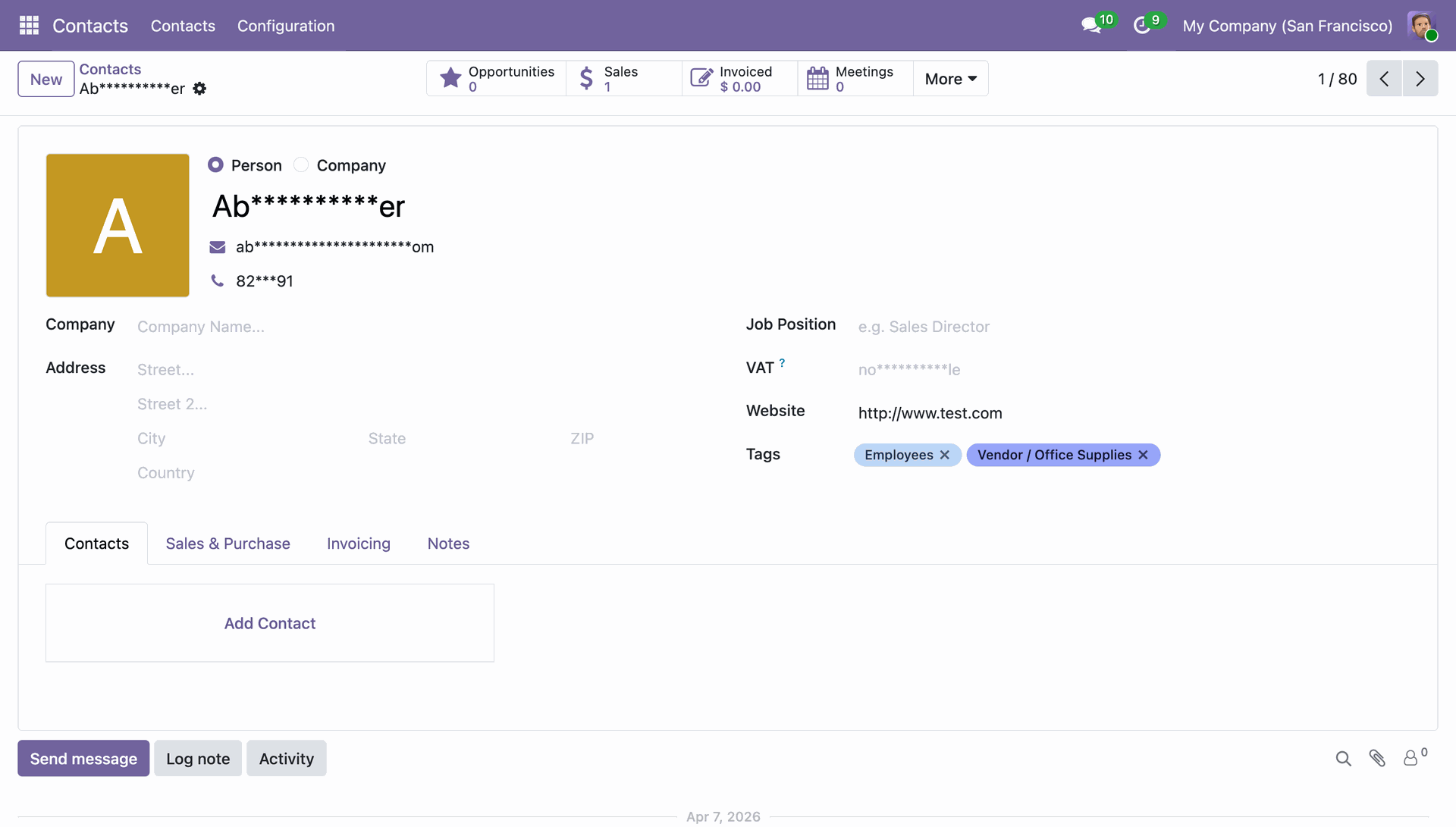
The configured fields are also hidden or masked in the Form View according to the Data Masking rules defined in the Access Rule.
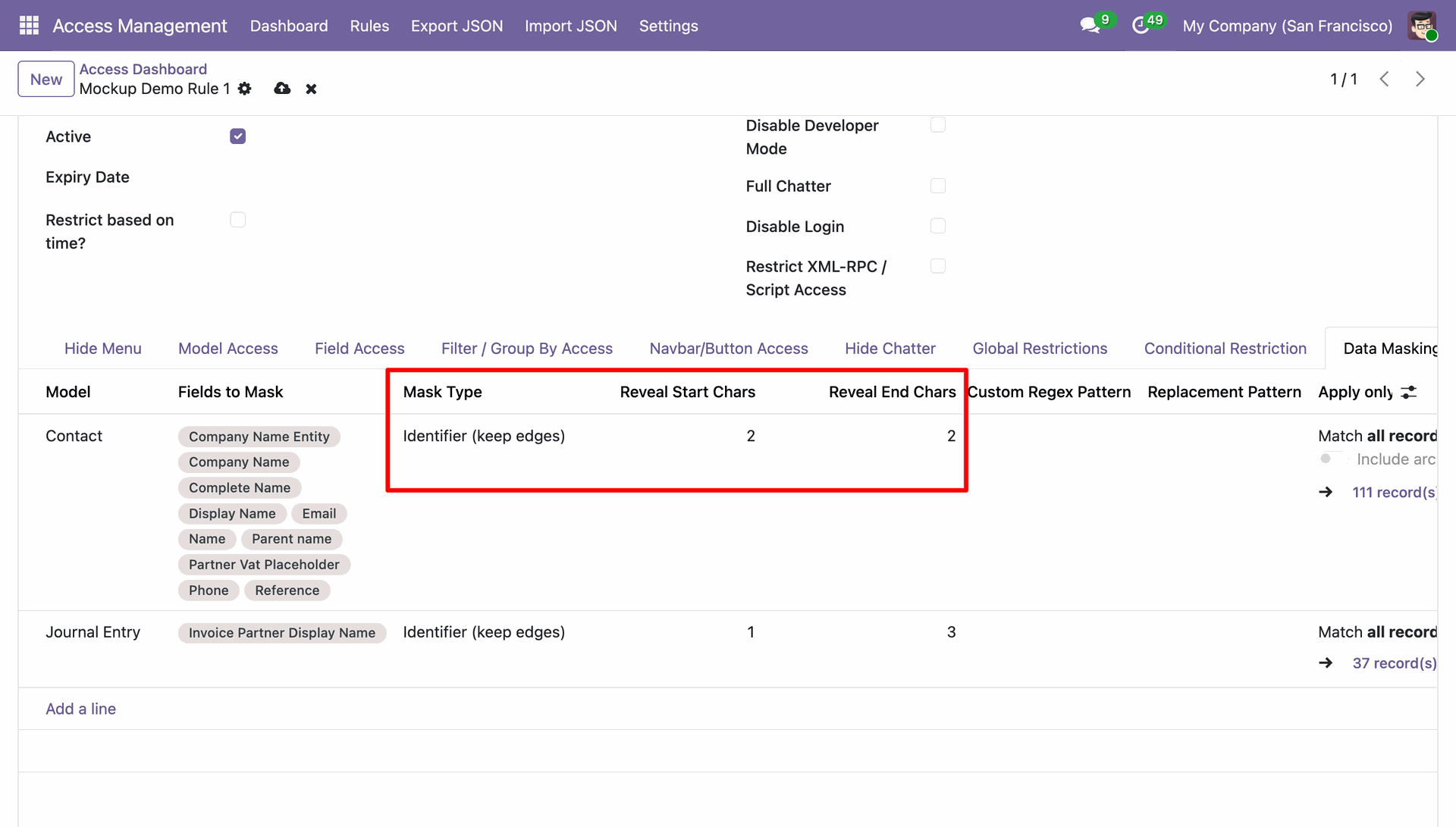
Go to Access Rules, open the Data Masking tab, and configure the Reveal Start Characters and Reveal End Characters for the selected model, fields, and mask type to control how much of the original value remains visible after masking.
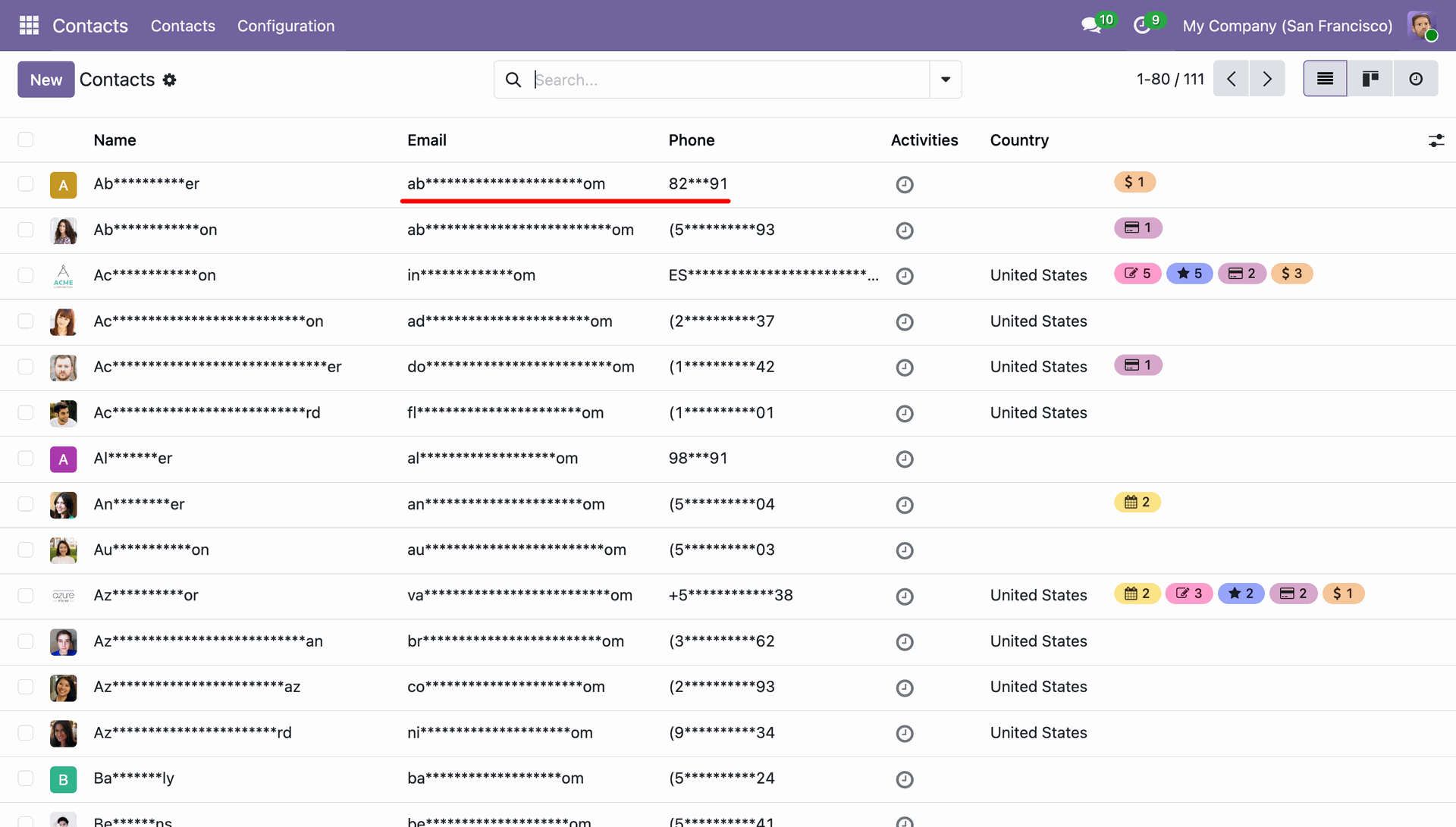
The selected fields in the configured model are masked in the List View, with only the configured starting and ending characters remaining visible according to the Data Masking rules defined in the Access Rule.
The selected fields in the configured model are masked in the Form View, with only the configured starting and ending characters remaining visible according to the Data Masking rules defined in the Access Rule.
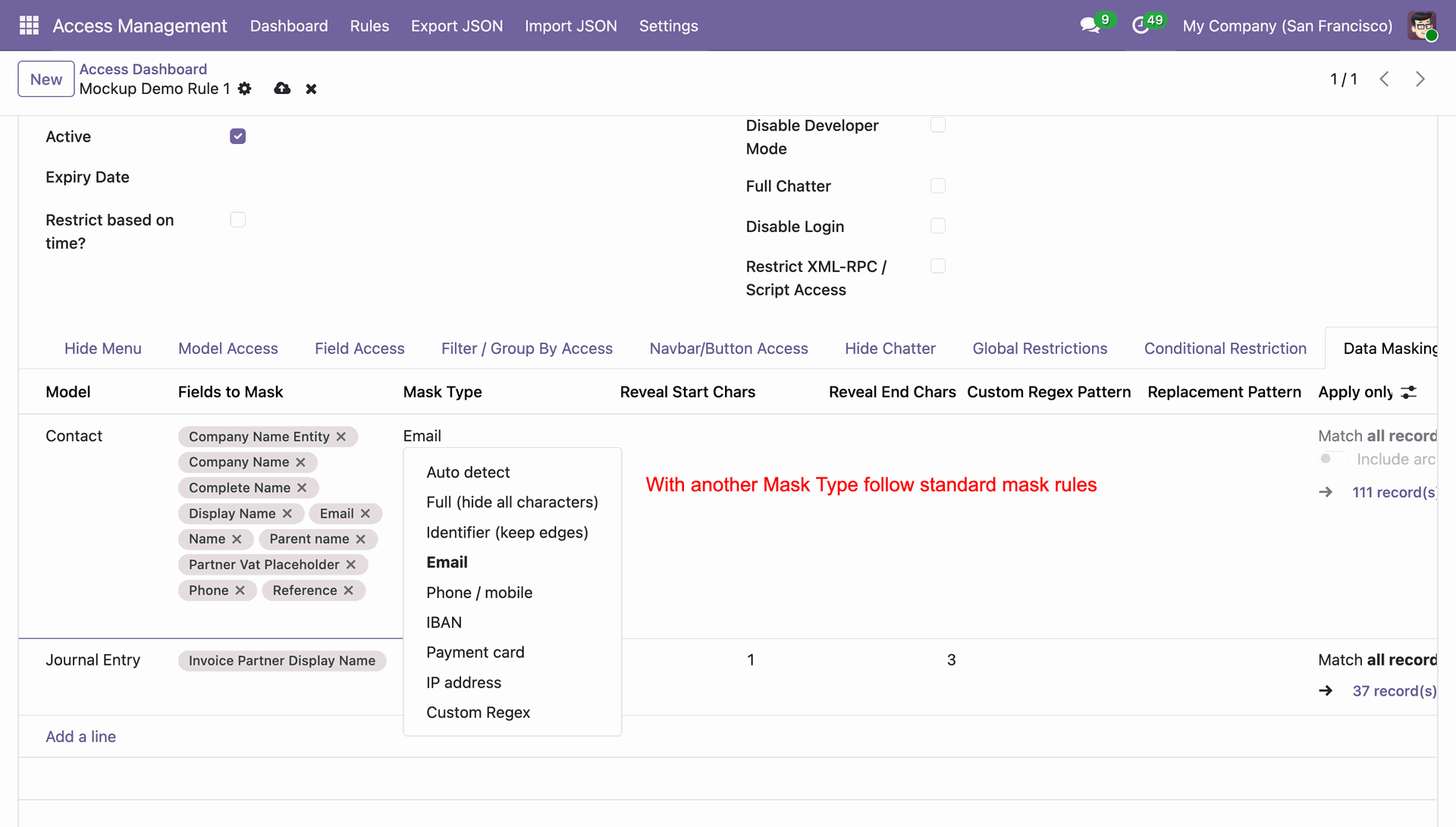
Select Email as the Mask Type for the selected field in the Data Masking configuration. This will mask the email address according to the configured masking rules while displaying only the allowed visible characters.
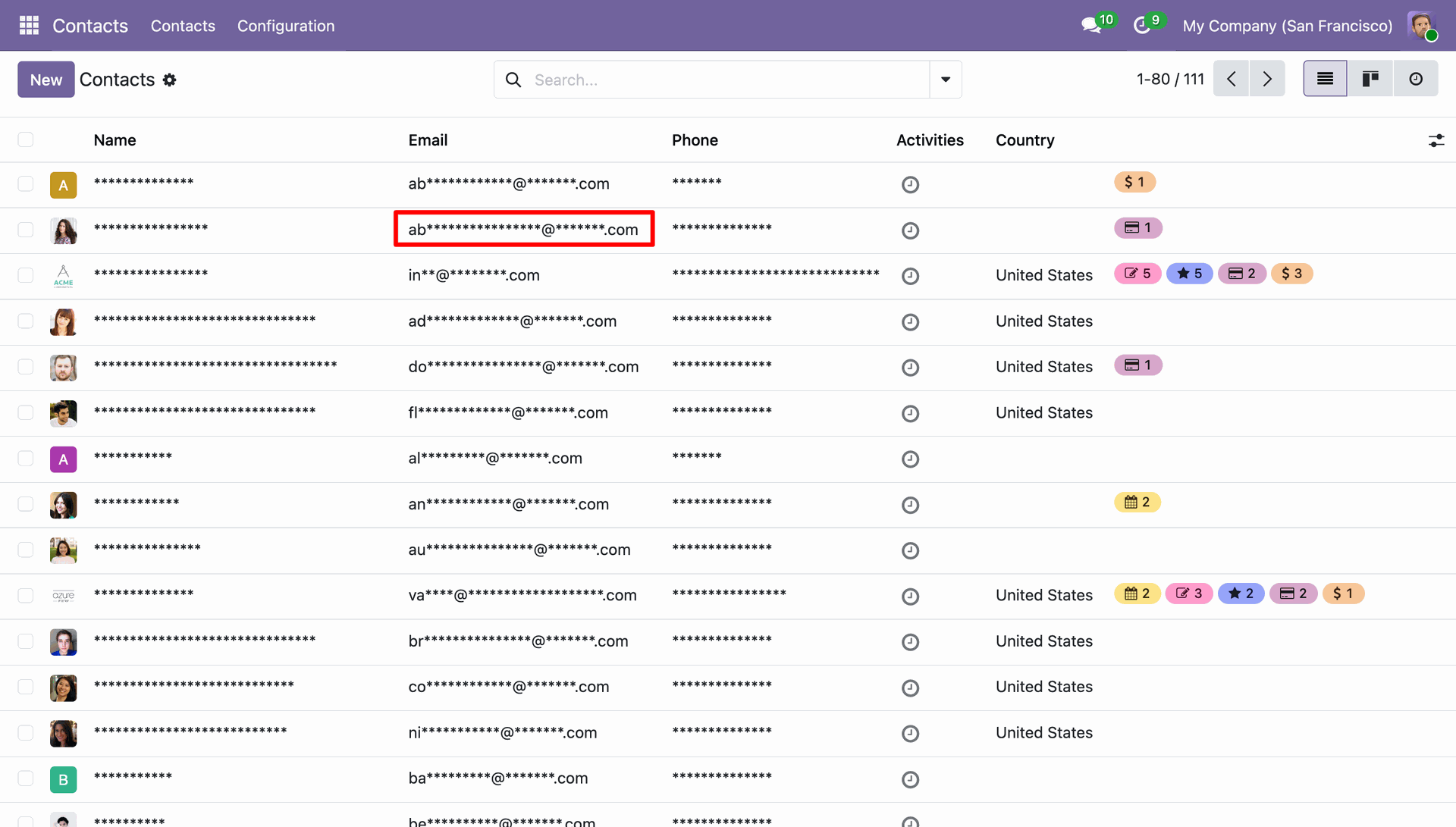
The selected email field will be masked in both the List View and Form View, displaying only the configured visible portion while masking the remaining characters according to the defined email masking rules.
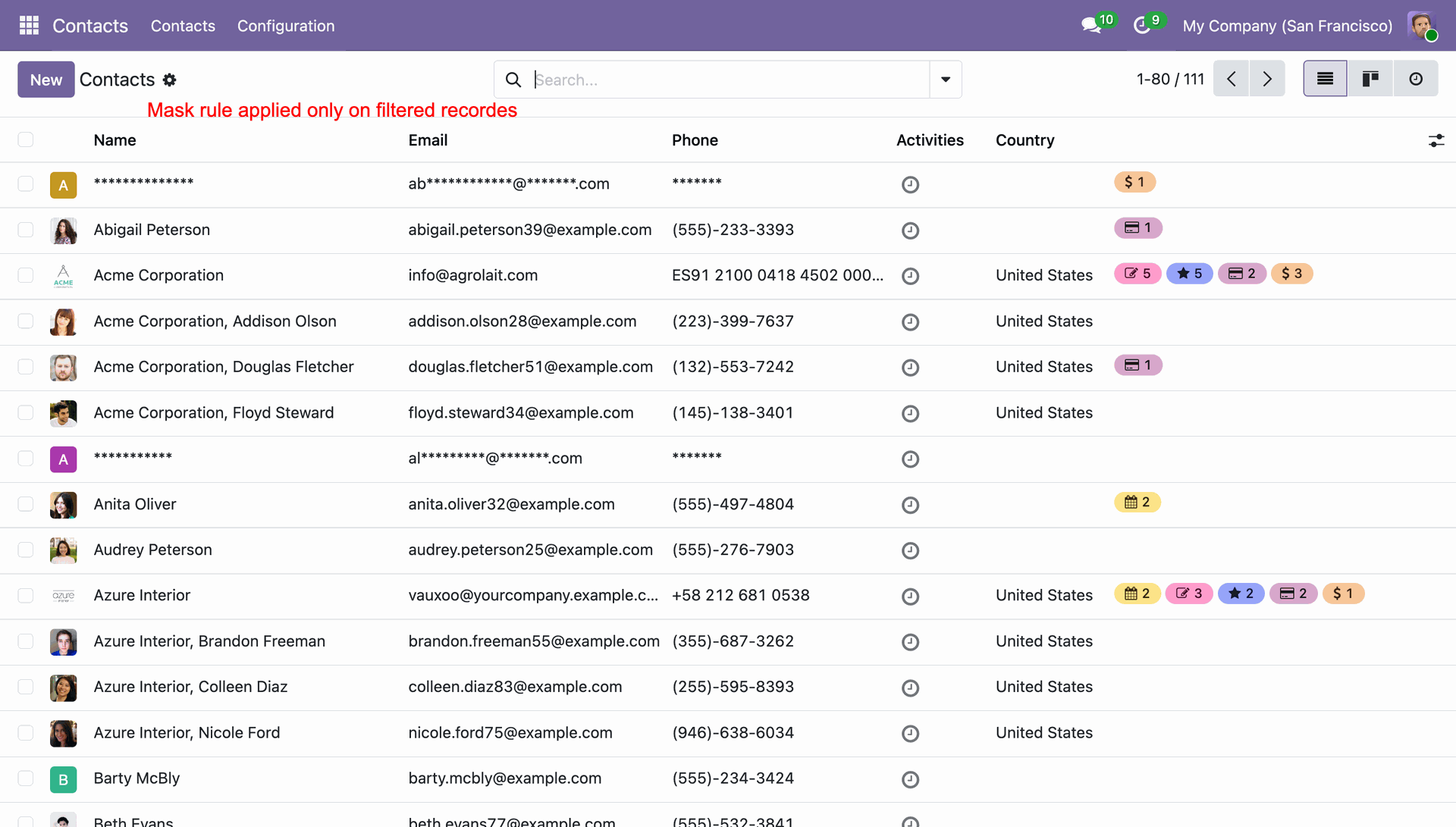
A dynamic domain is also applied under the Data Masking configuration, ensuring that only the relevant records are available based on the selected criteria.
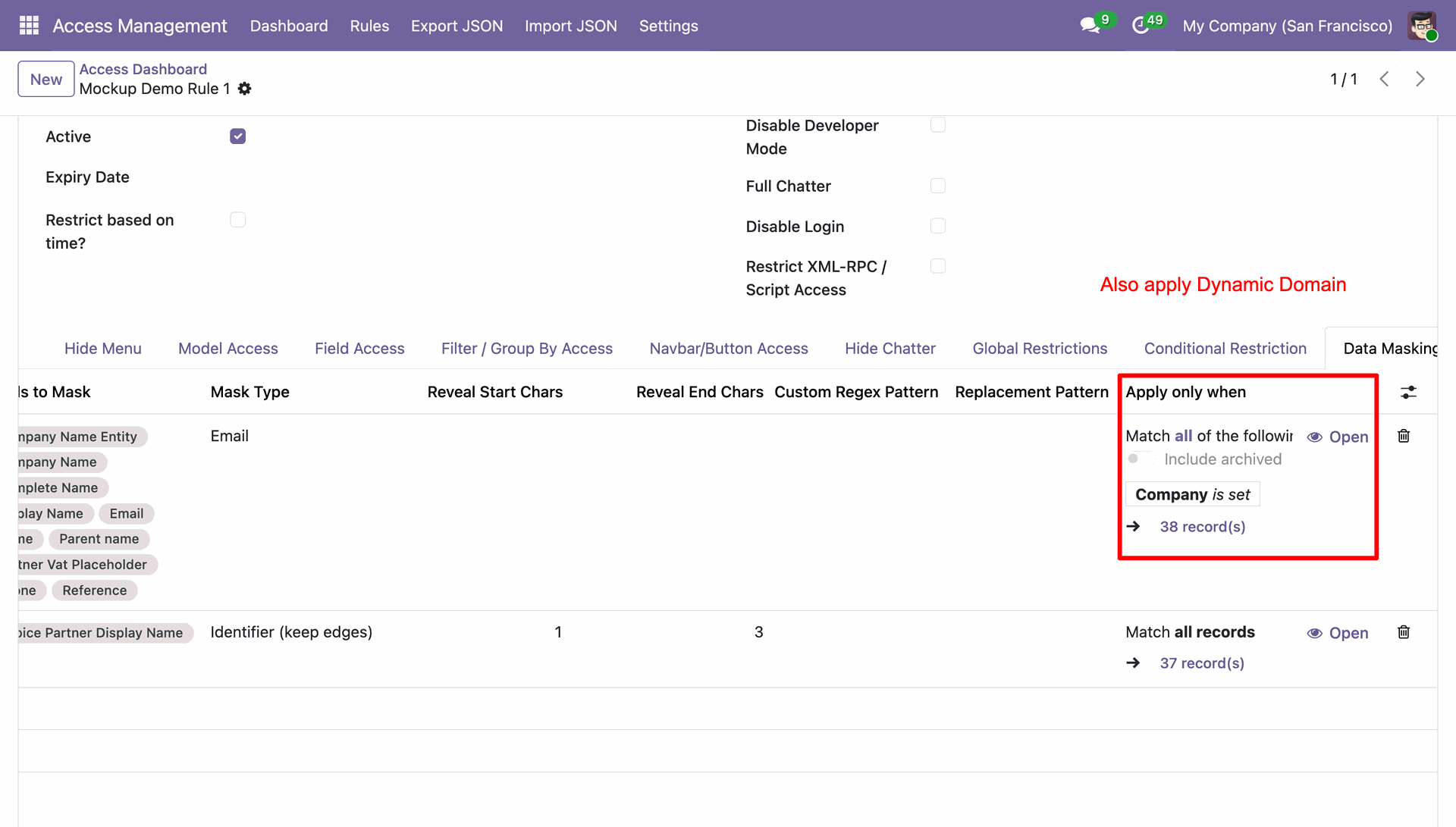
The Data Masking rules are applied only to the records that match the configured Dynamic Domain. Records outside the domain conditions remain unaffected and display their original values.
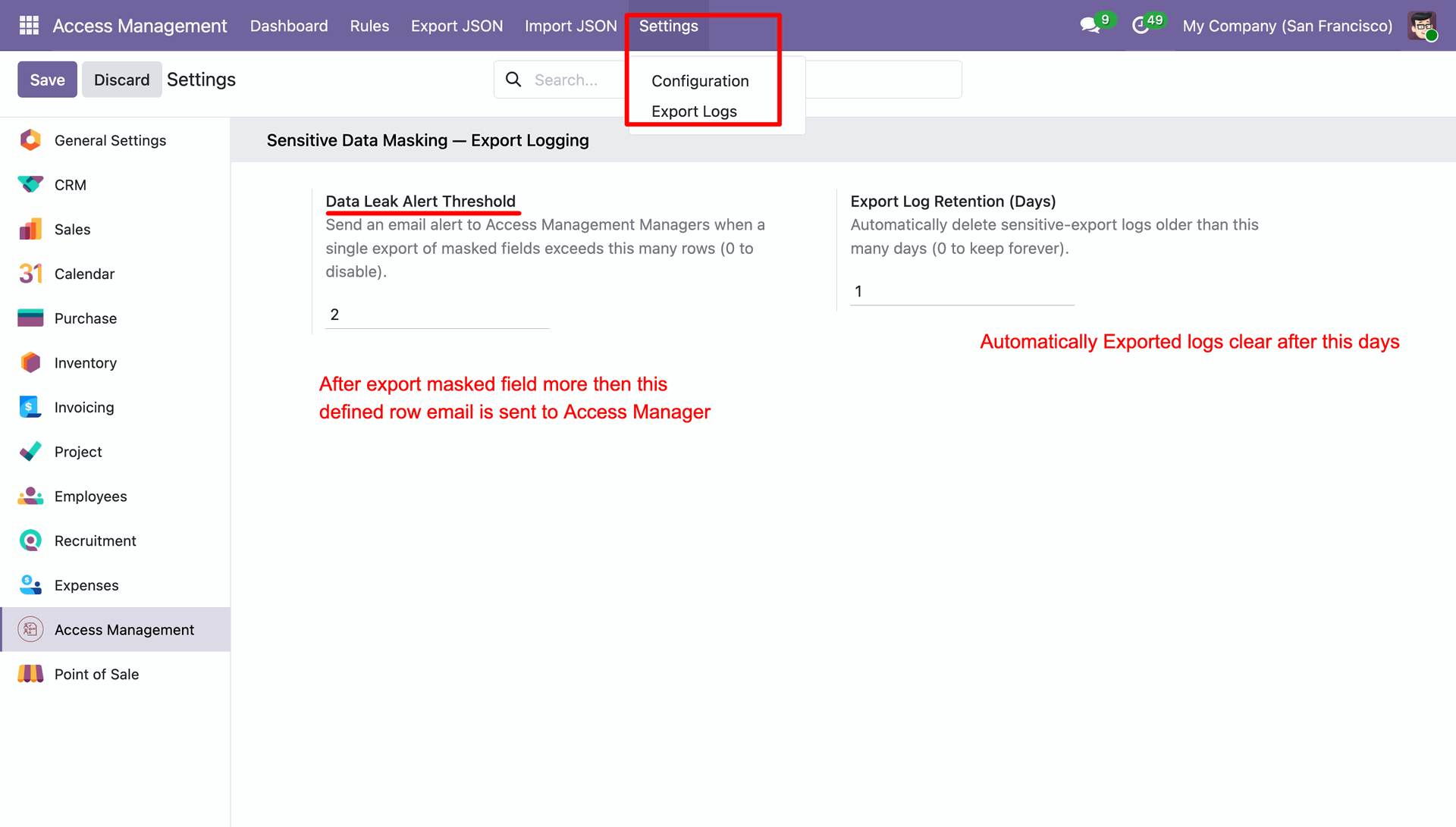
Go to Access Management -> General Settings and configure the Data Leak Alert Threshold and Export Logs Retention Days according to your requirements.
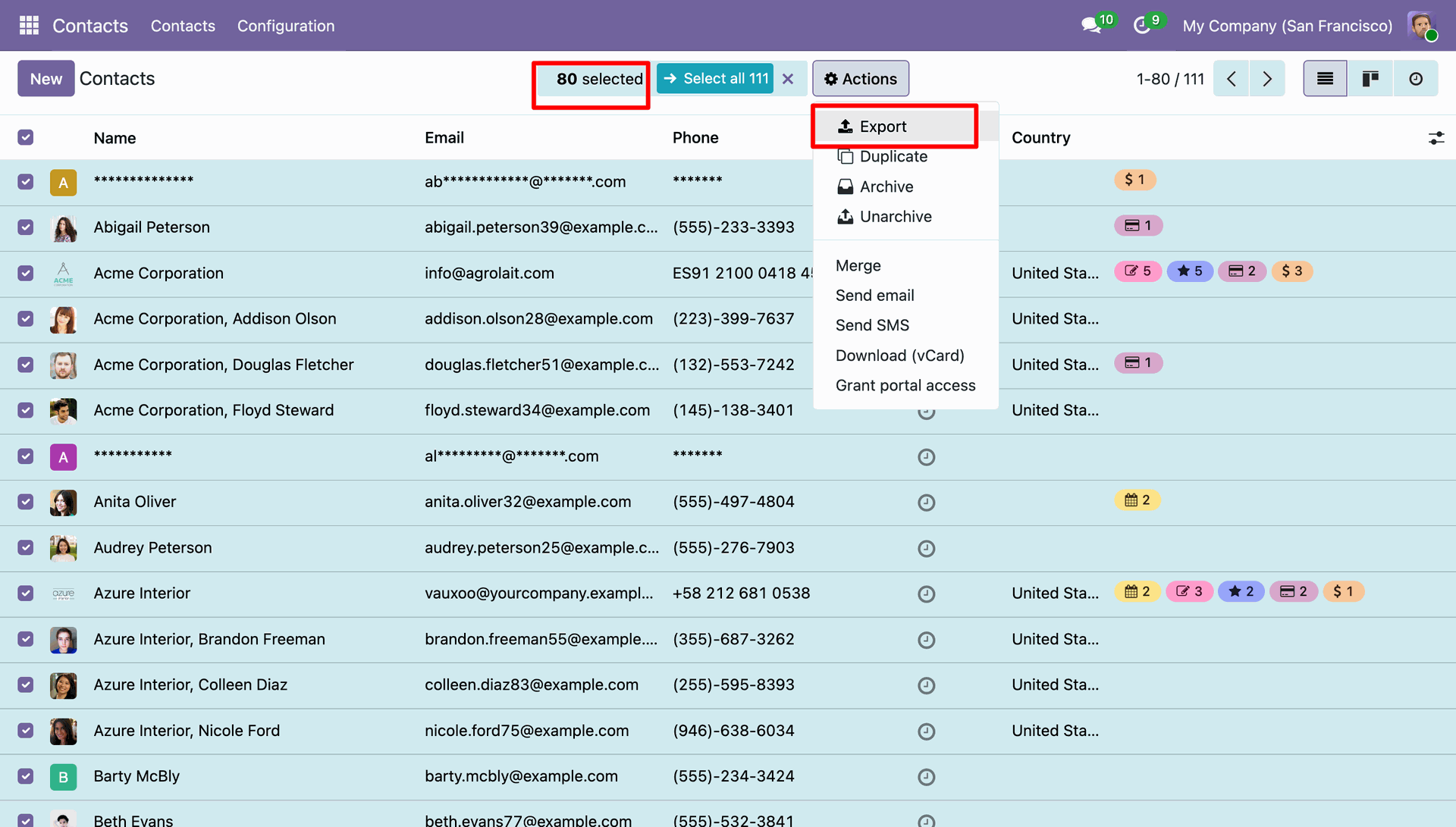
Go to the Contacts List View, select the records you want to export, then navigate to Actions -> Export to export the selected records.
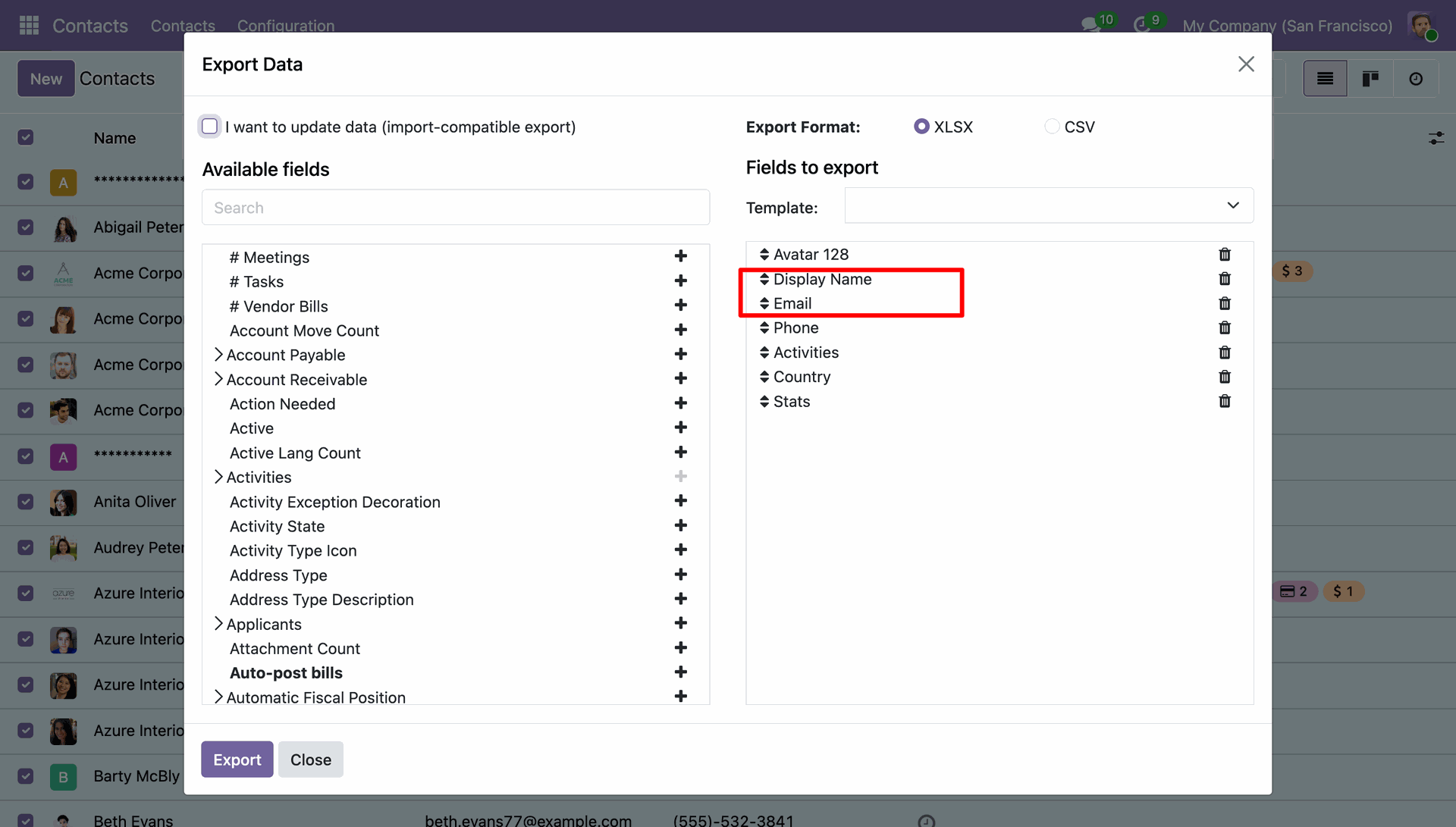
The Export Data wizard opens. Select the required export fields, choose the fields you want to include in the export, and then click the Export button to generate the export file.
Go to Access Management -> Settings -> Export Logs to view the export history, including details such as the exported records, user, export date and time, and other information.
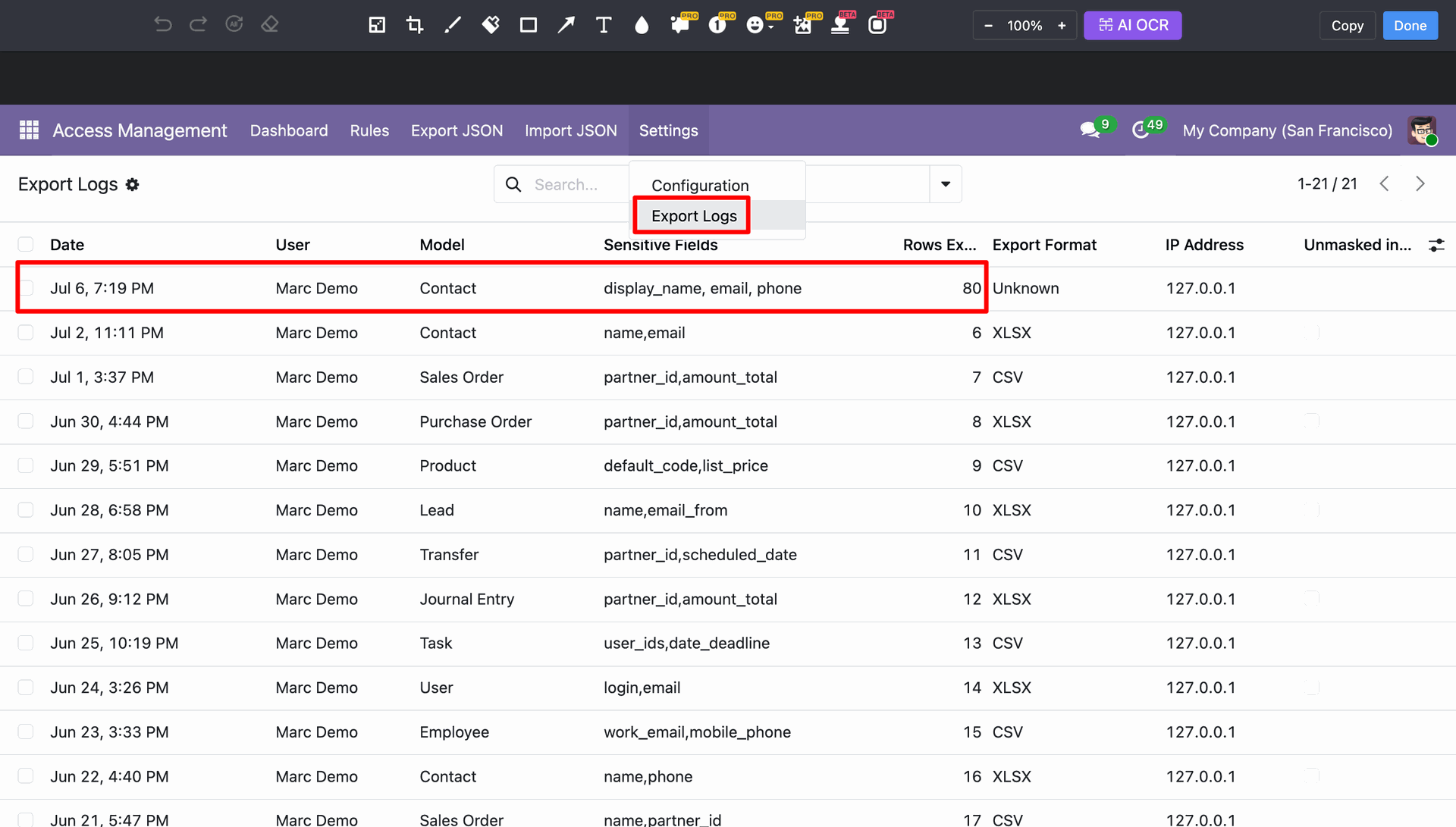
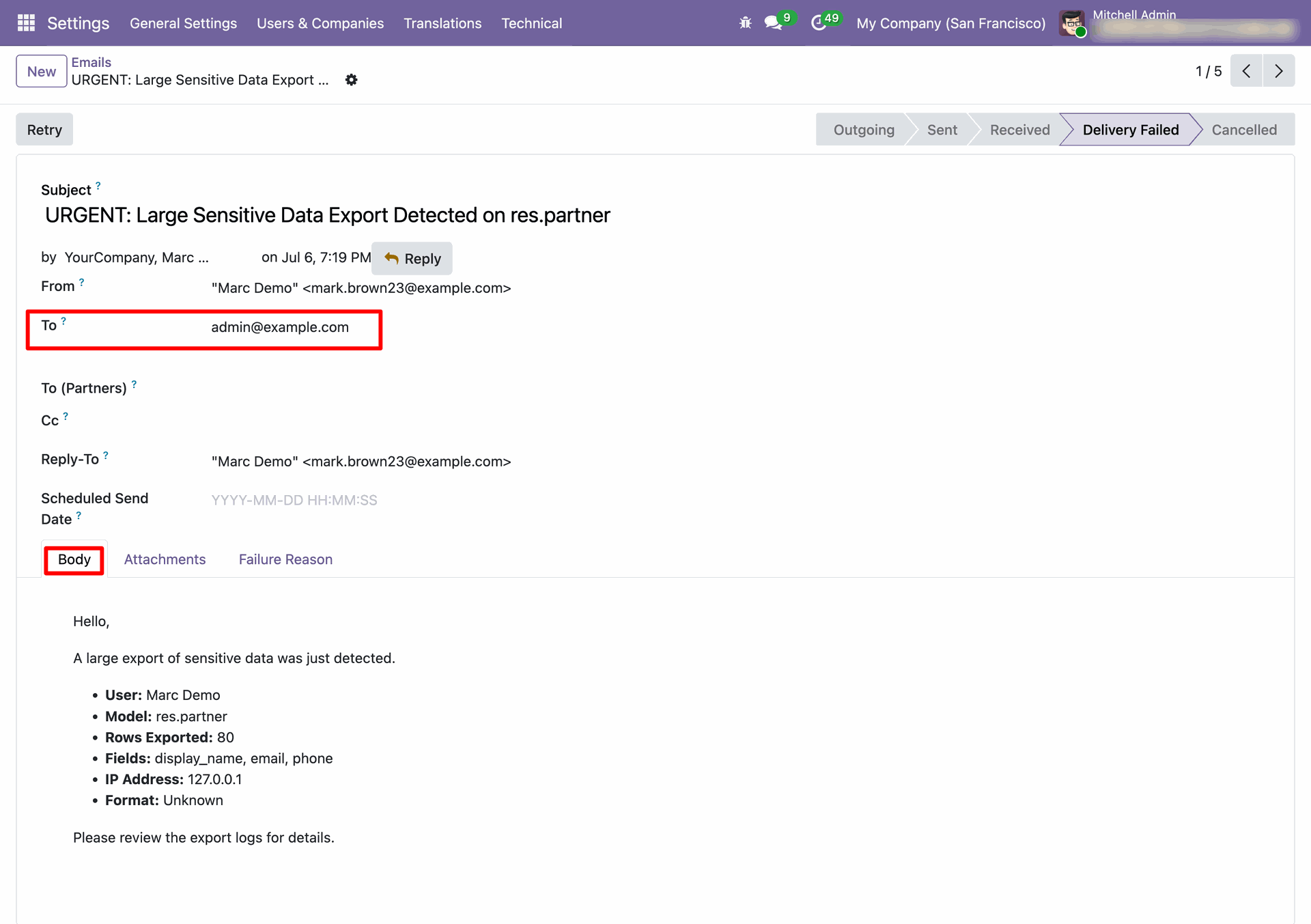
If the exported data exceeds the configured Data Leak Alert Threshold, an email alert is automatically sent to the configured Access Management Manager, notifying them of the export activity for security purpose.
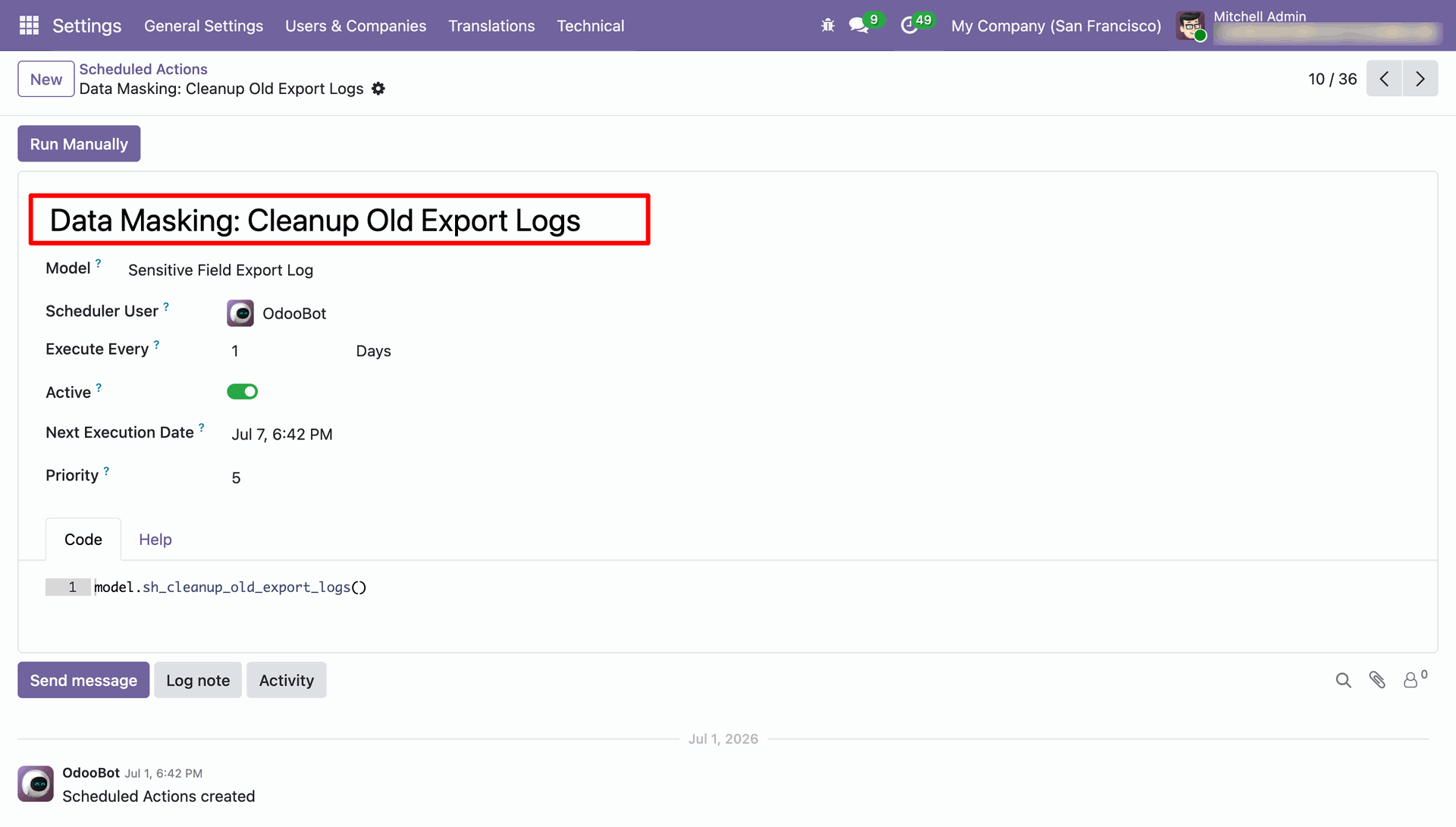
Run the Data Masking: Cleanup Old Export Logs scheduled action to automatically delete Export Logs older than the configured Export Logs Retention Days, helping maintain log history and optimize database storage.
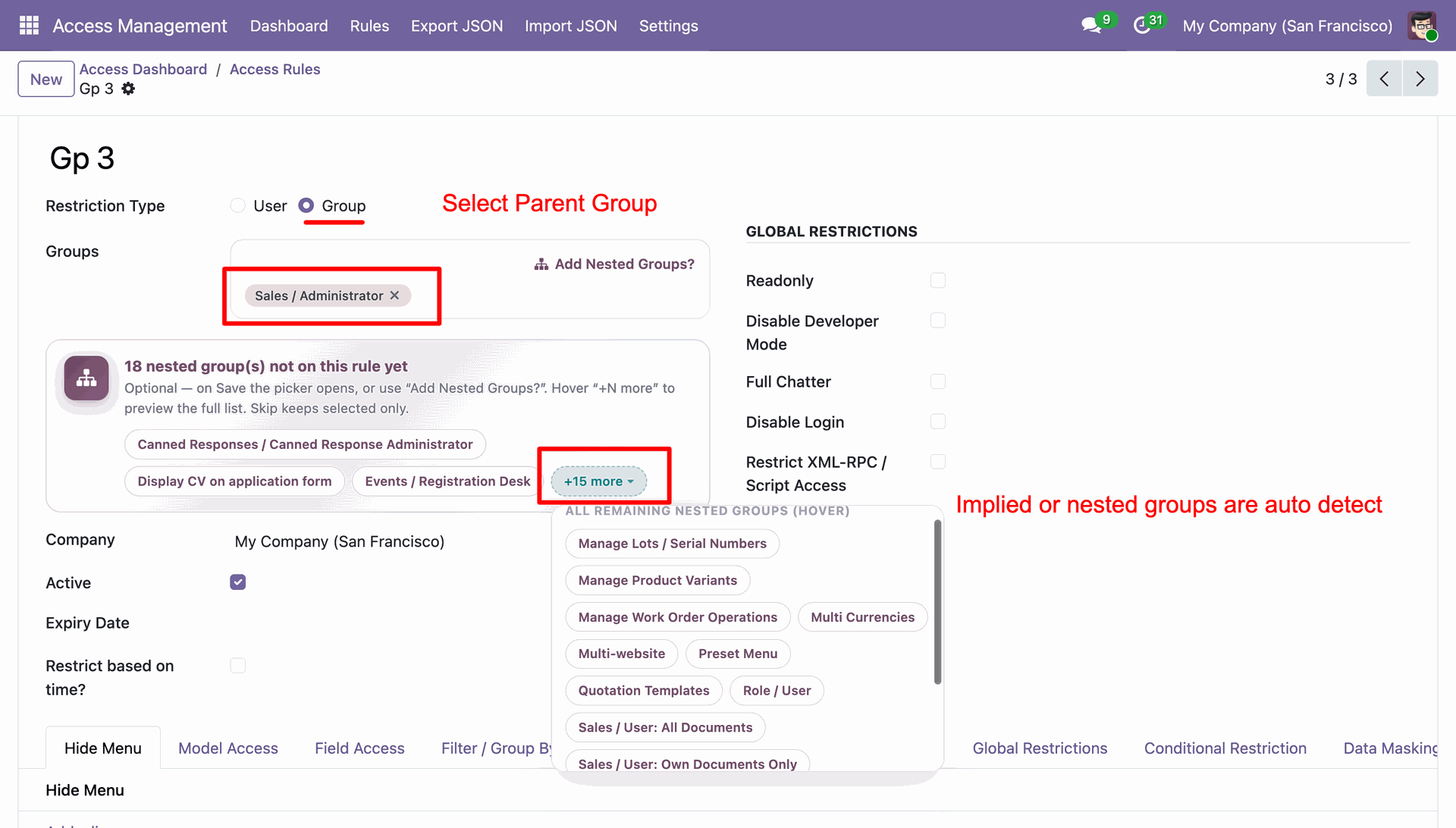
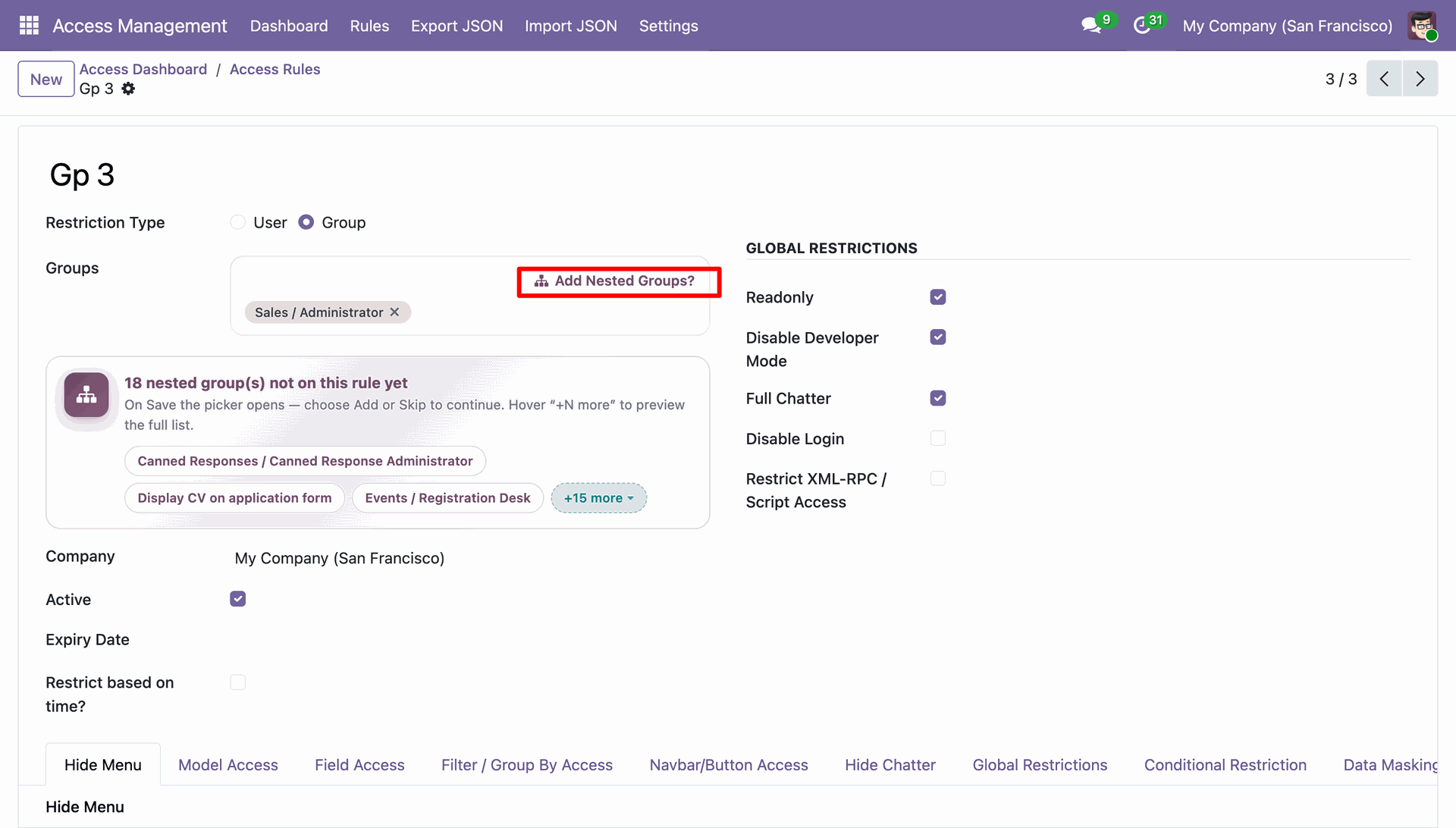
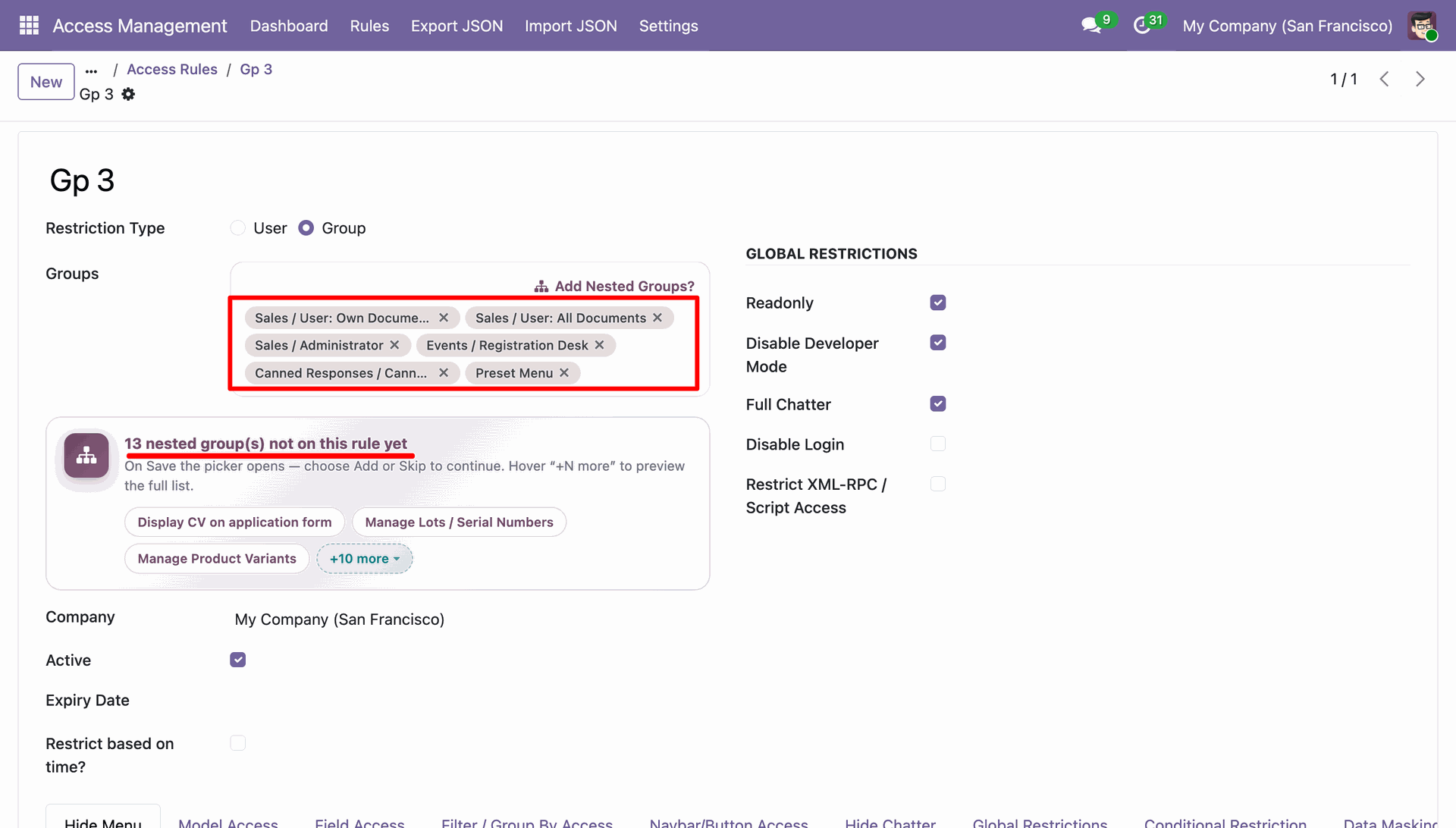
Go to Access Rules, select the Restriction Type as Group, and choose a group in the Groups field.
Upon selecting a group, all nested (implied) groups are automatically detected and listed.
Click the Add Nested Groups option from the Groups field.
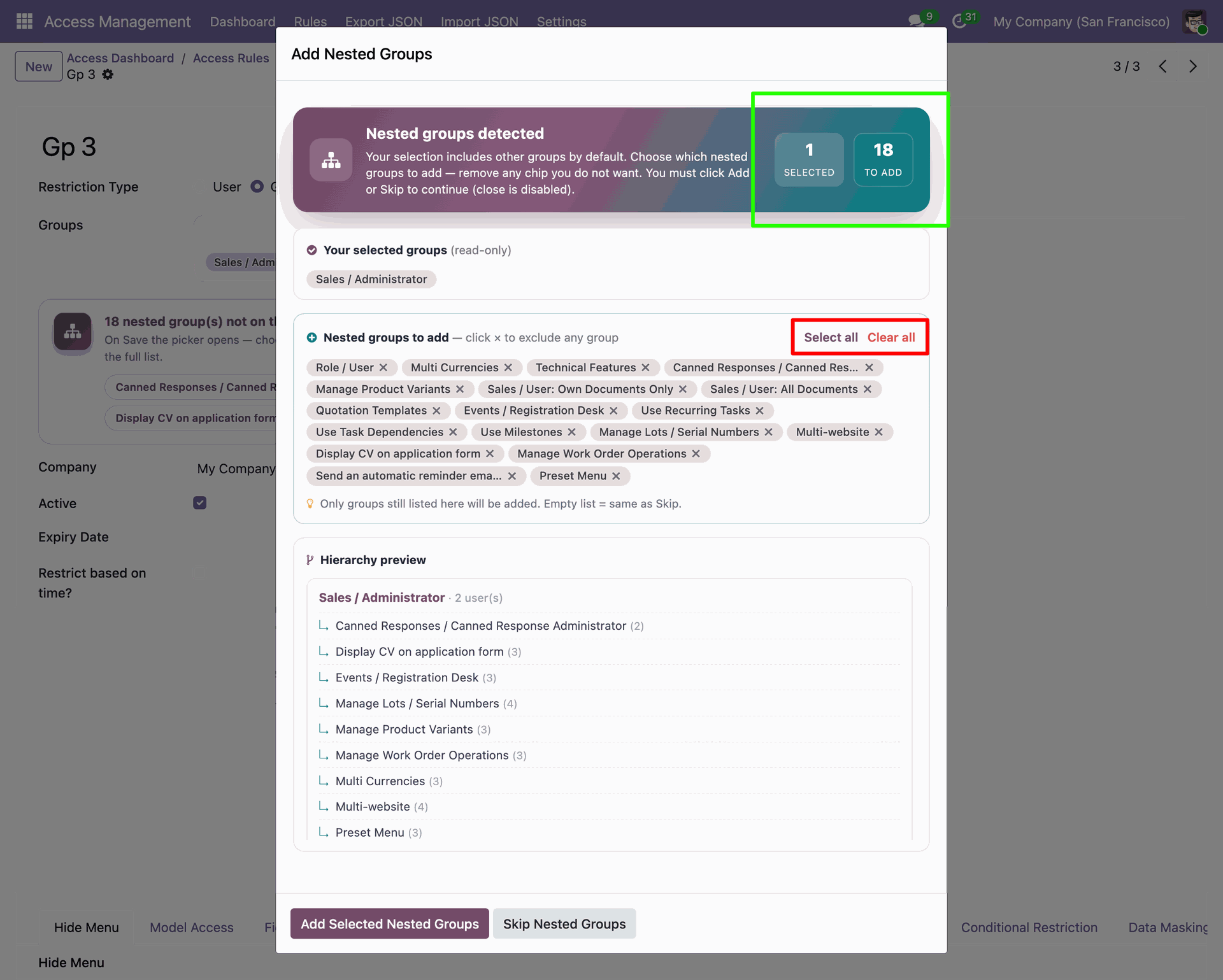
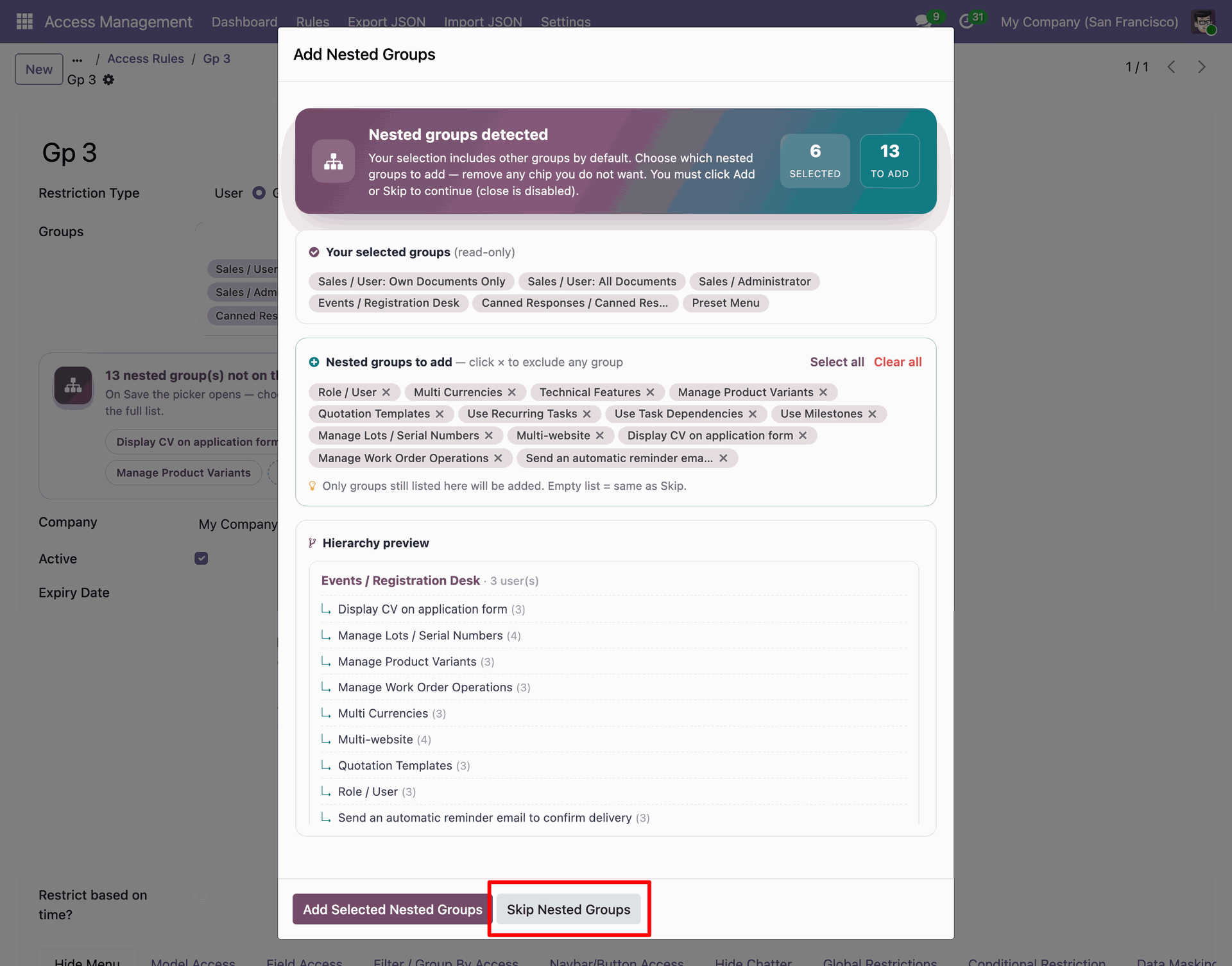
Clicking Add Nested Groups opens a wizard displaying all the detected nested (implied) groups. From the wizard, users can Select All groups, Clear All groups.
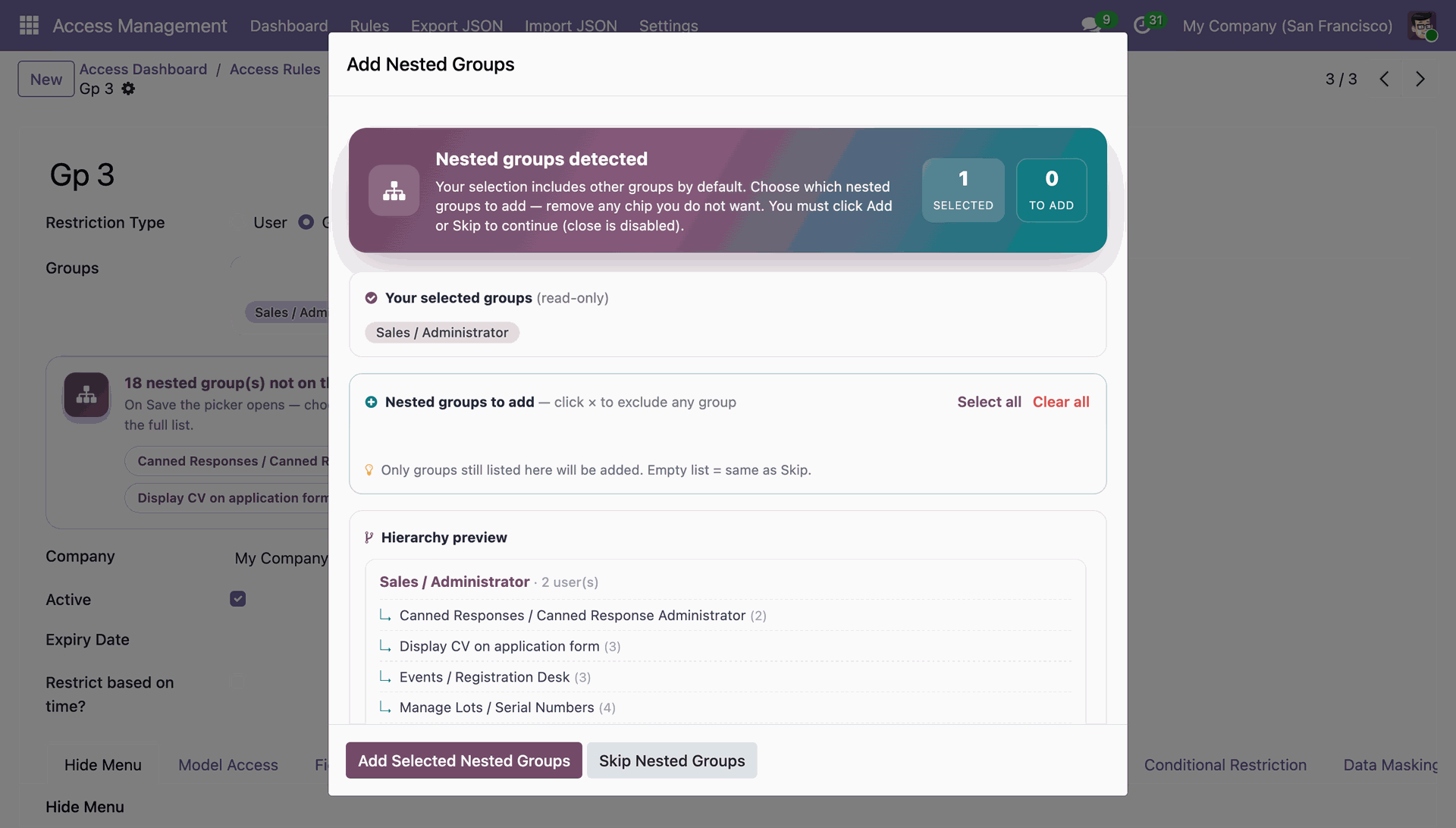
Clicking the Clear All button removes all selected nested (implied) groups from the wizard, allowing users to manually choose the required groups before applying the changes.
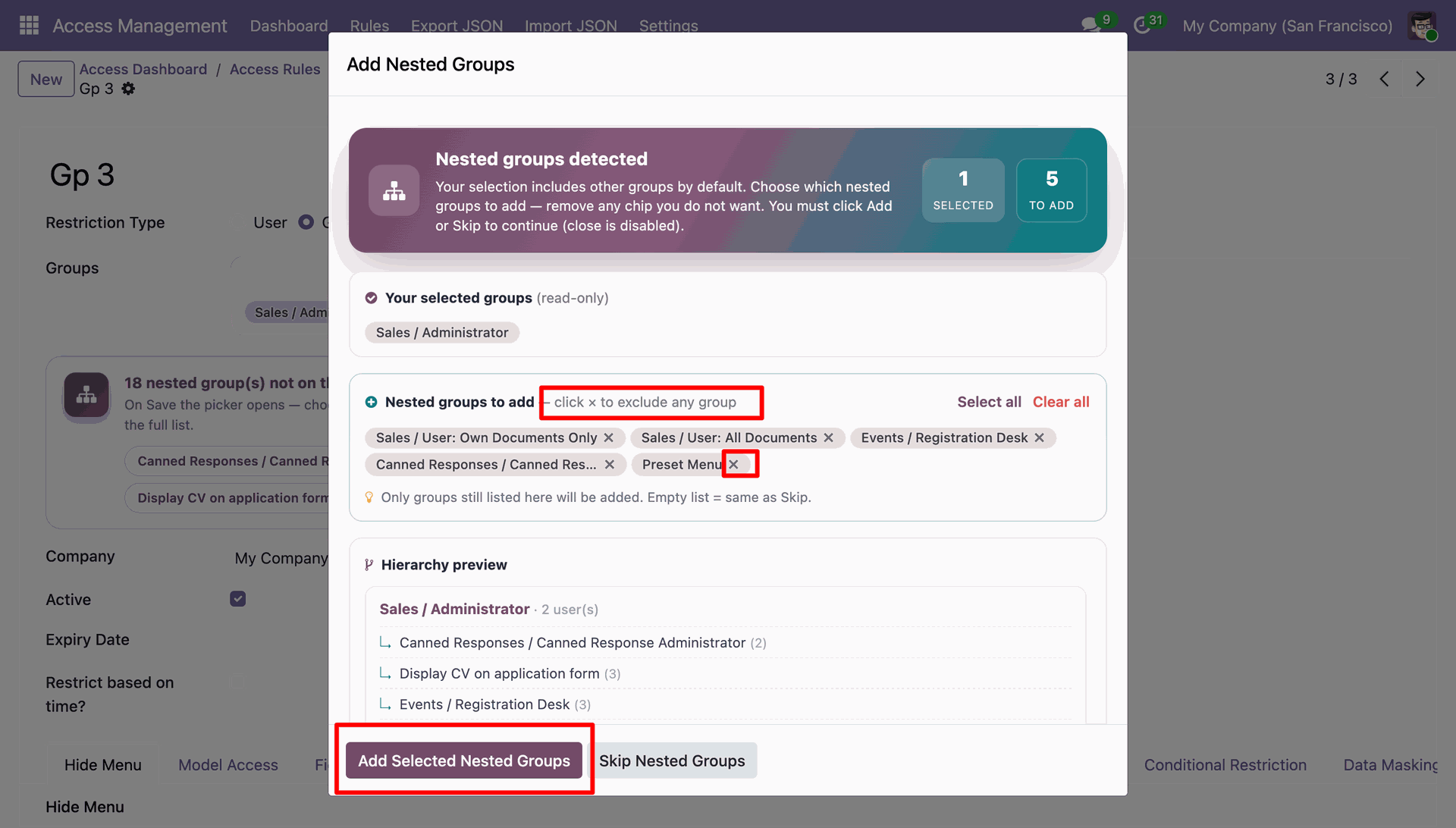
Users can remove specific nested (implied) groups from the wizard,
allowing them to include only the required groups before applying the changes.
Click the Add Selected Groups button in the wizard to add the
selected nested (implied) groups to the Groups field in the Access Rule.
The selected nested (implied) groups are successfully added to the Access Rule, making them available in the Groups field.
Users can also skip nested (implied) groups, allowing them to save the Access Rule using only the originally selected group without including its implied groups.
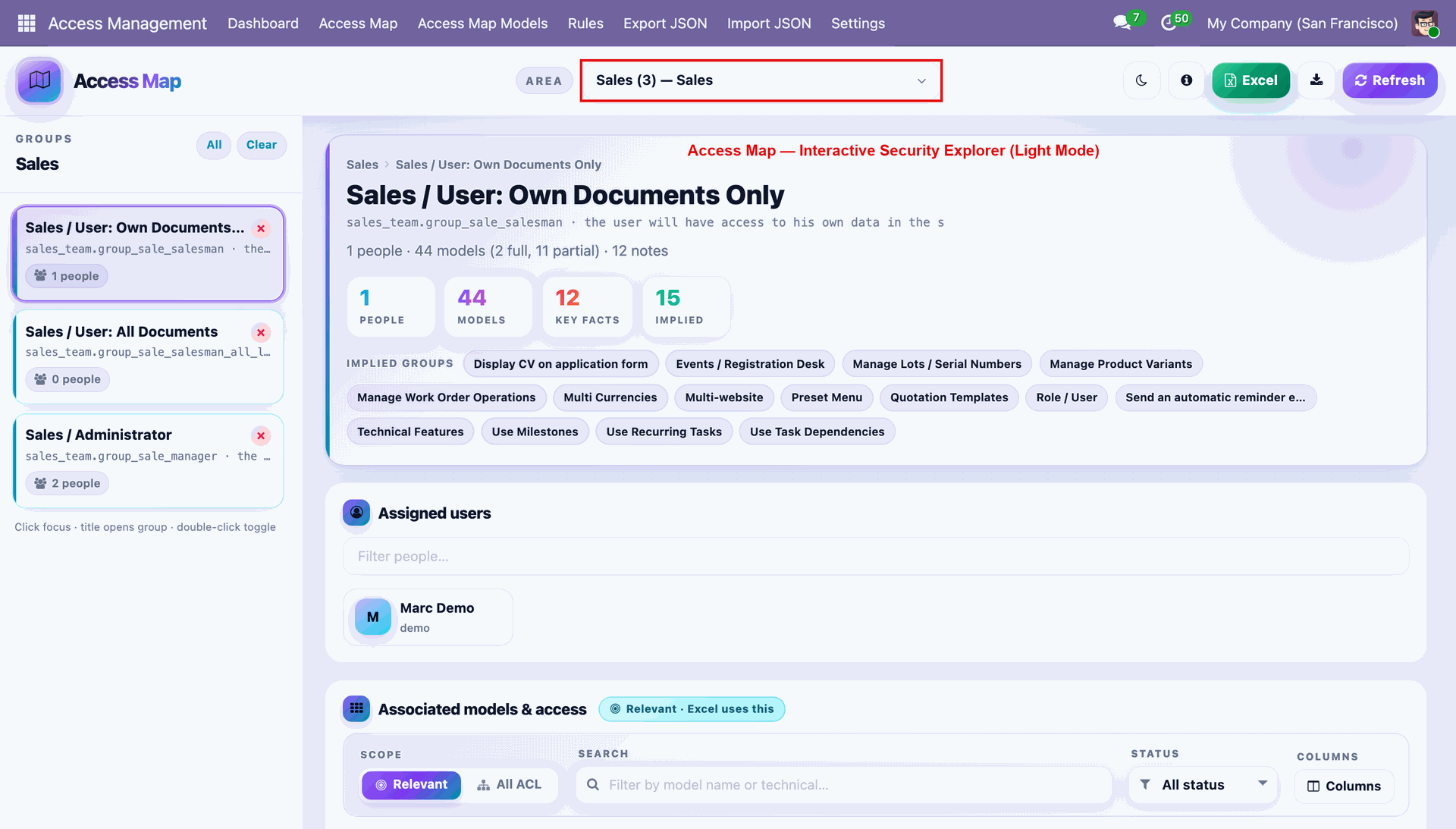
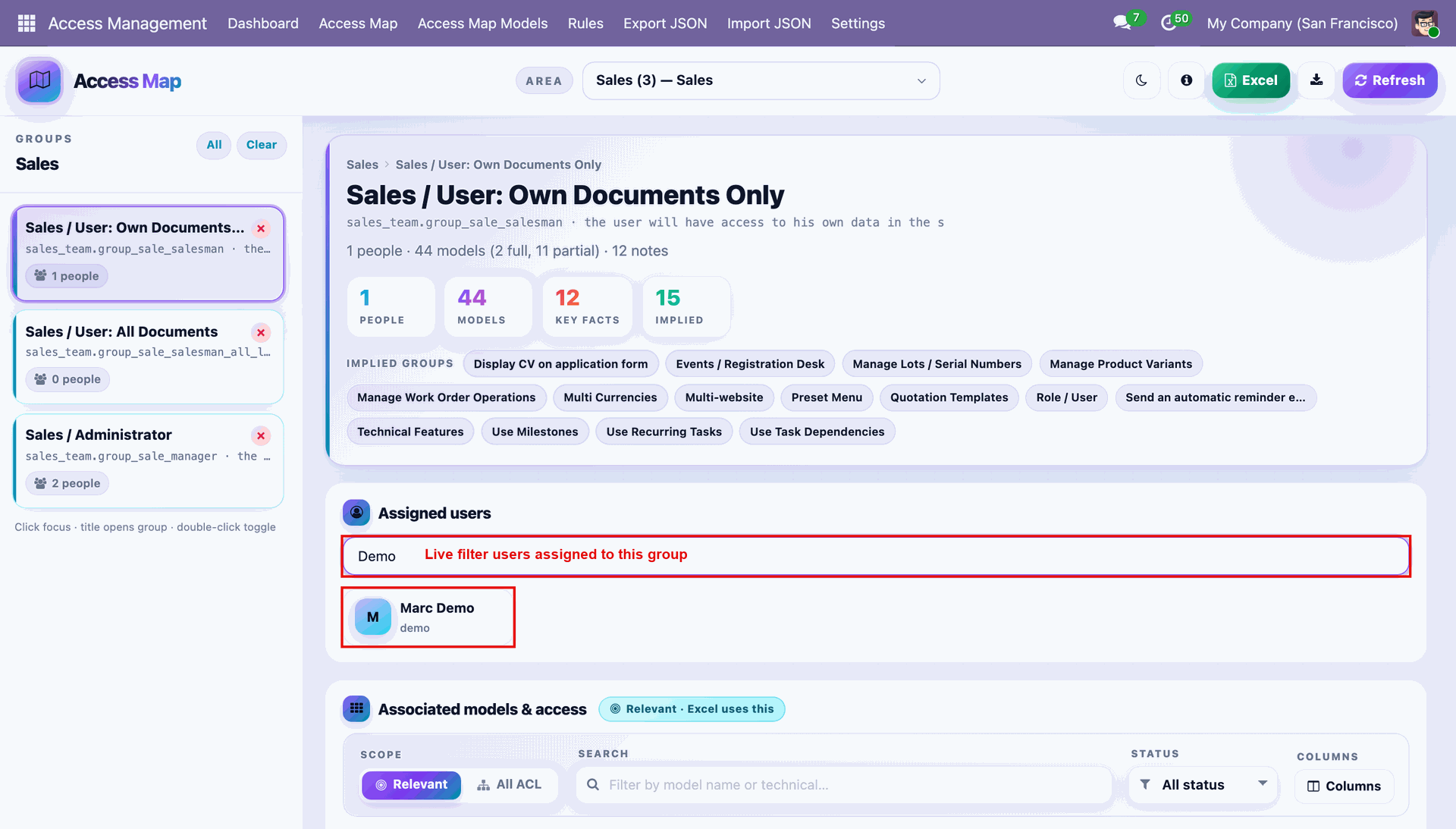
Select an Area and group to open its live Access Map summary with model and people counts.
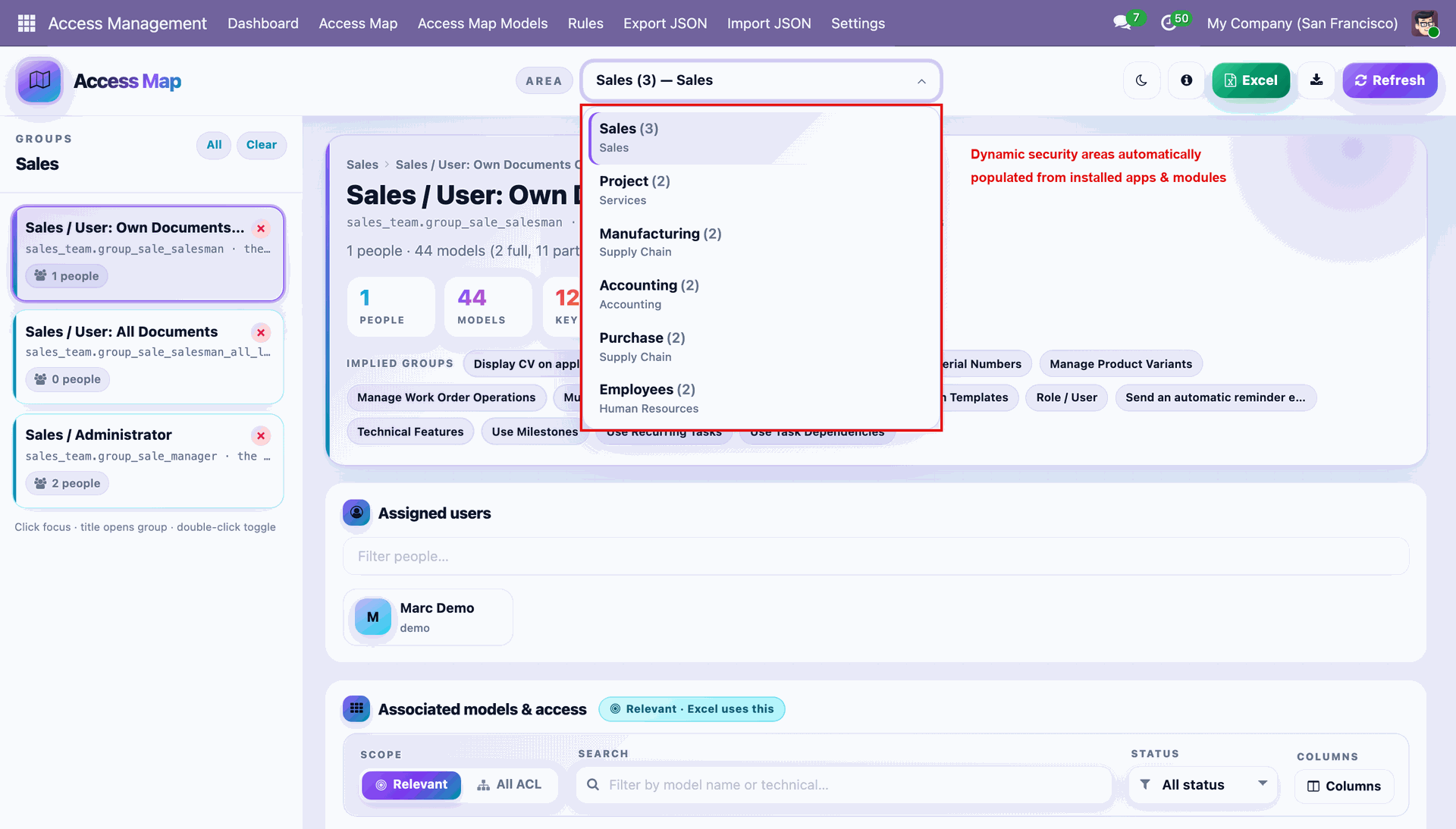
Click the Area dropdown to switch between dynamic security areas auto-populated from installed apps.
Use the live filter box to instantly search assigned users within the selected group.
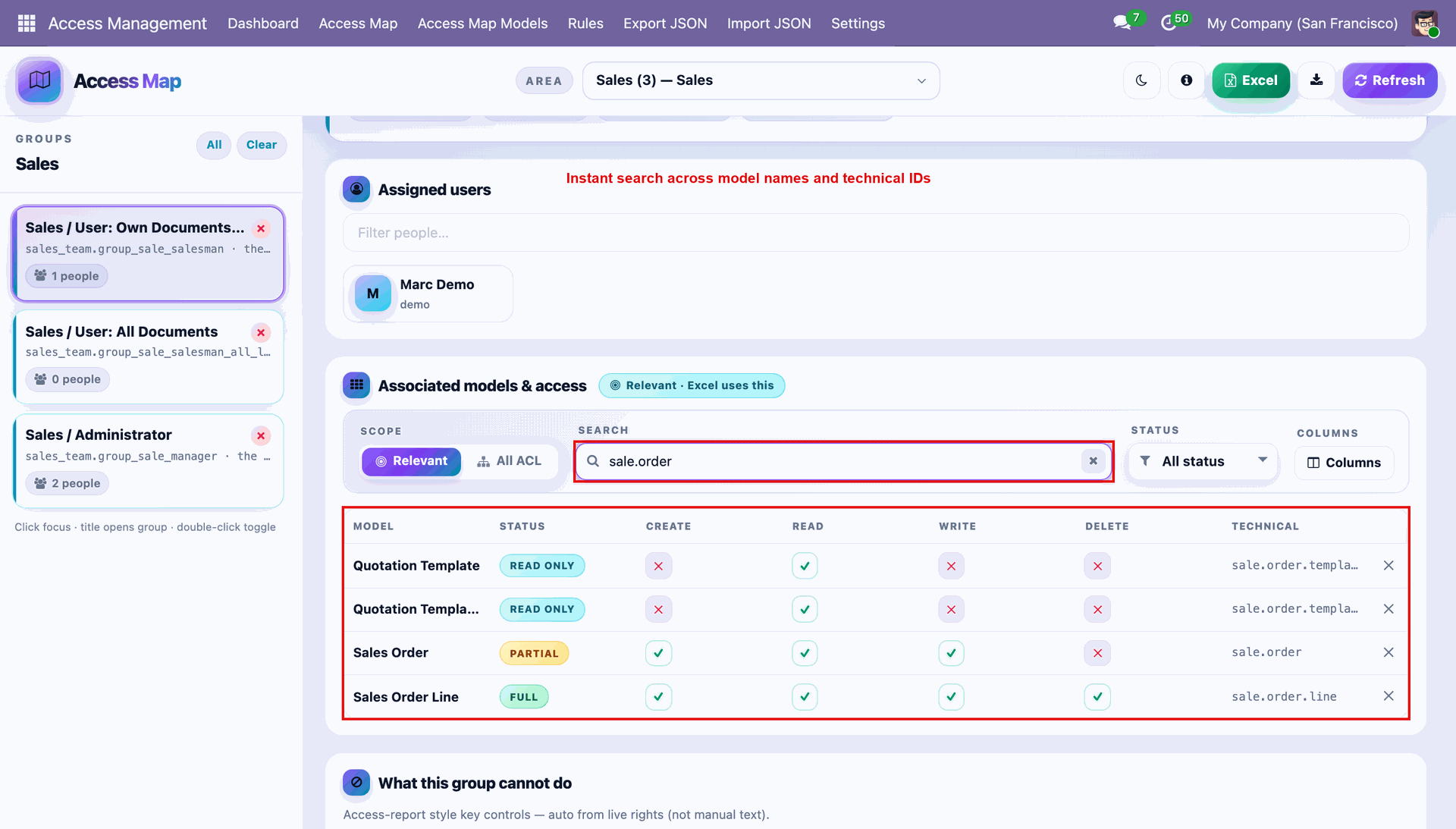
Search associated models by name or technical ID to instantly filter the access matrix.
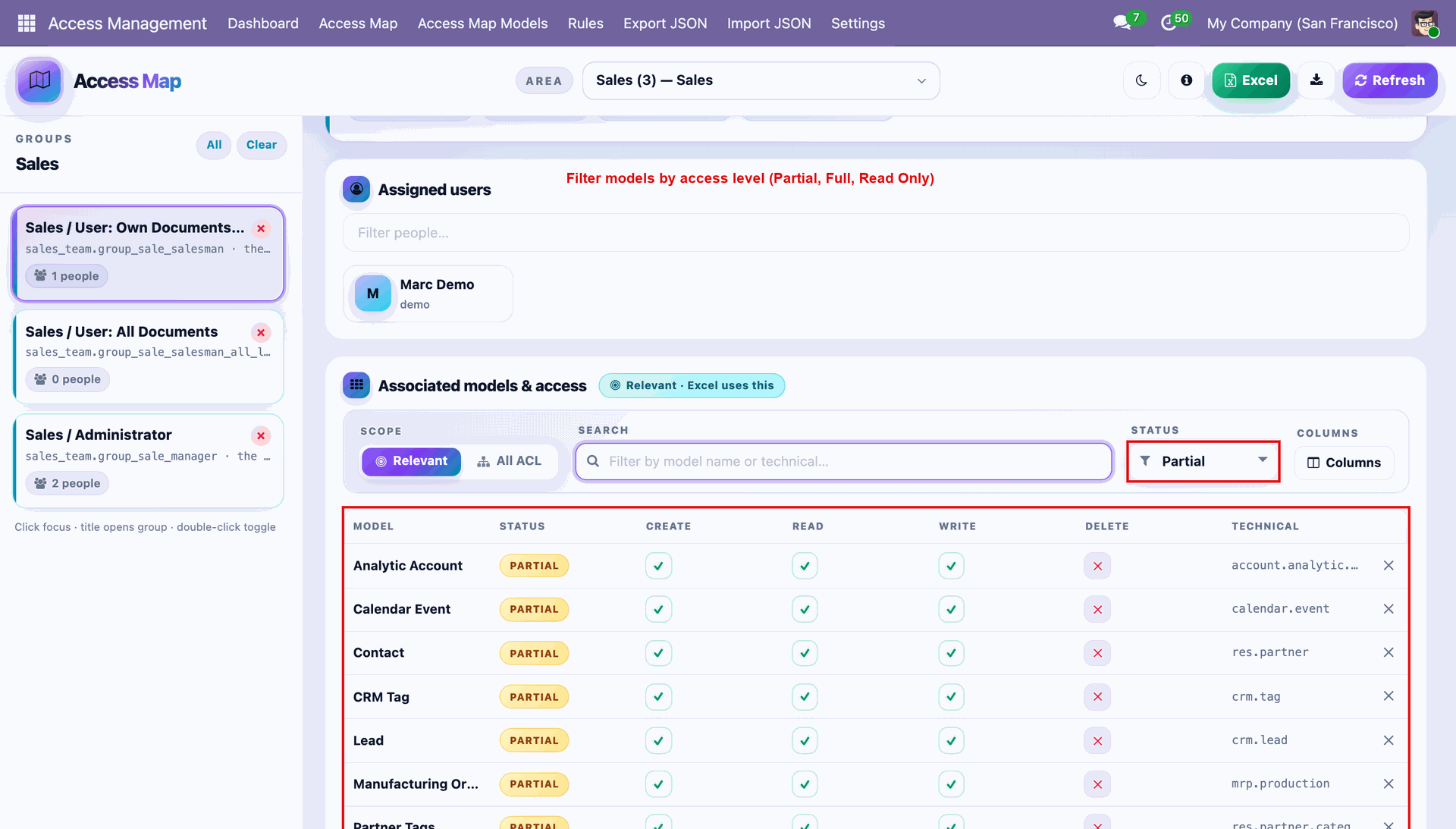
Filter the model list by access Status such as Partial, Full, or Read Only.
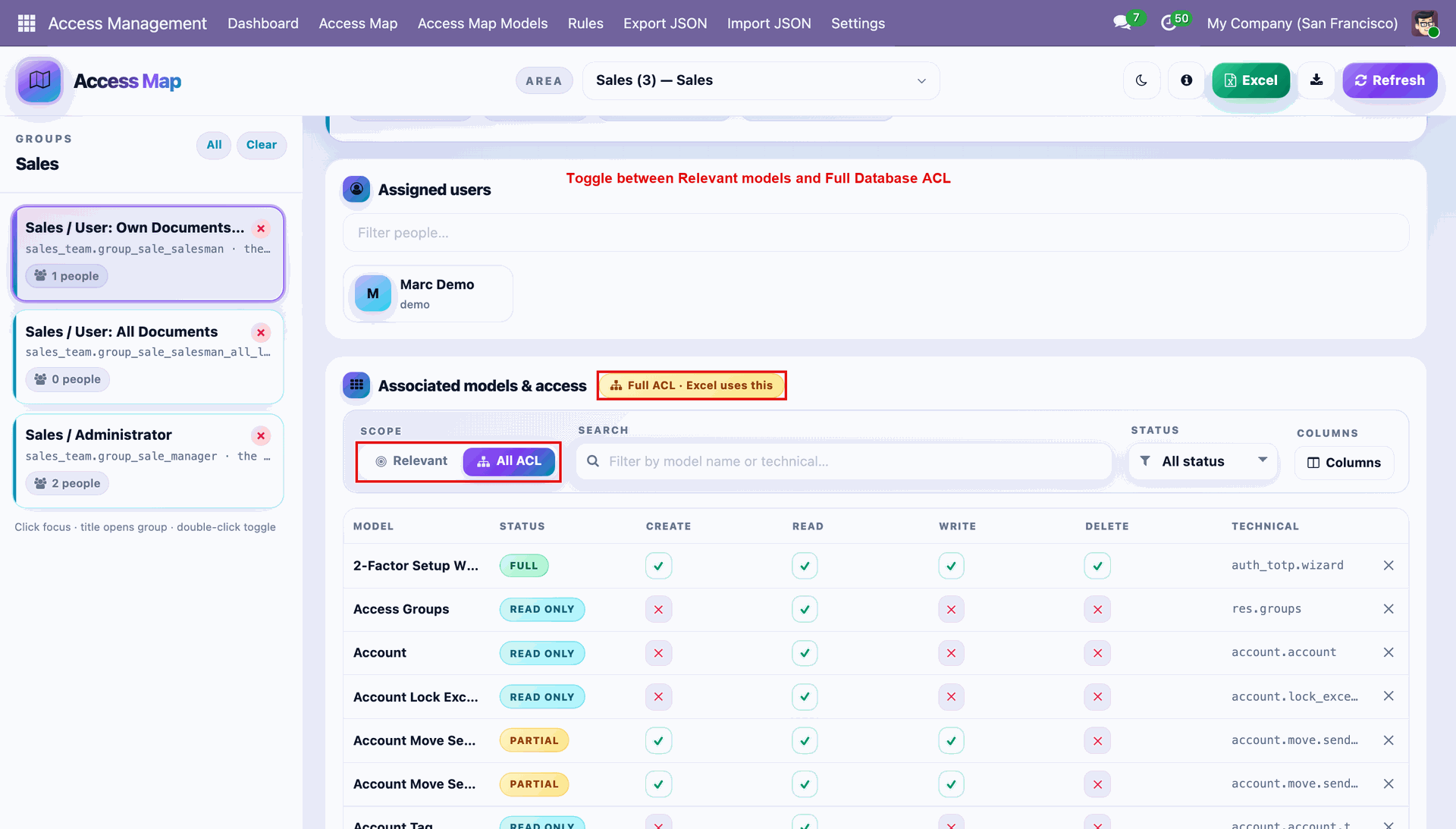
Toggle Scope to All ACL to review the complete database access matrix beyond relevant models.
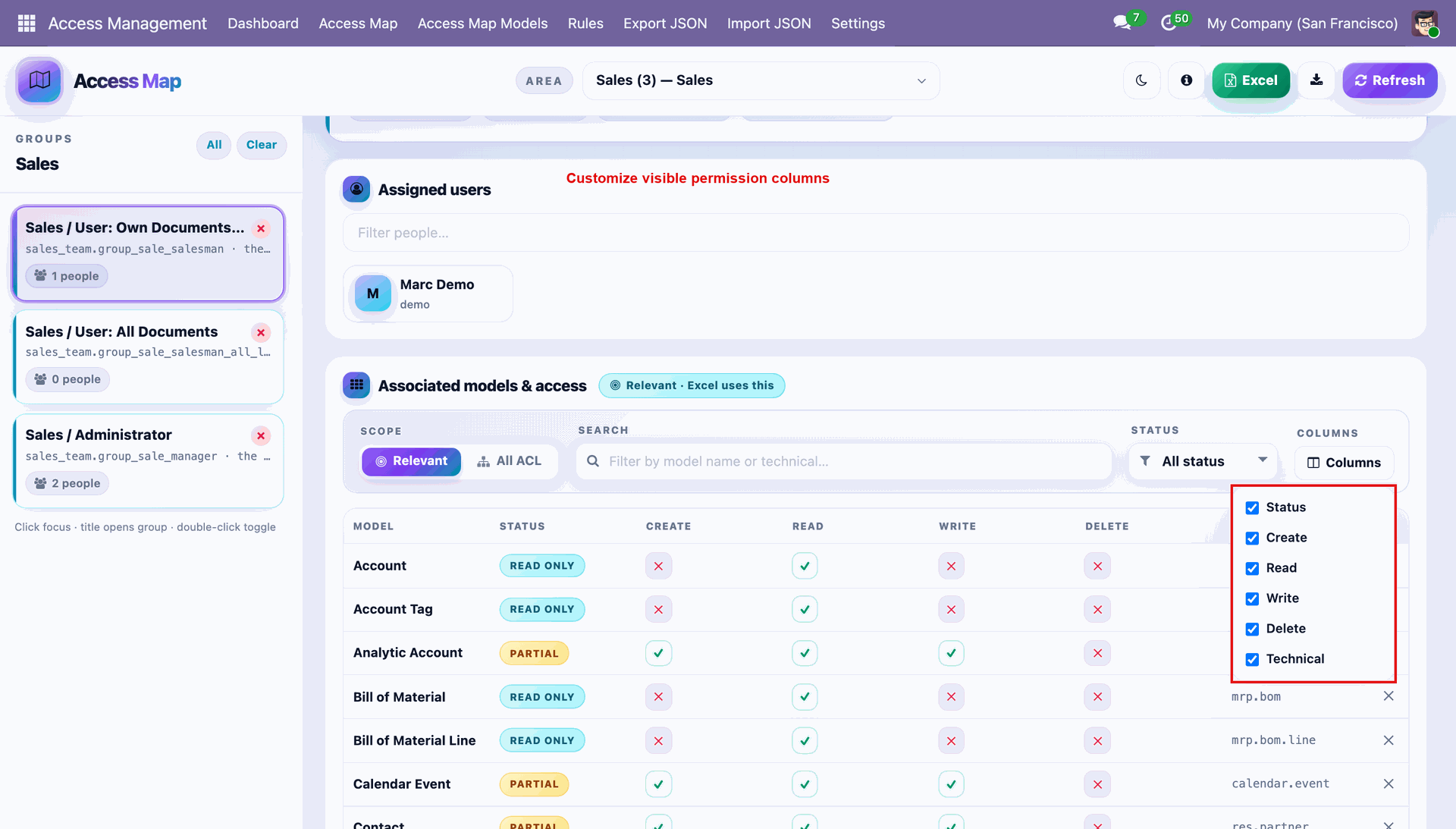
Use the Columns option to customize which permission columns appear in the access table.
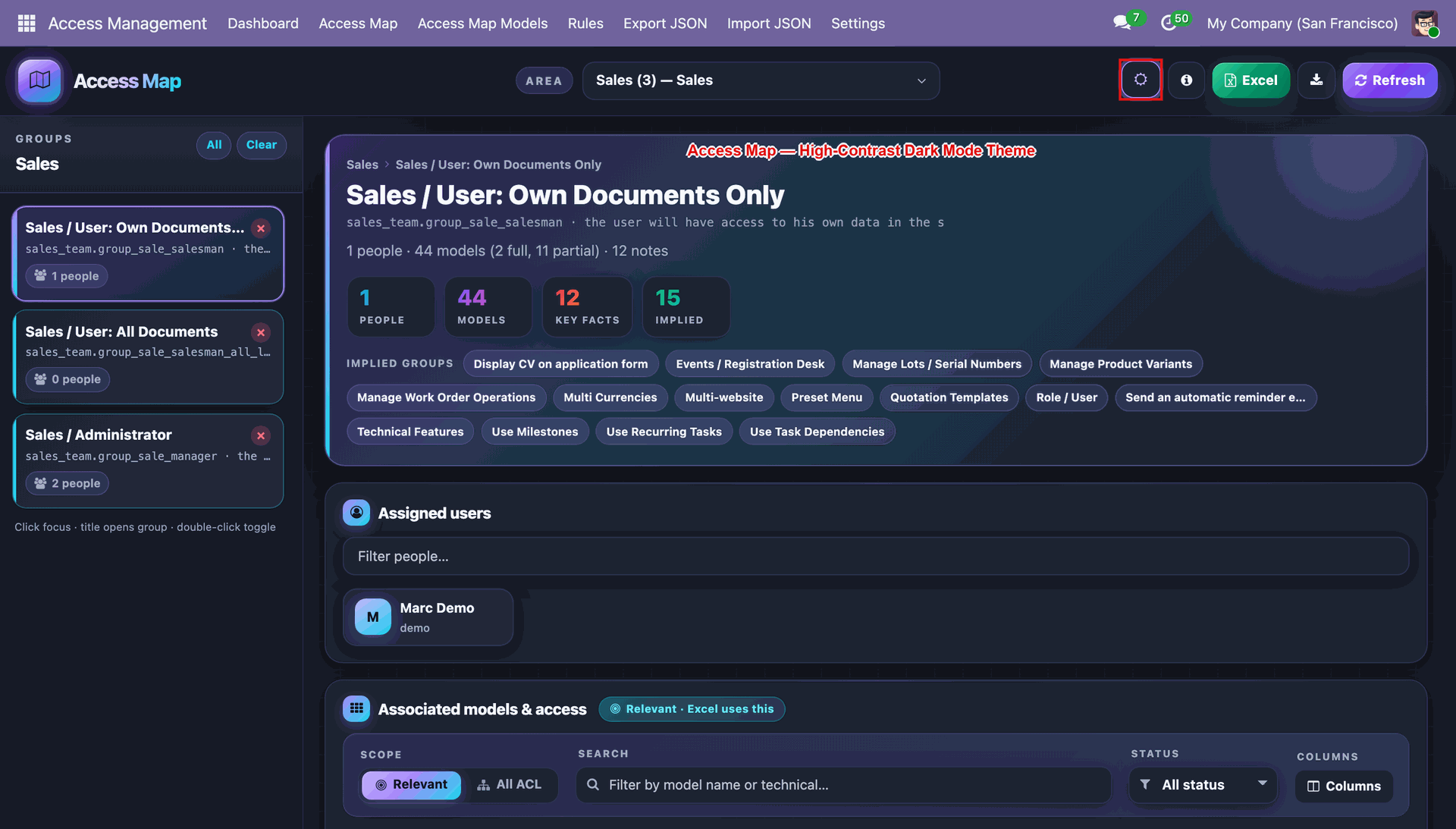
Click the moon icon to switch the Access Map to a high-contrast dark mode theme.
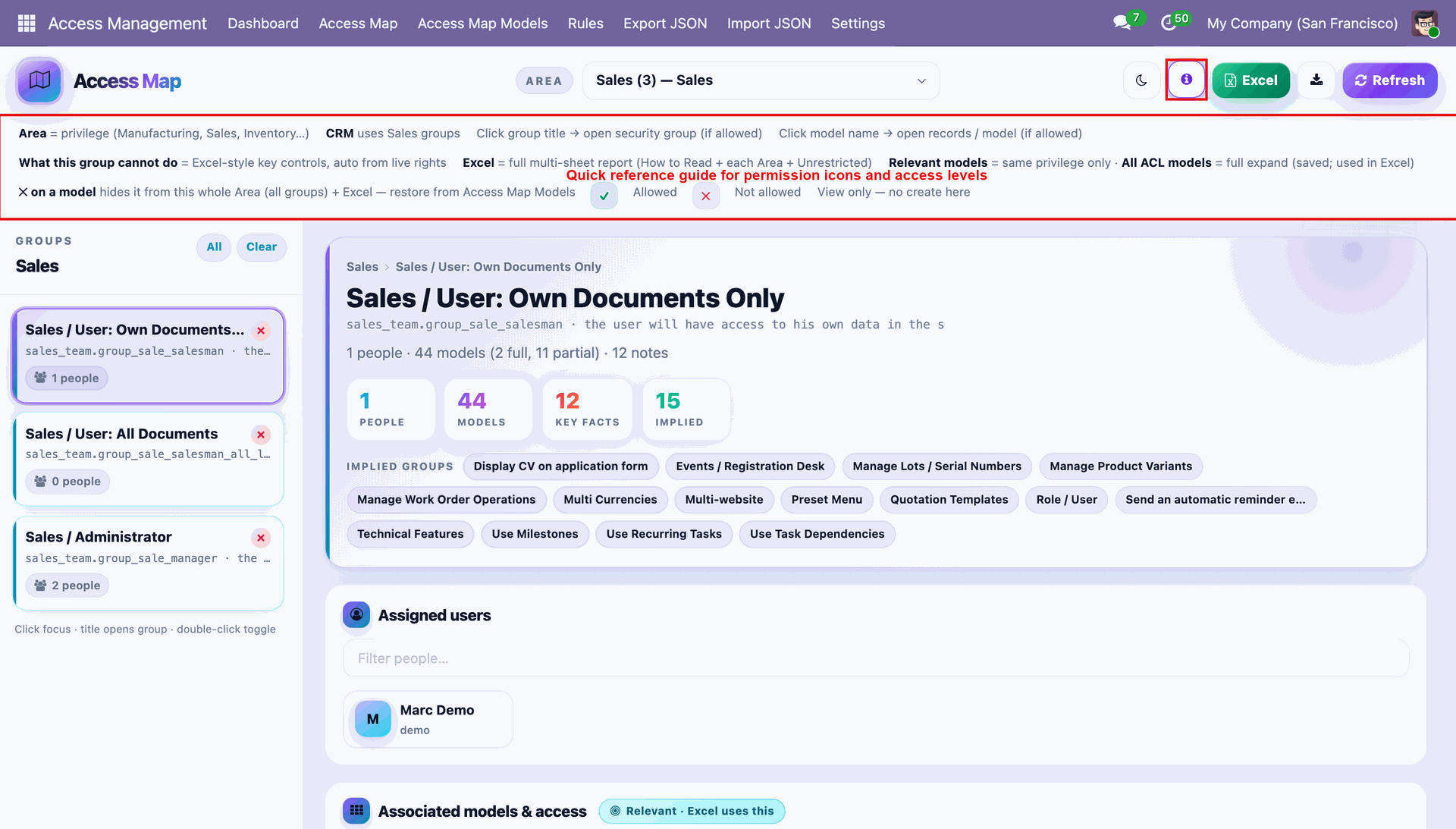
Open the info panel for a quick reference guide to icons and access levels.
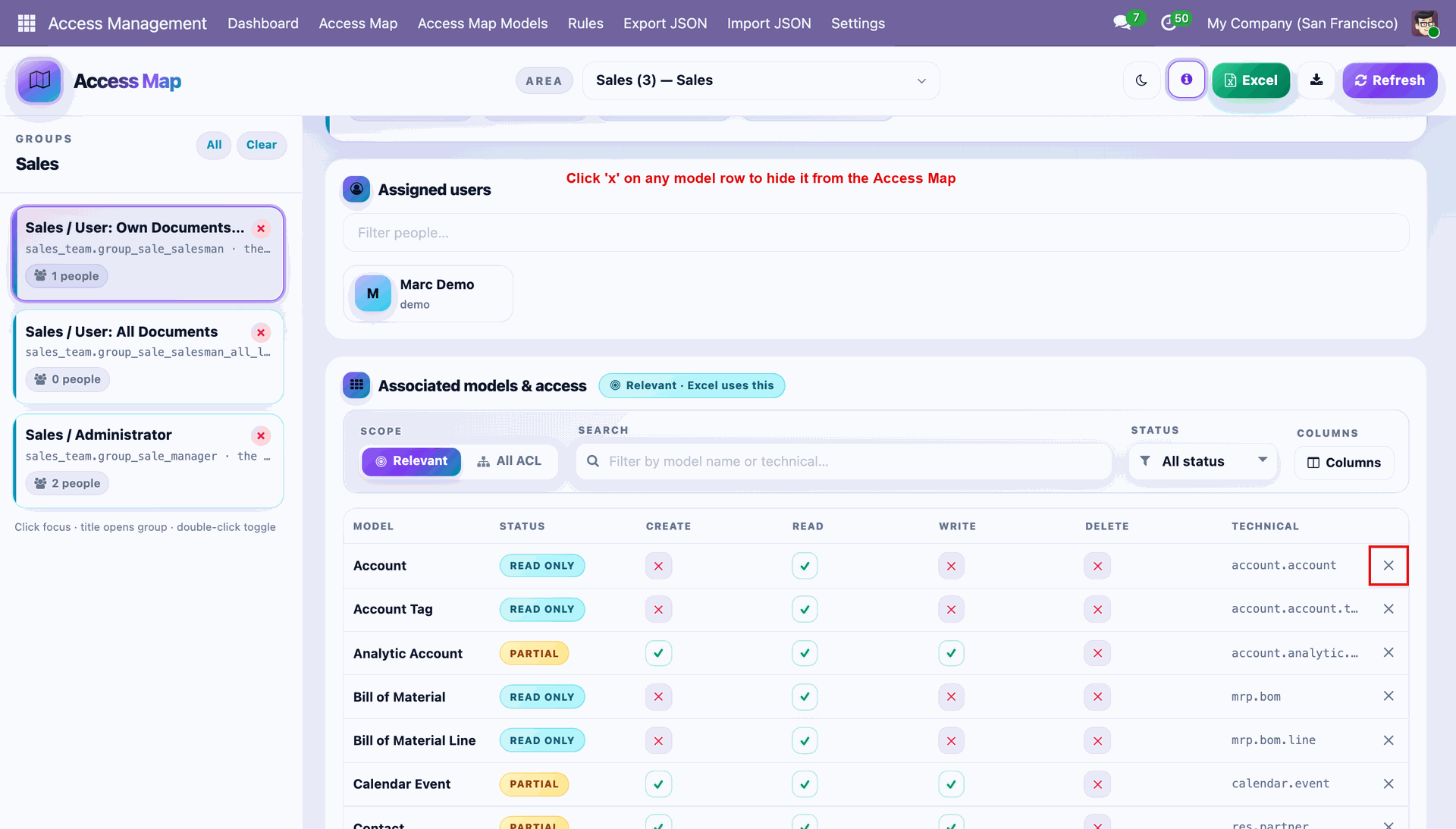
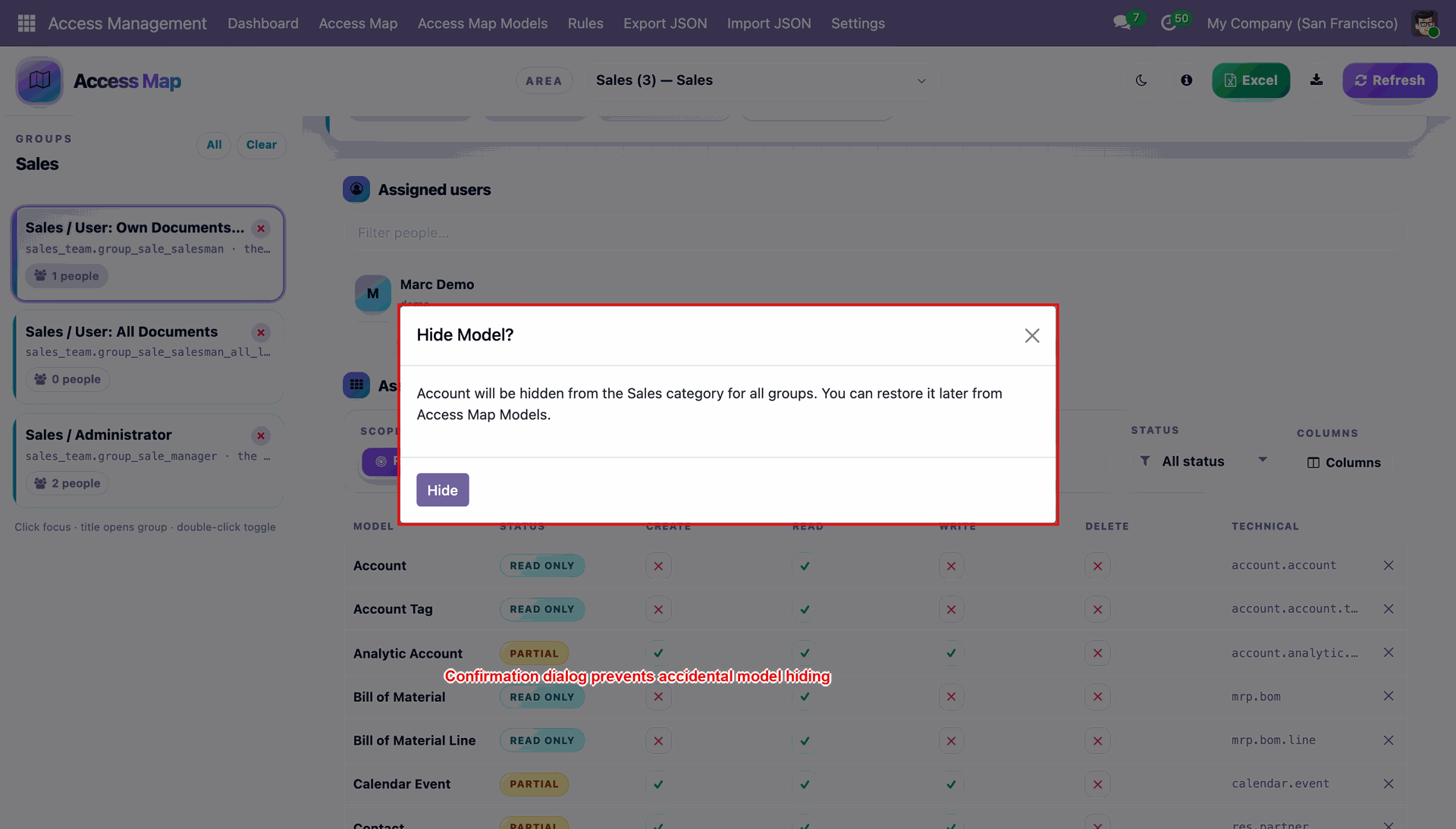
Click the X on any model row to hide it from the Access Map.
Confirm the Hide Model dialog to remove a model from the selected area safely.
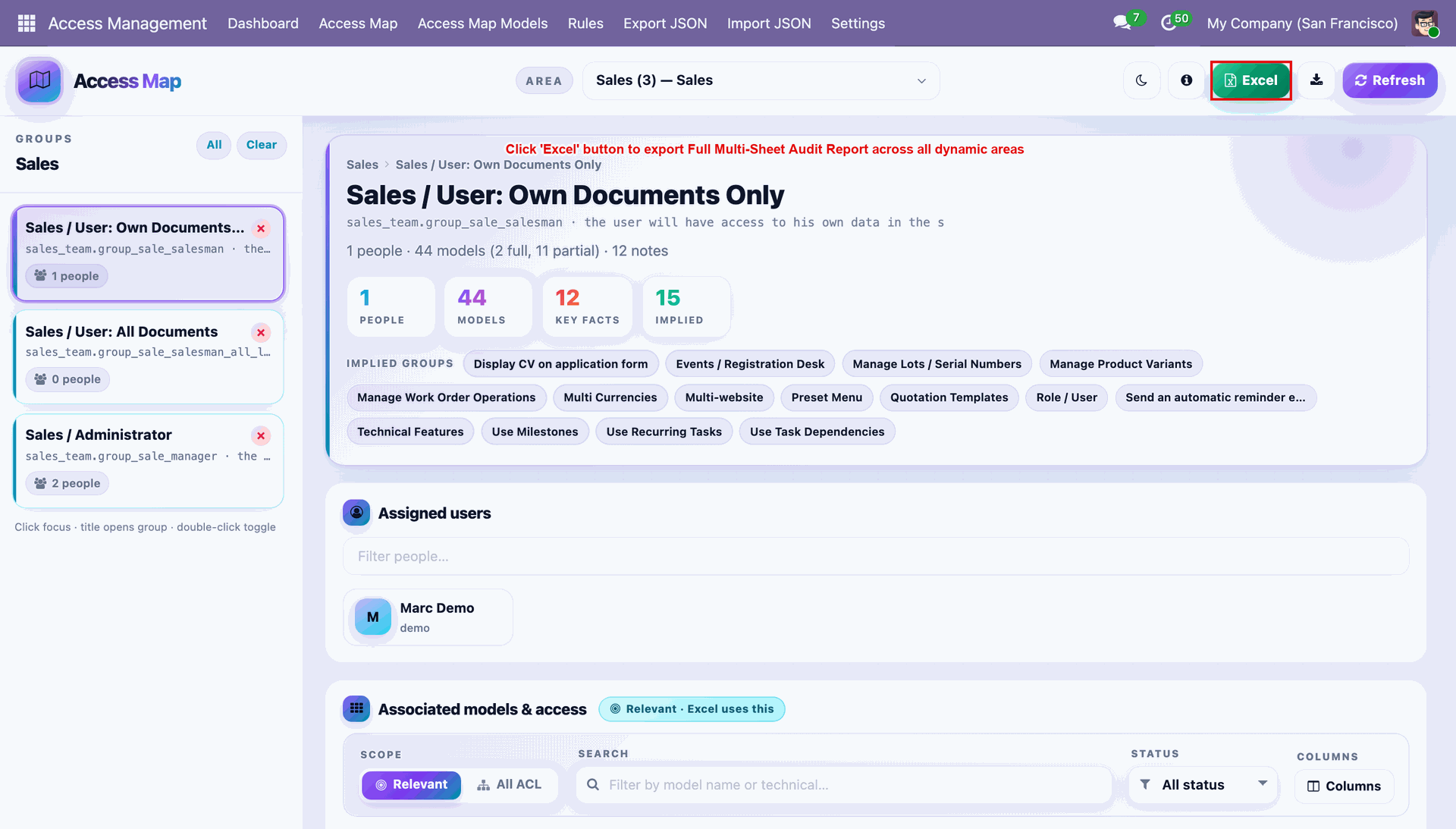
Click Excel to export a full multi-sheet audit report across all security areas.
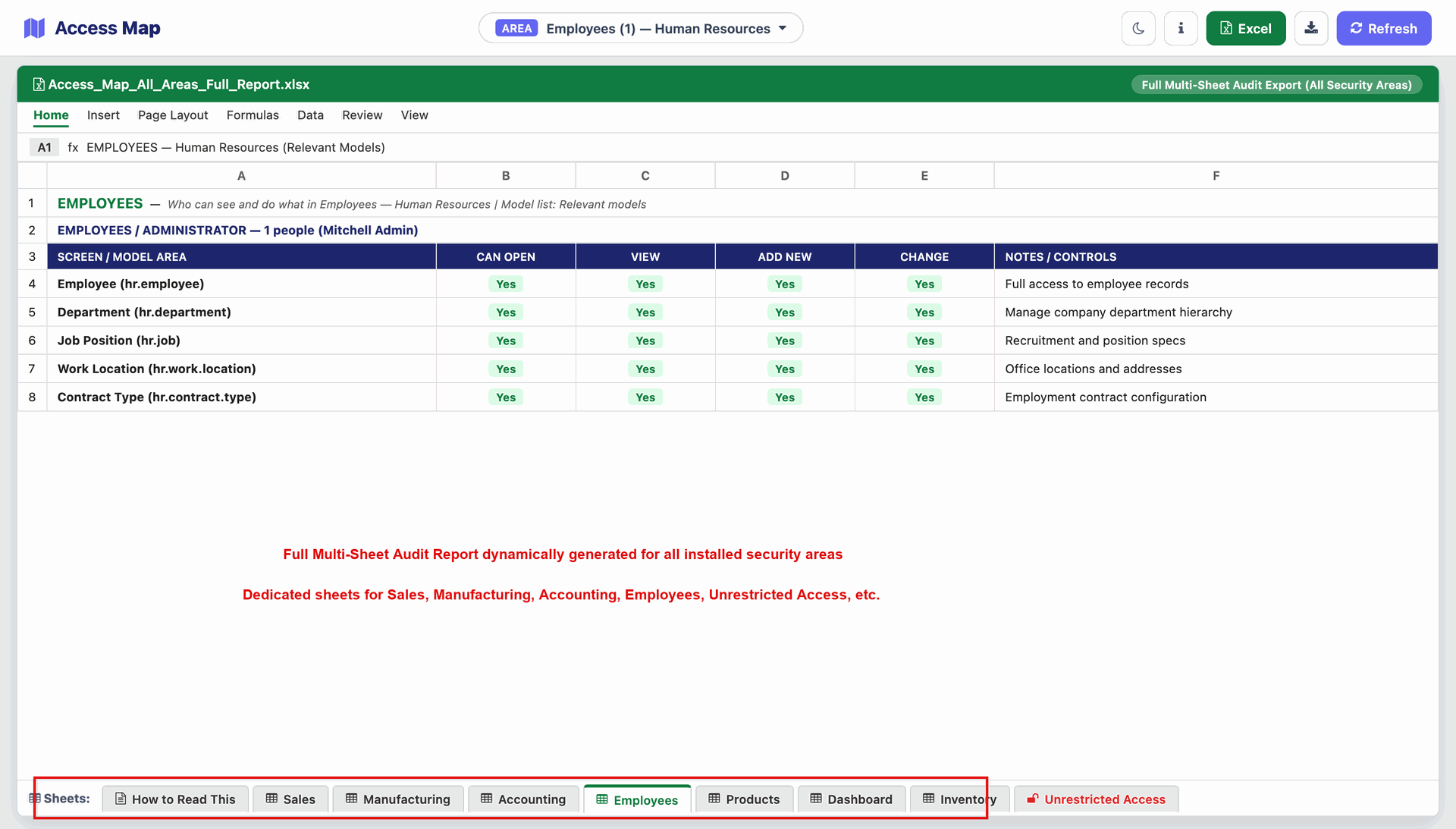
Review the generated multi-sheet Excel workbook with a dedicated tab per security area.
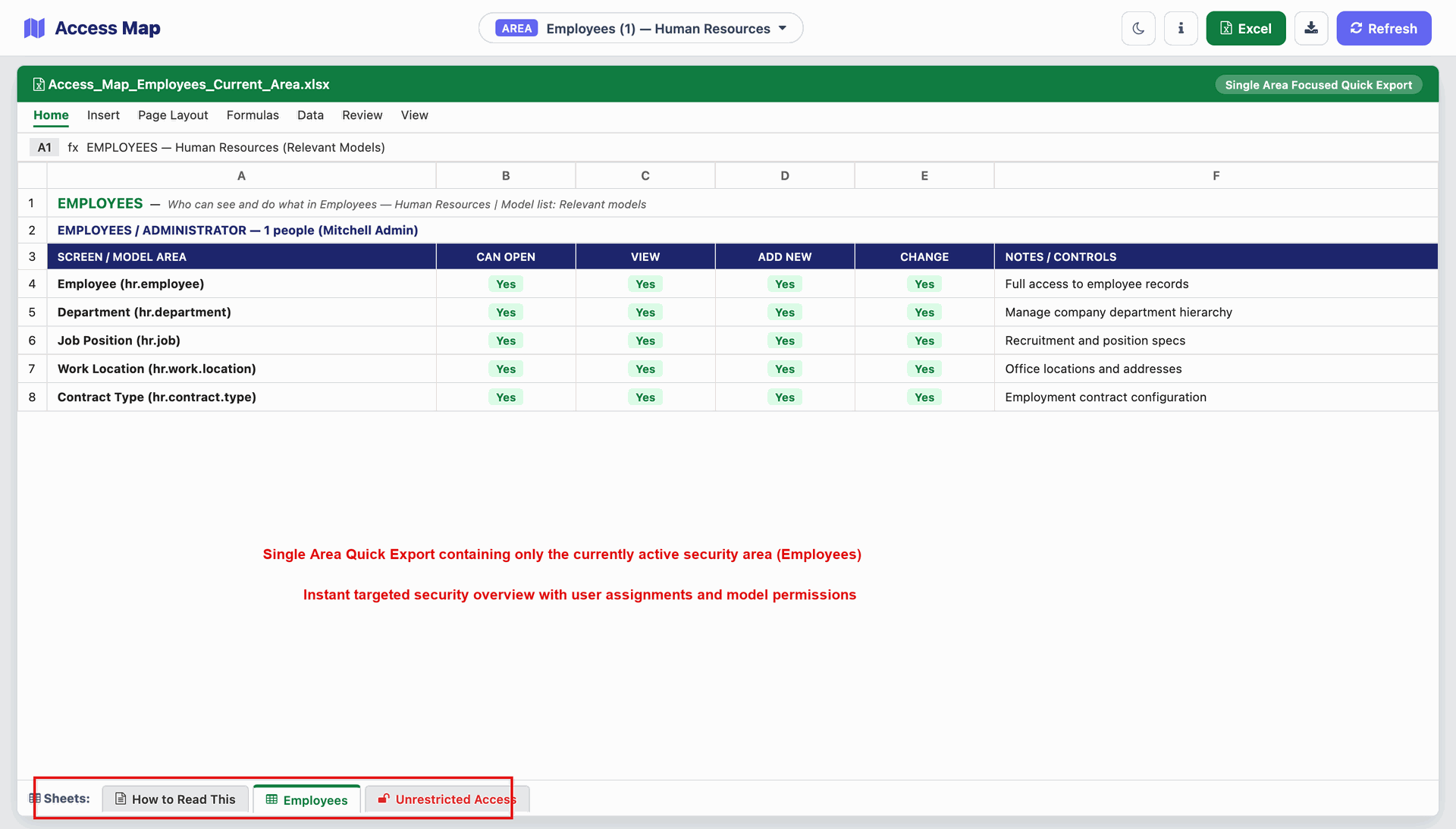
Use the Download icon to quickly export only the currently active Area.
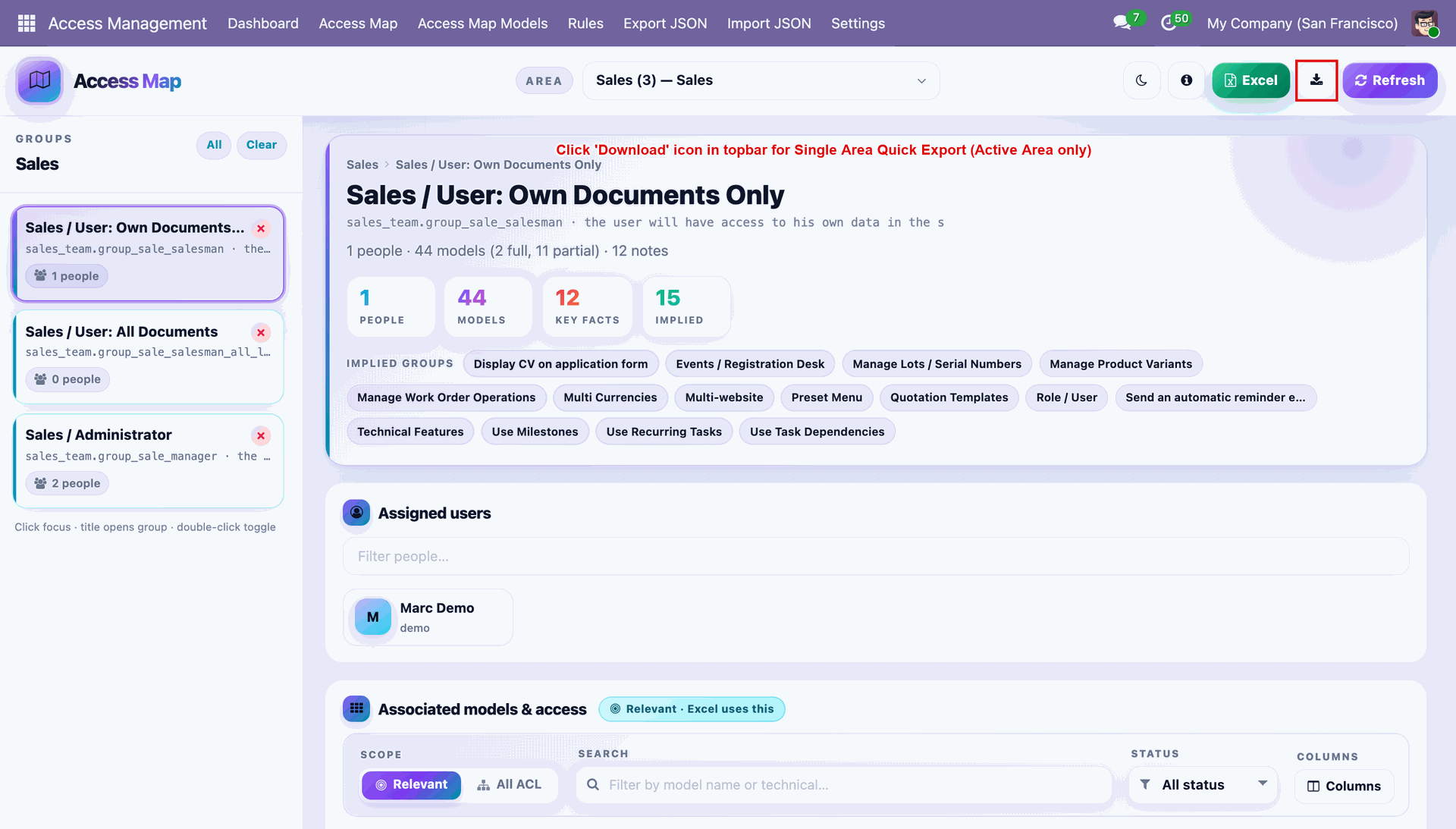
The quick export workbook includes the active Area sheet plus an Unrestricted Access sheet.
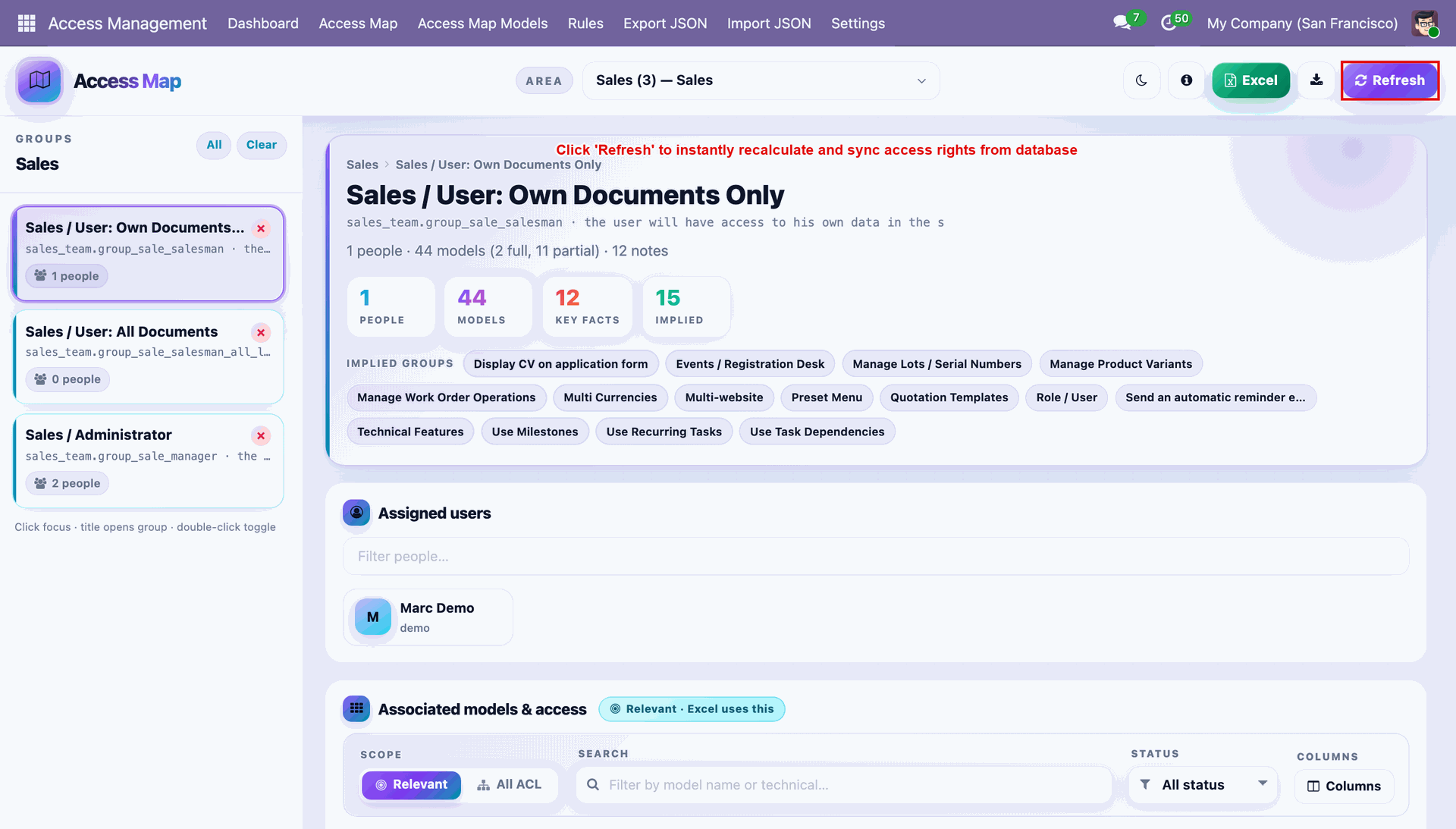
Click Refresh to instantly recalculate and sync access rights directly from the database.
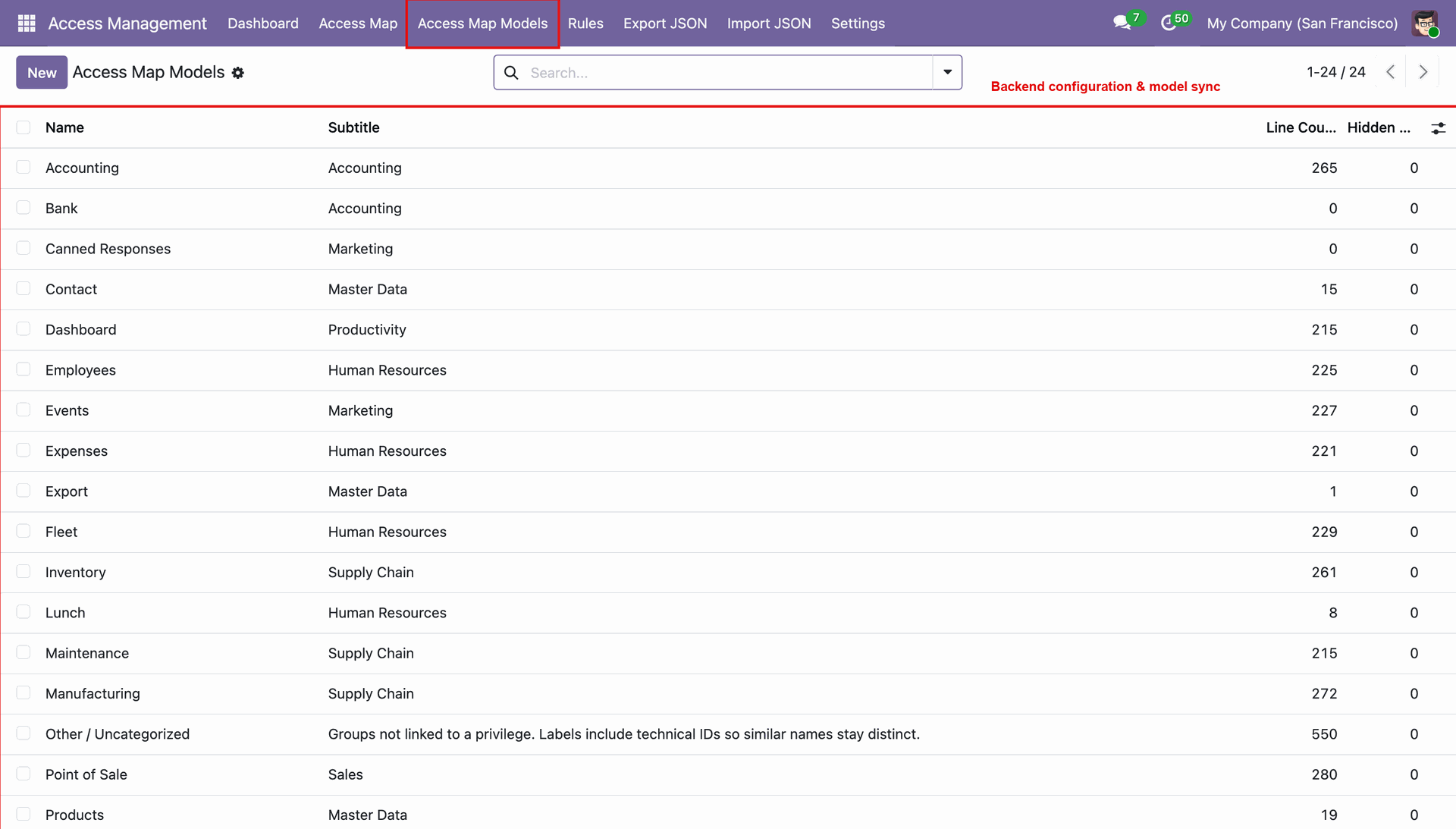
Open Access Map Models from the main menu to manage backend configuration and keep models in sync.
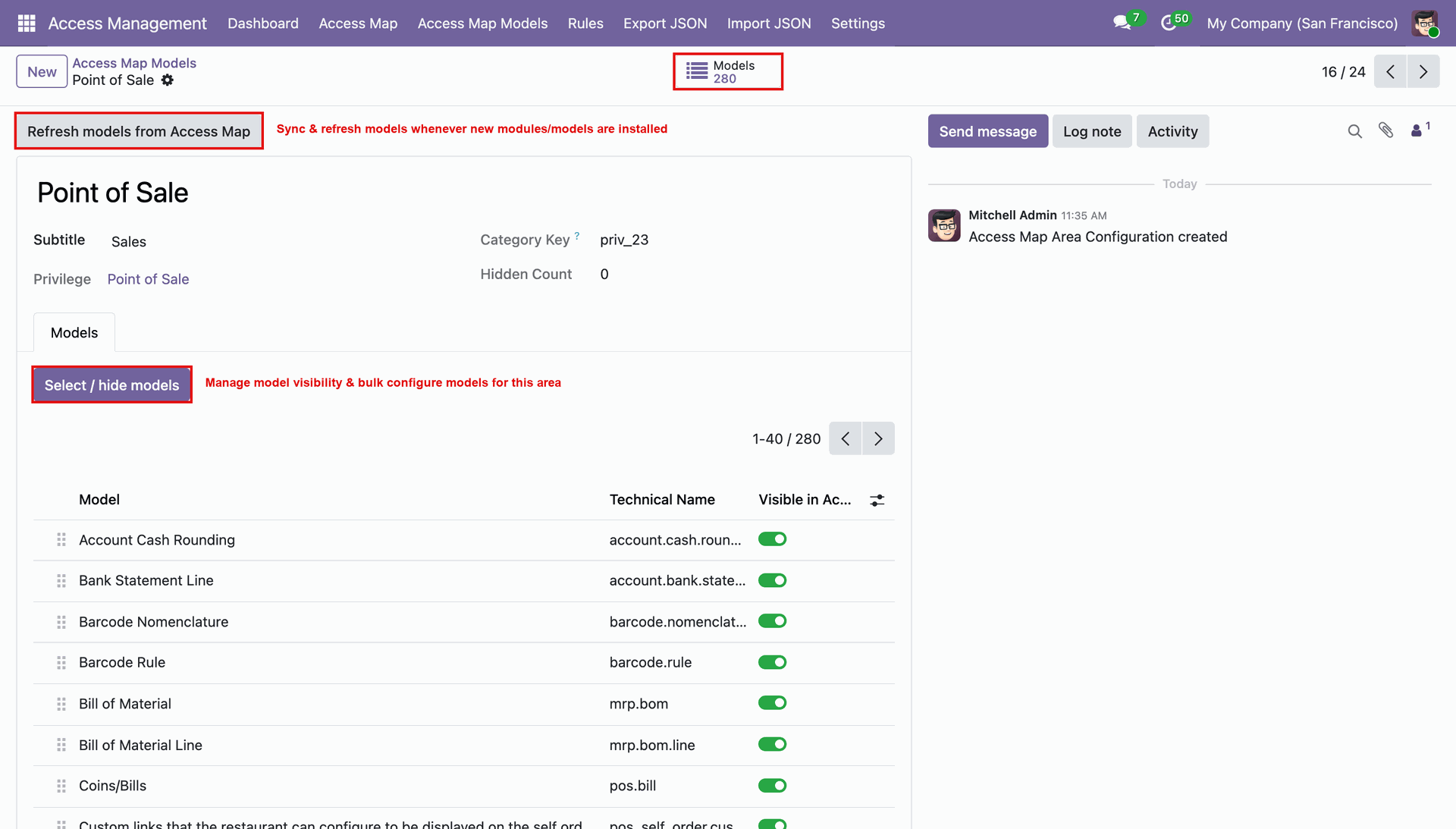
Open an Area record to review its Subtitle, Category Key, and Hidden Count, then use Select / Hide Models to bulk manage visibility.
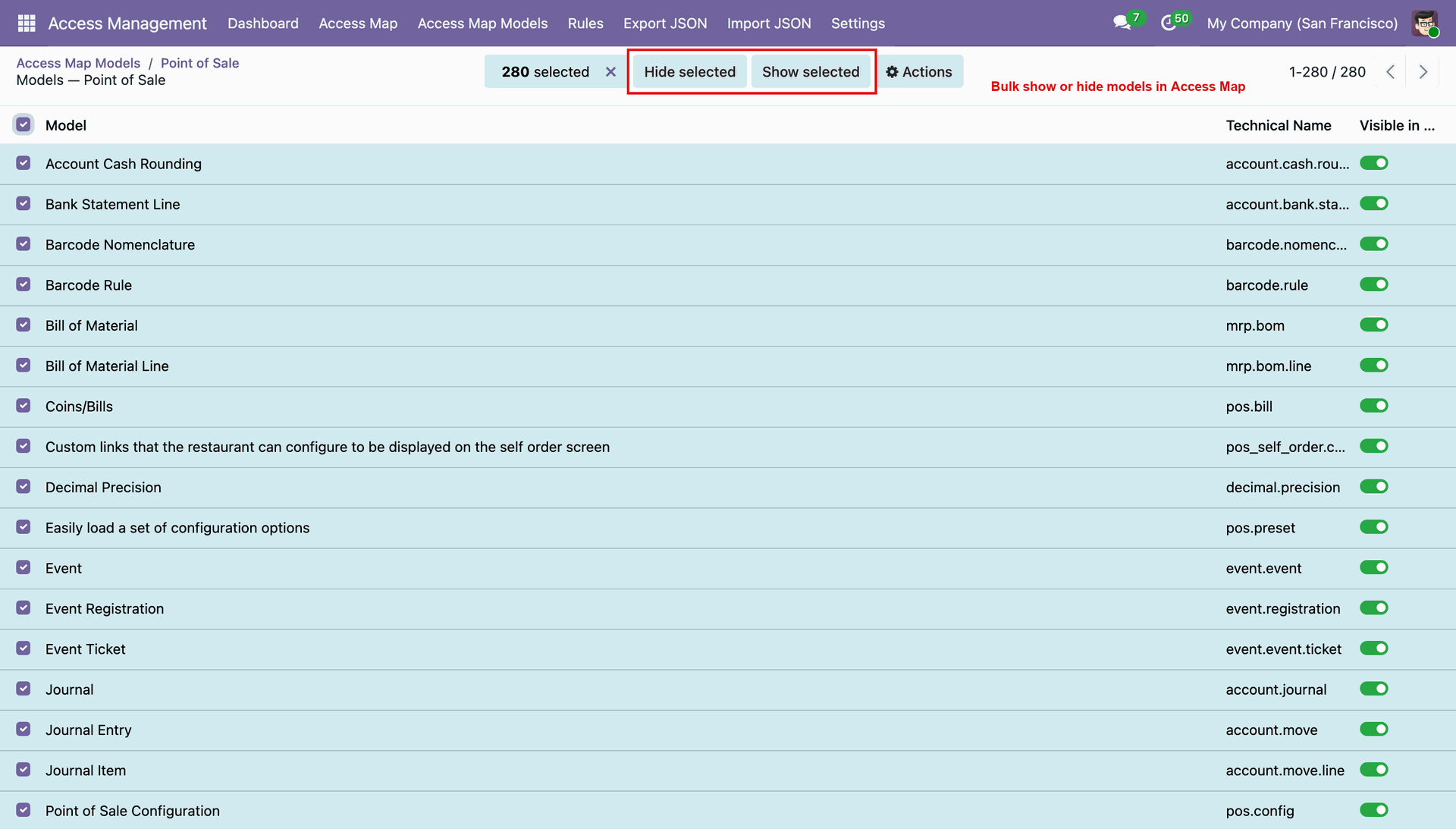
Select multiple models and use Hide Selected or Show Selected to bulk toggle visibility.
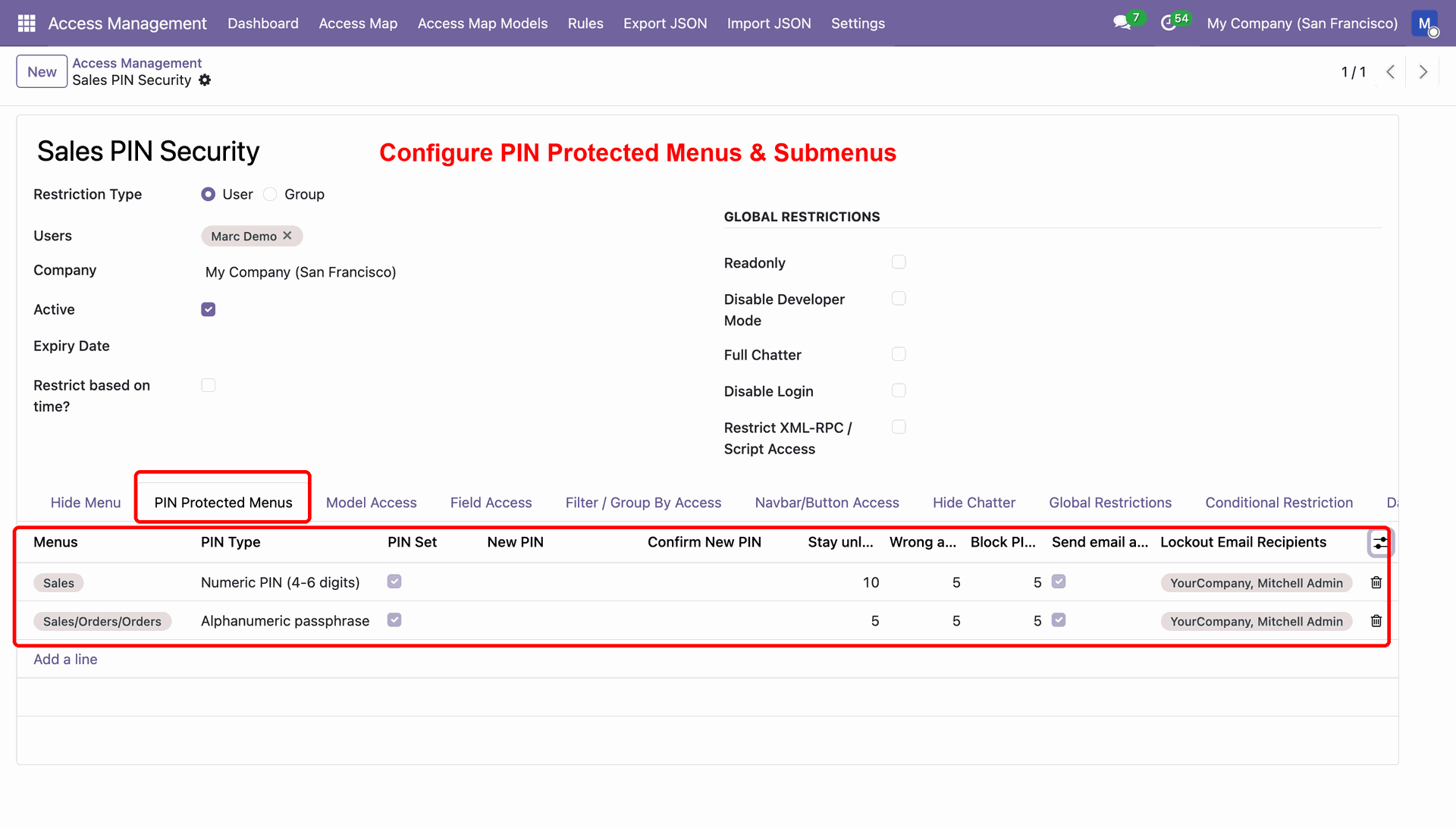
Create New Security Rule under Pin Protected Menus Tab. Configure Menu and Submenus.
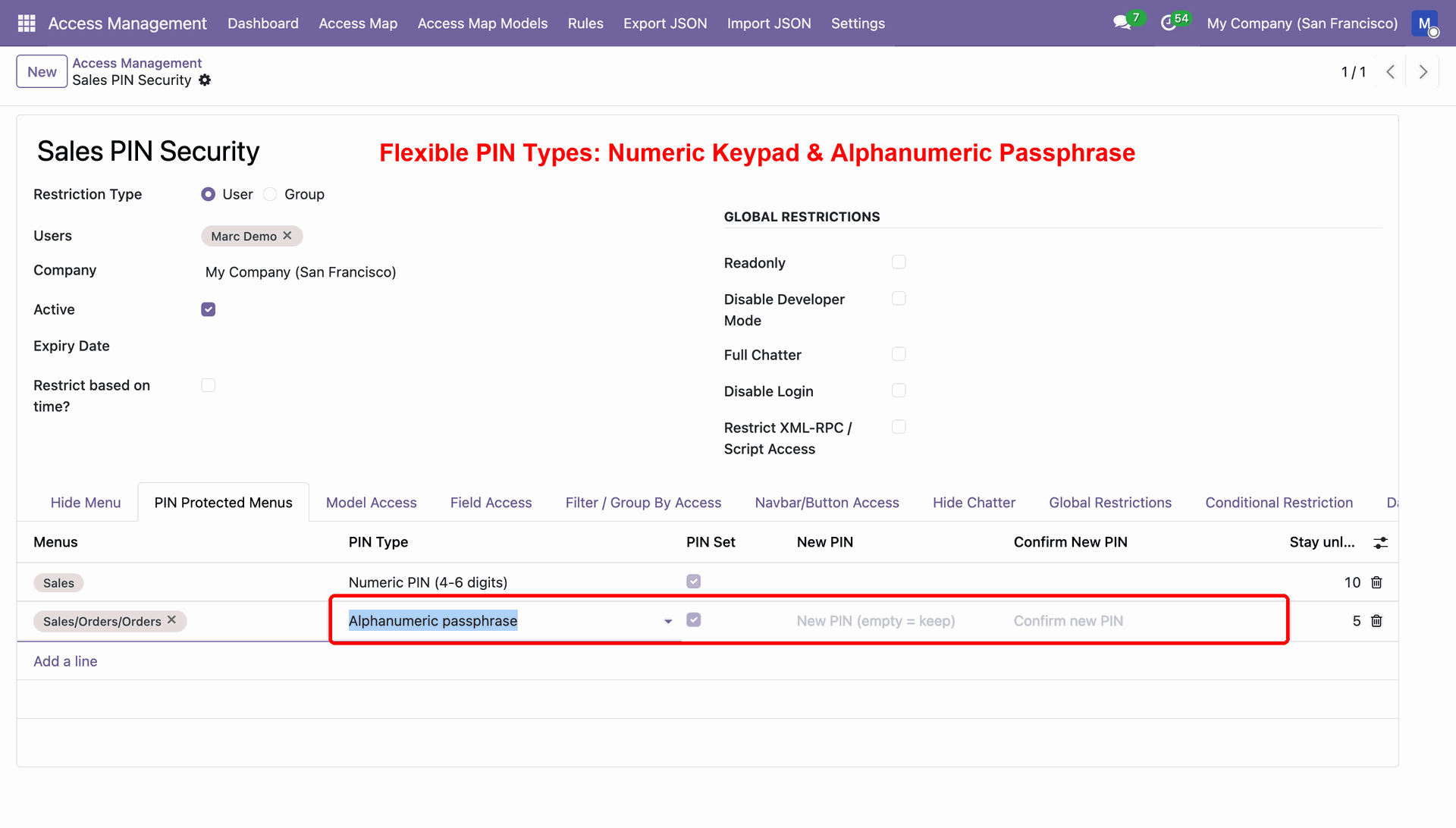
Flexible PIN Type: Numeric PIN and Alphanumeric Passphrase
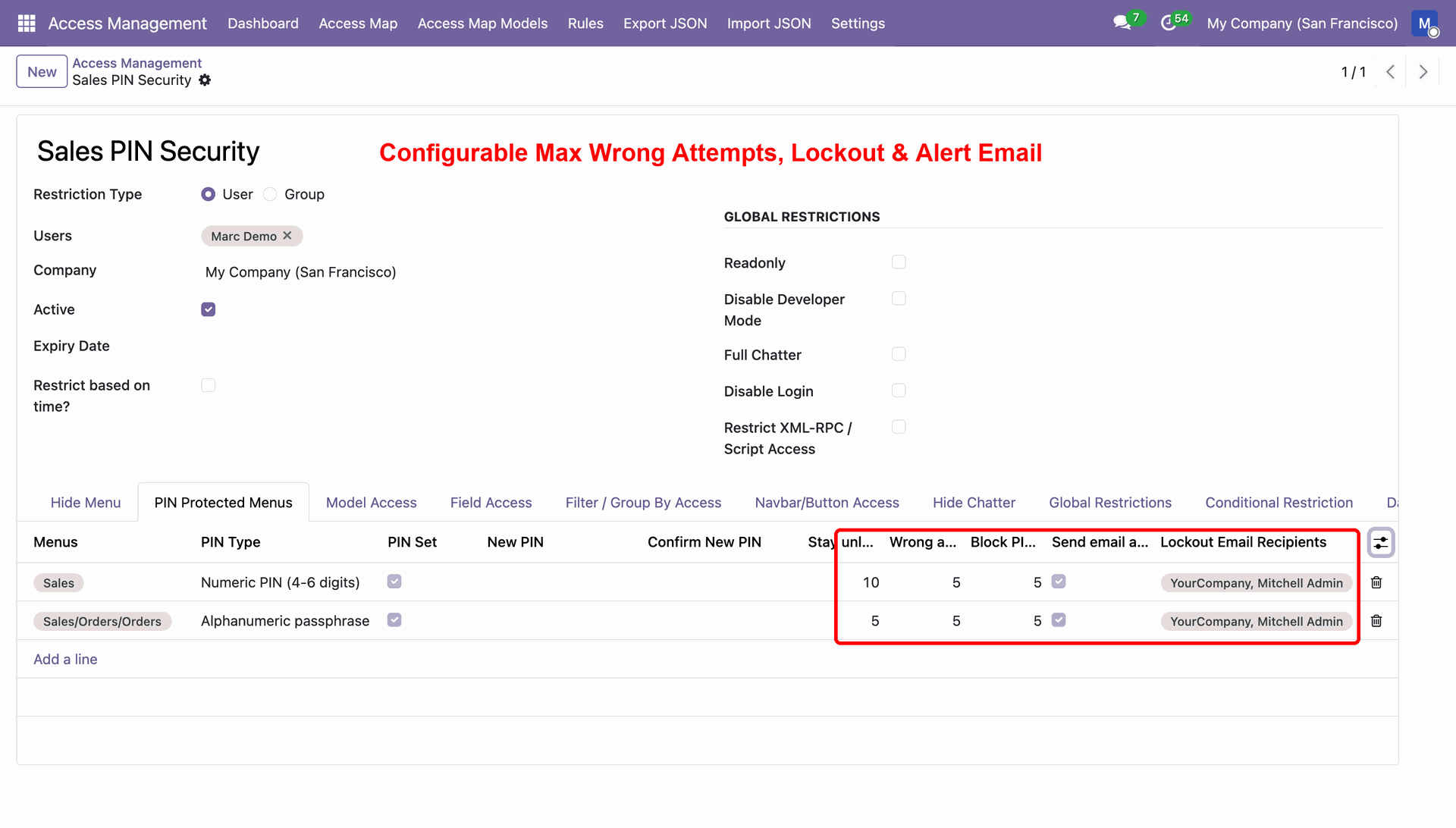
Configure wrong attempts, lockout and alert email receipients for both PIN types.
Protected Menu Stays Visible to Users
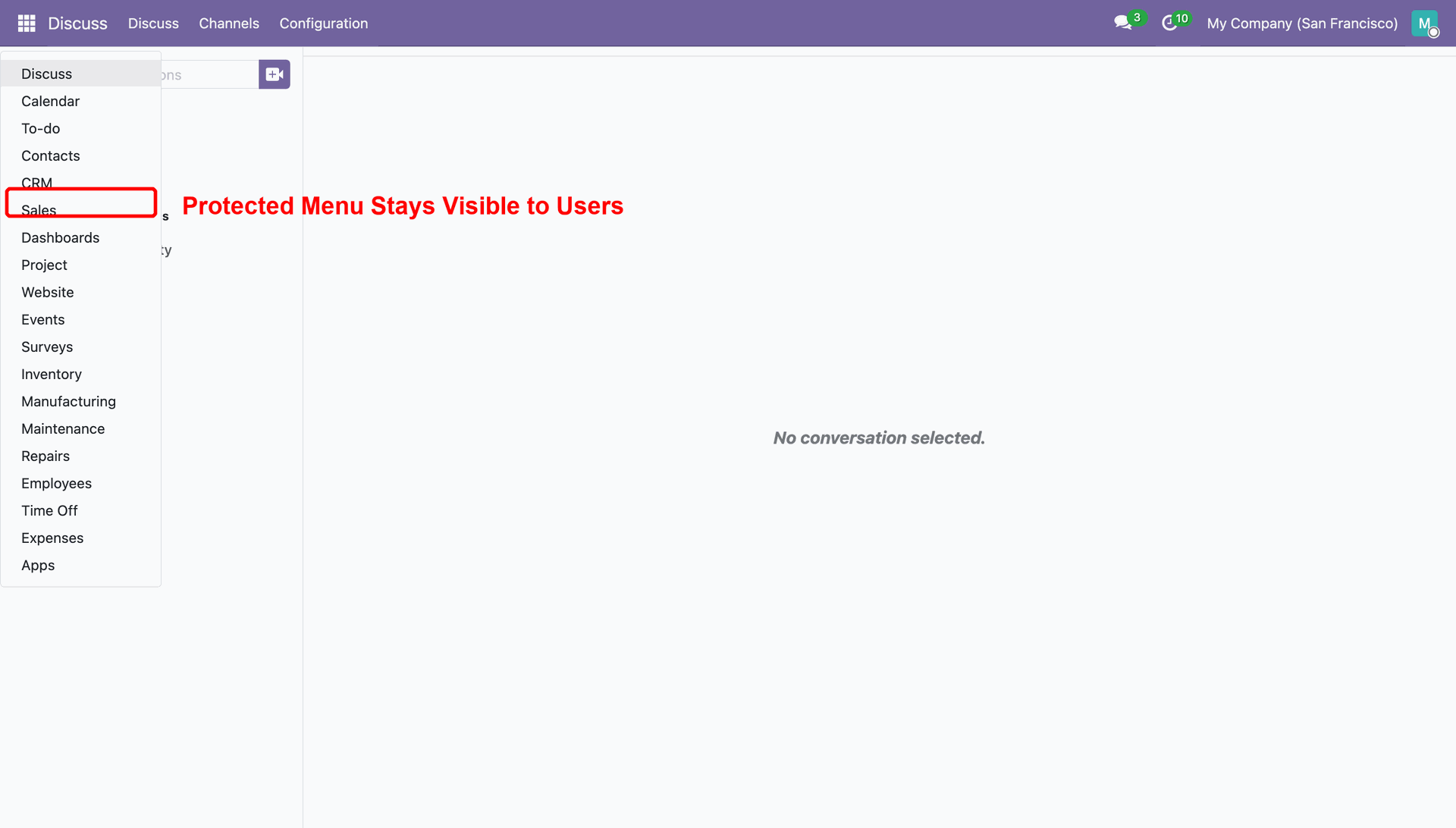
Click the Protected Menu. A PIN Required wizard will open, prompting you to enter the PIN.
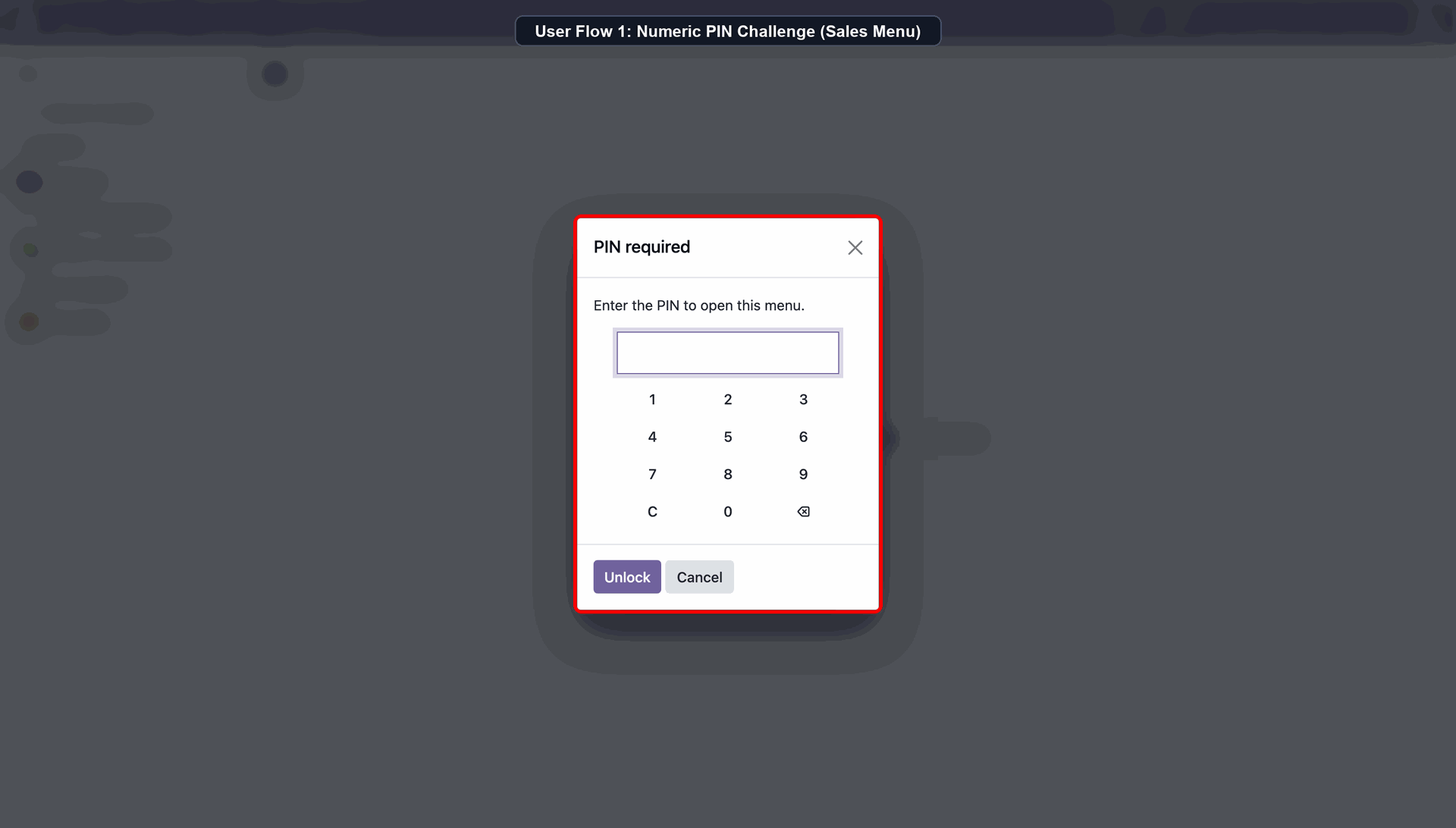
Real-Time Wrong Attempt Warning & Counter
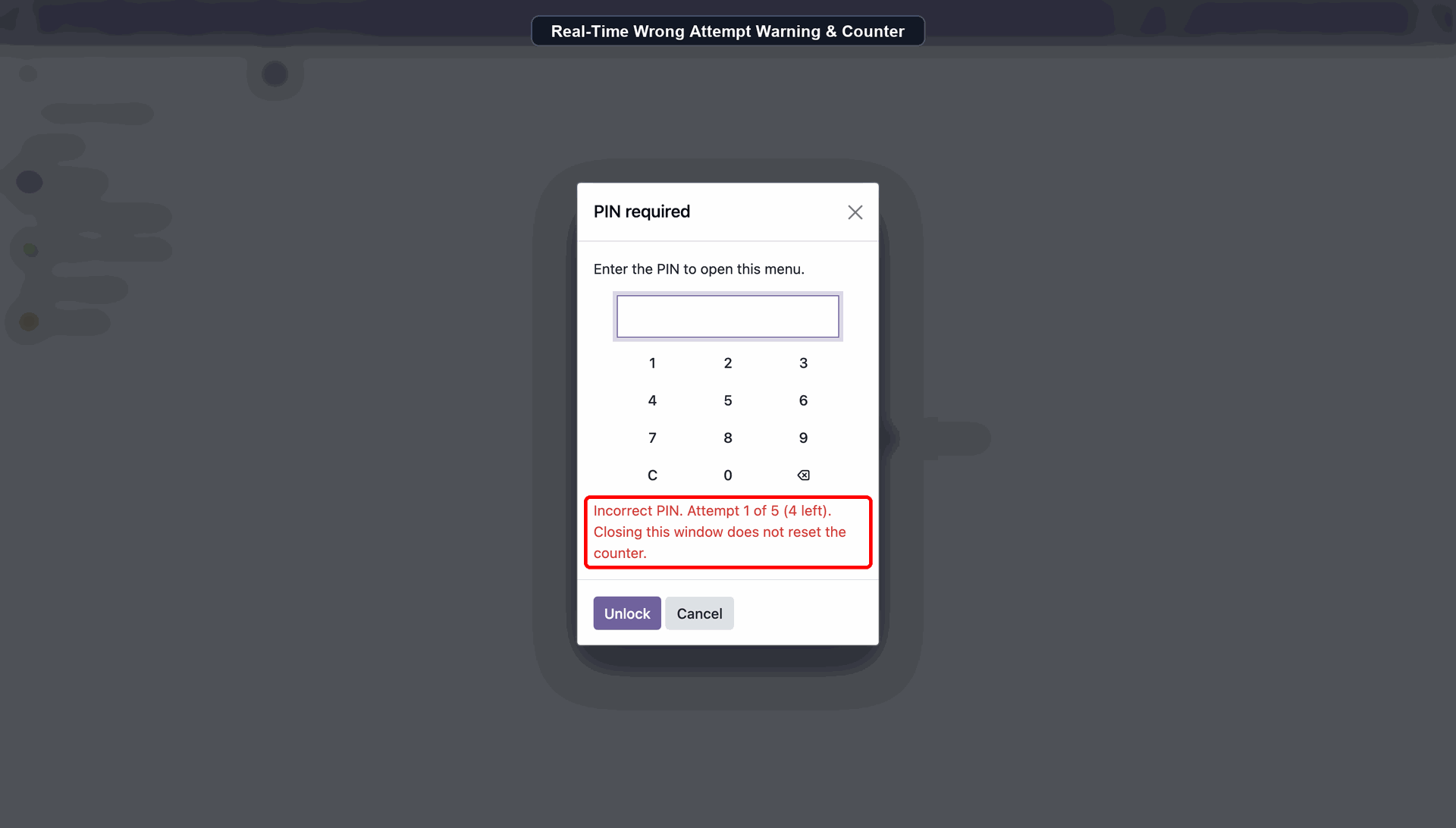
Brute-Force Lockout: 5-Minute Cooldown Enforced
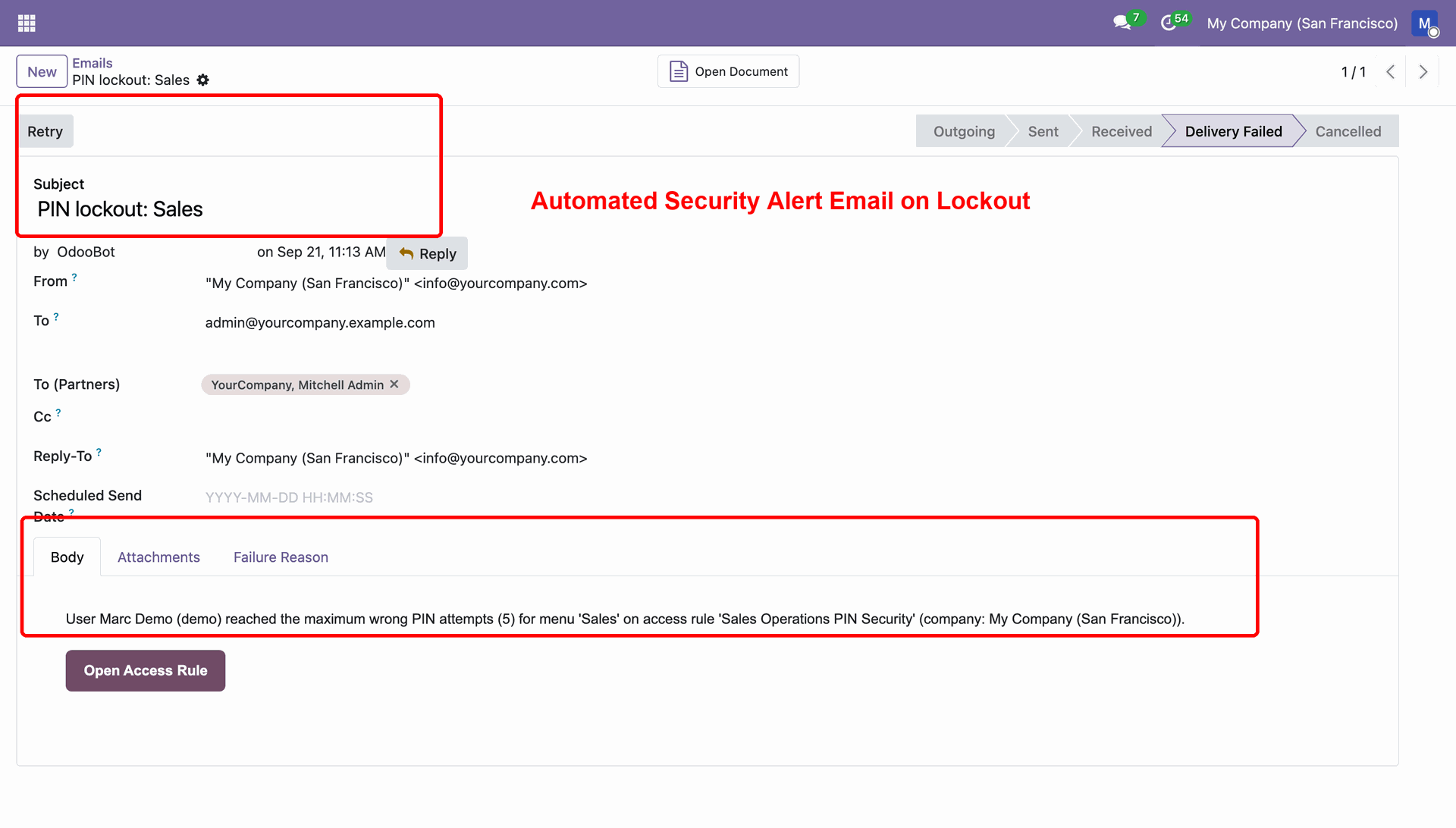
Automated Security Alert Email on Lockout
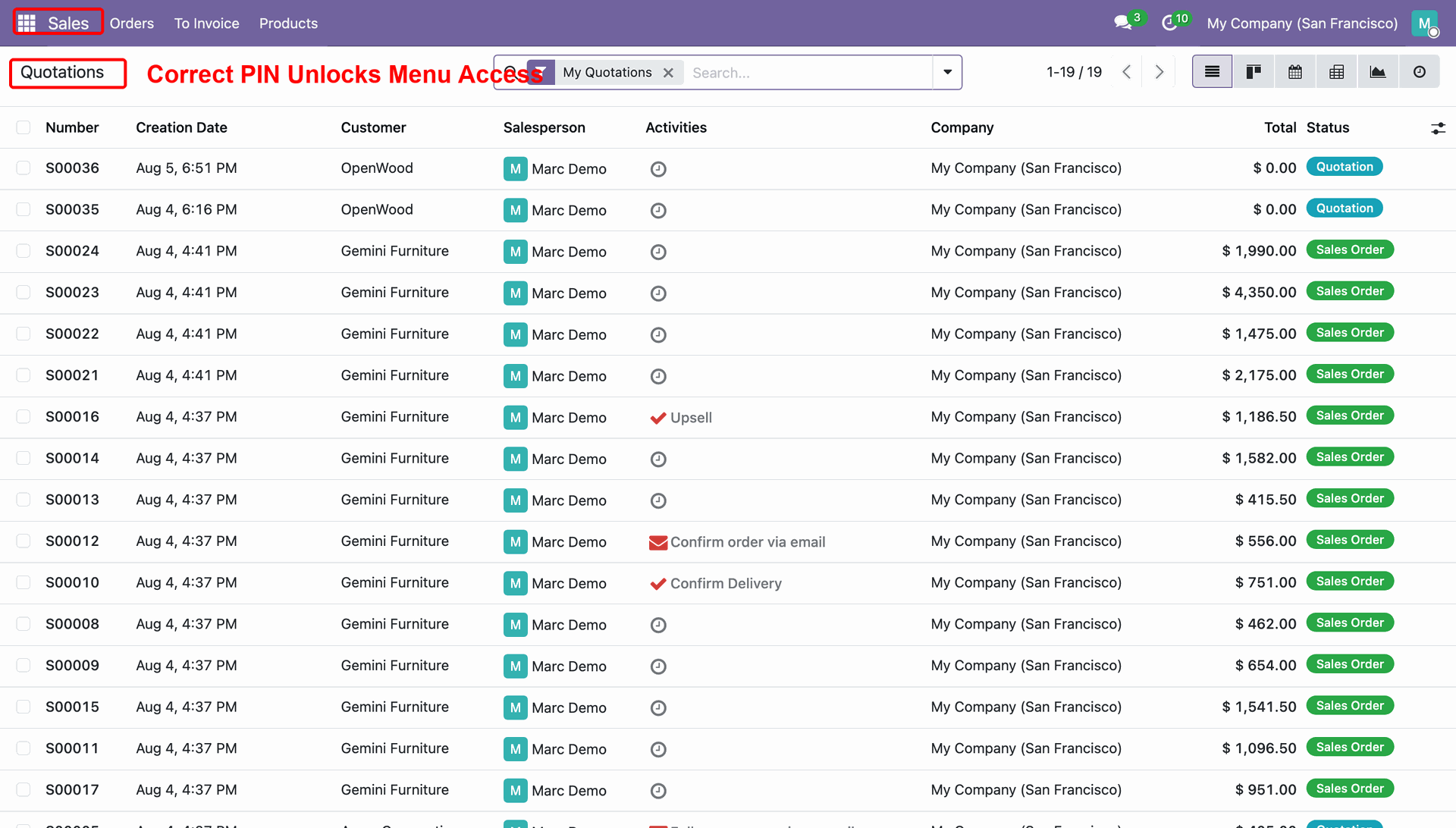
Correct PIN Unlocks Menu Access
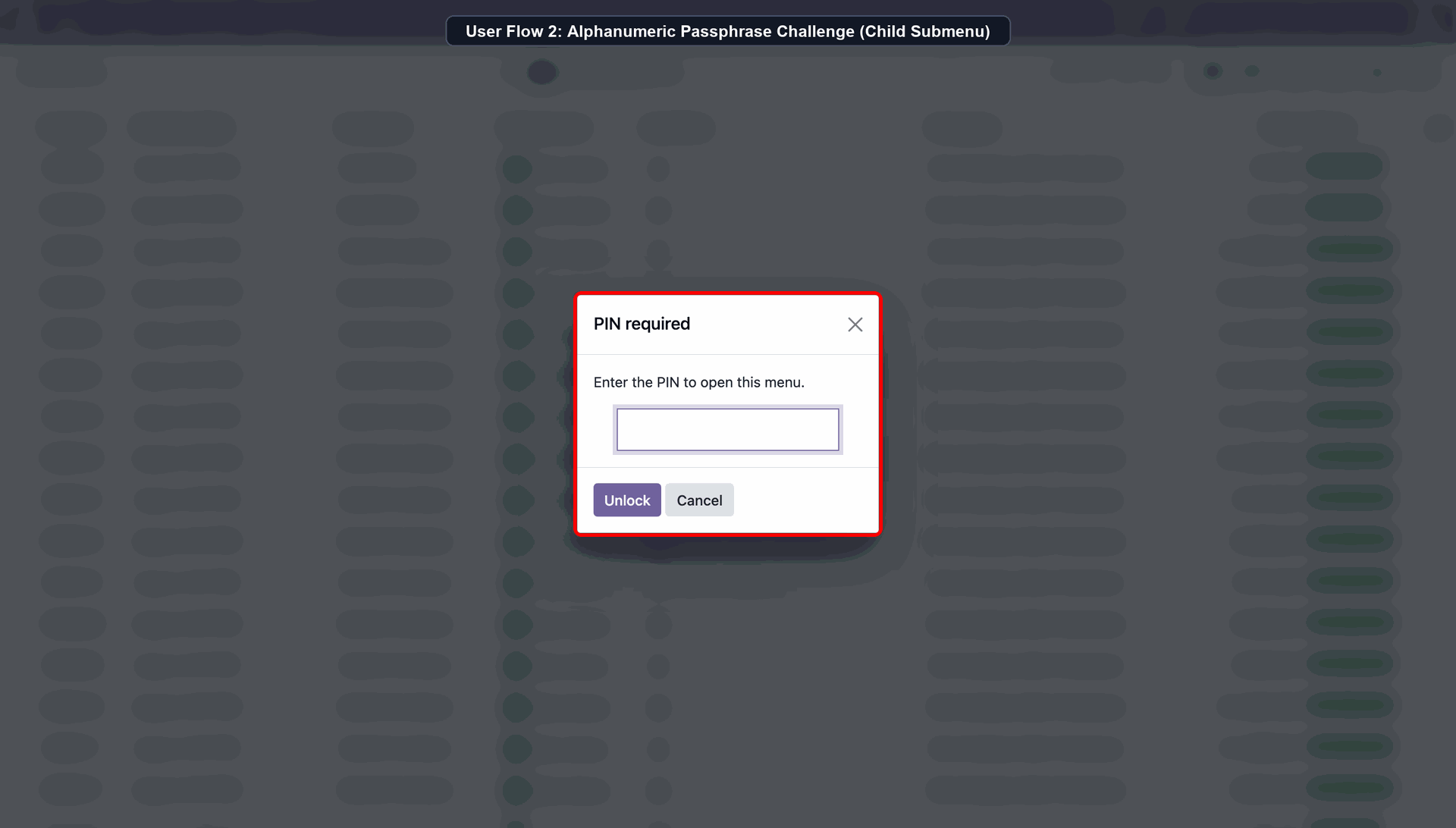
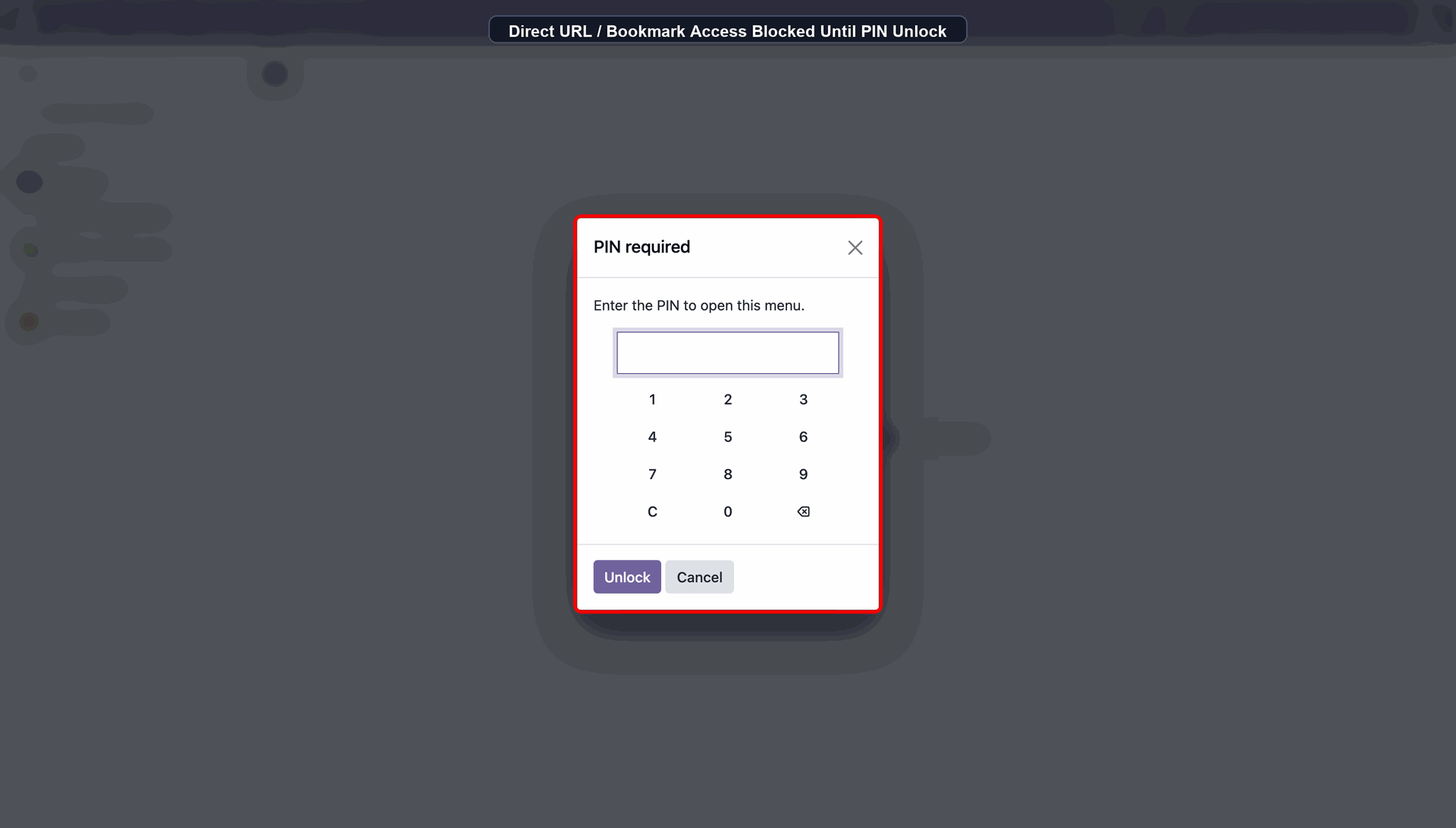
Click the Protected Submenu. A PIN Required wizard will open, prompting you to enter the PIN.
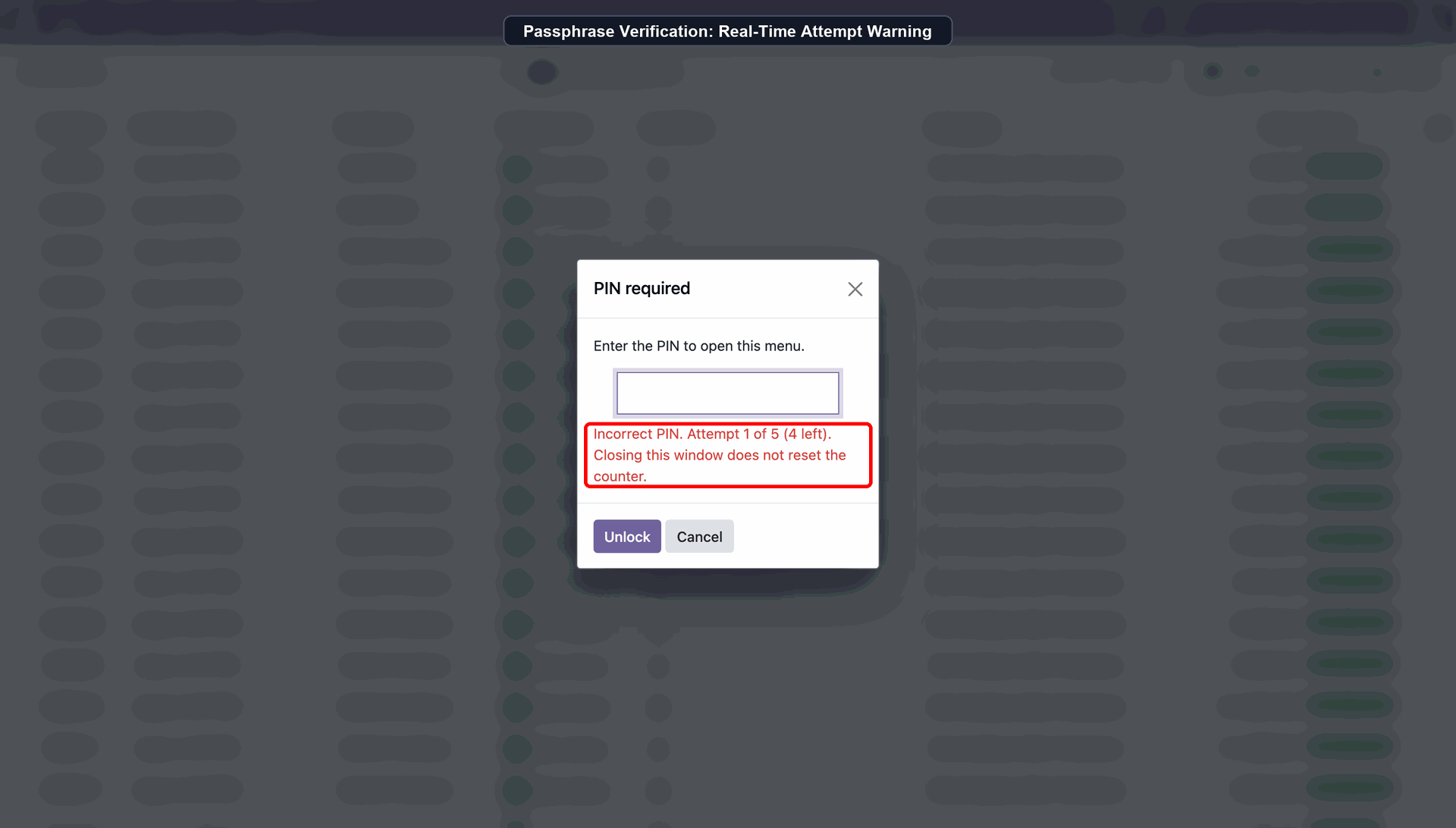
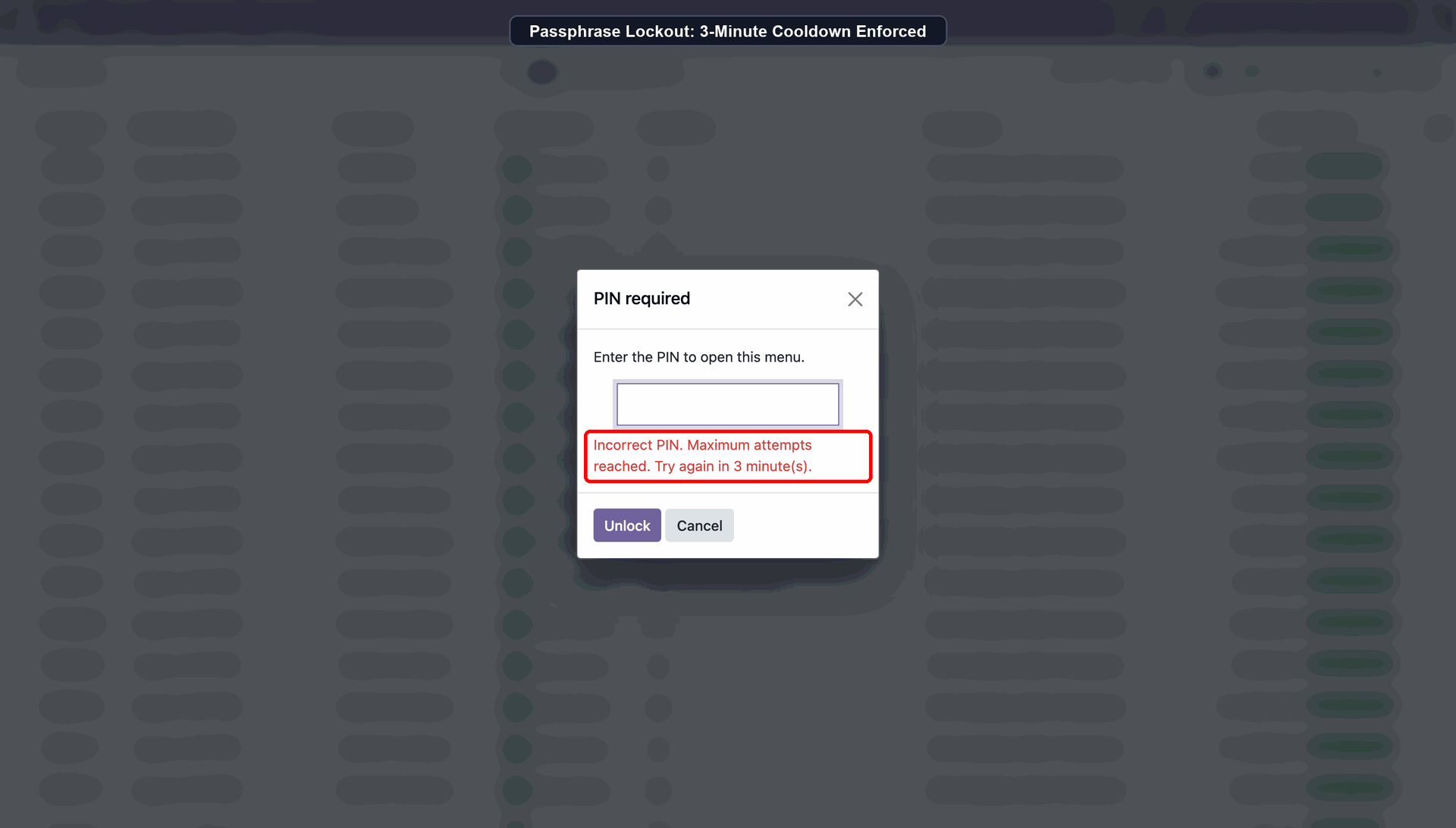
Passphrase Verification: Real-Time Attempt Warning
Passphrase Lockout: 3-Minute Cooldown Enforced
Direct URL / Bookmark Access Blocked Until PIN Unlock
Version 17.0.12 | Released on : 01st October 2026
Version 17.0.11 | Released on : 01st September 2026
Version 17.0.10 | Released on : 14th July 2026
Version 17.0.9 | Released on : 09th July 2026
Version 17.0.8 | Released on : 08th July 2026
Version 17.0.6 | Released on : 18th November 2025
Version 17.0.5 | Released on : 14st October 2025
Version 17.0.4 | Released on : 30th April 2025
Version 17.0.3 | Released on : 31st July 2024
Version 17.0.2 | Released on : 26th June 2024
Version 17.0.1 | Released on : 16th April 2024
- Yes, this app works perfectly with Odoo Enterprise (Odoo.sh & On-Premise) as well as Community.
- No, this application is not compatible with odoo.com(odoo saas/Odoo Online).
- Please Contact Us at sales@softhealer.com to request customization.
- Yes, you will get free update for lifetime.
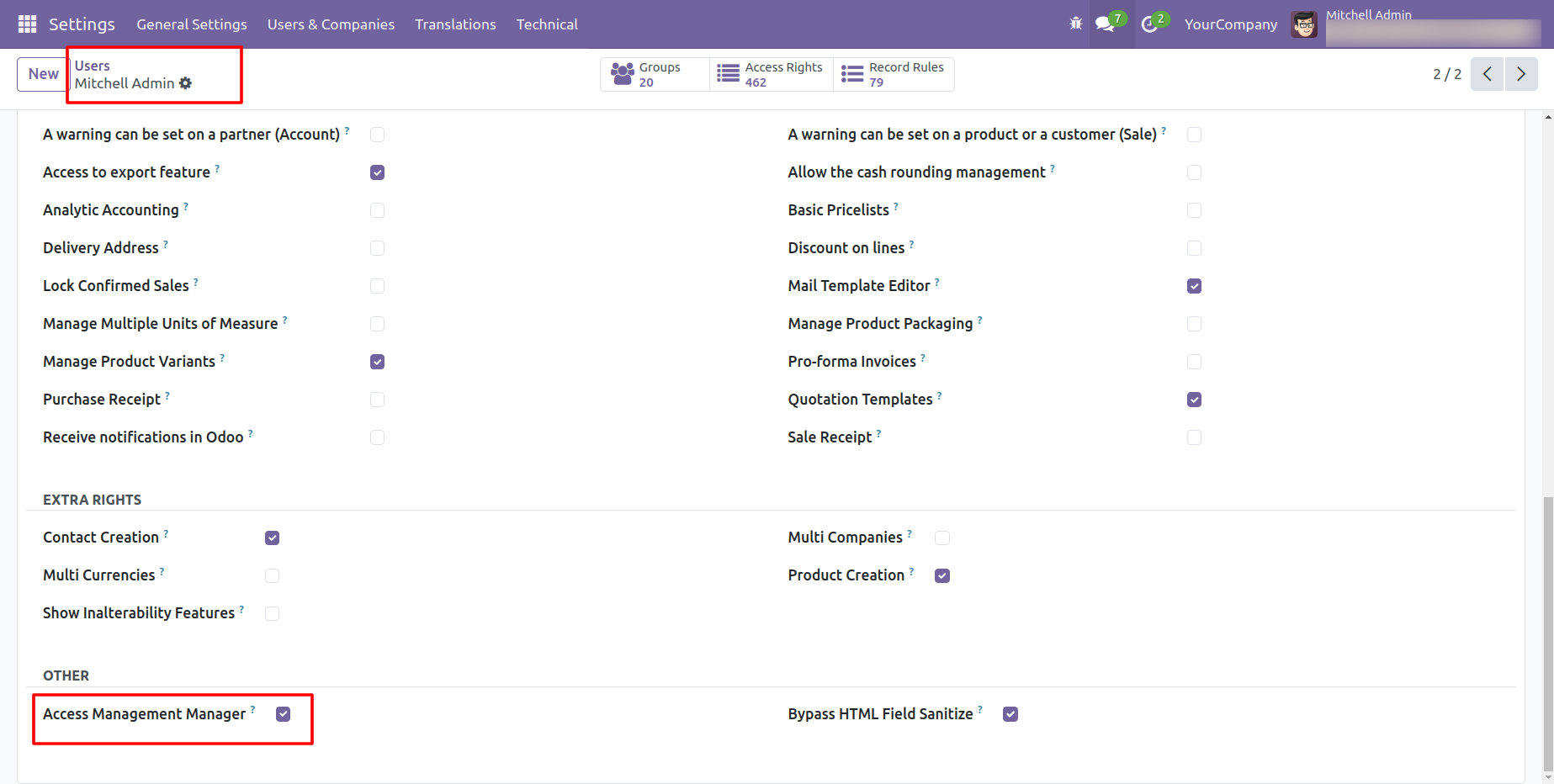
- Yes, you need to install openpyxl and passlib additional libraries.
- For version 12 or upper, you will need to purchase the module for each version that you want to use.
- Yes, we provide free lifetime support for the version you purchased.
- No, We do not provide any kind of exchange.