
3CX CRM Odoo Integration

The 3CX CRM Odoo Connector makes it easy for businesses to handle calls and chats in Odoo. It automatically adds new contacts for incoming calls, records call details and sets follow-up tasks for missed calls. Automating these tasks saves time, avoids mistakes, and helps teams work better together while keeping all communication in one place for smoother operations and happier customers.


Features
- You can generate the CRM Template XML File for 3CX.
- You can implements all capabilities of 3CX CRM Template.
- Call Logs will be added to the contact's Chatter.
- You can take Missed Call Follow-Ups.
- Automatically open contact URL when CRM integration is enabled.
- Please Contact Us at support@softhealer.com to request demo.
-
Automatically create Odoo contacts from CRM messages based on the configured Caller Creation Mode.

-
Automatically create CRM leads in Odoo from received CRM messages based on the configured Caller Creation Mode.
-
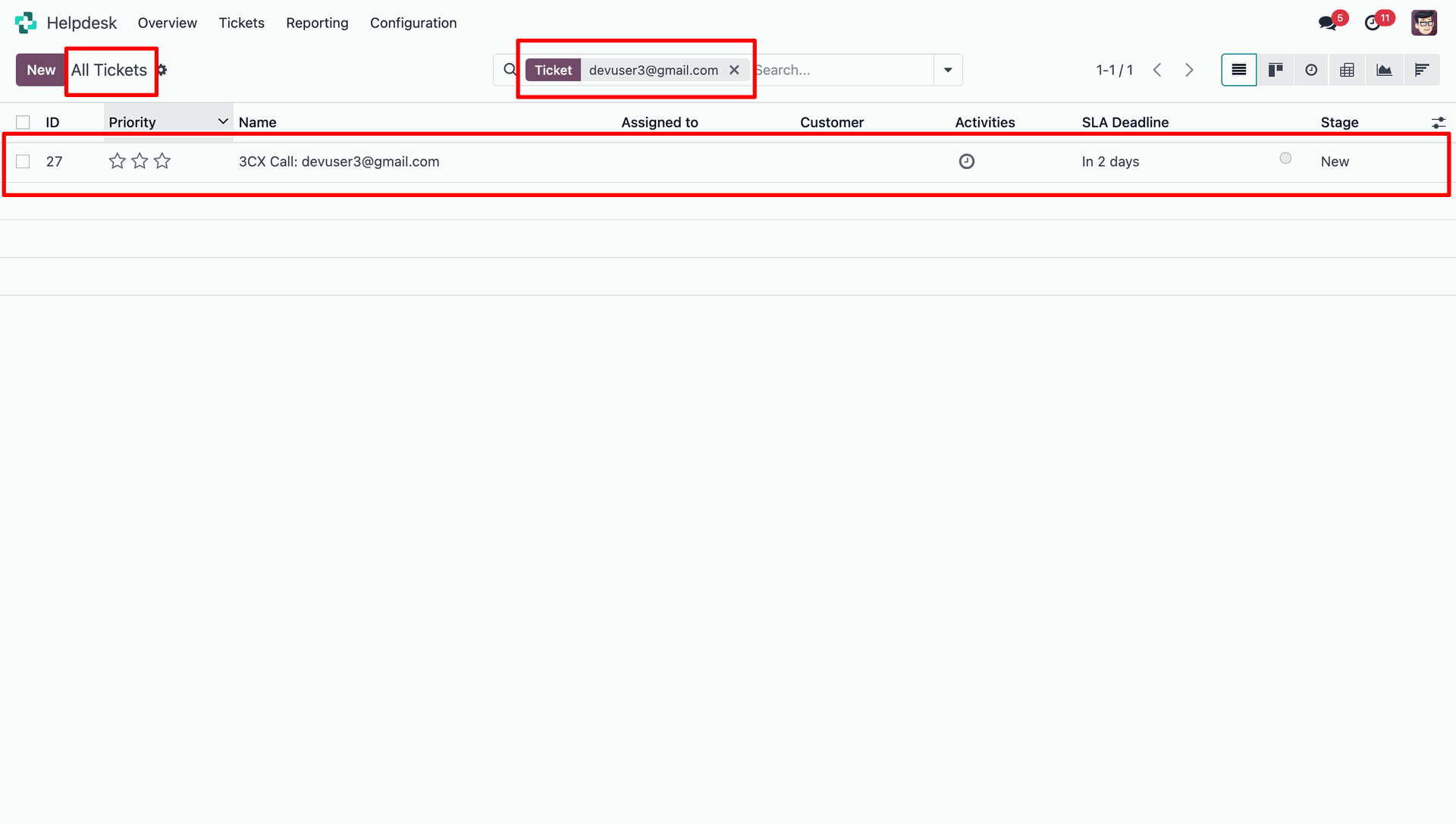
Automatically create Helpdesk tickets in Odoo from CRM messages based on the configured Caller Creation Mode.
-
Connect real-time live chat with Odoo to manage conversations directly within the system.
-
Enable live chat for customers who are not yet registered in Odoo.
-
Automatically assign incoming calls to the Odoo user linked with the configured extension number, such as 100 or 101.
-
Automatically create an activity for missed calls to help users follow up with callers.

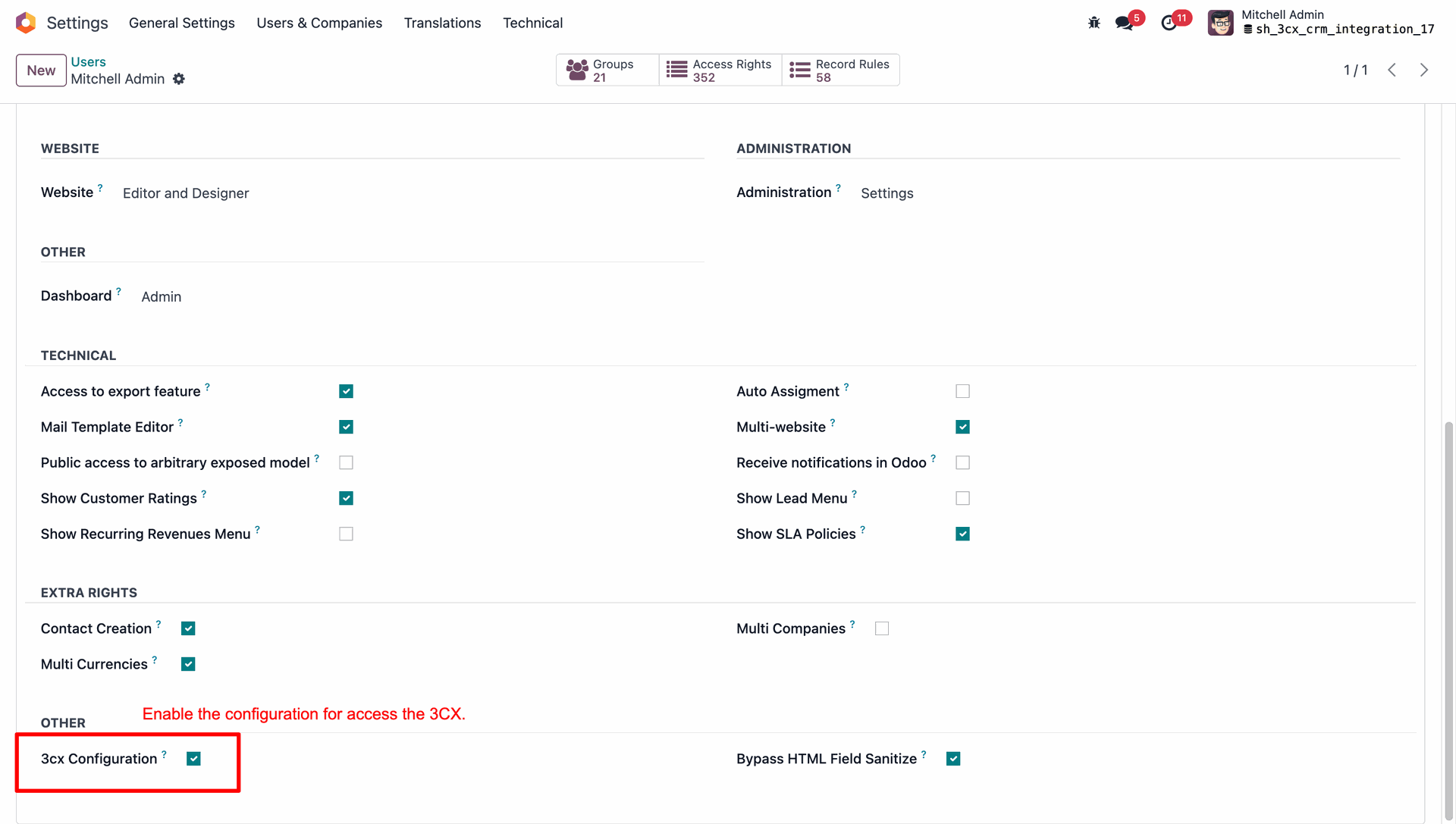
Go to user settings and enable the 3cx configuration boolean.
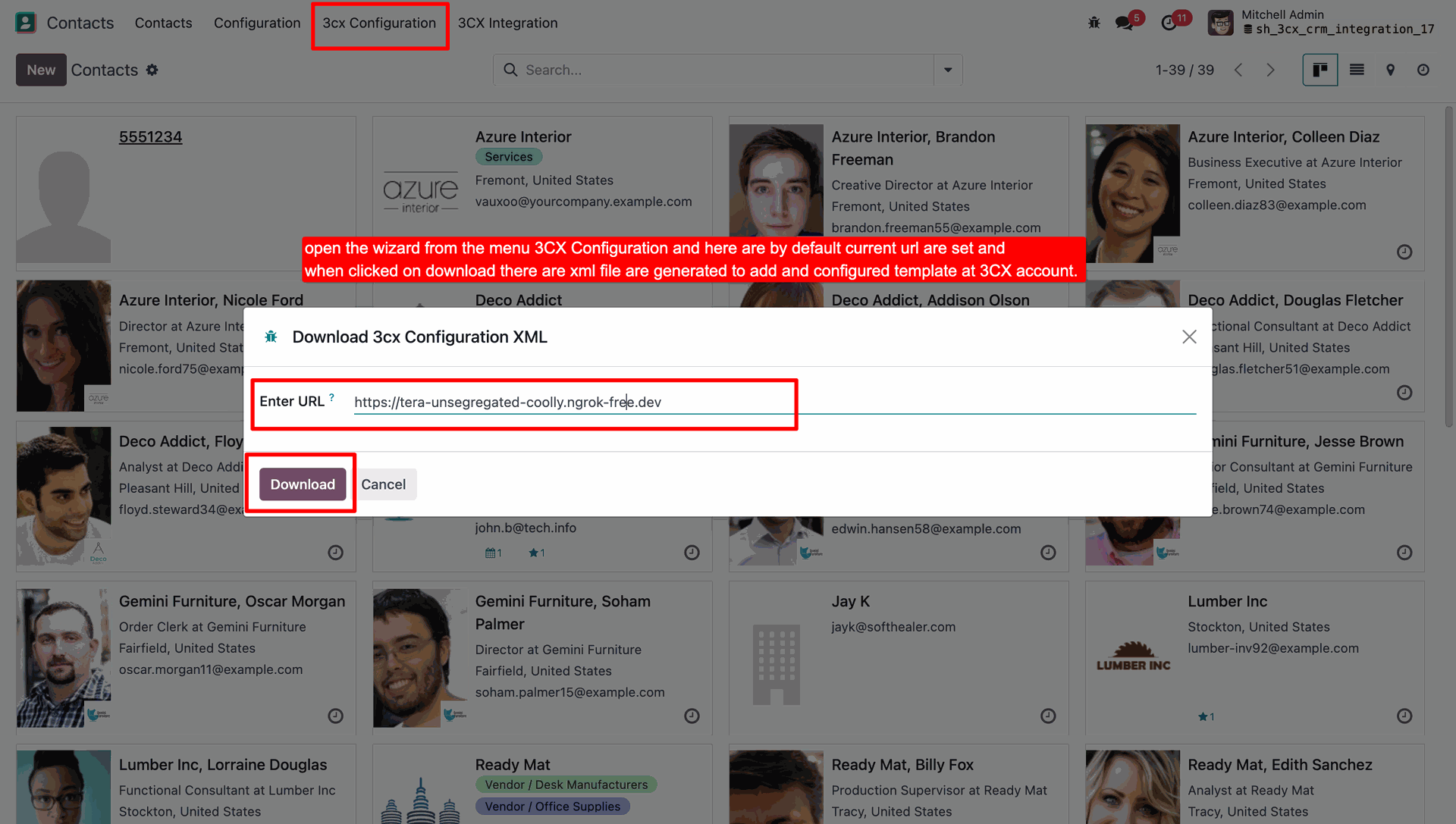
You can see the 3cx configuration menu in the contacts. Click on menu will open a popup to download xml file.
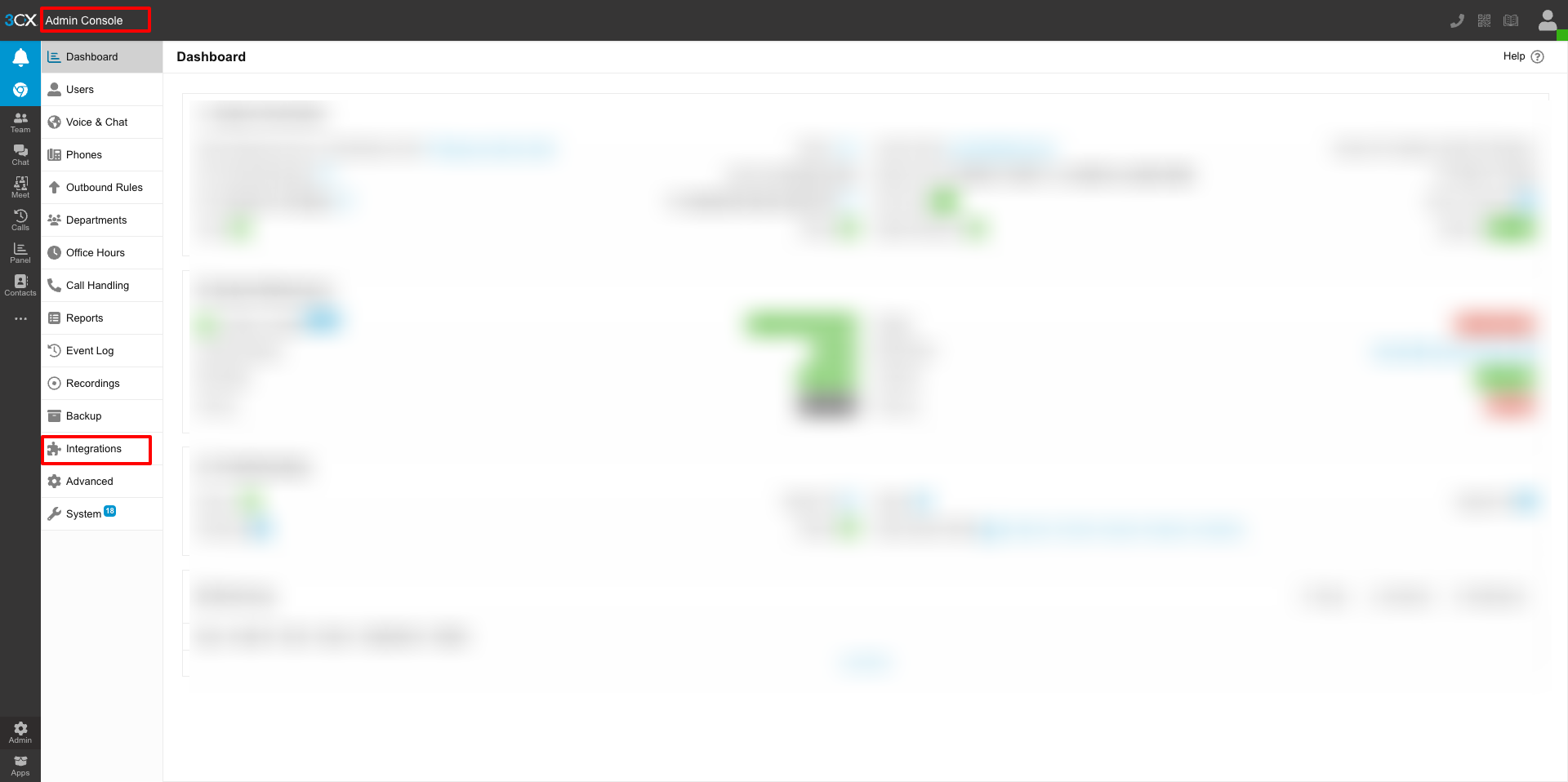
Go to the admin console in 3cx and click on integration.
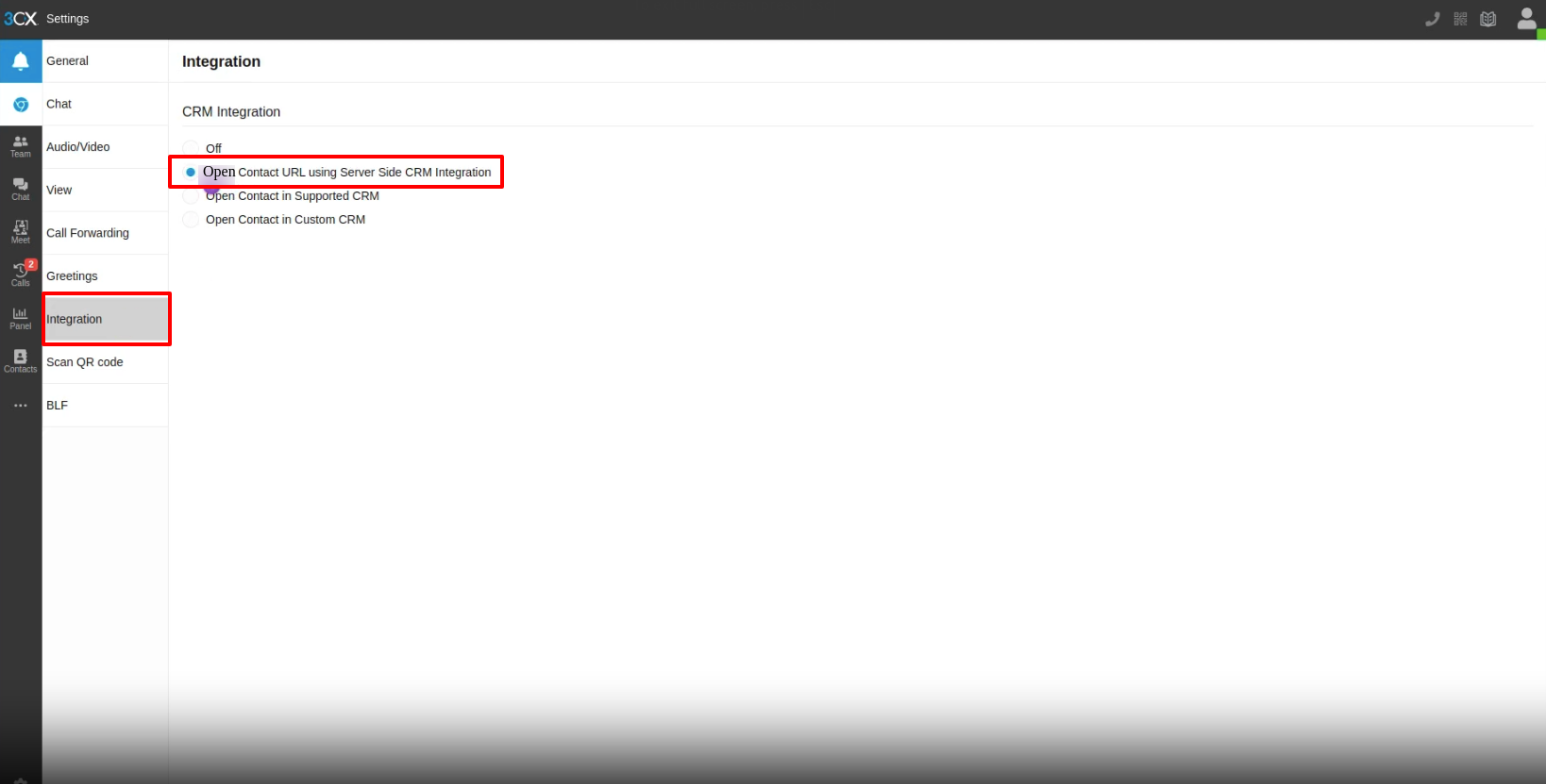
On integration select open contact URL using server side CRM integration option.
Select CRM from integration tab. Click on add template button.
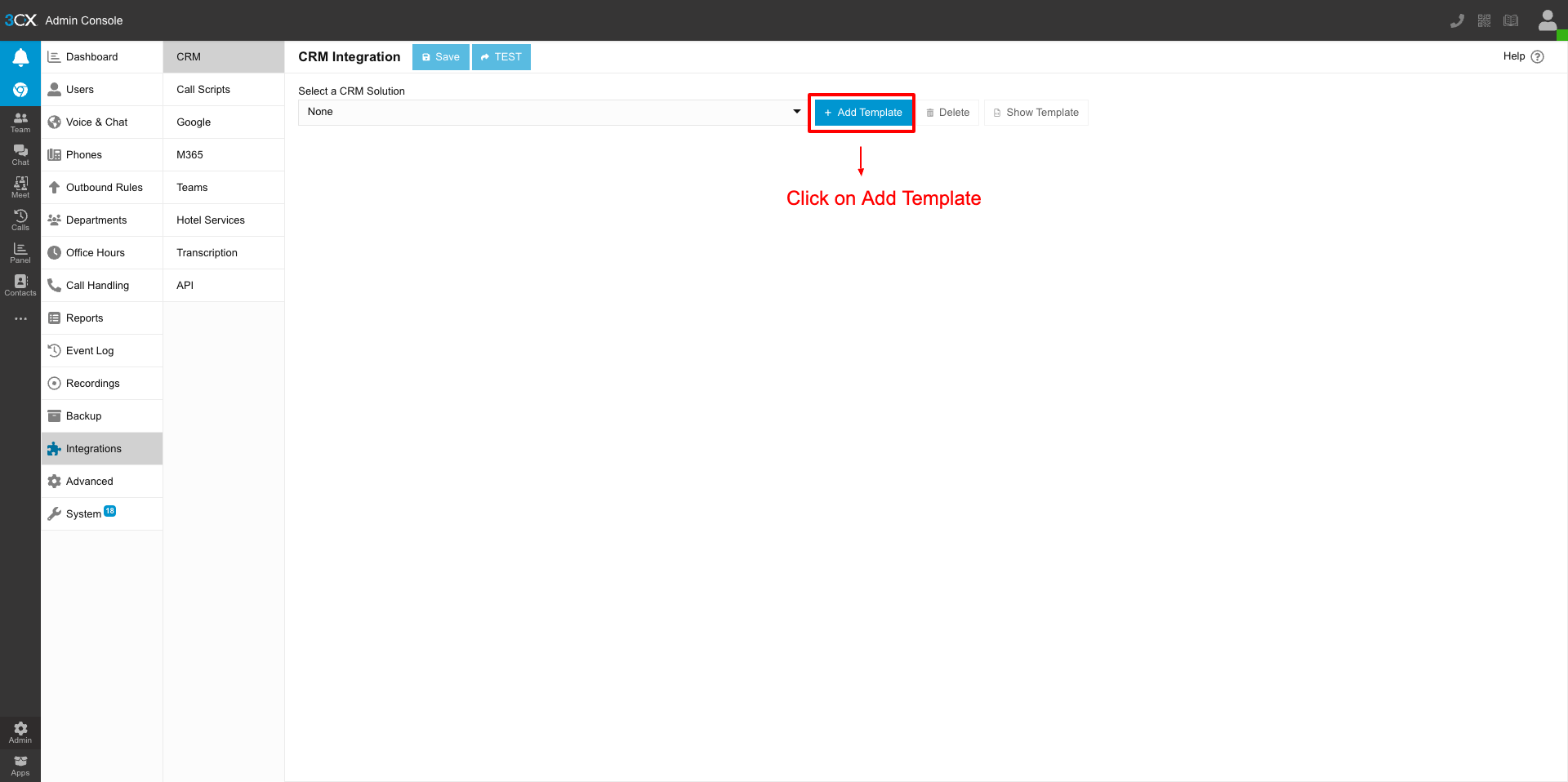
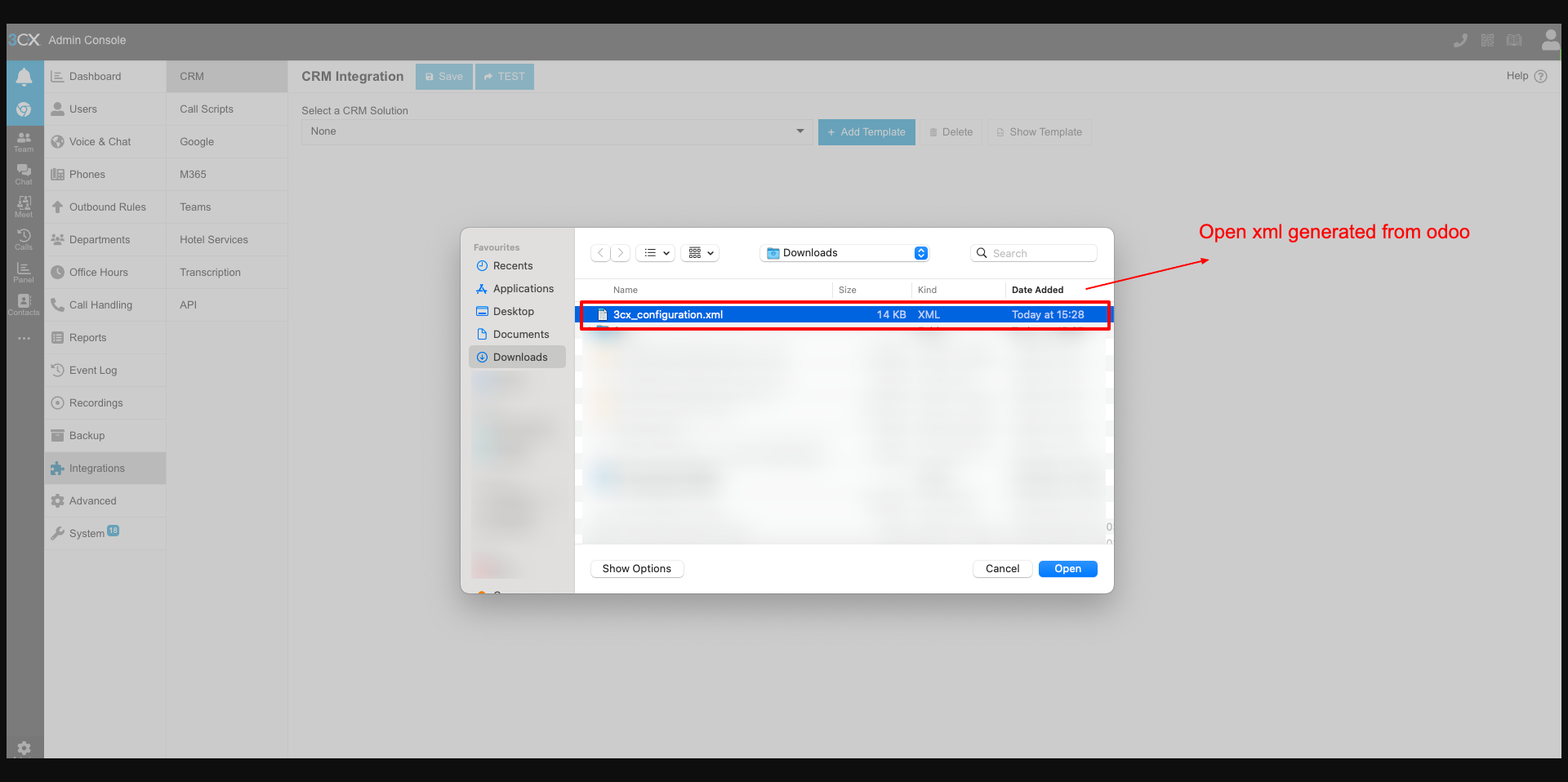
By clicking on add template button it will open a popup to select downloaded .xml file.
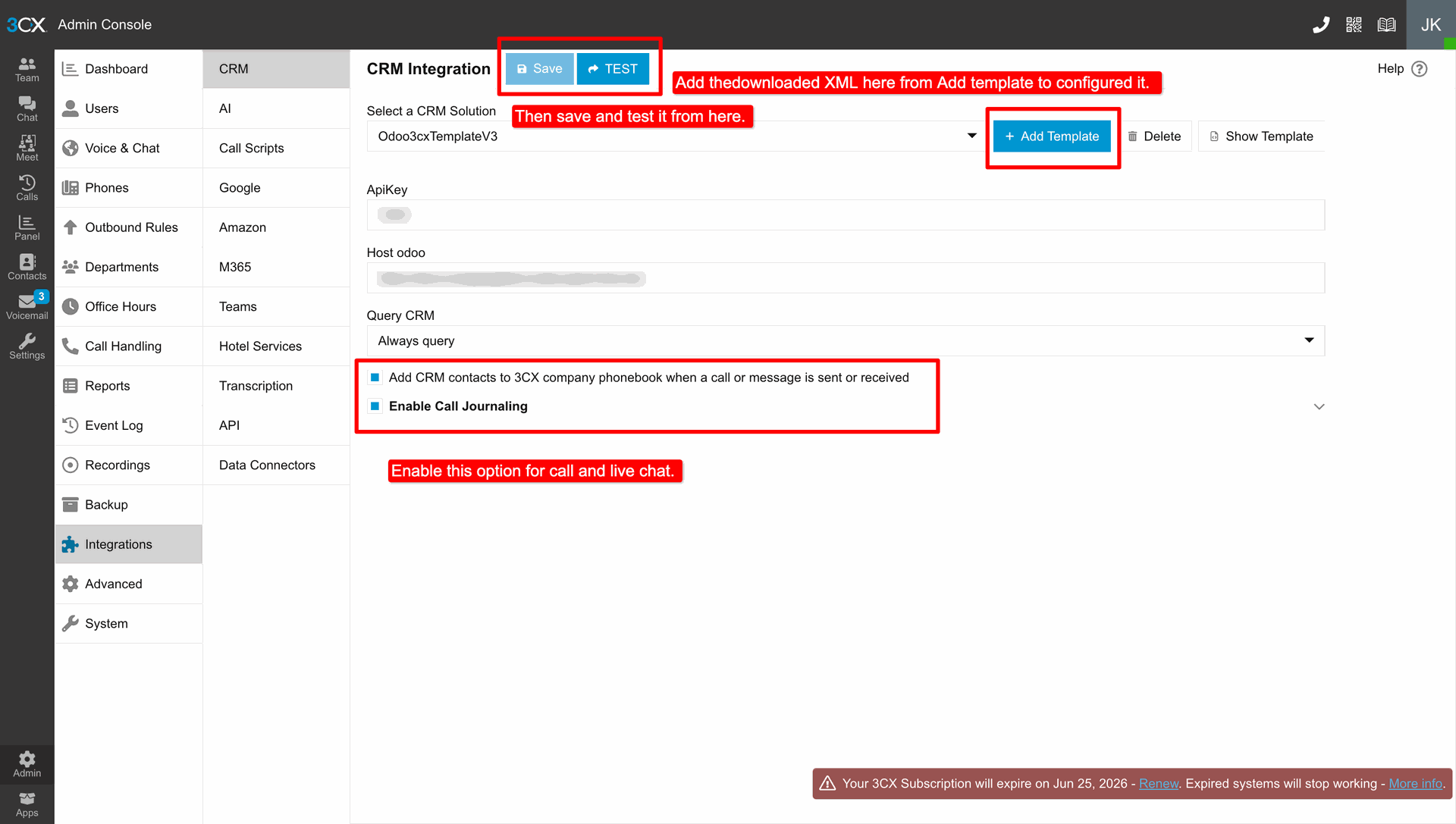
After Adding template enable both "Add CRM contacts to 3CX phonebook" and "Call Journaling" options.
When a new contact calls in 3CX, only their number will be displayed.
Once you click to answer, a new tab with the Odoo URL will open, and the number will be added to the contact. Only the number will be added; other details will need to be filled in manually.
Whenever the call ends it will auto-add the below details in the chatter
Subject
Date
Call type
Agent Name
Agent phone
Login with a Customer Account in 3CX.
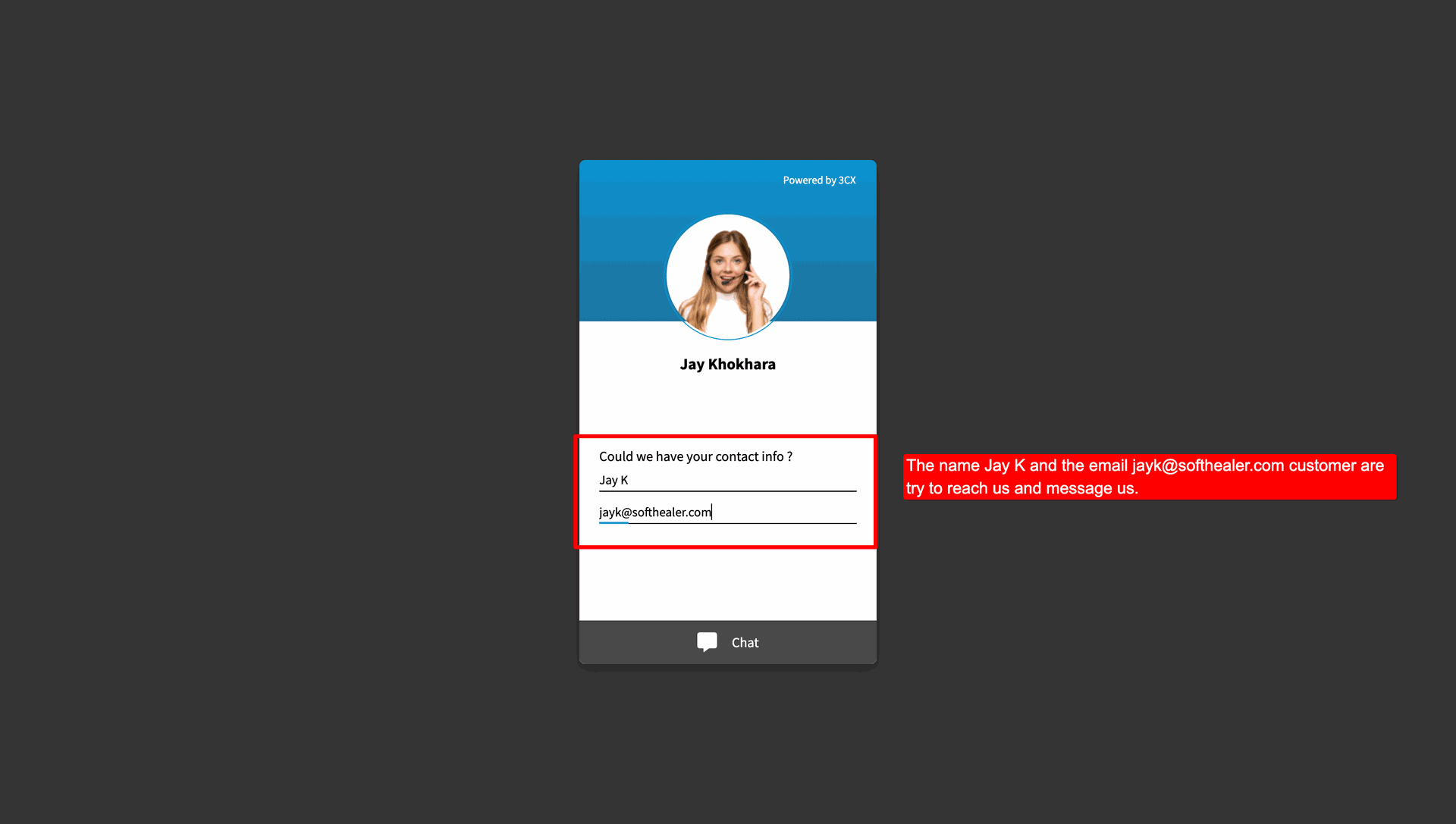
Write a message from the customer account.
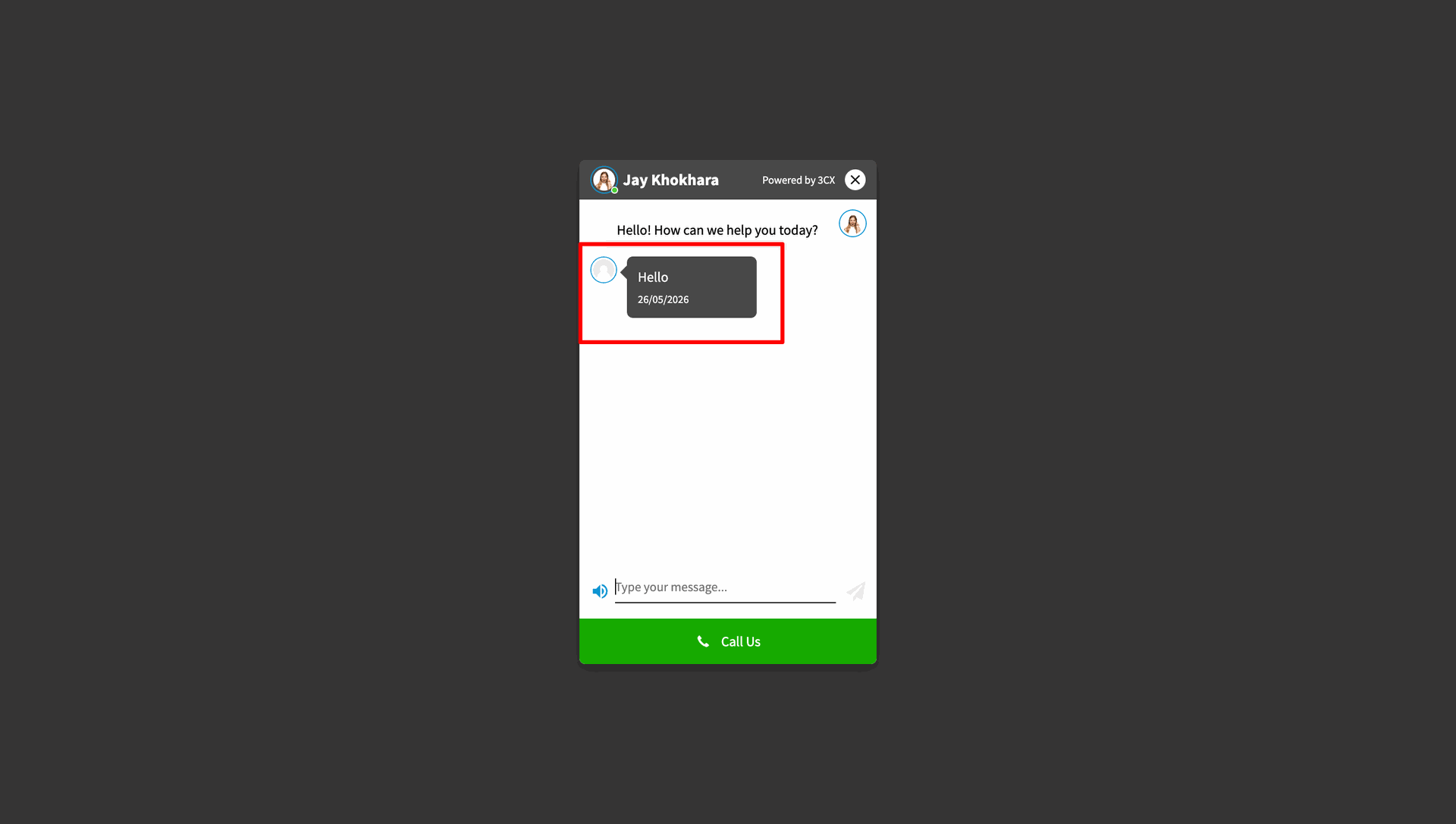
On the admin side, the message will be received in the 3CX chat.
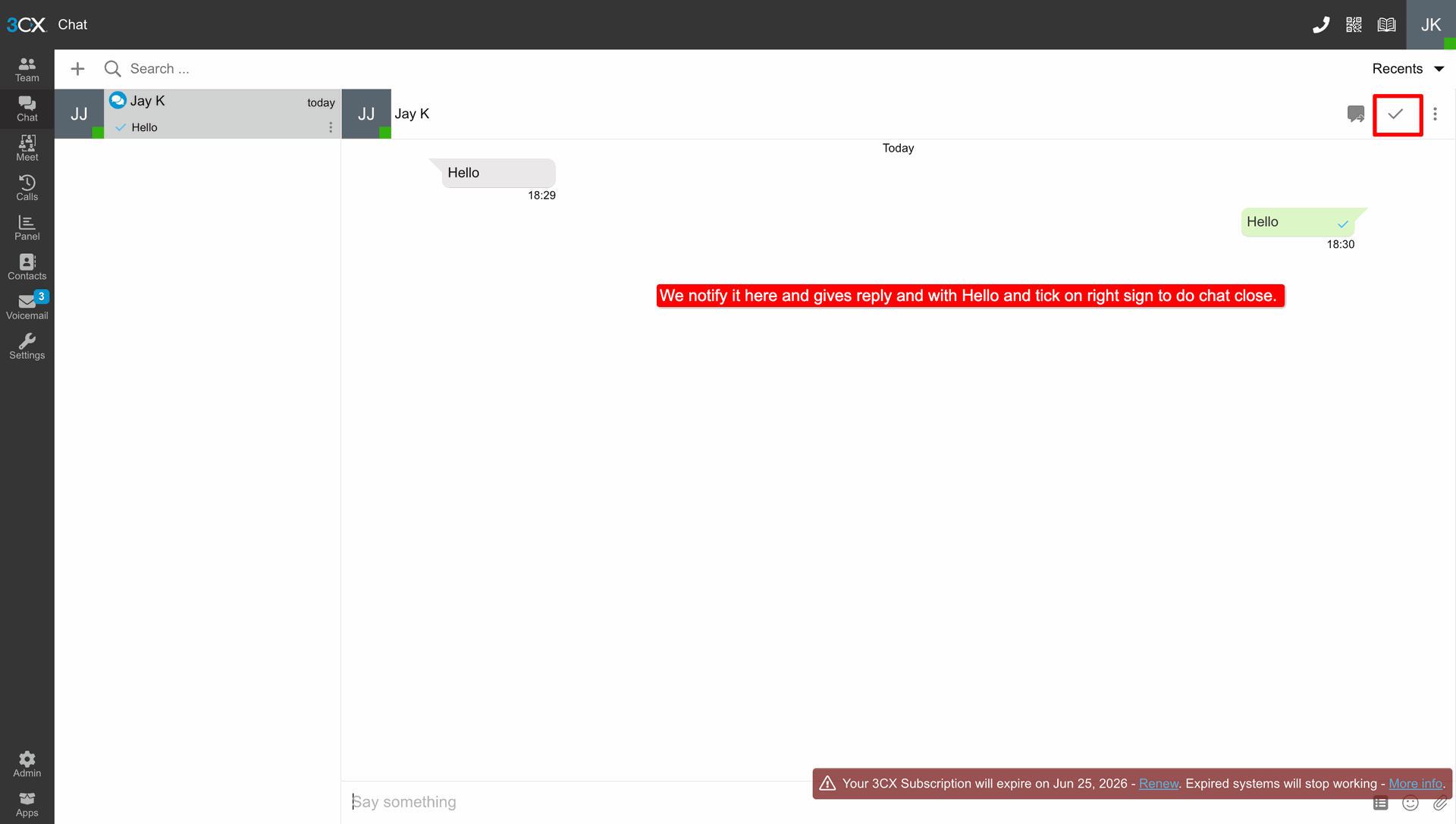
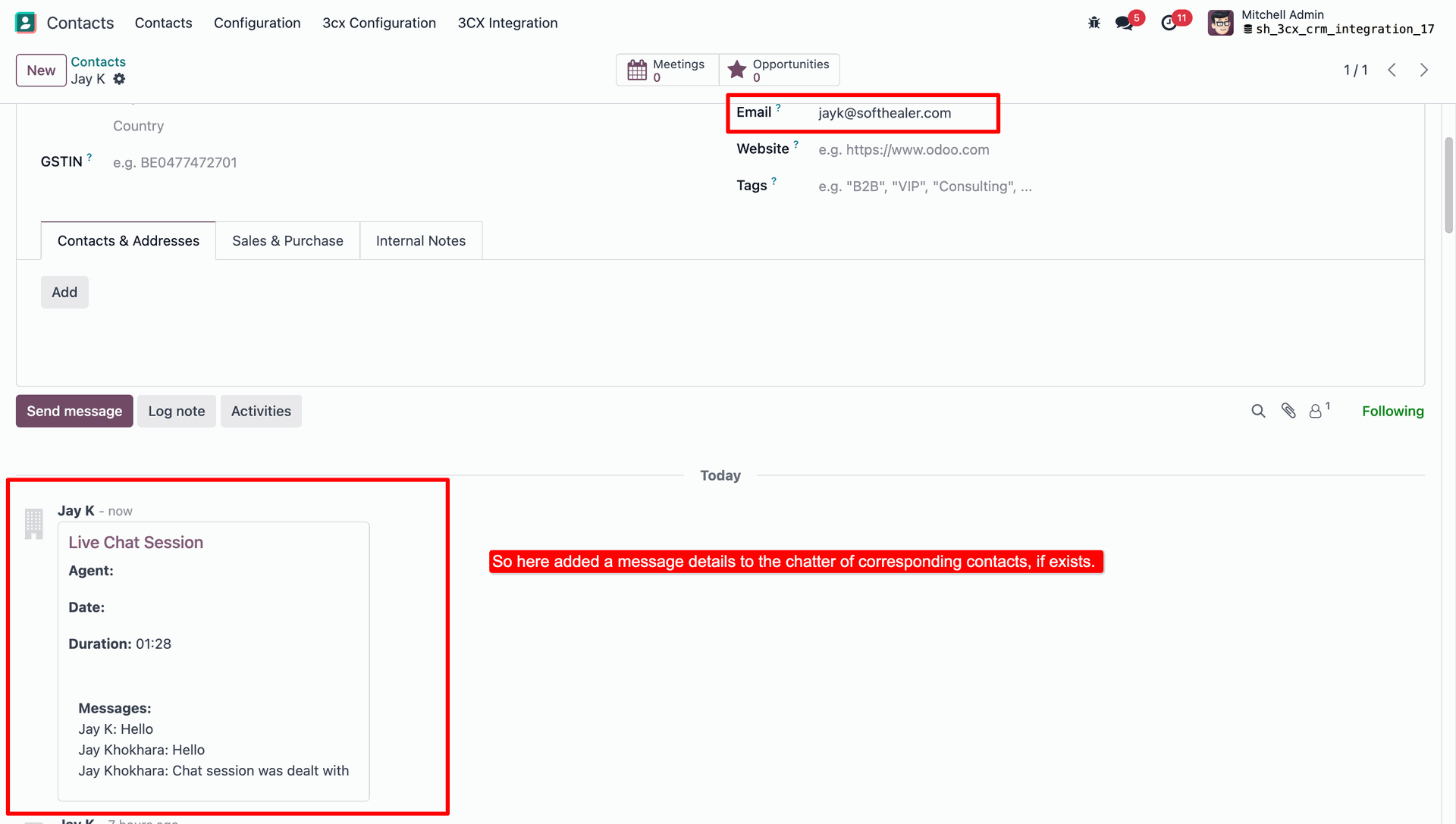
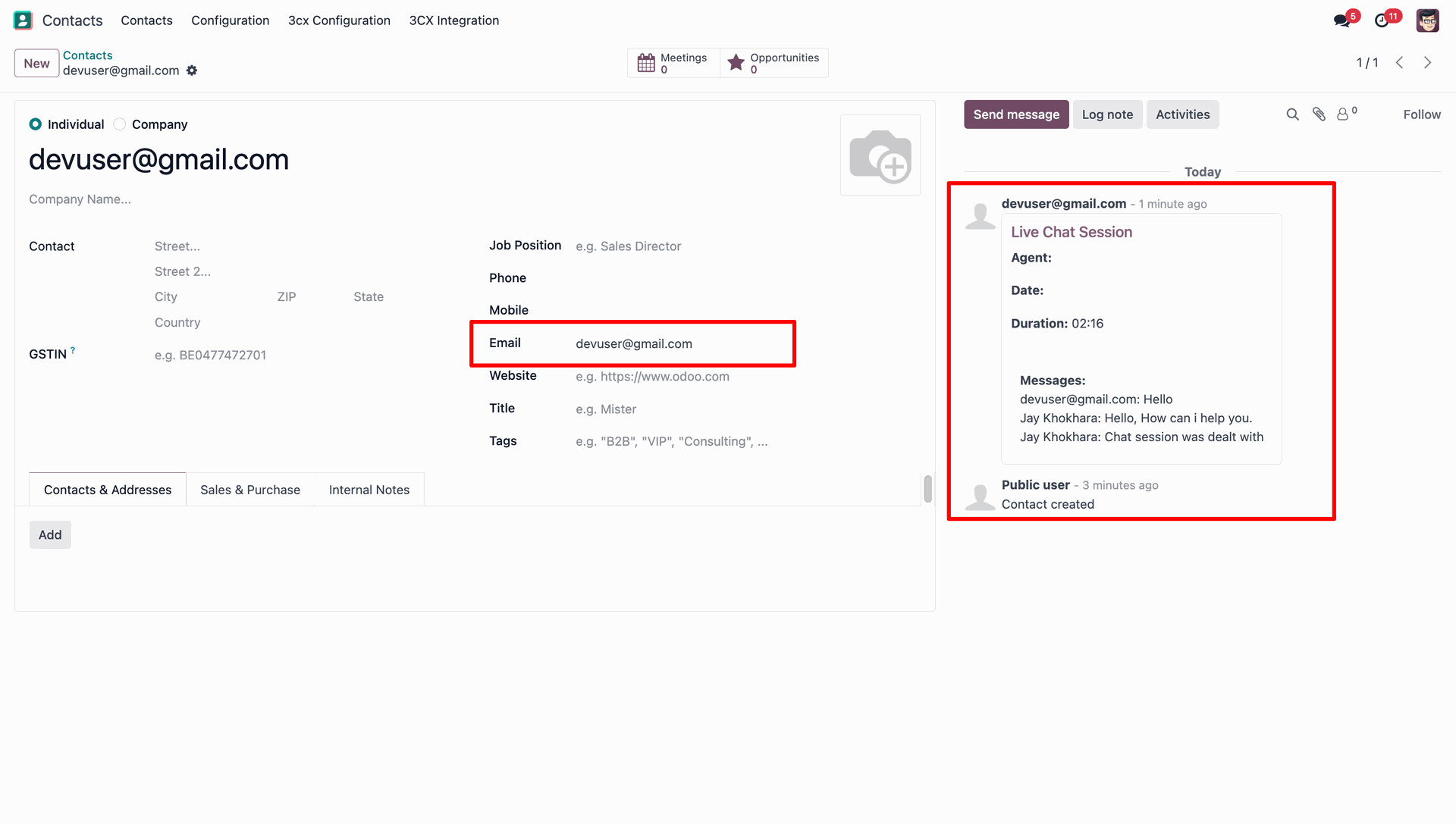
In the existing Odoo contact's chatter, the user can view the live chat details.
Login with another Customer Account in 3CX.
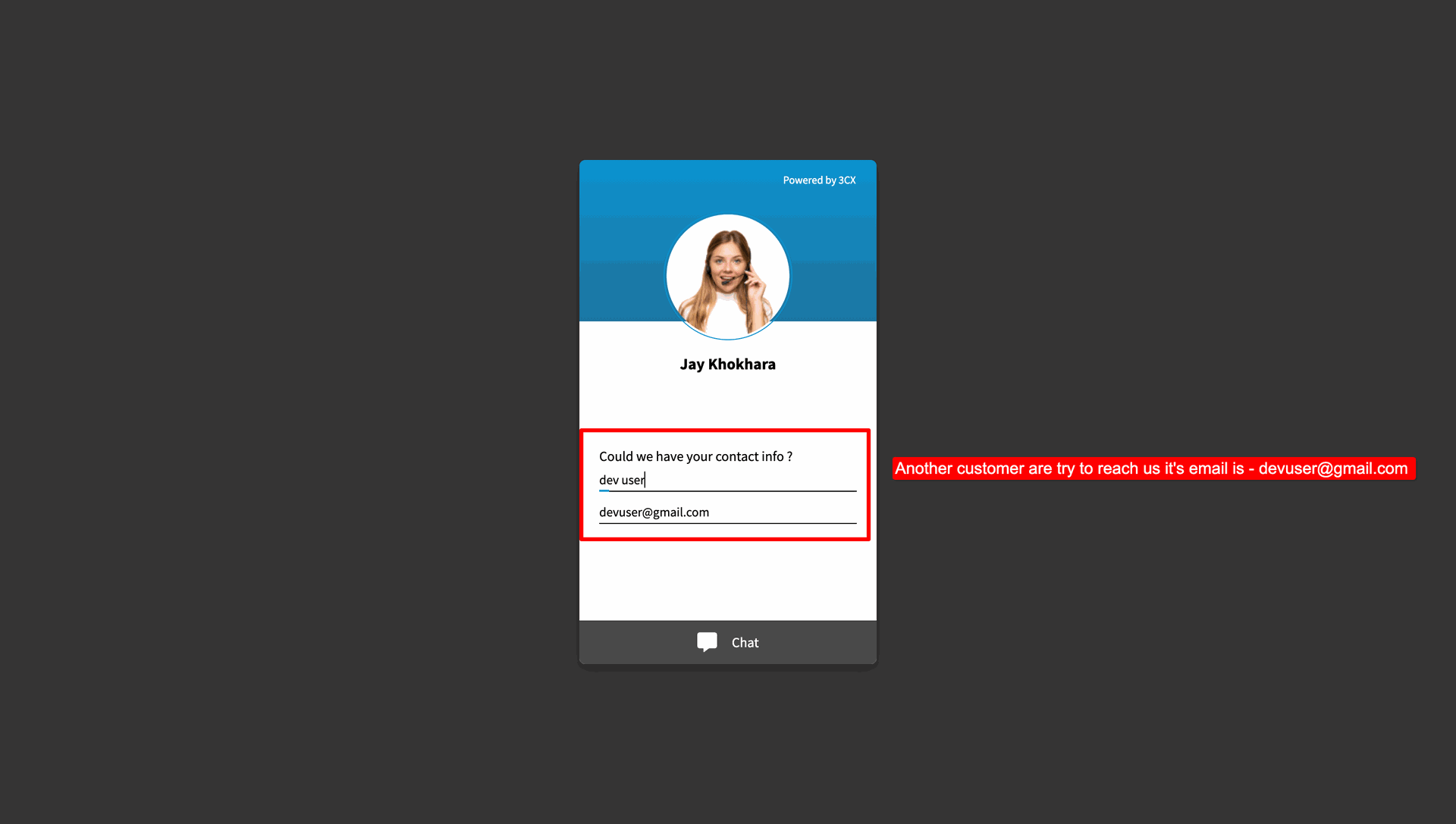
But the customer is not exist in Odoo, so the user can create a new contact from the 3CX chat.
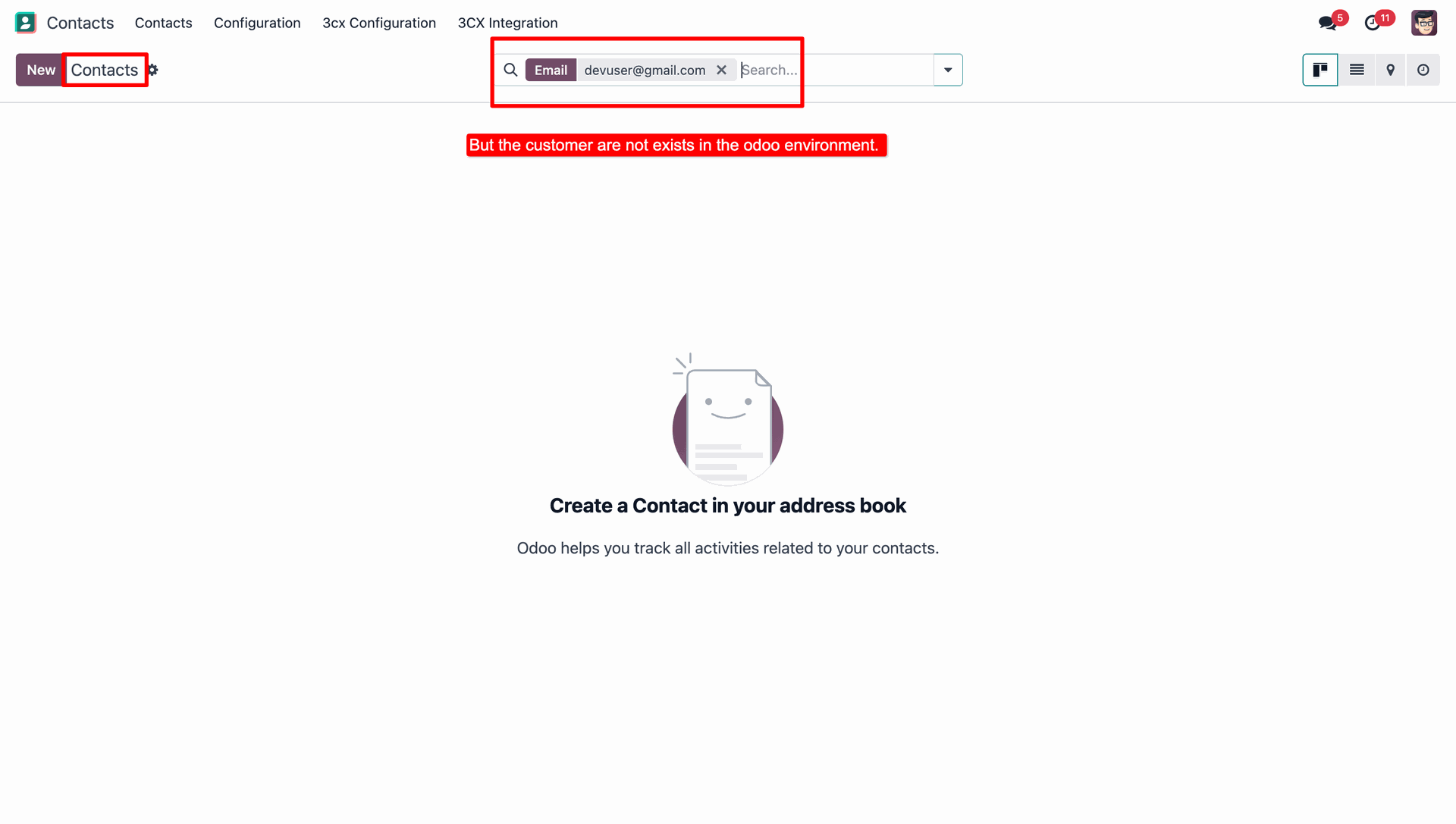
Under 3CX Configurations, select Contact as the Unknown Callers Creation Mode option.
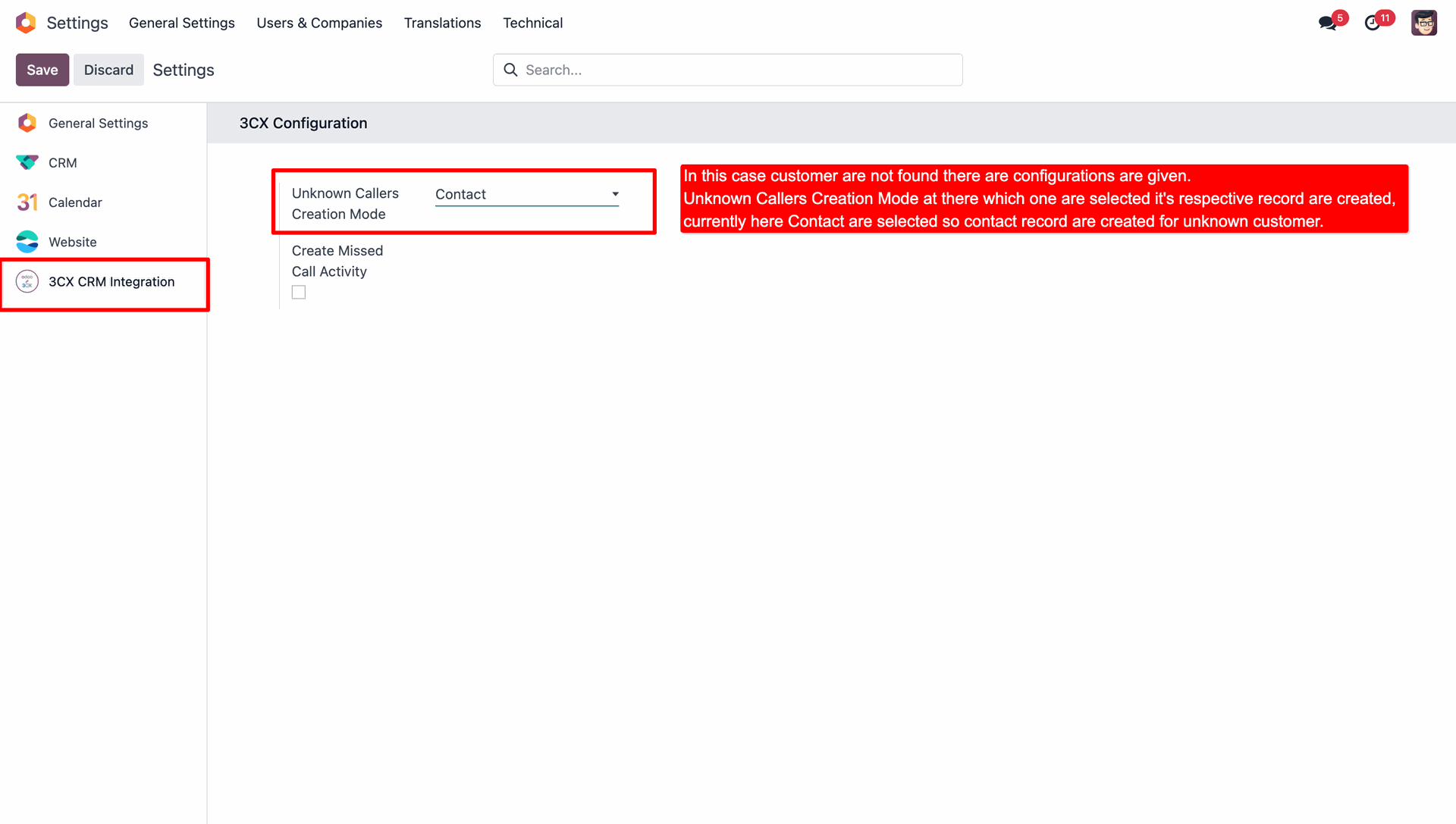
Write a message from the another login customer account and start conversation.
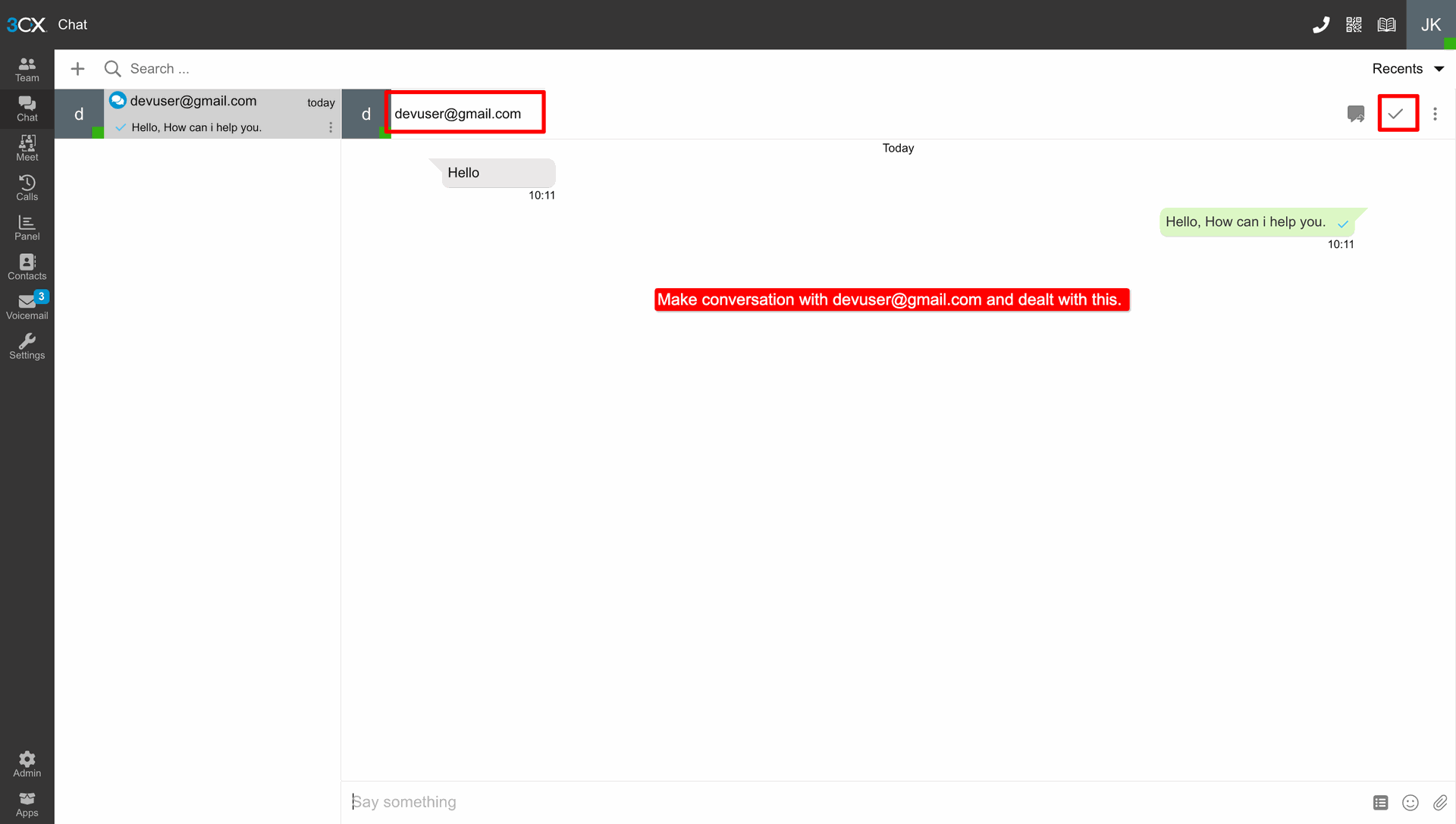
The customer's contact will be created in Odoo.
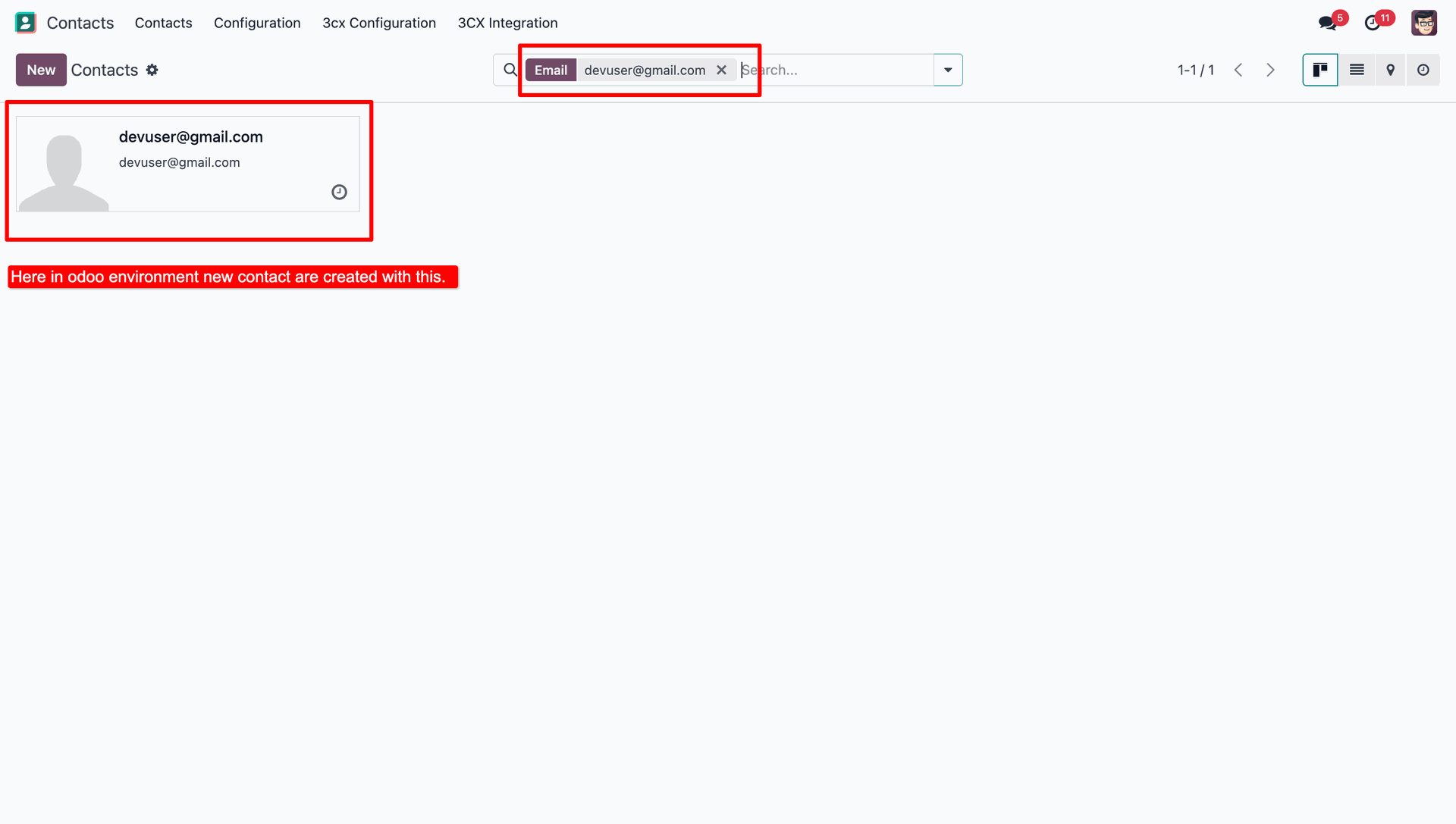
In the contact's chatter, the user can view the live chat details.
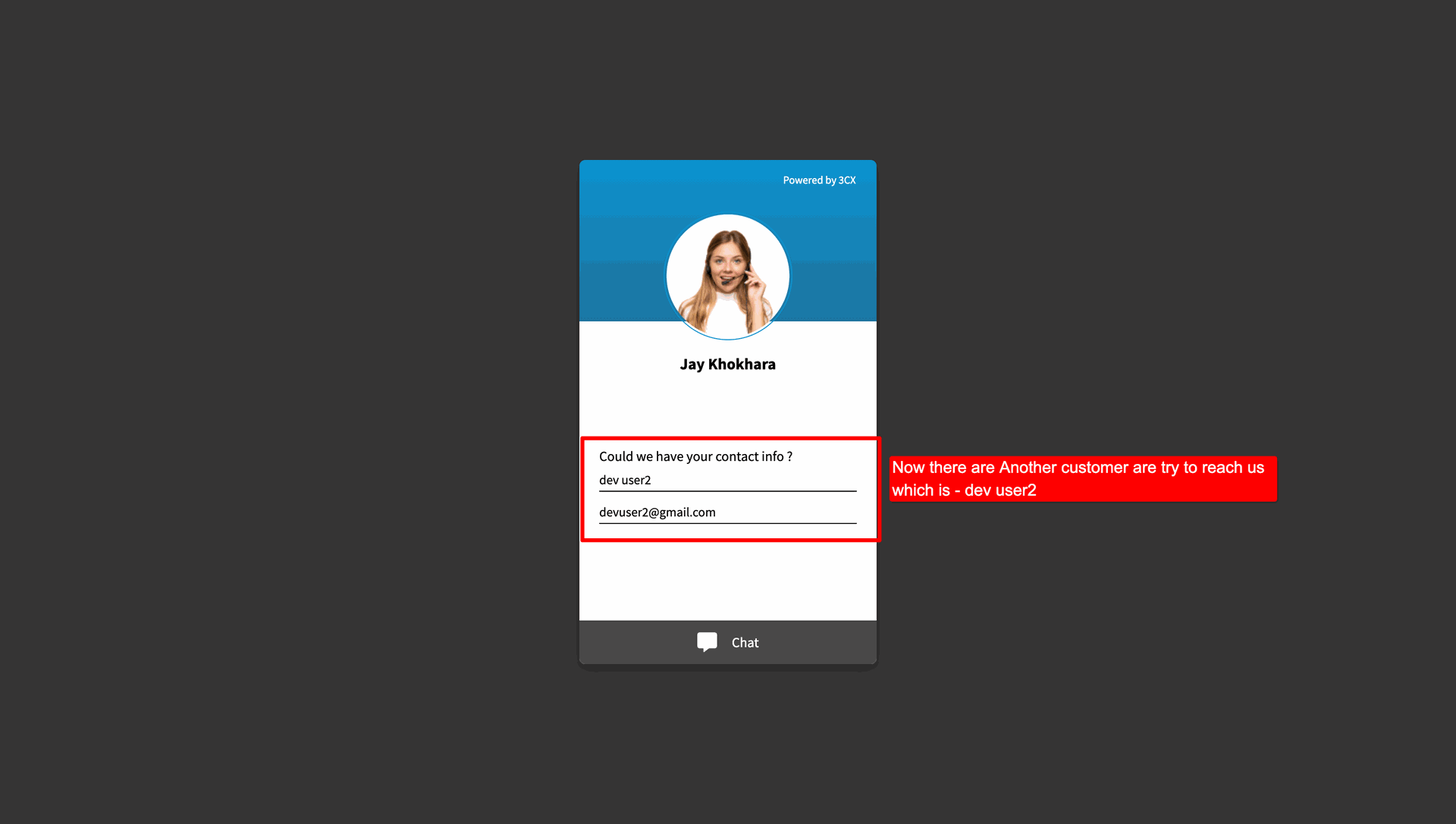
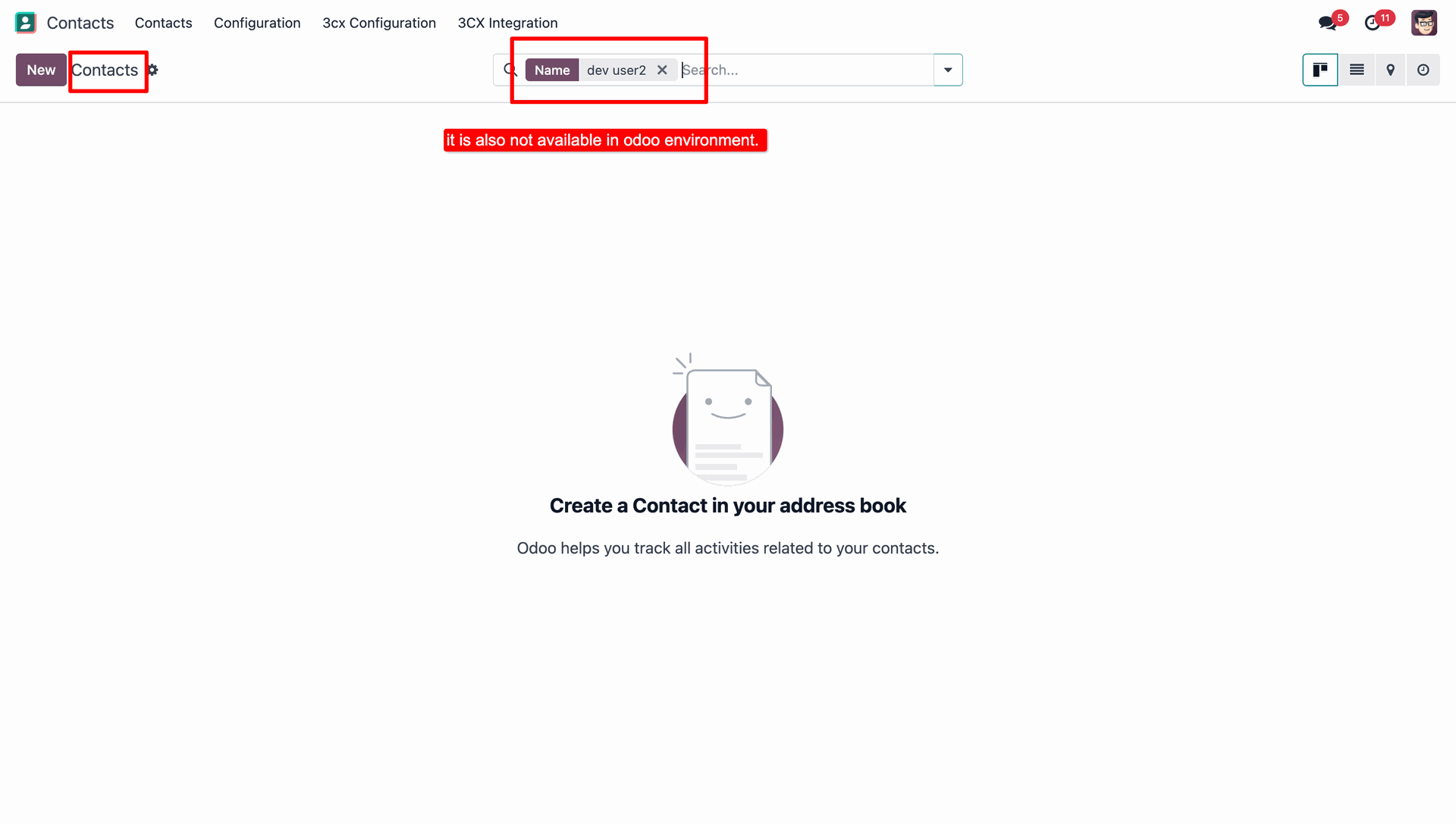
Login with another Customer Account in 3CX.
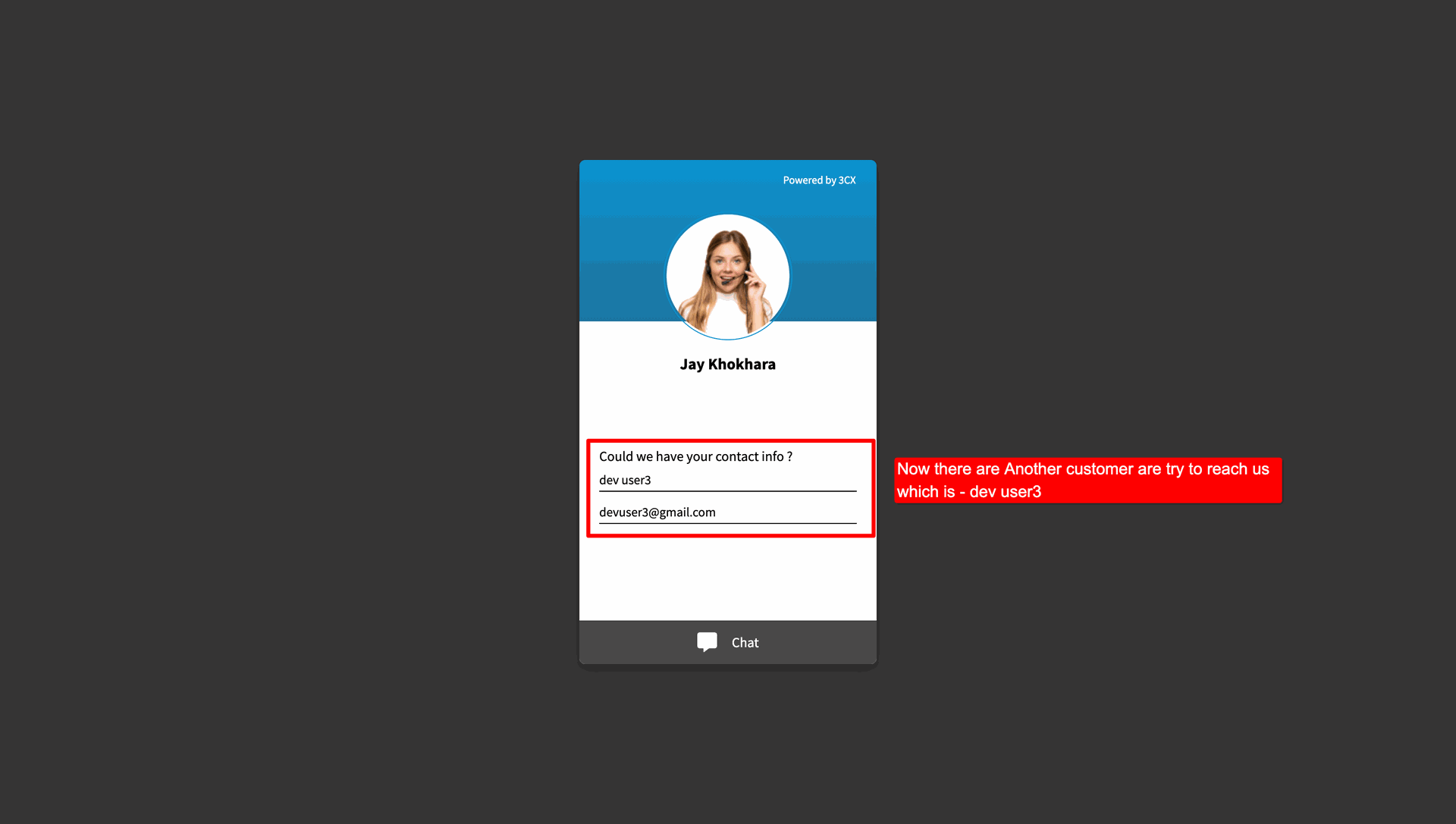
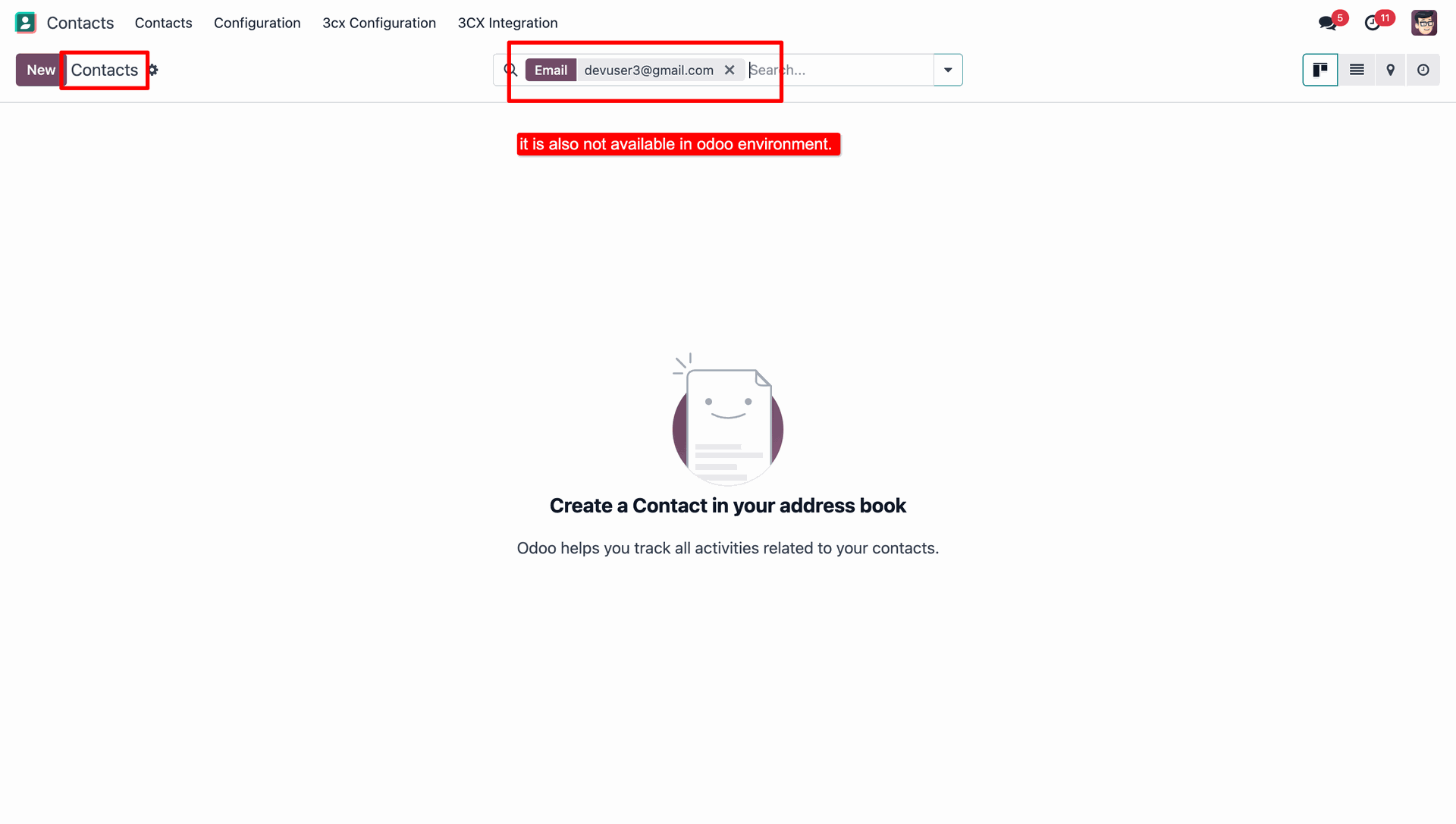
But the customer is not exist in Odoo, so the user can create a new contact from the 3CX chat.
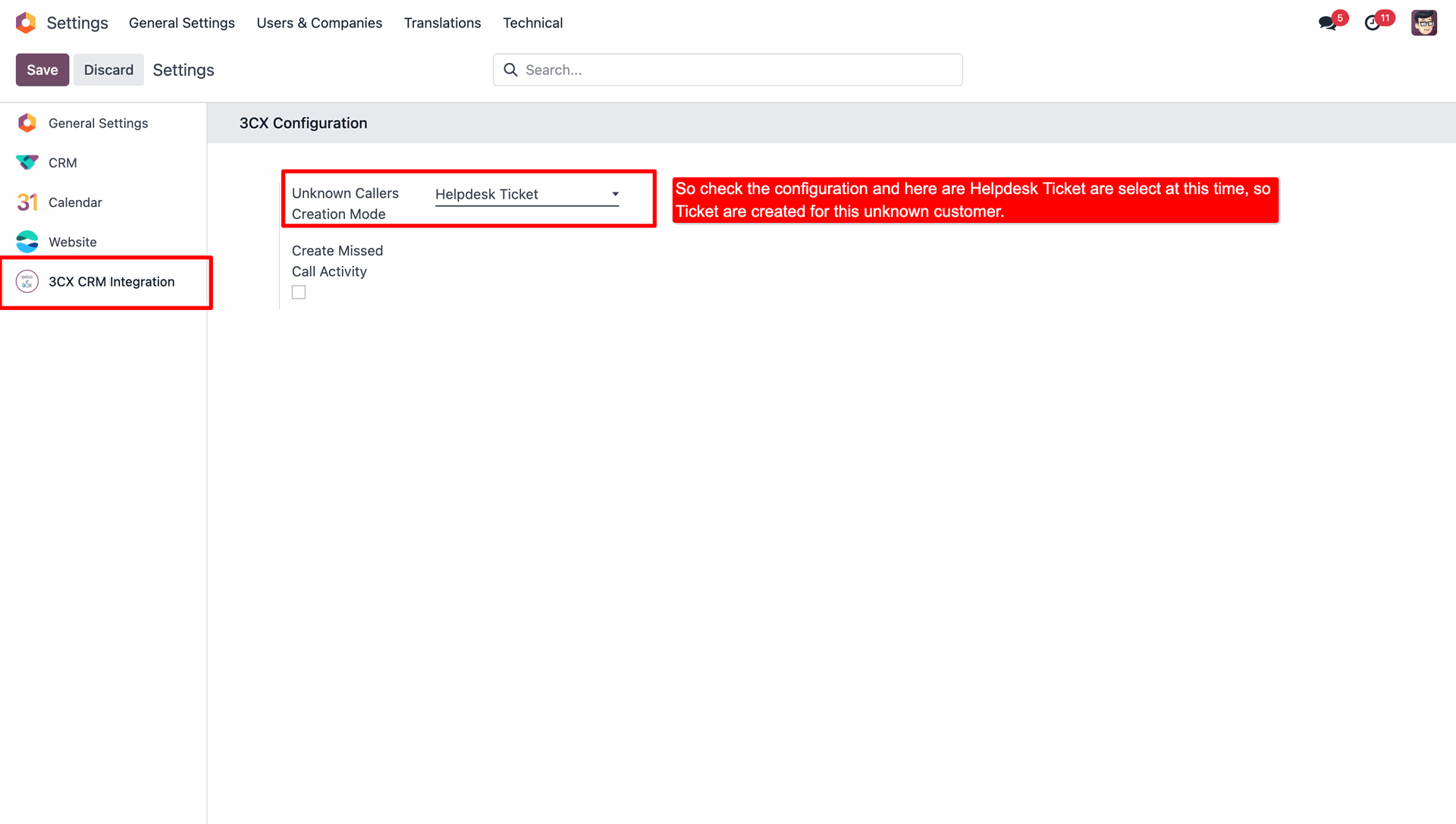
Under 3CX Configurations, select Helpdesk Ticket as the Unknown Callers Creation Mode option.
Write a message from the another login customer account and start conversation.
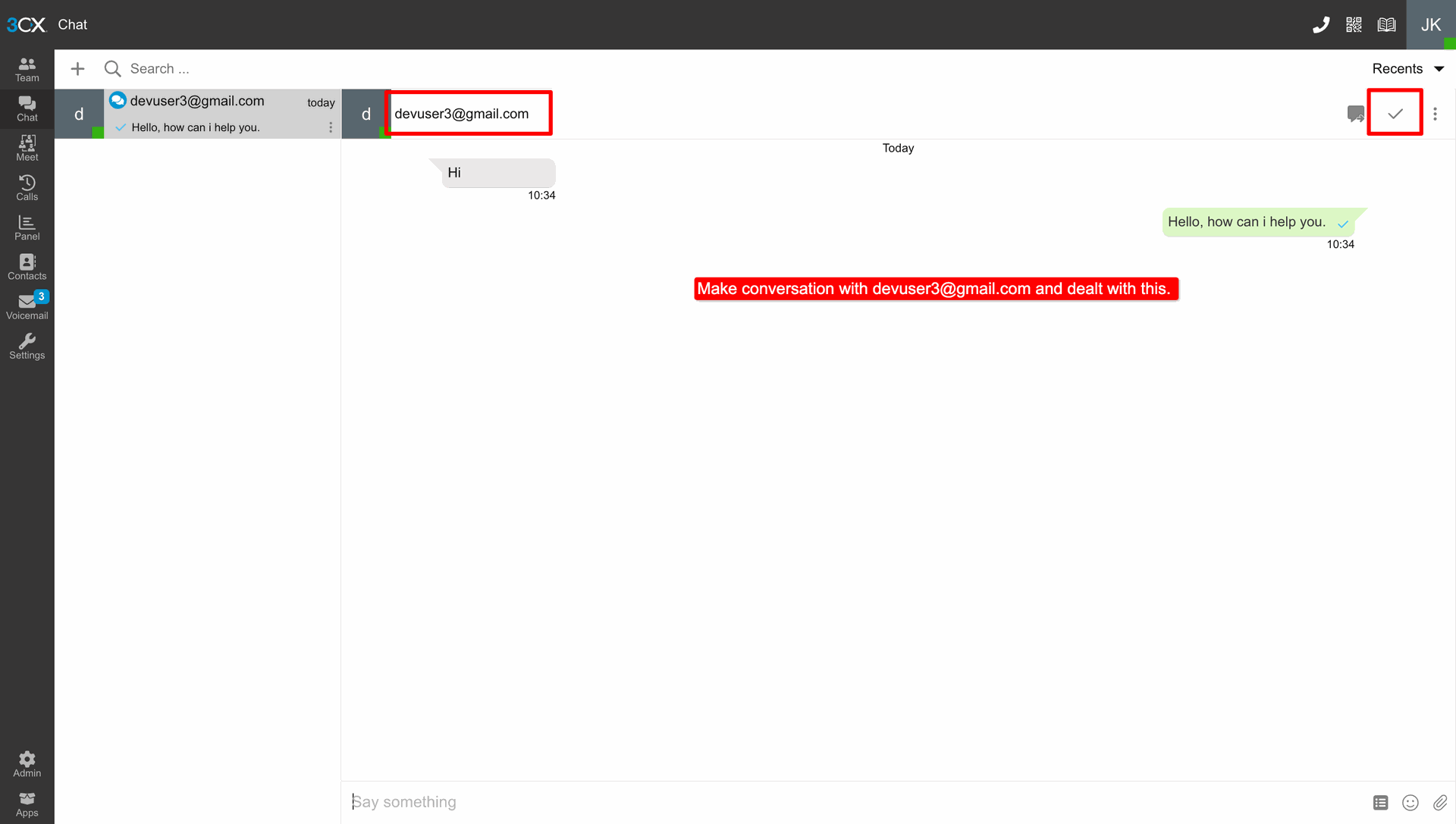
A message received through 3CX will automatically create a Helpdesk Ticket in Odoo.
Log in with another Customer Account from the 3CX app.
But the customer is not exist in Odoo, so the user can create a new contact from the 3CX chat.
Under 3CX Configurations, select CRM Lead as the Unknown Callers Creation Mode option.
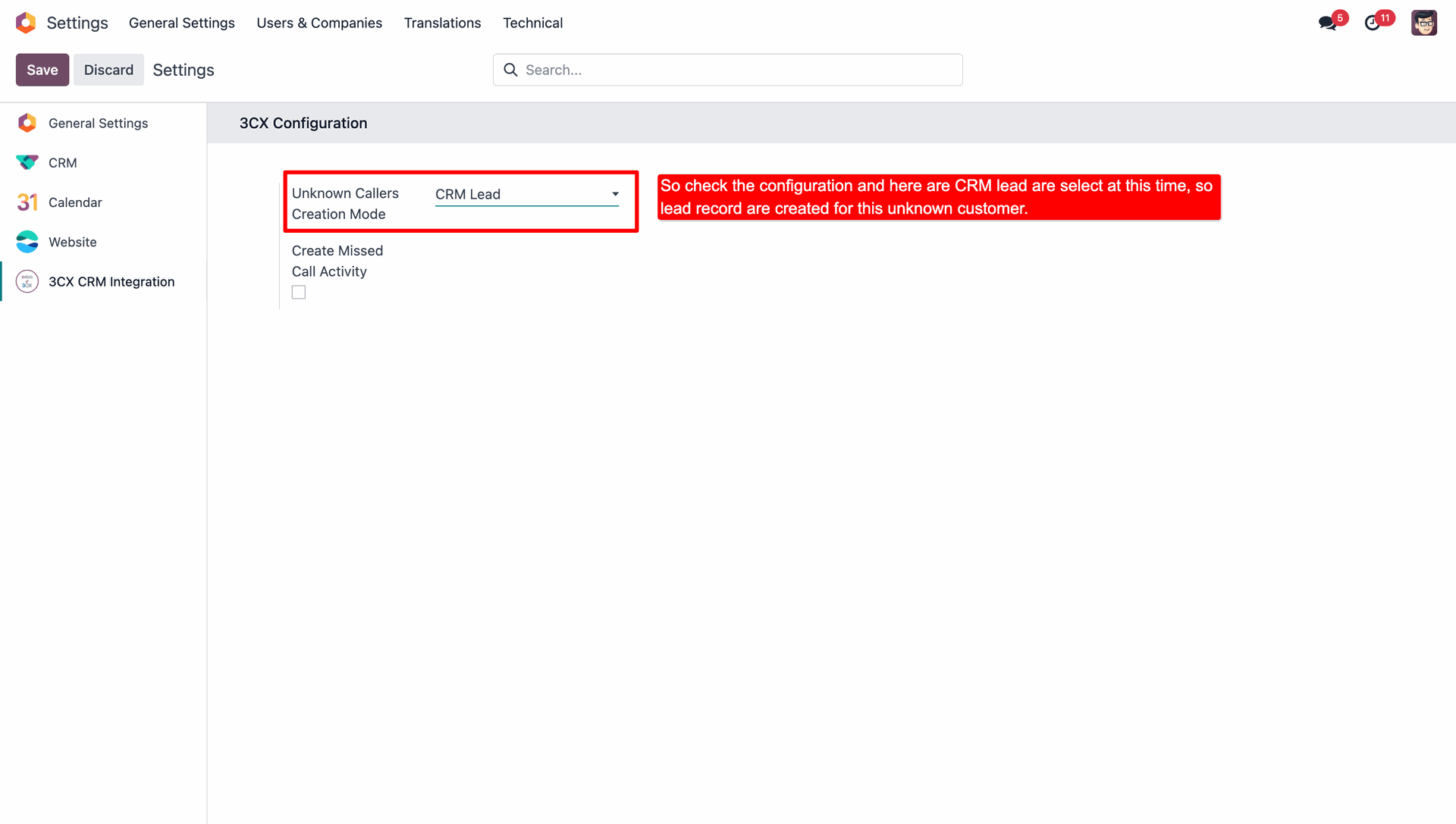
Write a message from the another login customer account and start conversation.
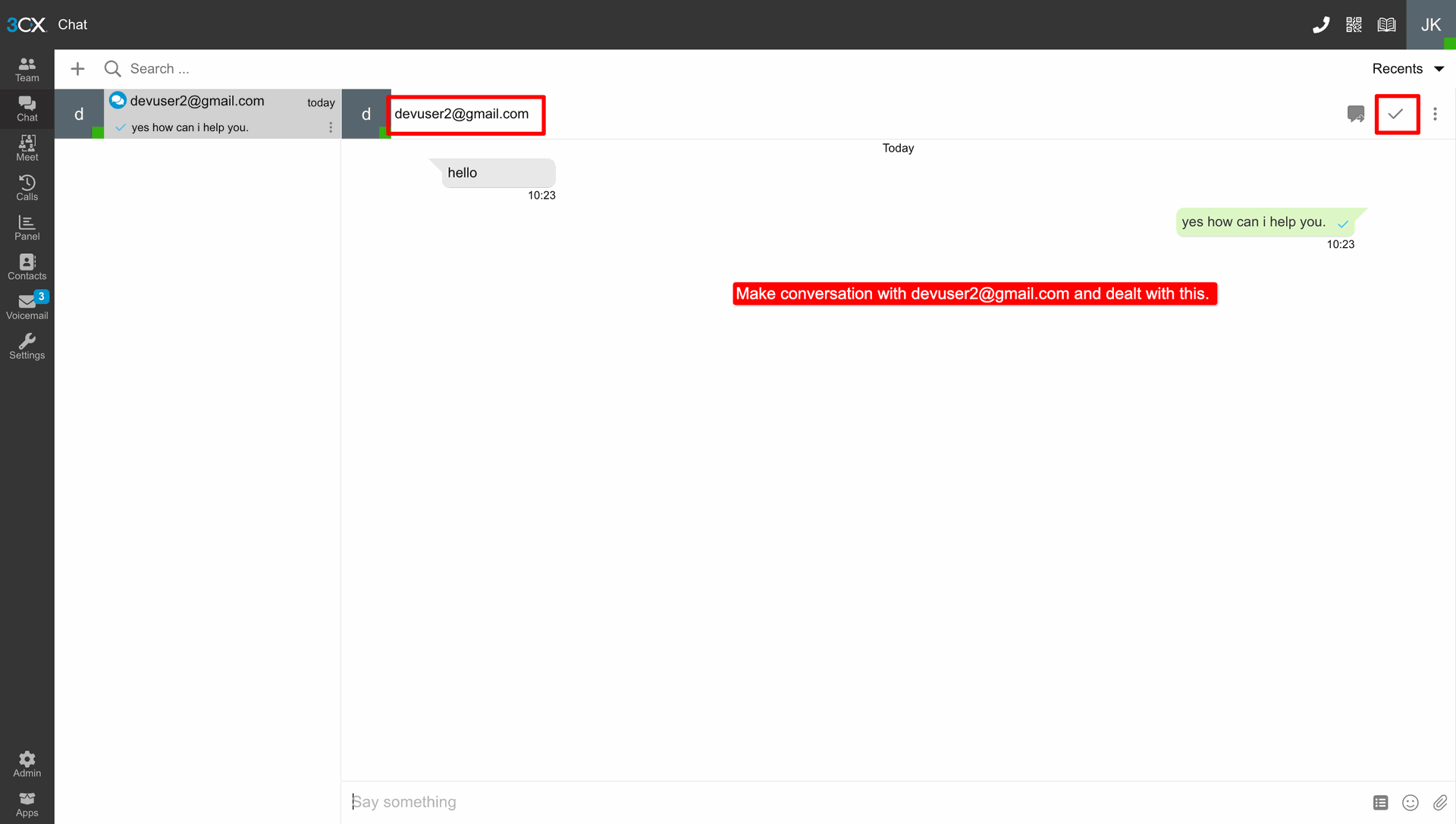
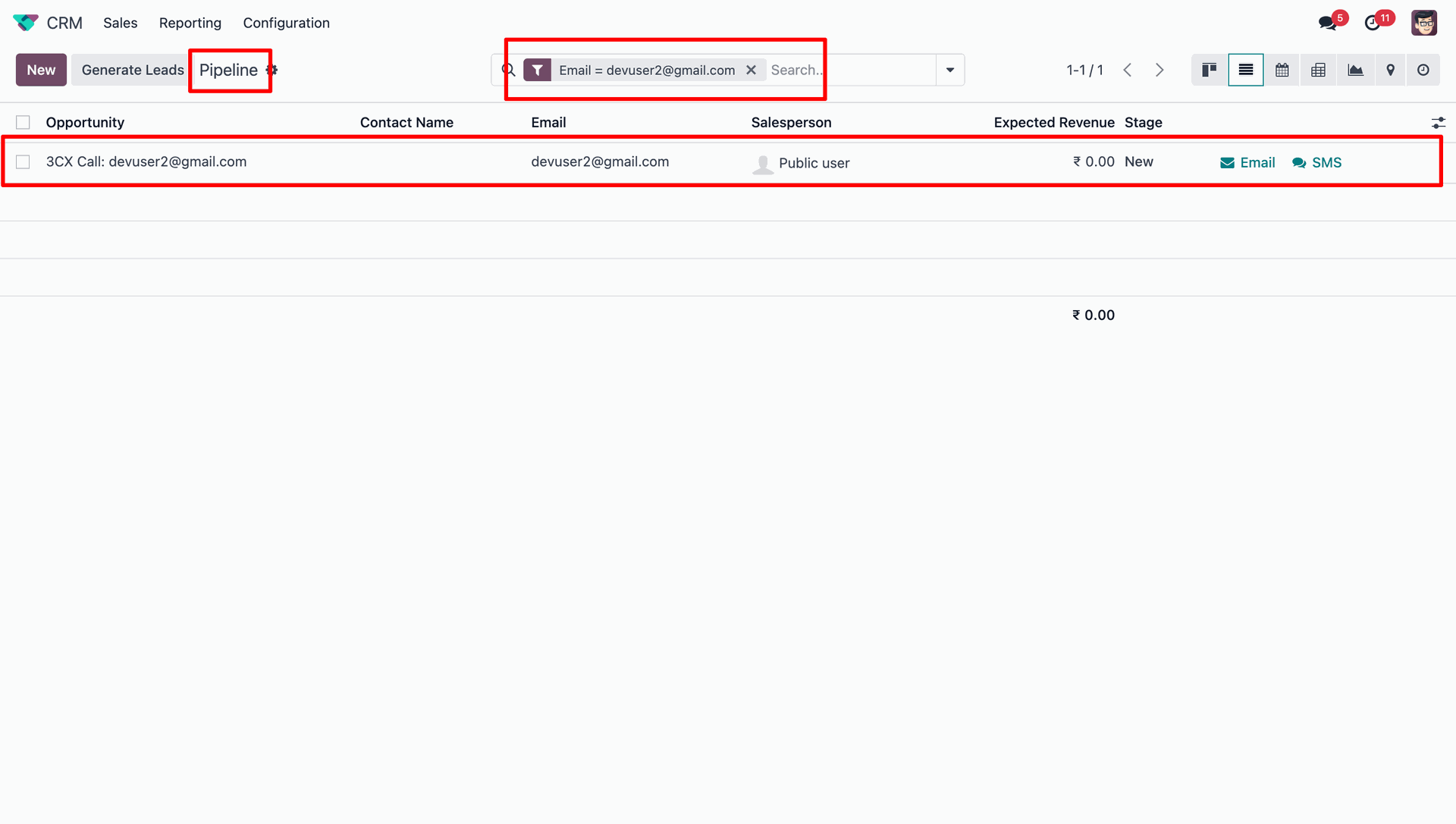
A message received through 3CX will automatically create a CRM Lead in Odoo.
Version 17.0.2.0.0 | Released on : 16th September 2026
Version 17.0.1.0.0 | Released on : 02nd January 2025
- Yes, this app works perfectly with Odoo Enterprise (Odoo.sh & On-Premise) as well as Community.
- No, this application is not compatible with odoo.com(odoo saas/Odoo Online).
- Please Contact Us at sales@softhealer.com to request customization.
- Yes, you will get free update for lifetime.
- No, you don't need to install additional libraries.
- For version 12 or upper, you will need to purchase the module for each version that you want to use.
- Yes, we provide free support for 100 days.
- No, We do not provide any kind of exchange.
