

 Easy to Manage
 Dedicated Support
















 Scan to email sales






Internal Category To POS Category Management

Category Management is the collaborative process of organizing categories as independent business units. Many shops have troubling to manage product categories with the POS category. So that's why we create a module to manage your product internal category with the POS category. Mainly this module divided into two parts 1)For already created product internal category sync with POS Category. 2)For those product categories which will be made in the future. This module will help you to add the product categories to the POS categories. If you have lots of products and you want to set POS Category in one click so you can do that thing with this module. You can auto-sync with the POS category while you create a new product category. While you linked all products category with the corresponding POS category, that time, you can also enable the option 'Available in POS' default for all products in one click.

Related Modules
Features
- Easy to merge your product's internal category with the POS category.
- Auto set product internal category to the POS category.
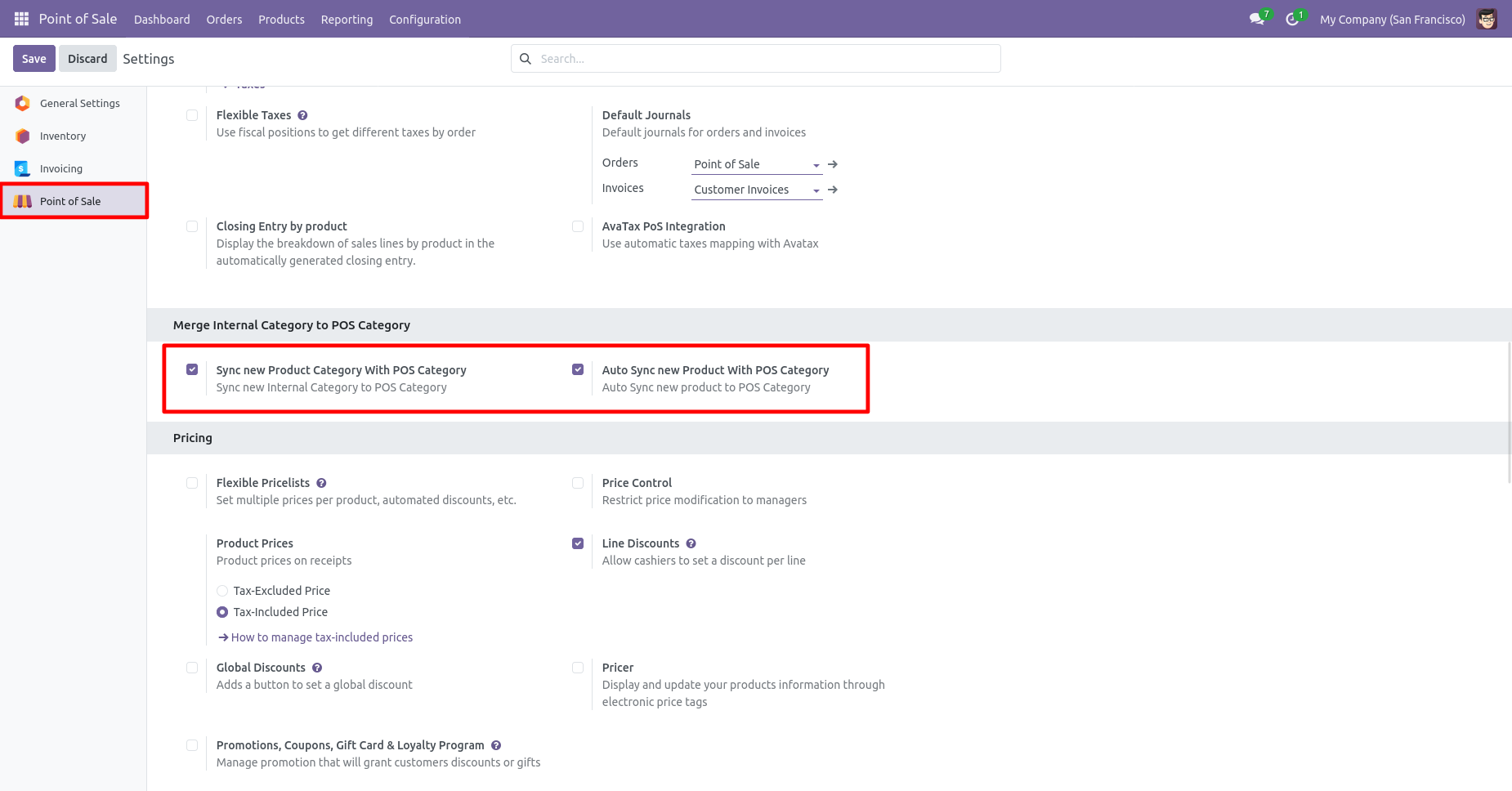
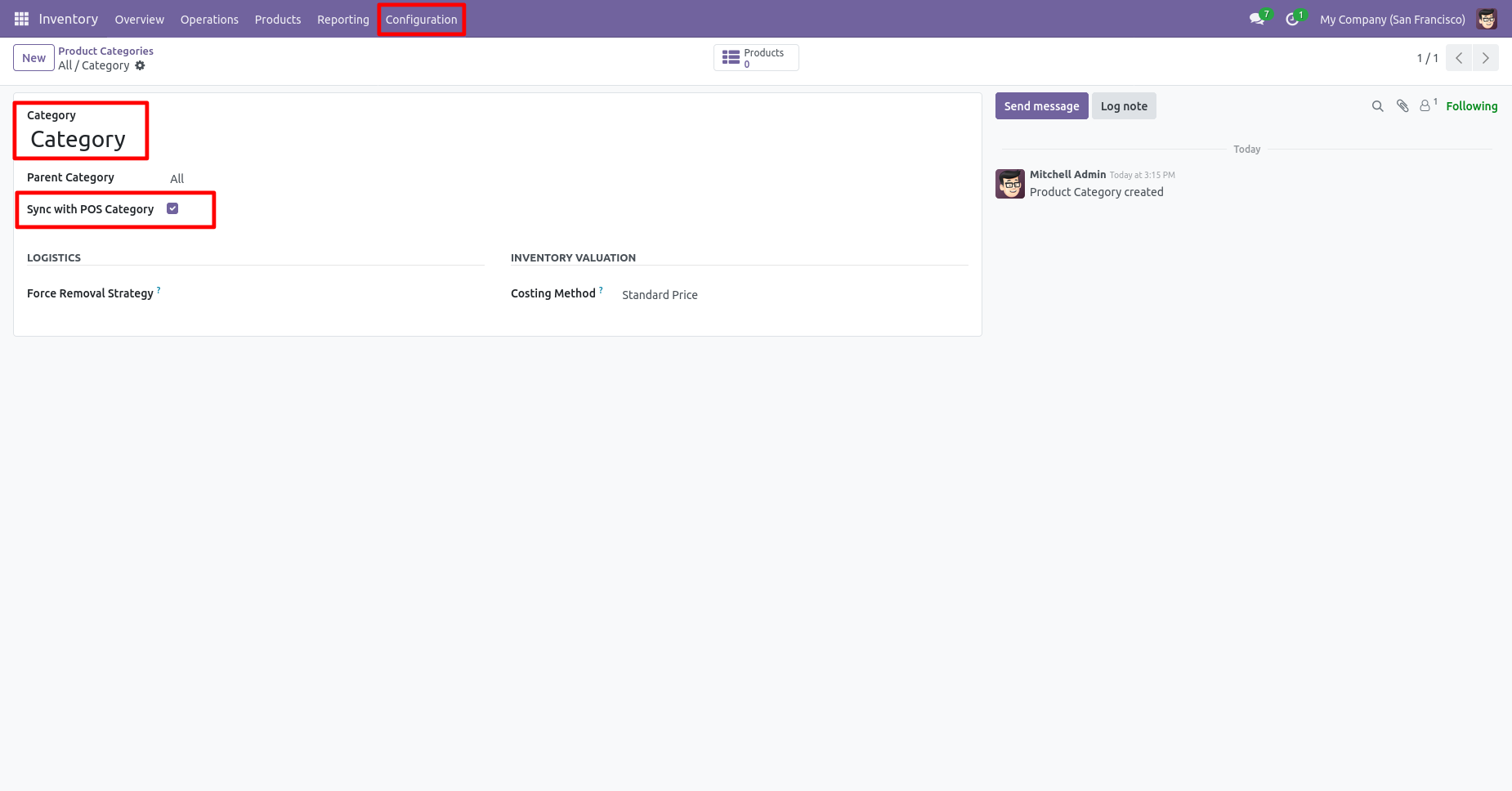
- Sync New Product Category with POS Category:When you create a new category then that category automatically syncs with POS Categories. If you don't want to sync any particular product category so just uncheck 'Sync with POS Category' option in category form view.
- Auto Sync New Product With POS Category: After Enable this option all products category automatically sync with the POS category.
'Merge PoS Category' sub menu in configuration menu.
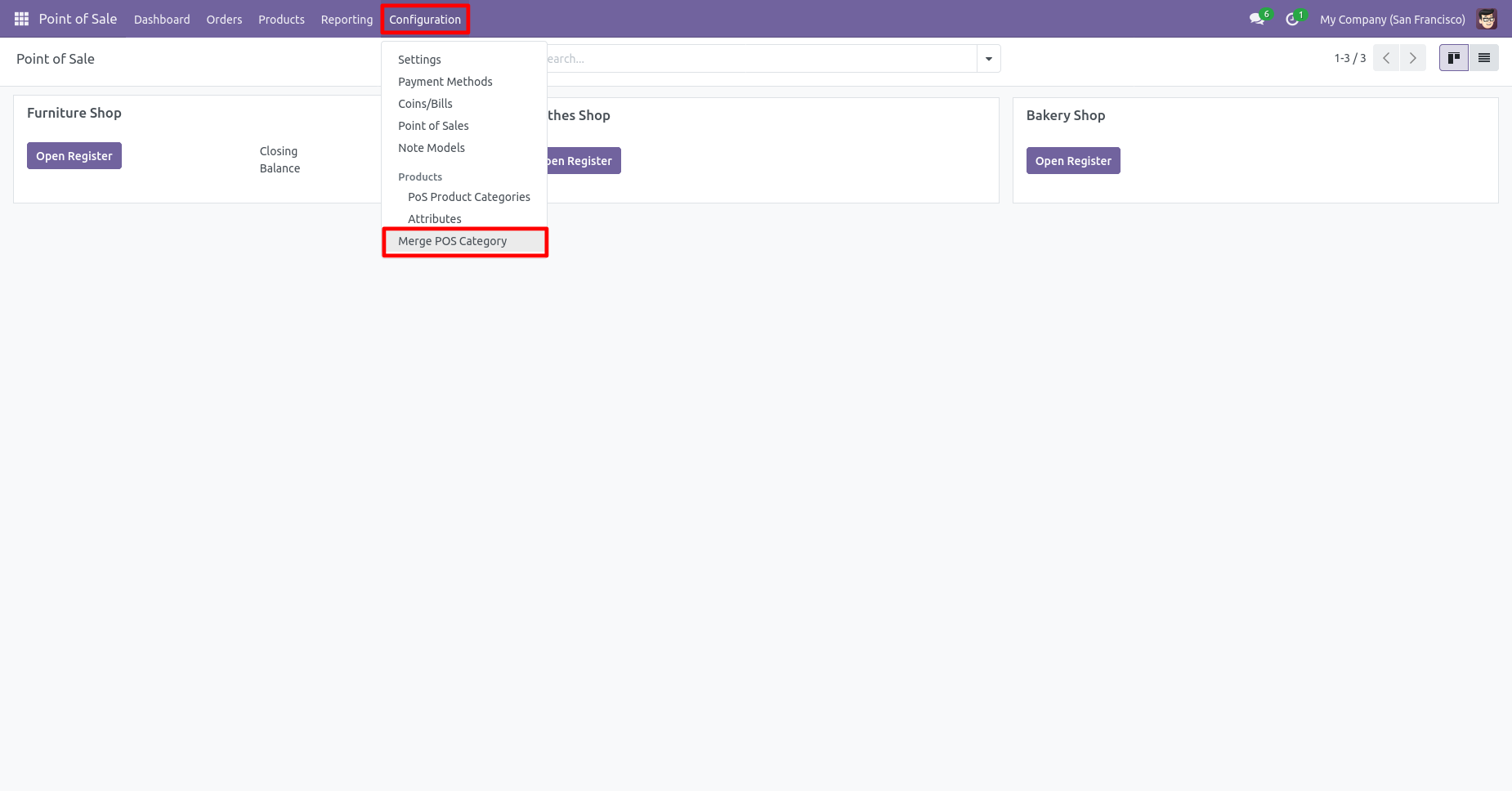
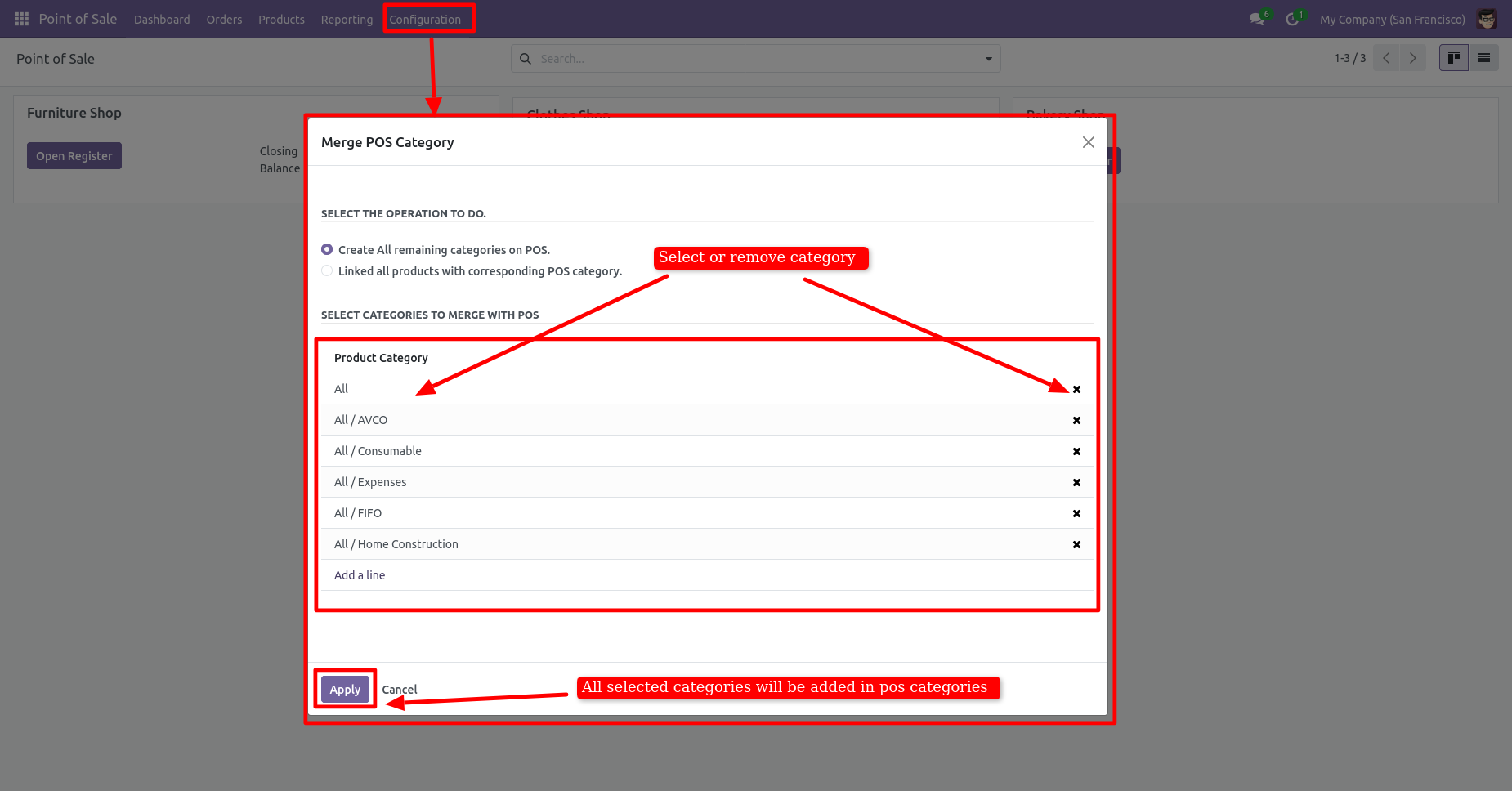
After open 'Merge PoS Category' menu one popup will open and select 'Create all remaining categories on PoS' then you can see the remaining categories list in 'Select categories merge with PoS' and then you can add or remove categories from the list and click 'Apply' so all selected categories added in PoS Category.
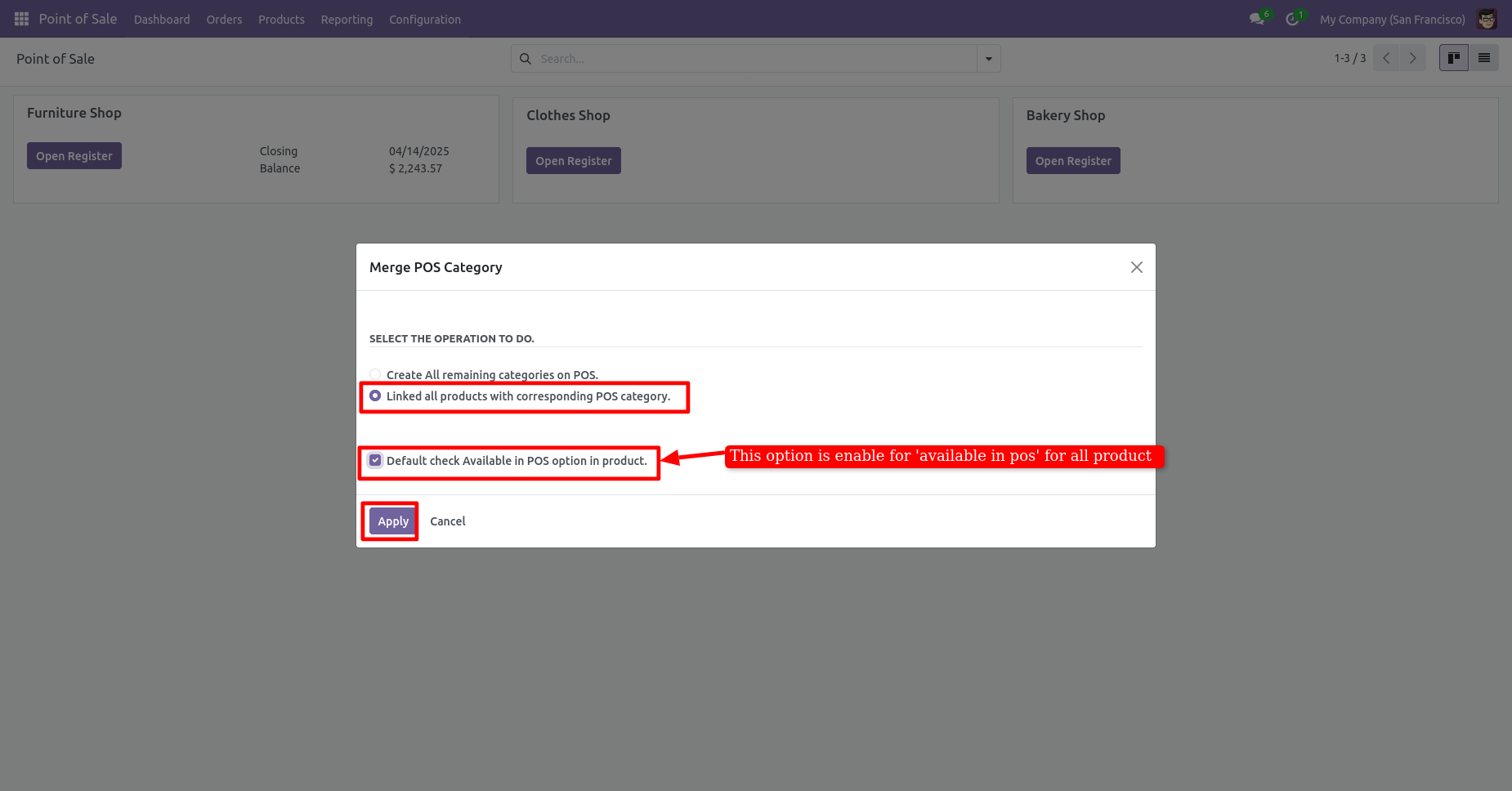
If you select 'Linked all products with corresponding PoS category' then one checkbox 'Default check Available in PoS option in product' will be visible, this checkbox used to check option 'Available in PoS' in product, and click 'Apply' then all products category and PoS category will be linked.
Goto POS config setting there is a two different option for merge internal category with POS
category as like.
1)Sync new product category with POS Category 2)Auto Sync New Product With POS Category
You can disable sync option for particular category after unchecking 'Sync with POS Category' option. 'Sync With POS Category' this option only visible after enabling this 'Sync new product category with POS Category' option in POS config Setting.
Version 20.0.1.0.0 | Released on : 15th September 2026
- Yes, this app works perfectly with Odoo Enterprise (Odoo.sh & Premise) as well as Community.
- No, this application is not compatible with odoo.com(odoo saas/Odoo Online)
- Yes, to test this module, please contact us at sales@softhealer.com.
- Please contact us at sales@softhealer.comto request customization.
- Yes, we provide free support for 365 days from the date of purchase.
- Yes, you will receive lifetime free updates for the version of the module you purchased.
- No, there is no need to install any additional libraries.
- Yes, for version 12 and above, you need to purchase the module separately for each version you intend to use.
- No, exchanges or refunds are not allowed. Please make sure to select the correct version before purchasing.
- You can contact us at support@softhealer.com for language translation support. We use Google Translator tools to provide translations in multiple languages, so the accuracy may vary. We welcome your suggestions to help improve translations.
Discover Our Latest Apps